WAVESPEED AI STEP VIEWER Models stay on your device
100% FREE
Free STEP Viewer OnlineNo CAD software needed.
Open STEP (.step, .stp) and IGES files in your browser, with every part in its CAD colours.
Turn and zoom, check the size in millimetres, save a screenshot.
STEP, IGES & BREPSize in mmNothing to install
No sign-up No upload Works on any device
Open a 3D model
Drop a file here, or choose one
GLB, STL, OBJ, FBX, PLY, 3MF, STEP or IGES · Up to 300 MBNo model yet? Make one from a photo with AIOr open a model made with AI
Opened in your browser. Your model is not uploaded.
MADE WITH AI 3D MODELS
Open a model made with AI.
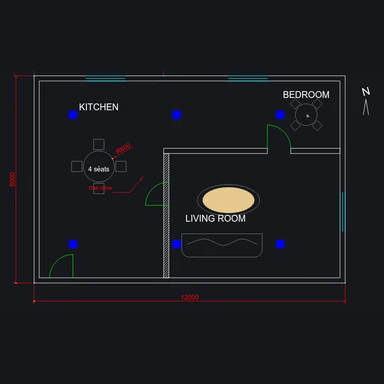
Real outputs from the 3D models on WaveSpeed AI, with their textures. Choose one to turn it, zoom in and check its size.
THREE SIMPLE STEPS
How to use the STEP Viewer
Open your STEP file
Drop a .step or .stp file, or IGES. Every part opens in place, in its colours.
Look around
Drag to turn, scroll to zoom, right-drag to pan. Switch on wireframe, the grid or a slow spin.
Check and share
See the size in millimetres, the parts and triangles, and save a screenshot as PNG.
WaveSpeed AI
Make a model to look at.
Turn a photo or a sketch into a textured 3D model with WaveSpeed AI, then open it here.
3D Generator
Make a textured 3D model from a photo or a prompt, with Tripo, Meshy, Hunyuan3D, Rodin and more.
Image Generator
Design your object as a picture first.
Video Generator
Show your model off in a short video.
- 1,000+ AI models
- Image, video and 3D
- Pay as you go
$1 in free credits for eligible new accounts. No card needed. Generators have separate account and credit requirements. The viewer is free.
/filters:quality(82)/media/images/1791123751656780930_IfFPY7R0.webp)
/filters:quality(82)/media/images/1791123737177812425_RjKT3cku.webp)
/filters:quality(82)/media/images/1791123748309870128_xlkNgK8N.webp)
/filters:quality(82)/media/images/1791123738630744263_oR09R0aj.webp)
/filters:quality(82)/media/images/1791177033162457776_uQ09OY7g.webp)
/filters:quality(82)/media/images/1791123734319125607_JdnwGPY7.webp)
/filters:quality(82)/media/images/1791123746355630206_udnxGPY7.webp)
/filters:quality(82)/media/images/1791123744771362580_yC0sPezZ.webp)
/filters:quality(82)/media/images/1791123738606970169_5KIR1ais.webp)
/filters:quality(82)/media/images/1791123748197655725_EUmuFNW6.webp)
STEP Viewer FAQ
Is this STEP viewer free?
Yes. Open as many STEP files as you like, with no account, install or file count limit.
Which CAD files can I open?
STEP (AP203, AP214 and AP242, .step or .stp), IGES (.iges, .igs) and OpenCascade BREP, up to 300 MB. Native files such as .sldprt, .f3d or .ipt need to be exported as STEP first. The viewer also opens GLB, STL, OBJ, FBX, PLY and 3MF.
Are colours and assemblies shown?
Yes. Every part of an assembly is shown in place, in the colours set in the CAD program. Parts without a colour are grey.
What units are the dimensions in?
Millimetres. STEP files record their units, so a part saved in inches is converted: a 4 × 2 × 1 inch block reads 101.6 × 50.8 × 25.4 mm.
Why do curves look faceted?
The viewer turns the exact CAD surfaces into triangles. Choose Fine or Extra fine detail for rounder holes and curves; big assemblies take longer at higher detail.
Can I convert it for 3D printing?
Yes. Open the free STEP to STL converter to check the part, stand it on the build plate and download STL or 3MF at its real size.
Is my file uploaded?
No. The file is opened in your browser and never leaves your device, so it’s safe for confidential designs.
More free tools like this
All Free Tools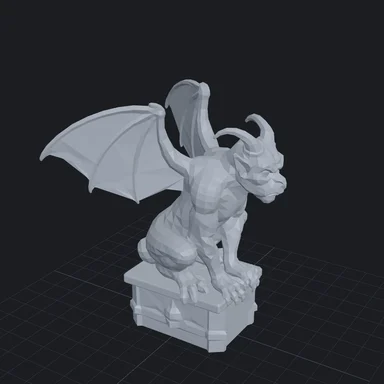


Free STEP Viewer Online
STEP, IGES & BREP · Size in mm · Nothing to install