Open your files
Drop one or more PDF invoices; scans and photos work too.
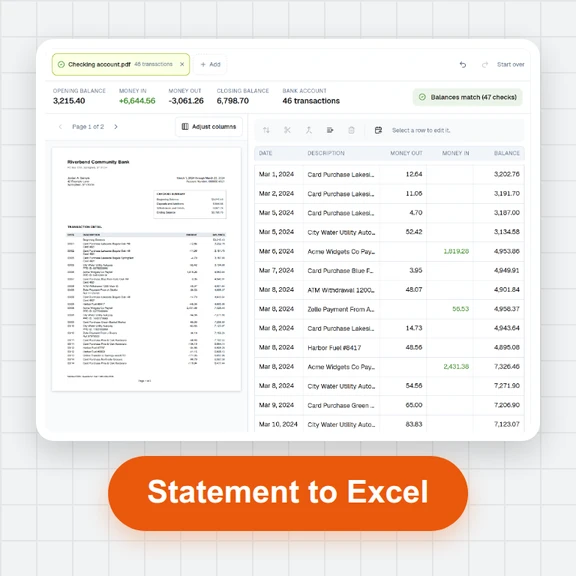
Turn PDF invoices into a CSV with vendor, tax ID, invoice number, dates, subtotal, tax, total and payment terms, or one row per line item.
Every invoice is checked (subtotal + tax = total) before you download.
Loading the invoice scanner…
Drop one or more PDF invoices; scans and photos work too.
Check the highlighted fields and fix anything marked.
Choose one row per invoice or per line item, the date format and, for European spreadsheets, semicolons with decimal commas.
Create product photos, illustrations and short videos from a prompt with WaveSpeed AI.
Make product photos and graphics for your shop and social posts.
Turn a product photo into a short video clip.
Turn a product picture into a 3D model.
$1 in free credits for eligible new accounts. No card needed. Generators have separate account and credit requirements. The invoice scanner is free.
Yes. No account, no page limit and no watermark.
No. They are read in your browser and the CSV is made on your device.
File, type, vendor, vendor tax ID, invoice number, invoice date, due date, currency, subtotal, tax, tax rate, total, payment terms, buyer, number of line items and the check result. The line item CSV has one row per item with the invoice it belongs to.
The file is UTF-8 with a byte order mark, so accents survive. Choose semicolons and decimal commas if your spreadsheet uses European number formats.
Per invoice or per line · Totals checked · No upload
/filters:quality(82)/media/images/1791123751656780930_IfFPY7R0.webp)
/filters:quality(82)/media/images/1791123737177812425_RjKT3cku.webp)
/filters:quality(82)/media/images/1791123748309870128_xlkNgK8N.webp)
/filters:quality(82)/media/images/1791123738630744263_oR09R0aj.webp)
/filters:quality(82)/media/images/1791177033162457776_uQ09OY7g.webp)
/filters:quality(82)/media/images/1791123734319125607_JdnwGPY7.webp)
/filters:quality(82)/media/images/1791123746355630206_udnxGPY7.webp)
/filters:quality(82)/media/images/1791123744771362580_yC0sPezZ.webp)
/filters:quality(82)/media/images/1791123738606970169_5KIR1ais.webp)
/filters:quality(82)/media/images/1791123748197655725_EUmuFNW6.webp)