Add images or a PDF
Drop photos, screenshots or scanned PDFs, paste an image, or take a photo with your phone.
Pull the text out of photos, screenshots and scanned PDFs: check every word against the page, fix what was misread and copy it.
Download plain text, a searchable PDF or a Word document.
Loading the OCR tool…
Drop photos, screenshots or scanned PDFs, paste an image, or take a photo with your phone.
Every word is outlined on the page. Words the reader is unsure of are highlighted: click one to fix it.
Copy the text, or download a searchable PDF, a Word document or plain text.
Create illustrations, photos and covers from a short prompt with WaveSpeed AI.
Make covers, diagrams and pictures for reports and slides.
Turn a still image into a short video clip.
Turn a picture into a 3D model.
$1 in free credits for eligible new accounts. No card needed. Generators have separate account and credit requirements. The OCR tool is free.
Yes. Convert as many images and pages as you like, with no account, no daily limit and no watermark.
No. Text is recognised in your browser and your images and PDFs never leave your device. Only the reading engine and the language data are downloaded, once, and then kept by your browser.
More than 50, including English, Spanish, French, German, Portuguese, Russian, Arabic, Hindi, Thai, Japanese, Korean and Chinese (simplified and traditional). Choose up to four at once for mixed documents.
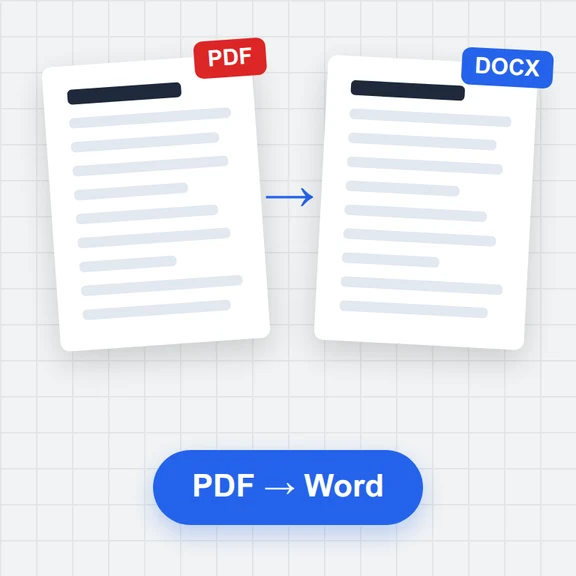
Drop the PDF. Each page is read in turn, and you can download all pages as one searchable PDF, Word document or text file.
A PDF that looks exactly like your scan but has an invisible text layer, so you can search it, select text and copy it.
No. It reads printed and typed text. Handwriting usually comes out wrong.
Use a sharp, well-lit picture with the page filling the frame, choose the right language, and leave automatic clean-up on. Sideways and slightly crooked pages are straightened for you.
Yes. Click any word on the page or in the text to fix it; uncertain words are highlighted so you can review them one after another. You can also edit the whole text freely.
Free, private and without limits.
/filters:quality(82)/media/images/1791123751656780930_IfFPY7R0.webp)
/filters:quality(82)/media/images/1791123737177812425_RjKT3cku.webp)
/filters:quality(82)/media/images/1791123748309870128_xlkNgK8N.webp)
/filters:quality(82)/media/images/1791123738630744263_oR09R0aj.webp)
/filters:quality(82)/media/images/1791177033162457776_uQ09OY7g.webp)
/filters:quality(82)/media/images/1791123734319125607_JdnwGPY7.webp)
/filters:quality(82)/media/images/1791123746355630206_udnxGPY7.webp)
/filters:quality(82)/media/images/1791123744771362580_yC0sPezZ.webp)
/filters:quality(82)/media/images/1791123738606970169_5KIR1ais.webp)
/filters:quality(82)/media/images/1791123748197655725_EUmuFNW6.webp)