Fill in your details
Start blank, from an example or by importing a JSON Resume file. Add your experience, education, skills and any other sections, and drag them into order.
Fill in your details and watch the pages update as you type, in one of ten templates made to be read by people and applicant tracking systems.
Download a PDF with real, selectable text, an editable Word file, plain text or JSON Resume, with a matching cover letter.
Start blank, from an example or by importing a JSON Resume file. Add your experience, education, skills and any other sections, and drag them into order.
Choose one of ten templates, then the colour, font, text size, margins and page size. The pages update as you type.
Fix what the checklist finds, then download a PDF, a Word file, plain text or JSON Resume. Free, with no watermark.
Download your resume and cover letter as often as you like as PDF or Word. No account, no trial, no watermark, no paywall at the end.
The PDF holds real text in reading order with standard headings, so applicant tracking systems can read your name, dates and skills. Pages break between lines, and a job title always stays with its first bullet.
Classic, Modern, Minimal, Executive, Sidebar, Creative, Compact, Academic CV, Elegant and Timeline, each with your choice of colour, font, size and margins.
Headings, dates and “Present” in 16 languages. Text in Latin, Greek and Cyrillic alphabets, Vietnamese, Chinese, Japanese and Korean is printed with embedded fonts.
Finds missing contact details and sections, bullets that run too long or have no numbers, mixed verb tenses, weak openers and impossible dates.
Several resumes saved in your browser with undo and redo. Export to JSON Resume, the open standard, to back up or move your resume.
Create images and videos from a short prompt with WaveSpeed AI.
Make a clean profile picture or a banner for your portfolio.
Turn a still image into a short intro video.
Turn a picture into a 3D model for your portfolio.
$1 in free credits for eligible new accounts. No card needed. Generators have separate account and credit requirements. The Resume builder is free.
Yes. Building, editing and downloading are free: PDF, Word, plain text and JSON, as many times as you like, with no account and no watermark.
No. It is made and saved in your browser on this device. Only the fonts are downloaded. Clearing your browser's site data deletes saved resumes, so download a JSON copy as a backup.
Yes. The PDF contains real text, not a picture, in reading order and with standard section headings. One-column templates are the safest choice for online applications; two-column ones read correctly here, but some older systems mix columns up.
Yes. Choose the resume language in Design to print headings, month names and “Present” in one of 16 languages, or type your own headings. Arabic, Hebrew, Hindi and Thai text can't be printed yet; the editor tells you if your resume contains it.
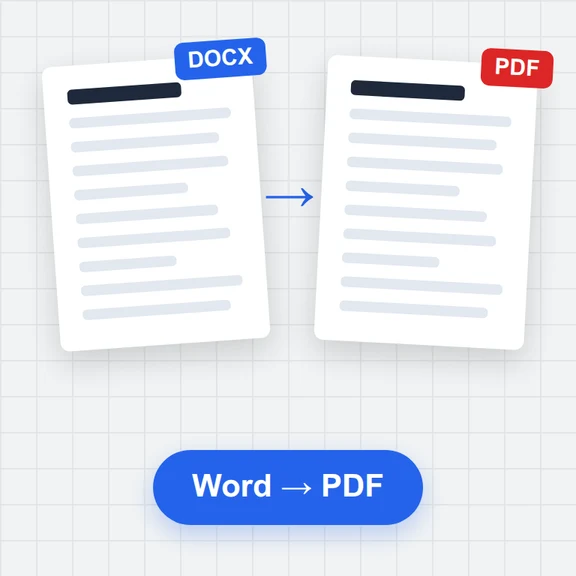
The Word file always has one column and uses a standard Office font close to the one you chose, so you can keep editing it. Its pages may break differently from the PDF.
You can import a JSON Resume file (jsonresume.org) or a JSON file you downloaded here. Importing from PDF or Word isn't supported.
Yes. Switch to Cover letter: it uses the same contact details, template and colours as your resume, and downloads in the same formats.
It applies rules recruiters and tracking systems commonly use: contact details, expected sections, length, bullet length, measurable results, verb tense and dates. It doesn't read the job ad, and tense and wording checks only work in English.
Free, private, and downloads without a watermark.
/filters:quality(82)/media/images/1791123751656780930_IfFPY7R0.webp)
/filters:quality(82)/media/images/1791123737177812425_RjKT3cku.webp)
/filters:quality(82)/media/images/1791123748309870128_xlkNgK8N.webp)
/filters:quality(82)/media/images/1791123738630744263_oR09R0aj.webp)
/filters:quality(82)/media/images/1791177033162457776_uQ09OY7g.webp)
/filters:quality(82)/media/images/1791123734319125607_JdnwGPY7.webp)
/filters:quality(82)/media/images/1791123746355630206_udnxGPY7.webp)
/filters:quality(82)/media/images/1791123744771362580_yC0sPezZ.webp)
/filters:quality(82)/media/images/1791123738606970169_5KIR1ais.webp)
/filters:quality(82)/media/images/1791123748197655725_EUmuFNW6.webp)