Transform your photos into ultra-high-resolution 3D models in seconds with Tencent's Hunyuan3D V3 Image to 3D. Film-quality geometry with PBR textures from single or multi-view images, ready for games, e-commerce, and 3D printing. Ready-to-use REST inference API, best performance, no coldstarts, affordable pricing.
En attente
$0.3par exécution·~33 / $10
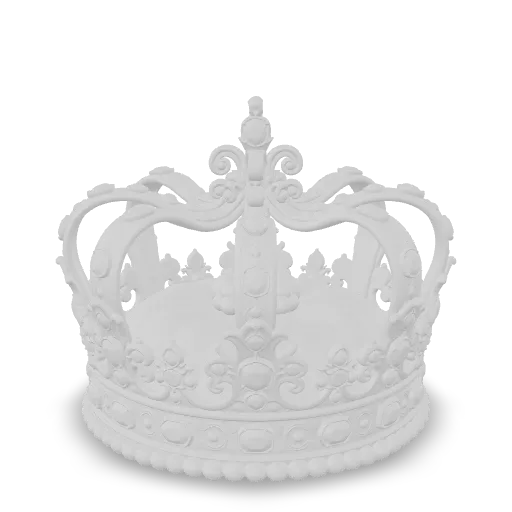
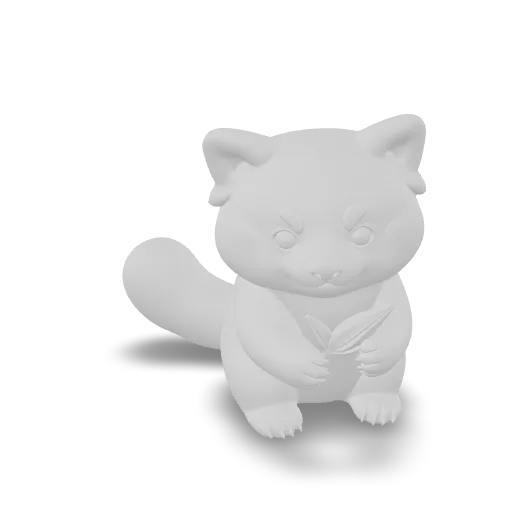
ExemplesTout voir
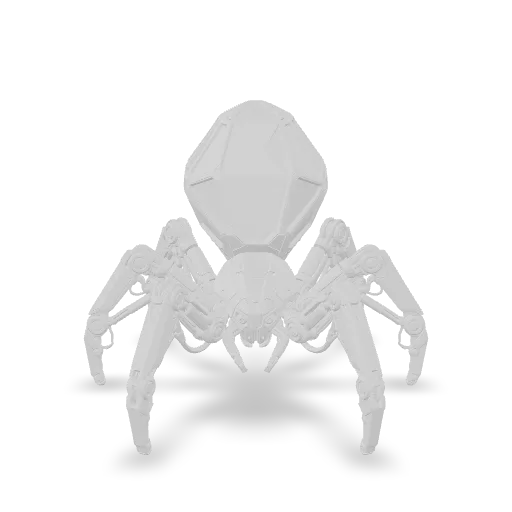
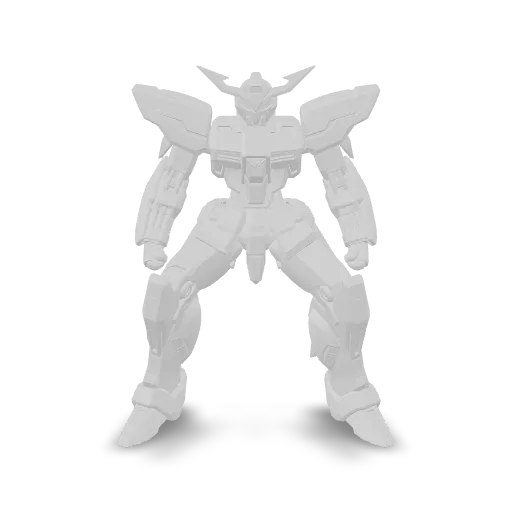
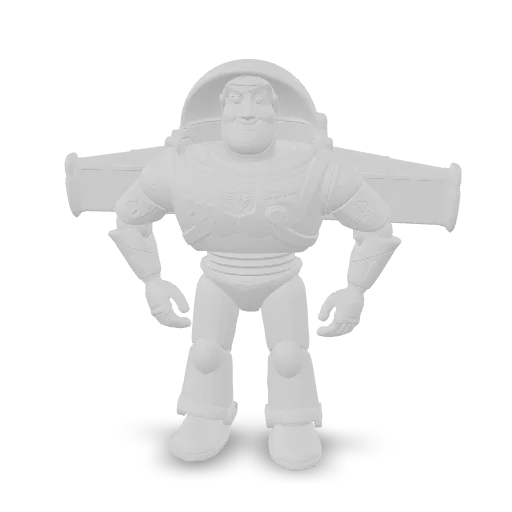
Modèles associés
/filters:quality(82)/media/images/20260408105909_0dgcs4ju.webp)
/filters:quality(82)/media/images/20260408111111_e41njrhh.webp)
/filters:quality(82)/media/images/20260408111114_3i3e67ml.webp)
/filters:quality(82)/media/images/1789116903089615525_rhenxGPZ.webp)
/filters:quality(82)/media/images/1789124787640423161_ZFOX7hqy.webp)
/filters:quality(82)/media/images/20260408110824_jforwjzb.webp)
README
WaveSpeedAI Hunyuan3D v3 Image-to-3D
Hunyuan3D v3 Image-to-3D converts one (or several) reference images into a downloadable 3D asset—useful for product mockups, game props, e-commerce previews, and fast 3D prototyping.
You provide a primary image, optionally add side/back views for better reconstruction, and choose whether you want a fully textured model, a low-poly version, or geometry-only output.
Key capabilities
-
Single-image 3D reconstruction Generate a 3D model from one reference image via
input_image_url. -
Optional multi-view input for higher fidelity Add
back_image_url,left_image_url, and/orright_image_urlto help the model recover shape details and reduce ambiguity. -
Multiple generation modes (textured / low-poly / geometry-only) Choose
generate_typefor a standard textured model, a low-poly reduction pass, or a “white model” without textures. -
PBR material generation (when supported by mode) Enable PBR textures using
enable_pbr(note: it does not apply whengenerate_typeisGeometry). -
Mesh complexity controls Target a face budget with
face_count(range 40,000–1,500,000; default 500,000). -
Low-poly topology options When using
generate_type: "LowPoly", choosepolygon_type(triangles or quads). -
Export-ready outputs Returns a GLB plus model URLs for additional formats (availability may vary by deployment).
Parameters and how to use
Parameters
- input_image_url: (required) URL of the main image used to generate the 3D model.
- back_image_url: Optional back-view image URL for better reconstruction.
- left_image_url: Optional left-view image URL for better reconstruction.
- right_image_url: Optional right-view image URL for better reconstruction.
- enable_pbr: Whether to enable PBR material generation (ignored when
generate_typeisGeometry). - face_count: Target face count (40,000–1,500,000; default 500,000).
- generate_type: Generation mode (
Normal,LowPoly,Geometry; defaultNormal). - polygon_type: Polygon type for low-poly output (
triangleorquadrilateral; defaulttriangle).
Prompt
This endpoint is image-driven (no prompt parameter). For best results, put the “instructions” into the image selection:
- Use a clear, well-lit image with the subject centered.
- Avoid heavy motion blur, extreme fisheye distortion, or cluttered backgrounds.
- If the subject has thin parts (straps, antennae, wires), add side/back views to reduce missing geometry.
Media (Images)
- Required: 1 image (
input_image_url) - Optional: up to 3 additional views (
back_image_url,left_image_url,right_image_url) - Common accepted formats in UI workflows: jpg, jpeg, png, webp, gif, avif
Practical tips:
- Use consistent framing across views (similar distance and scale).
- Keep the subject fully in frame—cropped objects tend to produce incomplete meshes.
- If you only have one view, pick the angle that best shows the overall silhouette.
Other parameters
-
generate_type Choose what kind of 3D output you need:
-
Normal(default): Textured model -
LowPoly: Polygon reduction workflow -
Geometry: Geometry-only (no texture) -
enable_pbr
-
trueto request PBR materials -
Note: ignored when
generate_typeisGeometry -
face_count Controls mesh complexity. Higher values usually increase file size and can increase generation time.
-
Range: 40,000–1,500,000
-
Default: 500,000
-
polygon_type (only applies when
generate_typeisLowPoly) -
triangle(default): best compatibility with real-time engines -
quadrilateral: useful for some DCC workflows and retopo-friendly meshes
After you finish configuring the parameters, click Run, preview the result, and iterate if needed.
Pricing
Pricing depends on the generation type, PBR materials, and additional reference views.
| Generation Type | PBR Disabled | PBR Enabled |
|---|---|---|
| Geometry | $0.45 | $0.63 |
| Normal | $0.63 | $0.81 |
| LowPoly | $0.72 | $0.90 |
Billing Rules
- Prices include the face-count allowance, including when the default face count is used.
- Changing
face_countwithin the supported range does not add further charges. - Enabling
enable_pbradds $0.18 per request. - Providing any of
left_image,right_image, orback_imageadds $0.18 total, regardless of the number of additional views. - Omit unused additional-view fields.
- Selecting
polygon_typedoes not add a separate charge. - Default configuration (
Normal, PBR disabled, primary image only): $0.63 per request.
Notes
- If you’re seeing “melted” surfaces or missing parts, add at least one more view (
left_image_urlorback_image_url). - Use
Geometrywhen you only need a fast shape/mesh and plan to texture elsewhere—PBR settings won’t apply in this mode. - Start with the default
face_count, then increase only if you need extra silhouette detail (and can afford larger files).
Related Models
- Hunyuan3D V2 Multi-View – Multi-view-focused reconstruction when you can provide several angles.
- Hunyuan3D V2 Mini – Lighter-weight Hunyuan3D option for faster iteration.
- Tripo3D v2.5 Image-to-3D – Single-image 3D generation with a simple input surface.
- Hyper3D Rodin v2 Image-to-3D – Production-oriented image-to-3D workflow (UVs/textures-focused).
Hunyuan3d v3 Image To 3d API — Quick start
Grab a WaveSpeedAI API key, then call POST https://api.wavespeed.ai/api/v3/wavespeed-ai/hunyuan3d-v3/image-to-3d with your input as JSON. The endpoint returns a prediction id. Start polling the result endpoint around every 2 seconds, increase the interval for long-running tasks, and stop on any terminal status. On completed, read output values from data.outputs. Examples for Hunyuan3d v3 Image To 3d below.
HTTP example
set -euo pipefail

: "${WAVESPEED_API_KEY:?Set WAVESPEED_API_KEY}"

REQUEST_BODY=$(cat <<'JSON'
{
    "image": "https://interactive-examples.mdn.mozilla.net/media/cc0-images/painted-hand-298-332.jpg",
    "enable_pbr": false,
    "polygon_type": "triangle",
    "face_count": 500000,
    "generate_type": "Normal"
}
JSON
)

# 1. Submit the prediction.
SUBMIT_RESPONSE=$(curl --silent --show-error --fail-with-body \
  -X POST "https://api.wavespeed.ai/api/v3/wavespeed-ai/hunyuan3d-v3/image-to-3d" \
  -H "Content-Type: application/json" \
  -H "Authorization: Bearer $WAVESPEED_API_KEY" \
  -d "$REQUEST_BODY")

TASK=$(printf '%s' "$SUBMIT_RESPONSE" | jq 'if has("data") then .data else . end')
PREDICTION_ID=$(printf '%s' "$TASK" | jq -r '.id')
if [ -z "$PREDICTION_ID" ] || [ "$PREDICTION_ID" = "null" ]; then
  printf 'Submission response did not contain a prediction id
' >&2
  exit 1
fi
RESULT_URL="https://api.wavespeed.ai/api/v3/predictions/$PREDICTION_ID/result"

# 2. Poll until the prediction finishes.
while true; do
  RESPONSE=$(curl --silent --show-error --fail-with-body "$RESULT_URL" \
    -H "Authorization: Bearer $WAVESPEED_API_KEY")
  RESULT=$(printf '%s' "$RESPONSE" | jq 'if has("data") then .data else . end')
  STATUS=$(printf '%s' "$RESULT" | jq -r '.status')
  case "$STATUS" in
    completed) printf '%s\n' "$RESULT" | jq '.outputs'; break ;;
    failed|cancelled|timeout|deleted) printf '%s\n' "$RESULT" | jq . >&2; exit 1 ;;
    *) sleep 2 ;;
  esac
done
Node.js example
const submitUrl = "https://api.wavespeed.ai/api/v3/wavespeed-ai/hunyuan3d-v3/image-to-3d";
const apiKey = process.env.WAVESPEED_API_KEY;
if (!apiKey) throw new Error('Set WAVESPEED_API_KEY');

async function requestJson(url, options = {}) {
  const response = await fetch(url, options);
  if (!response.ok) throw new Error(await response.text());
  return response.json();
}

// 1. Submit the prediction.
const body = await requestJson(submitUrl, {
  method: "POST",
  headers: {
    "Authorization": `Bearer ${apiKey}`,
    "Content-Type": "application/json",
  },
  body: JSON.stringify({
        "image": "https://interactive-examples.mdn.mozilla.net/media/cc0-images/painted-hand-298-332.jpg",
        "enable_pbr": false,
        "polygon_type": "triangle",
        "face_count": 500000,
        "generate_type": "Normal"
}),
});
const task = body.data ?? body;
if (!task.id) throw new Error("Submission response did not contain a prediction id");
const resultUrl = `https://api.wavespeed.ai/api/v3/predictions/${task.id}/result`;

// 2. Poll until the prediction finishes.
while (true) {
  const resultBody = await requestJson(resultUrl, {
    headers: { "Authorization": `Bearer ${apiKey}` },
  });
  const result = resultBody.data ?? resultBody;
  if (result.status === "completed") {
    console.log(result.outputs);
    break;
  }
  if (["failed", "cancelled", "timeout", "deleted"].includes(result.status)) throw new Error(JSON.stringify(result));
  await new Promise(resolve => setTimeout(resolve, 2000));
}
Python example
import json
import os
import time
from urllib.request import Request, urlopen

api_key = os.environ["WAVESPEED_API_KEY"]
headers = {"Authorization": f"Bearer {api_key}", "Content-Type": "application/json"}
payload = {
    "image": "https://interactive-examples.mdn.mozilla.net/media/cc0-images/painted-hand-298-332.jpg",
    "enable_pbr": False,
    "polygon_type": "triangle",
    "face_count": 500000,
    "generate_type": "Normal"
}

def request_json(url, data=None):
    request = Request(url, data=data, headers=headers, method="POST" if data else "GET")
    with urlopen(request) as response:
        return json.load(response)

# 1. Submit the prediction.
body = request_json("https://api.wavespeed.ai/api/v3/wavespeed-ai/hunyuan3d-v3/image-to-3d", json.dumps(payload).encode())
task = body.get("data", body)
if not task.get("id"):
    raise RuntimeError("Submission response did not contain a prediction id")
result_url = f"https://api.wavespeed.ai/api/v3/predictions/{task['id']}/result"

# 2. Poll until the prediction finishes.
while True:
    result_body = request_json(result_url)
    result = result_body.get("data", result_body)
    status = result.get("status")
    if status == "completed":
        print(result.get("outputs", []))
        break
    if status in {"failed", "cancelled", "timeout", "deleted"}:
        raise RuntimeError(result)
    time.sleep(2)
Hunyuan3d v3 Image To 3d API — Frequently asked questions
What is the Hunyuan3d v3 Image To 3d API?
Hunyuan3d v3 Image To 3d is a WaveSpeedAI model for 3D asset generation from images, exposed as a REST API on WaveSpeedAI. Transform your photos into ultra-high-resolution 3D models in seconds with Tencent's Hunyuan3D V3 Image to 3D. Film-quality geometry with PBR textures from single or multi-view images, ready for games, e-commerce, and 3D printing. Ready-to-use REST inference API, best performance, no coldstarts, affordable pricing. You can call it programmatically or try it from the playground above.
How do I call the Hunyuan3d v3 Image To 3d API?
POST your input parameters to the model's REST endpoint (shown in the API tab of this playground) with your WaveSpeedAI API key in the Authorization header. Submission returns a prediction ID. Poll the result endpoint starting around every 2 seconds, increase the interval for long-running tasks, and stop on any terminal status. The playground generates Python, JavaScript, and cURL examples for submitting requests and polling results. Full request/response shape is documented at https://wavespeed.ai/docs/docs-api/wavespeed-ai/hunyuan3d-v3-image-to-3d.
How much does Hunyuan3d v3 Image To 3d cost per run?
Hunyuan3d v3 Image To 3d starts at $0.3 per run. That figure is the base price — the final charge scales with the parameters you set in the form (output size, length, count, references, or whatever knobs this model exposes), so a higher-quality or larger output costs more than a minimal one. The exact cost for your current input is shown live next to the Generate button before you submit, and the actual per-call charge is recorded on the prediction afterwards.
What inputs does Hunyuan3d v3 Image To 3d accept?
Key inputs: `image`, `back_image`, `enable_pbr`, `face_count`, `generate_type`, `left_image`. The full JSON schema (types, defaults, allowed values) is rendered above the Generate button and mirrored in the API reference at https://wavespeed.ai/docs/docs-api/wavespeed-ai/hunyuan3d-v3-image-to-3d.
How long does Hunyuan3d v3 Image To 3d take to generate?
Reported generation time on WaveSpeedAI is around 94 seconds per request. This is an estimate, not a latency guarantee; queue time and input settings can change the total wait. live status is visible in the prediction record.
Can I use Hunyuan3d v3 Image To 3d outputs commercially?
Commercial usage rights depend on the model's license, set by its provider (WaveSpeedAI). Check the provider's applicable terms and WaveSpeedAI's Terms of Service before commercial use.
Plus de WaveSpeed
Tout voir- wavespeed-ai/ace-stepAI Music Generation
- wavespeed-ai/ace-step-1.5AI Music Generation
- wavespeed-ai/ace-step/audio-inpaintMusic Editing
- wavespeed-ai/ace-step/audio-outpaintMusic Editing
- wavespeed-ai/ace-step/audio-to-audioMusic Editing
- wavespeed-ai/ace-step/prompt-to-audioAI Music Generation
- wavespeed-ai/ai-age-filterImage Editing
- wavespeed-ai/ai-breast-expansionImage Editing
Plus de modèles Image to 3D
Tout voir- tripo3d/h3.1/image-to-3dImage to 3D
- bytedance/seed3d-2.0/image-to-3dImage to 3D
- wavespeed-ai/hunyuan-3d-v3.1/image-to-3d-rapidImage to 3D
- tripo3d/h3.1/multiview-to-3dImage to 3D
- hyper3d/rodin-v2.5/image-to-3dImage to 3D
- meshy/v7/multi-image-to-3dImage to 3D
- meshy/v7/image-to-3dImage to 3D
- tripo3d/triposplat/image-to-3dImage to 3D