
Qwen3.8 Ollama Review: Local Setup, Speed, and Memory Use
This Qwen3.8 Ollama review covers setup, model tags, memory use, speed, and failure cases for local AI development.
I do not start a Qwen3.8 Ollama review by asking whether the first answer sounds smart. I start with the tag. If the tag is vague, the whole review turns soft, because memory use, load time, and output behavior can change under the same friendly model name.
For this review draft, I verified public sources on August 17, 2026. I did not run private local benchmarks on this machine because Ollama was not installed here, so I will not invent tokens-per-second or peak-memory numbers. This is the part where production reality gets boring in a useful way: a good review needs a repeatable run sheet before it needs an opinion.
Review Method and Test Environment
Ollama Version, Hardware, Model Tag, and Quantization
The first line in my notebook would not be “Qwen3.8 worked well.” It would be this:
qwen3.8:27b-q4_K_M, digest 25b843619e94, verified on August 17, 2026.
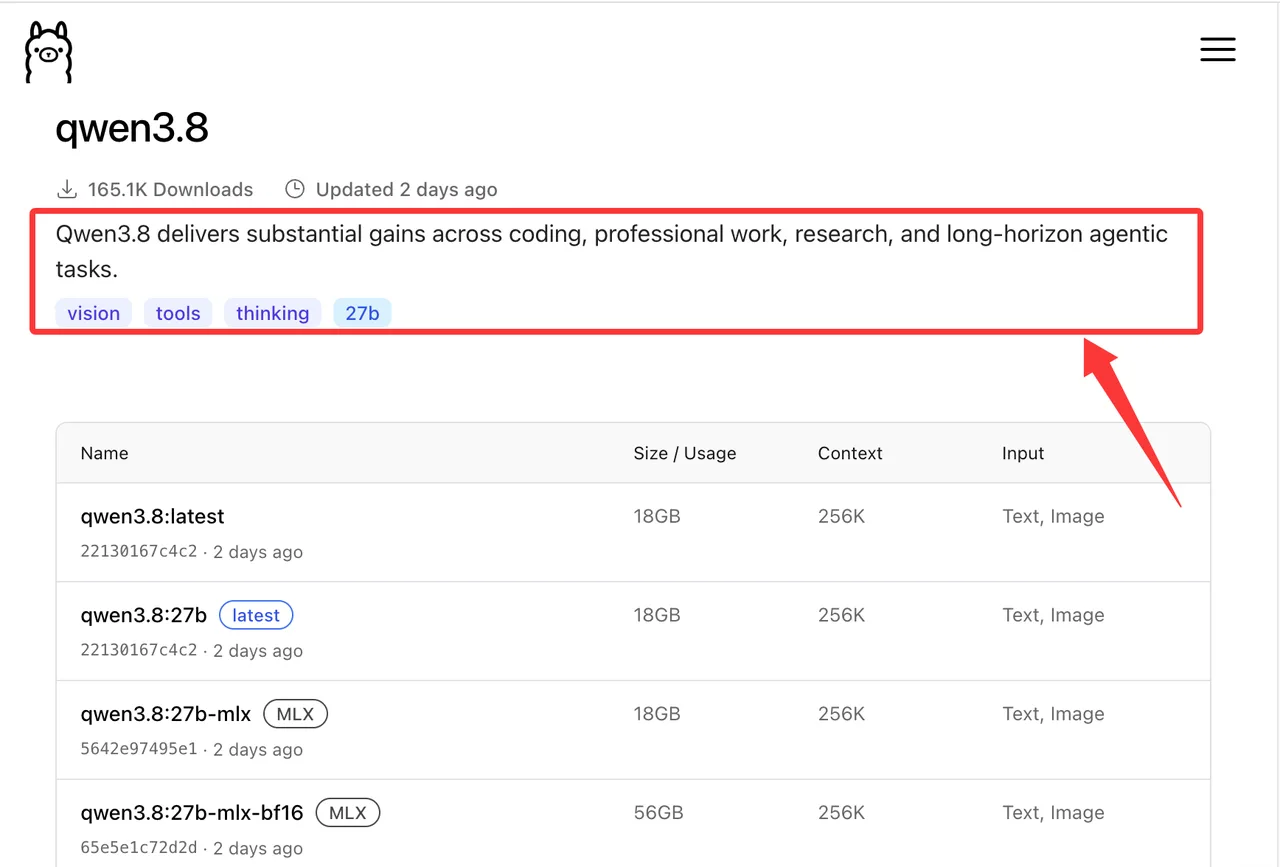
The Ollama Qwen3.8 tags page listed 12 builds when I checked it, including latest, 27b, 27b-mlx, 27b-bf16, 27b-q4_K_M, 27b-q8_0, and MTP variants. Several are shown with a 256K context window and Text/Image input, but their sizes differ: 18GB for Q4-style builds, 30GB for Q8-style builds, and 56GB for BF16-style builds.
For a clean Qwen3.8 Ollama setup, I would record:
- Ollama version
- OS and kernel
- CPU model
- GPU model and VRAM
- system RAM
- exact Qwen3.8 model tag
- digest
- quantization level
- pull date
- context length
- sampling parameters
- whether the model stayed loaded between runs
One person can remember parameters. A team cannot.
Prompts, Context Sizes, and Measurement Rules
I would run each test three times after one warmup request. For throughput tests, I would run one warmup request, then three measured runs. I would measure cold-start/load time separately.
The minimum prompt set should include:
- a short chat prompt
- a 2,000-token reasoning prompt
- a coding task with file-style instructions
- a tool-use style JSON planning task
- one image input test, because the Ollama tag advertises Text/Image input
Do not mix the three runs into one average and call it done. I want the range: fastest, slowest, and median. Local inference is sensitive to thermal limits, memory pressure, background jobs, and whether the model was already resident.
Install and Inspect Qwen3.8 in Ollama
Pull the Intended Model Tag
I would avoid ollama pull qwen3.8 for a review. It is fine for a quick trial, but it hides a moving target behind latest.
Use an explicit tag:
ollama pull qwen3.8:27b-q4_K_MThen run a first smoke test:
ollama run qwen3.8:27b-q4_K_MThe upstream Qwen side matters too. The Qwen official model card describes Qwen3.8-27B as a vision-language model with 27B parameters, Apache-2.0 licensing, and a native 262,144-token context length. The Ollama build is not the same thing as the Hugging Face checkpoint folder. It is a runtime package built for Ollama, and that distinction should stay visible in the review.
Confirm the Local Manifest and Runtime Settings
After pulling, I would inspect the local model before measuring anything:
ollama show qwen3.8:27b-q4_K_M
ollama list
The review record should capture the manifest, license text, parameter settings, template, and quantization level. If ollama list reports a different digest than the public tag page, stop and document it. Do not keep testing as if nothing changed.
This is also where I would confirm whether the local build exposes the image capability as expected. Qwen’s official page discusses image and video understanding, but the Ollama tag page I checked lists Text/Image input. I would not assume video input works in Ollama unless the local runtime proves it.
Measure Memory and Startup Behavior
Model Load, Idle Footprint, and Peak Memory
For Qwen3.8 Ollama memory testing, I care about three numbers, not one:
| Metric | Why I record it |
|---|---|
| Load time | Shows how painful cold starts are |
| Idle footprint | Shows whether the model can stay resident |
| Peak memory | Shows whether larger context or images break the host |
The command path is simple. Start Ollama, run one request, then check the running model state:
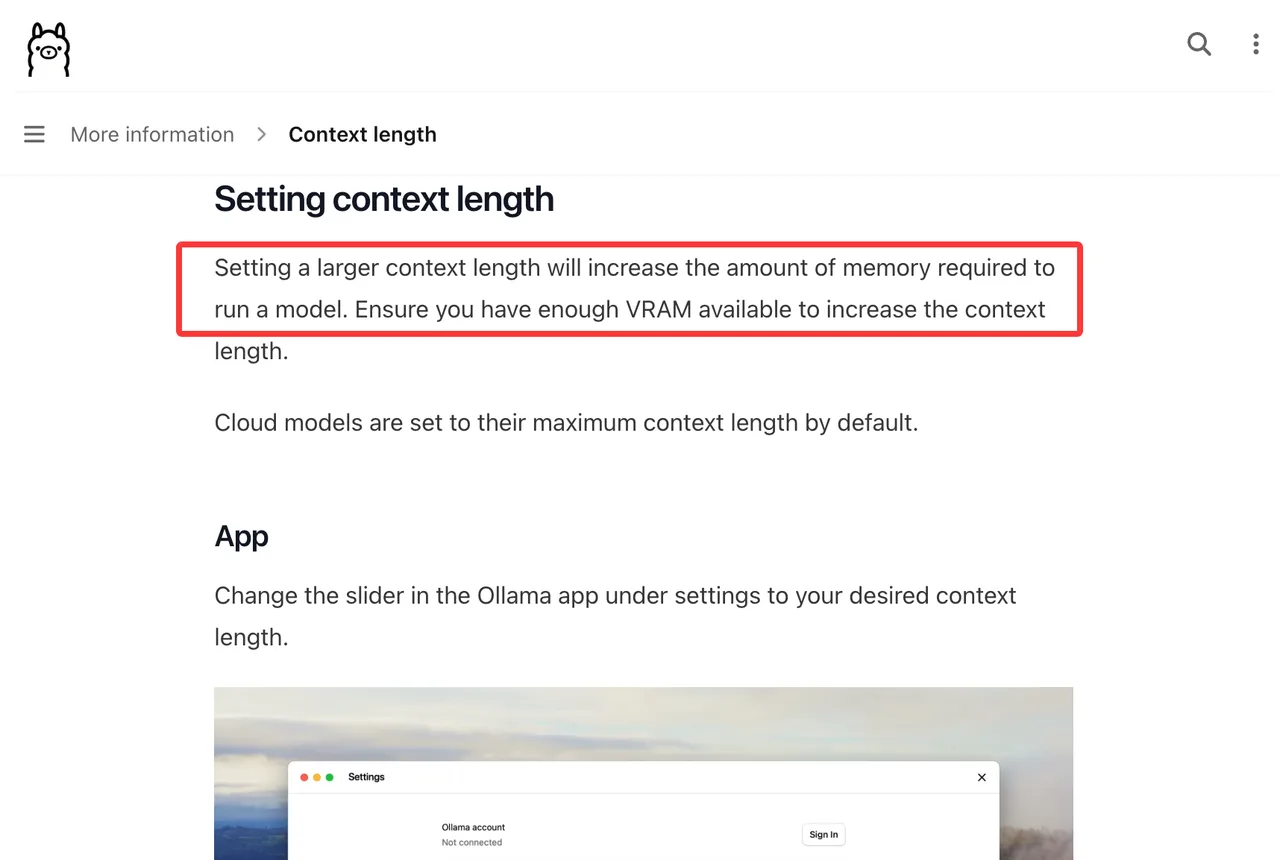
ollama psOllama’s context length notes explain that larger context settings require more memory, and that defaults can vary by available VRAM. That means a 256K-capable tag does not mean every host should run 256K by default. On a small workstation, a 64K test may be the honest production limit.
Context Growth and Out-of-Memory Recovery
I would test context in steps: 4K, 32K, 64K, then higher only if the host still has headroom.
When an out-of-memory event happens, the result is not just “failed.” I want to know whether Ollama unloads cleanly, whether the next short request works, and whether the service needs a restart. A local model that recovers cleanly is easier to trust in a small team workflow.
Demos show the ceiling. Production shows the floor.
Measure Speed and Output Quality
Prompt Processing and Generation Throughput
The Ollama chat API returns fields such as load_duration, prompt_eval_count, prompt_eval_duration, eval_count, and eval_duration. That is enough to calculate Qwen3.8 Ollama speed without guessing.
I would calculate:
prompt tokens/sec = prompt_eval_count / (prompt_eval_duration / 1e9)
generation tokens/sec = eval_count / (eval_duration / 1e9)
Then I would report all three runs. Not just the best one. The best one is usually the least useful number in production.
Coding, Tool-Use, and Multimodal Checks
For coding, I would use one small patch task, one repo-reading task, and one “explain this error log” task. The acceptance rule should be written before the run starts. If the model produces a plausible answer but misses the constraint, that is a failure, not a “pretty good.”
For tool-use behavior, I would test structured arguments. Ollama supports tool-call style responses through the chat endpoint, but a local app still has to validate the JSON, reject unsafe arguments, and handle missing fields.
For multimodal checks, I would test one screenshot, one diagram, and one document-like image. Since the Ollama tag says Text/Image, I would not grade it on video unless the local build and application path both support it.
Build a Repeatable Local Workflow
Pin Tags, Export Configuration, and Reproduce Runs
The safest Qwen3.8 model tag is the one your team can reproduce next week. I would store a small review.md beside the app config:
Model: qwen3.8:27b-q4_K_M
Digest: 25b843619e94
Pull date: YYYY-MM-DD
Ollama version: x.y.z
Context length: 64000
Temperature: 1.0
Top-p: recorded if changed
Keep-alive: recorded if changed
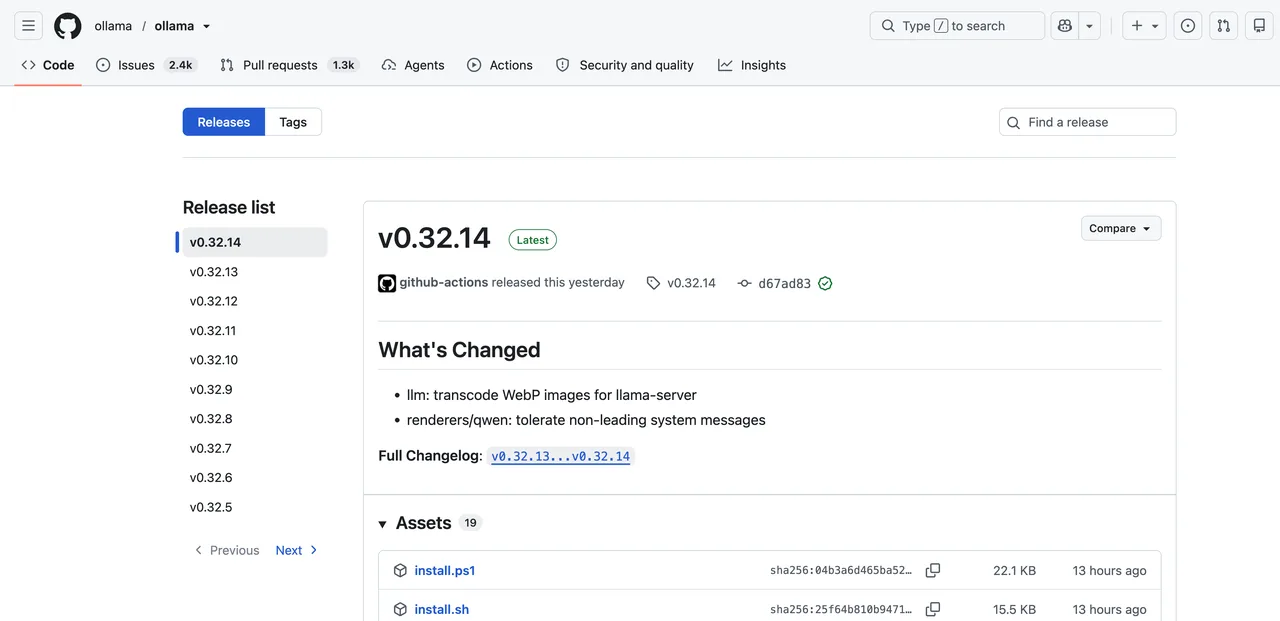
Also record the Ollama release. On August 17, 2026, the public Ollama release list showed v0.32.14 as the latest release. That can change quickly, so production notes should pin the runtime version, not just the model.
Expose a Local Endpoint Without Leaking Access
For Qwen3.8 local inference, the default Ollama API is local. That is good for a developer laptop, but risky if someone exposes it on a shared network without access control.
If a team wants several apps to use one host, I would put a small gateway in front of Ollama. The gateway should handle authentication, rate limits, request logging, and allowed model tags. The model host should not become a quiet open endpoint because someone wanted a quick demo.
Limits and Trade-Offs
Ollama Tags Can Represent Different Builds
latest is convenient, but it is not a review target. A tag can point to a quantized build, an MLX build, a BF16 build, or an MTP variant. Two tags may also look similar in size while using different digests.
That is why I treat the digest as part of the result. Without it, a Qwen3.8 Ollama review becomes hard to reproduce.
Local Results Depend on Hardware and Runtime Versions
A 27B local model is not a single experience. It is a combination of model build, quantization, GPU, RAM, context length, runtime version, and workload. A Mac MLX run, a Linux CUDA run, and a CPU-offloaded workstation can all tell different stories.
The conclusion is valid at this scale. Without the hardware sheet, there is no scale.
FAQ
Can one Ollama host serve several local applications?
Yes, but I would not let each app call Ollama directly in a shared environment. Put a small internal proxy in front of it, pin the allowed Qwen3.8 model tag, log requests, and cap concurrency. That keeps one experiment from taking down every local application.
How should teams back up custom Modelfiles?
Back up custom Modelfiles in version control with the tag, digest, template changes, system prompt, context setting, and creation date. The file alone is not enough if the base tag later changes.
Can a model download be mirrored for offline development?
Yes, teams can design an internal mirror process, but they should check license terms, storage rules, and update ownership first. For offline Qwen3.8 Ollama setup work, the mirror must include the exact digest and a rollback copy.
What should teams monitor on a long-running Ollama service?
Monitor loaded models, memory pressure, request latency, failed requests, restart count, disk use, context length, and generation throughput. For Qwen3.8 Ollama memory work, I would also track when the model falls back to CPU or unloads unexpectedly.
Who owns rollback when an Ollama model tag changes?
The platform owner should own rollback, not the individual developer who first pulled the model. If a tag change affects Qwen3.8 Ollama speed or output quality, the rollback owner needs the previous tag, digest, runtime version, and test sheet ready.
Conclusion
My bottom line for this Qwen3.8 Ollama review is simple: do not judge the setup by one good answer. Pin the tag, record the digest, measure three runs, and keep the hardware sheet attached to the result.
Qwen3.8 looks useful for local coding, reasoning, and image-aware checks through Ollama, but the production question is narrower: can your machine keep the selected build loaded, answer at an acceptable speed, survive context growth, and recover cleanly after failure? That is the review that matters.
Previous posts:
Related Articles
/filters:quality(82)/media/images/1790934318687045151_6DhqzIS1.webp)
Best AI Video APIs for High-Volume Workflows in 2027
/filters:quality(82)/media/images/1790879706333726948_TmjHVhrF.webp)
Introducing AI Cinema Studio on WaveSpeedAI: Direct Cinematic AI Video Shots
/filters:quality(82)/media/images/1790934887466368319_r2GQZ8hr.webp)
LTX Studio Review 2027: Does the Video Workflow Hold Up?
/filters:quality(82)/media/images/1790935090456133598_u9CLU4dm.webp)
Segmind Review 2027: Can Its Media APIs Scale?
/filters:quality(82)/media/images/1790935248497016685_6cZjDPeF.webp)
Best Shotstack Alternatives in 2027 for Video APIs
/filters:quality(82)/media/images/1790935438012010745_IjwFOnwG.webp)