Tripo API
WaveSpeedAI 上的 Tripo API — 透過 REST 呼叫官方 Tripo 3D 模型:H3.1 適用於高擬真資產,P2 提供原生四邊形拓撲,P1 適用於遊戲低多邊形資產,支援文字、單張圖片或多視角輸入,並提供高斯潑濺,以及 3D 模型的重新貼圖、骨骼綁定、動畫、重拓撲、UV 展開、分割和格式轉換工具。
透過提示詞、照片或 2 到 4 個視角產生可直接用於製作的 3D 模型,再進一步處理:重新貼圖、角色自動綁定骨骼並加入動畫、重建乾淨的拓撲、展開 UV、拆分為多個零件,或轉換為 FBX、USDZ、OBJ、STL 或 3MF。所有端點都與 WaveSpeedAI 上其他模型使用相同的 REST 預測流程。


概覽
關於 Tripo API
Tripo 的功能、它在 Tripo 模型陣容中的定位,以及團隊選用它的原因。
Tripo 是來自 Tripo 的3D 資產生成模型,可透過 WaveSpeedAI REST API 使用。WaveSpeedAI 上的 Tripo API — 透過 REST 呼叫官方 Tripo 3D 模型:H3.1 適用於高擬真資產,P2 提供原生四邊形拓撲,P1 適用於遊戲低多邊形資產,支援文字、單張圖片或多視角輸入,並提供高斯潑濺,以及 3D 模型的重新貼圖、骨骼綁定、動畫、重拓撲、UV 展開、分割和格式轉換工具。
透過提示詞、照片或 2 到 4 個視角產生可直接用於製作的 3D 模型,再進一步處理:重新貼圖、角色自動綁定骨骼並加入動畫、重建乾淨的拓撲、展開 UV、拆分為多個零件,或轉換為 FBX、USDZ、OBJ、STL 或 3MF。所有端點都與 WaveSpeedAI 上其他模型使用相同的 REST 預測流程。
WaveSpeedAI 上的 Tripo 系列提供 23 個 REST 端點,涵蓋 Image-To-3d, Text-To-3d 等工作流程。每個變體都有各自的定價、參數選項與範例輸出 — 請挑選符合您輸入模態與生產限制的版本,或使用同一組 API 金鑰呼叫多個變體,組合成多步驟的處理流程。
使用您呼叫其他 1,000+ 個 WaveSpeedAI AI 模型時相同的 API 金鑰、帳單帳戶與速率限制額度來執行 Tripo。無需另外設定供應商、無需各家 SDK、無需處理各家不同的速率限制 — 一次整合,涵蓋從文字轉圖片、文字轉影片,到音訊合成、3D 生成、放大與編輯的所有功能。
規格
Tripo API 功能與上線狀態
開發者在選擇 API 前會查詢的模型專屬資訊:可用性、預期輸出長度、參考素材支援,以及目前可用的替代方案。
模型
H3.1, H3.0, P2, P1
H3.1 適用於最多 200 萬個面的高擬真資產;P2 適用於最多 50,000 個三角形或 25,000 個四邊形的原生四邊形網格;P1 適用於最多 20,000 個面的低多邊形資產。
輸入
文字、圖片、2–4 個視角
每個模型都有 text-to-3d、image-to-3d 和 multiview-to-3d 端點;image-to-splat 可由單張圖片產生高斯潑濺。
工具
10 種模型工具
可根據圖片或模型進行貼圖、轉換、自動綁定骨骼、動畫、重拓撲、智慧 UV、分割、網格補全和智慧分割。
輸出
GLB、FBX 等
預設輸出 GLB,四邊形網格輸出 FBX;轉換工具可匯出 GLTF、FBX、USDZ、OBJ、STL 或 3MF。
端點
所有 Tripo API 端點
WaveSpeedAI 目前提供 23 個 Tripo 端點 — 請選擇符合您工作流程的變體。

H3.0 Multiview To 3d
Tripo3D H3.0 Multiview-to-3D turns 2 to 4 views of one object into a 3D model with Tripo's previous-generation H3.0 model (up to 2 million faces), kept for consistency with earlier assets. Ready-to-use REST inference API, best performance, no coldstarts, affordable pricing.

H3.0 Image To 3d
Tripo3D H3.0 Image-to-3D turns a single image into a 3D model with Tripo's previous-generation H3.0 model (up to 2 million faces), kept for consistency with earlier assets. Ready-to-use REST inference API, best performance, no coldstarts, affordable pricing.

H3.0 Text To 3d
Tripo3D H3.0 Text-to-3D turns a text description into a 3D model with Tripo's previous-generation H3.0 model (up to 2 million faces), kept for consistency with earlier assets. Ready-to-use REST inference API, best performance, no coldstarts, affordable pricing.

Smart Segment Model
Tripo3D Smart Segment (Model) splits a GLB model into named, editable parts. Ready-to-use REST inference API, best performance, no coldstarts, affordable pricing.
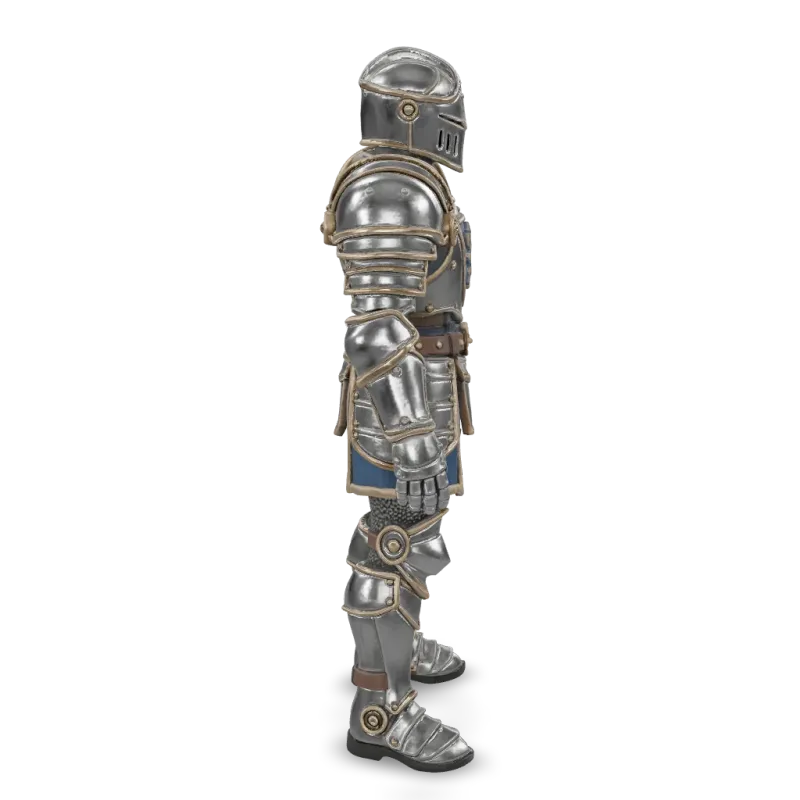
Smart Segment Image
Tripo3D Smart Segment (Image) turns one image into a 3D model already split into named, editable parts. Ready-to-use REST inference API, best performance, no coldstarts, affordable pricing.

Mesh Complete
Tripo3D Mesh Complete splits a 3D model into parts and completes each part, filling the regions hidden where parts meet. Ready-to-use REST inference API, best performance, no coldstarts, affordable pricing.

Segment
Tripo3D Segment splits a 3D model into its parts. Ready-to-use REST inference API, best performance, no coldstarts, affordable pricing.

Smart Uv
Tripo3D Smart UV re-unwraps a 3D model's UVs and remaps its textures, rig and animation onto the new layout. Ready-to-use REST inference API, best performance, no coldstarts, affordable pricing.

Retopology
Tripo3D Retopology rebuilds a 3D model with fewer, cleaner polygons, as triangles or quads. Ready-to-use REST inference API, best performance, no coldstarts, affordable pricing.
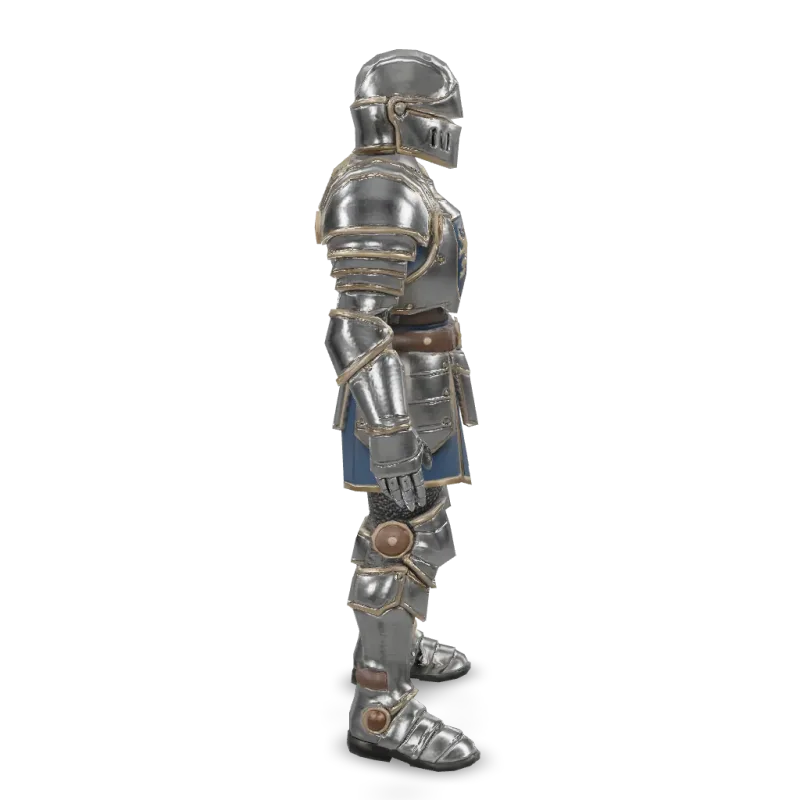
Animate
Tripo3D Animate rigs a 3D model and applies up to 5 preset animations such as walk, run and jump. Ready-to-use REST inference API, best performance, no coldstarts, affordable pricing.
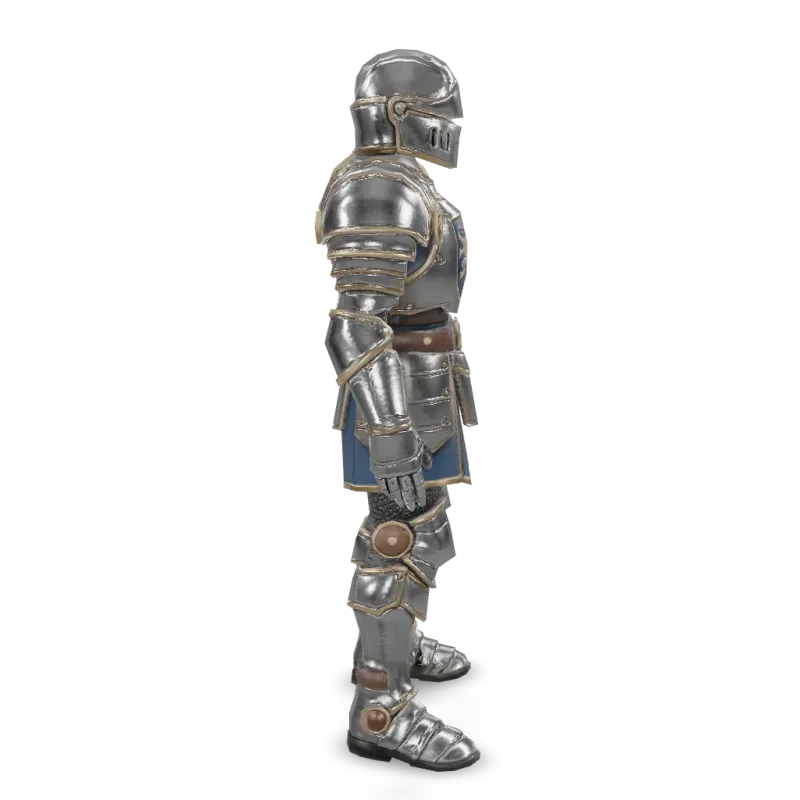
Rig
Tripo3D Auto Rig adds a skeleton to a 3D model of a humanoid, animal or creature, ready for animation. Ready-to-use REST inference API, best performance, no coldstarts, affordable pricing.
Convert
Tripo3D Convert converts a 3D model to GLTF, FBX, USDZ, OBJ, STL or 3MF, with optional remeshing and export settings. Ready-to-use REST inference API, best performance, no coldstarts, affordable pricing.

Texture
Tripo3D Texture re-textures an existing 3D model from a text prompt or a reference image. Ready-to-use REST inference API, best performance, no coldstarts, affordable pricing.
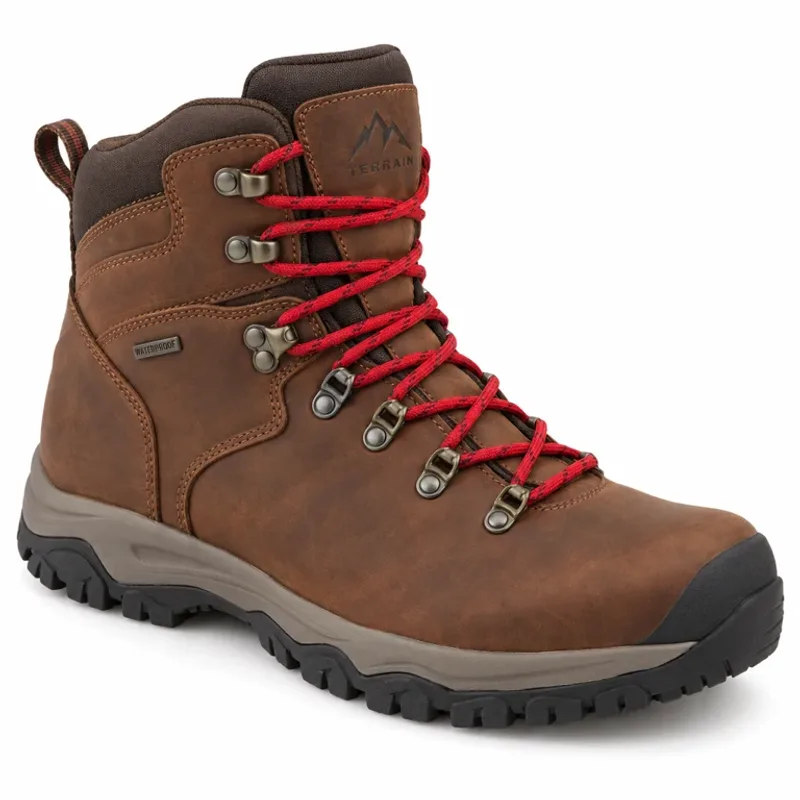
Splat Image To Splat
Tripo3D Image-to-Splat turns a single image into a 3D Gaussian Splat (.splat) for real-time, photorealistic rendering. Ready-to-use REST inference API, best performance, no coldstarts, affordable pricing.
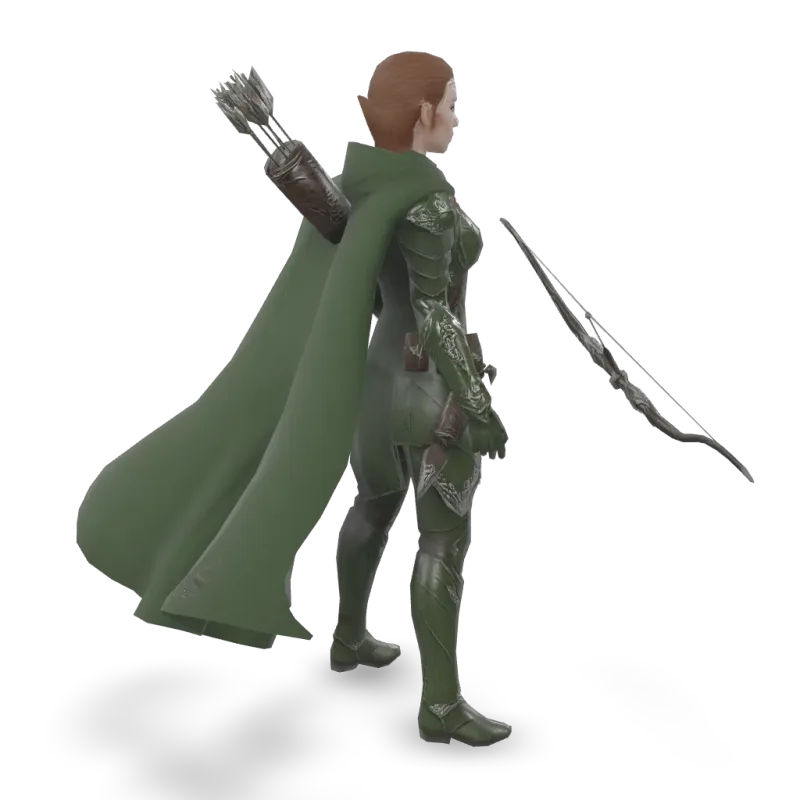
P1 Multiview To 3d
Tripo3D P1 Multiview-to-3D turns 2 to 4 views of one object into a 3D model with Tripo's P1 low-poly model (up to 20,000 faces) with clean, structured topology for games and mobile. Ready-to-use REST inference API, best performance, no coldstarts, affordable pricing.
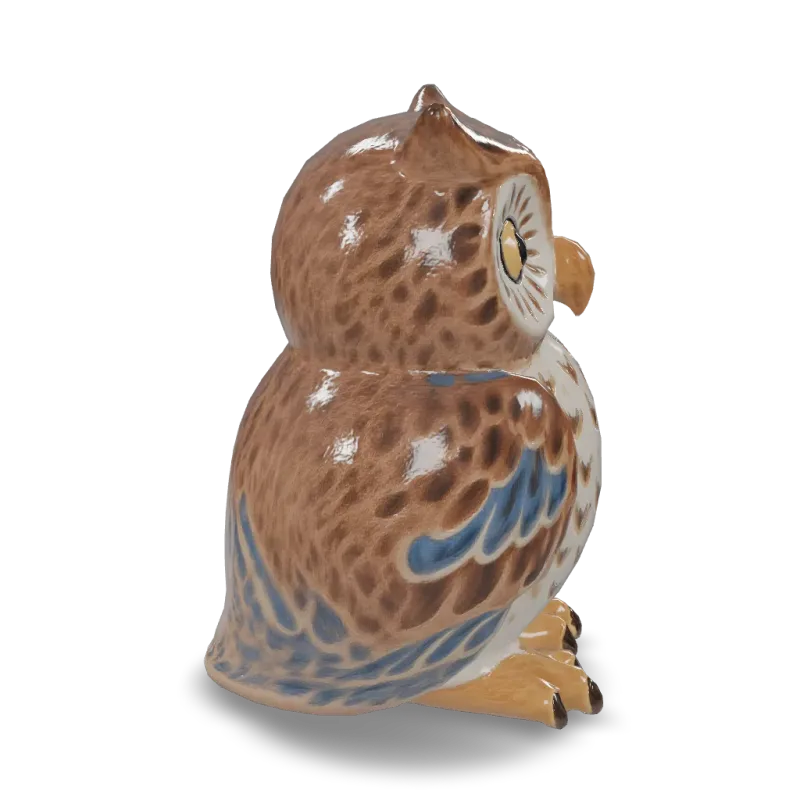
P1 Image To 3d
Tripo3D P1 Image-to-3D turns a single image into a 3D model with Tripo's P1 low-poly model (up to 20,000 faces) with clean, structured topology for games and mobile. Ready-to-use REST inference API, best performance, no coldstarts, affordable pricing.
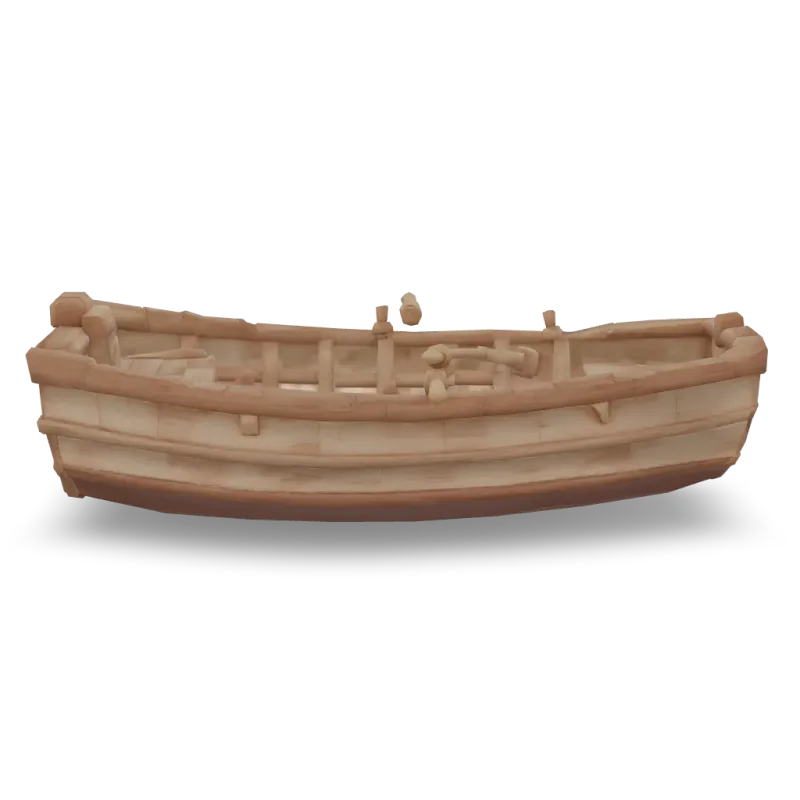
P1 Text To 3d
Tripo3D P1 Text-to-3D turns a text description into a 3D model with Tripo's P1 low-poly model (up to 20,000 faces) with clean, structured topology for games and mobile. Ready-to-use REST inference API, best performance, no coldstarts, affordable pricing.
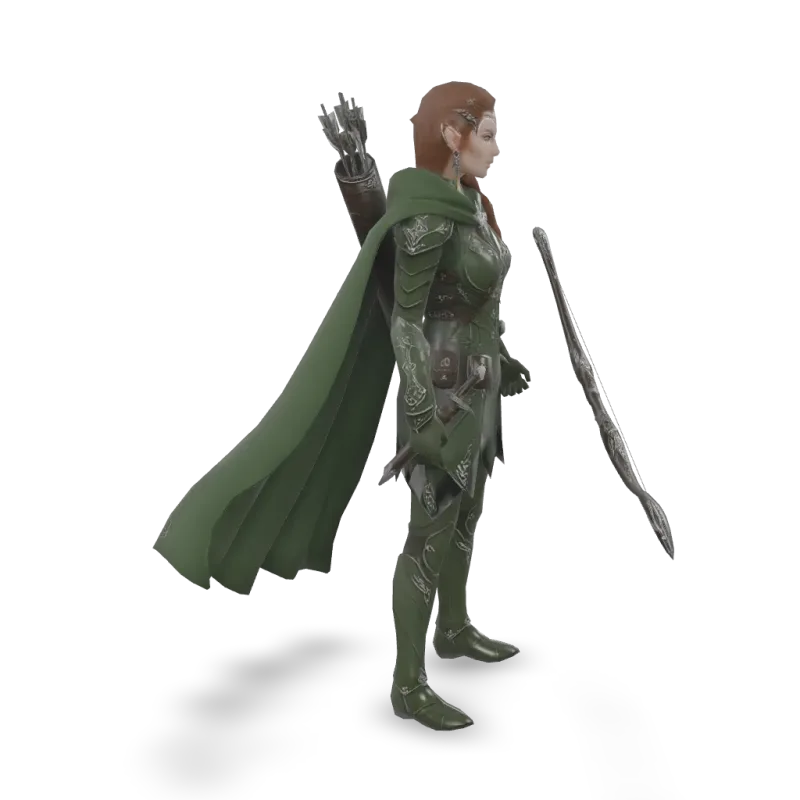
P2 Multiview To 3d
Tripo3D P2 Multiview-to-3D turns 2 to 4 views of one object into a 3D model with Tripo's P2 model with native quad topology (up to 50,000 triangles or 25,000 quads) for games and real-time pipelines. Ready-to-use REST inference API, best performance, no coldstarts, affordable pricing.

H3.1 Image To 3d
Tripo3D H3.1 Image-to-3D turns a single image into a 3D model with Tripo's high-fidelity H3.1 model (up to 2 million faces) for production assets and 3D printing. Ready-to-use REST inference API, best performance, no coldstarts, affordable pricing.

H3.1 Text To 3d
Tripo3D H3.1 Text-to-3D turns a text description into a 3D model with Tripo's high-fidelity H3.1 model (up to 2 million faces) for production assets and 3D printing. Ready-to-use REST inference API, best performance, no coldstarts, affordable pricing.

H3.1 Multiview To 3d
Tripo3D H3.1 Multiview-to-3D turns 2 to 4 views of one object into a 3D model with Tripo's high-fidelity H3.1 model (up to 2 million faces) for production assets and 3D printing. Ready-to-use REST inference API, best performance, no coldstarts, affordable pricing.

P2 Image To 3d
Tripo3D P2 Image-to-3D turns a single image into a 3D model with Tripo's P2 model with native quad topology (up to 50,000 triangles or 25,000 quads) for games and real-time pipelines. Ready-to-use REST inference API, best performance, no coldstarts, affordable pricing.
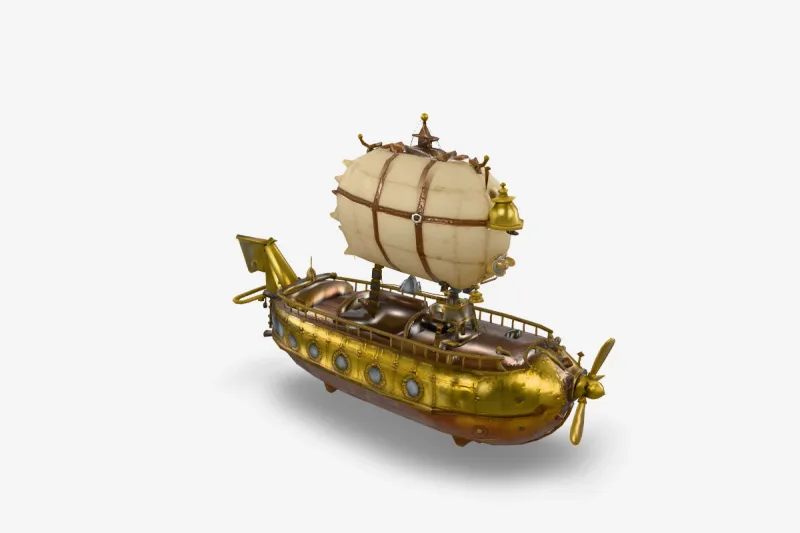
P2 Text To 3d
Tripo3D P2 Text-to-3D turns a text description into a 3D model with Tripo's P2 model with native quad topology (up to 50,000 triangles or 25,000 quads) for games and real-time pipelines. Ready-to-use REST inference API, best performance, no coldstarts, affordable pricing.
範例
看看 Tripo 的實際效果
由 Tripo API 生成的真實輸出。將滑鼠移到任一影片上即可預覽,點擊可開啟完整尺寸檢視器。
使用方式
如何使用 Tripo API
從註冊到完成生成,只要四個步驟。完整的 Python、Node.js 與 cURL 範例請見下方的 API 區段。
- 01
取得 API 金鑰
註冊 WaveSpeedAI 帳號,並從控制台複製您的 API 金鑰。新帳號會獲贈免費入門點數 — 足以在開始計費前執行數十次 Playground。
- 02
提交 prediction
將您的輸入以 JSON 格式 POST 到 https://api.wavespeed.ai/api/v3/tripo3d/h3.1/image-to-3d。端點會立即回傳 prediction id — 生成是非同步進行的,因此推論期間您不需要保持連線。
- 03
輪詢完成狀態
GET https://api.wavespeed.ai/api/v3/predictions/{request_id}/result。狀態為 completed 時回傳輸出;狀態為 failed、cancelled、timeout 或 deleted 時停止並回報錯誤;其他狀態則持續輪詢。
- 04
讀取輸出網址
當狀態為 "completed" 時,從 data.outputs[0] 讀取網址。該網址指向 WaveSpeedAI CDN 上您生成的媒體 — 依您呼叫的 Tripo 變體,可能是圖片、影片、音訊或 3D 檔案。
應用情境
您可以用 Tripo 打造什麼
開發者與創作者使用 Tripo API 的常見工作流程。
遊戲級角色與道具
tripo3d/p2/image-to-3d 產生乾淨的四邊形拓撲,方便編輯和綁定骨骼;tripo3d/p1 產生精簡的低多邊形網格,適合行動裝置和即時場景。
高擬真資產與 3D 列印
tripo3d/h3.1 憑藉細緻的幾何細節可產生多達 200 萬個面,適用於主角資產、產品視覺化和列印。
一次呼叫完成綁定與動畫
tripo3d/animate 為人形或生物加入骨骼,並套用行走、奔跑、跳躍等預設動畫;tripo3d/rig 僅回傳已綁定骨骼的模型。
修復並最佳化現有模型
重拓撲可將高密度網格重建為更少、更乾淨的多邊形,Smart UV 重新展開 UV,貼圖工具則依據提示詞或圖片繪製新材質。
可編輯的零件
分割、網格補全和智慧分割可將模型拆分為具名稱、可單獨編輯的零件,並補全被遮擋的區域。
照片級潑濺
tripo3d/splat/image-to-splat 可將單張圖片轉換為高斯潑濺,用於即時、照片級的渲染。
技巧
Tripo 提示詞技巧
讓 Tripo 產出更好結果的實用建議 — 整理自在實際生產流程中,3D模型通用的有效做法。
- 01
依資產的用途選擇模型
細緻的主角資產和列印用 H3.1,需要綁定骨骼或編輯的四邊形網格用 P2,遊戲和行動裝置的輕量低多邊形資產用 P1。
- 02
多視角輸入請先提供正面
Multiview-to-3D 需要正面視圖;再補充你手上的左、後、右視圖,可讓側面和背面更準確。
- 03
朝向軸最後再設定
在貼圖、綁定骨骼或重拓撲期間保持預設朝向,然後在轉換步驟中設定匯出朝向。
- 04
高密度模型先重拓撲再綁定
對於非常密集的網格,請先進行重拓撲;更乾淨、更輕量的網格在綁定骨骼和製作動畫時更可靠。
定價
Tripo API 定價
依輸出計費。最終費用會依您在各變體 Playground 中設定的參數(解析度、時長、輸出數量、參考素材)而調整。
| 端點 | 類型 | 起始價格 |
|---|---|---|
| tripo3d/ | image-to-3d | $0.36 |
| tripo3d/ | image-to-3d | $0.36 |
| tripo3d/ | text-to-3d | $0.24 |
| tripo3d/ | image-to-3d | $0.66 |
| tripo3d/ | image-to-3d | $1.02 |
| tripo3d/ | image-to-3d | $1.08 |
| tripo3d/ | image-to-3d | $0.48 |
| tripo3d/ | image-to-3d | $0.24 |
| tripo3d/ | image-to-3d | $0.42 |
| tripo3d/ | image-to-3d | $0.42 |
| tripo3d/ | image-to-3d | $0.30 |
| tripo3d/ | image-to-3d | $0.06 |
| tripo3d/ | image-to-3d | $0.12 |
| tripo3d/ | image-to-3d | $0.36 |
| tripo3d/ | image-to-3d | $0.60 |
| tripo3d/ | image-to-3d | $0.60 |
| tripo3d/ | text-to-3d | $0.48 |
| tripo3d/ | image-to-3d | $1.32 |
| tripo3d/ | image-to-3d | $0.36 |
| tripo3d/ | text-to-3d | $0.24 |
| tripo3d/ | image-to-3d | $0.36 |
| tripo3d/ | image-to-3d | $1.32 |
| tripo3d/ | text-to-3d | $1.32 |
API
呼叫 Tripo API
請到 wavespeed.ai/accesskey 註冊取得 API 金鑰,然後透過 REST 提交 prediction。Playground 會為任何輸入組合產生可直接貼上的範例。
POSThttps://api.wavespeed.ai/api/v3/tripo3d/h3.1/image-to-3d
# 1. Submit the prediction.
SUBMIT_RESPONSE=$(curl --silent --show-error --fail-with-body \
  -X POST "https://api.wavespeed.ai/api/v3/tripo3d/h3.1/image-to-3d" \
  -H "Content-Type: application/json" \
  -H "Authorization: Bearer $WAVESPEED_API_KEY" \
  -d '{
    "image": "https://interactive-examples.mdn.mozilla.net/media/cc0-images/painted-hand-298-332.jpg",
    "texture": true,
    "pbr": true,
    "texture_quality": "standard",
    "texture_version": "v3.0-20250812",
    "delight": true,
    "geometry_quality": "standard",
    "quad": false,
    "smart_low_poly": false,
    "generate_parts": false,
    "texture_alignment": "original_image",
    "orientation": "default",
    "enable_image_autofix": false,
    "auto_size": false,
    "export_uv": true
}')

TASK=$(printf '%s' "$SUBMIT_RESPONSE" | jq 'if has("data") then .data else . end')
PREDICTION_ID=$(printf '%s' "$TASK" | jq -r '.id')
if [ -z "$PREDICTION_ID" ] || [ "$PREDICTION_ID" = "null" ]; then
  printf 'Submission response did not contain a prediction id
' >&2
  exit 1
fi
RESULT_URL="https://api.wavespeed.ai/api/v3/predictions/$PREDICTION_ID/result"

# 2. Poll until the prediction finishes.
while true; do
  RESPONSE=$(curl --silent --show-error --fail-with-body "$RESULT_URL" \
    -H "Authorization: Bearer $WAVESPEED_API_KEY")
  RESULT=$(printf '%s' "$RESPONSE" | jq 'if has("data") then .data else . end')
  STATUS=$(printf '%s' "$RESULT" | jq -r '.status')
  case "$STATUS" in
    completed) printf '%s\n' "$RESULT" | jq '.outputs'; break ;;
    failed|cancelled|timeout|deleted) printf '%s\n' "$RESULT" | jq . >&2; exit 1 ;;
    *) sleep 2 ;;
  esac
done
const submitUrl = "https://api.wavespeed.ai/api/v3/tripo3d/h3.1/image-to-3d";
const apiKey = process.env.WAVESPEED_API_KEY;
if (!apiKey) throw new Error('Set WAVESPEED_API_KEY');
async function requestJson(url, options = {}) {
const response = await fetch(url, options);
if (!response.ok) throw new Error(await response.text());
return response.json();
}
// 1. Submit the prediction.
const body = await requestJson(submitUrl, {
method: "POST",
headers: {
"Authorization": `Bearer ${apiKey}`,
"Content-Type": "application/json",
},
body: JSON.stringify({
"image": "https://interactive-examples.mdn.mozilla.net/media/cc0-images/painted-hand-298-332.jpg",
"texture": true,
"pbr": true,
"texture_quality": "standard",
"texture_version": "v3.0-20250812",
"delight": true,
"geometry_quality": "standard",
"quad": false,
"smart_low_poly": false,
"generate_parts": false,
"texture_alignment": "original_image",
"orientation": "default",
"enable_image_autofix": false,
"auto_size": false,
"export_uv": true
}),
});
const task = body.data ?? body;
const resultUrl = `https://api.wavespeed.ai/api/v3/predictions/${task.id}/result`;
// 2. Poll until the prediction finishes.
while (true) {
const resultBody = await requestJson(resultUrl, {
headers: { "Authorization": `Bearer ${apiKey}` },
});
const result = resultBody.data ?? resultBody;
if (result.status === "completed") {
console.log(result.outputs);
break;
}
if (["failed", "cancelled", "timeout", "deleted"].includes(result.status)) throw new Error(JSON.stringify(result));
await new Promise(resolve => setTimeout(resolve, 2000));
}import json
import os
import time
from urllib.request import Request, urlopen
api_key = os.environ["WAVESPEED_API_KEY"]
headers = {"Authorization": f"Bearer {api_key}", "Content-Type": "application/json"}
payload = {
"image": "https://interactive-examples.mdn.mozilla.net/media/cc0-images/painted-hand-298-332.jpg",
"texture": True,
"pbr": True,
"texture_quality": "standard",
"texture_version": "v3.0-20250812",
"delight": True,
"geometry_quality": "standard",
"quad": False,
"smart_low_poly": False,
"generate_parts": False,
"texture_alignment": "original_image",
"orientation": "default",
"enable_image_autofix": False,
"auto_size": False,
"export_uv": True
}
def request_json(url, data=None):
request = Request(url, data=data, headers=headers, method="POST" if data else "GET")
with urlopen(request) as response:
return json.load(response)
# 1. Submit the prediction.
body = request_json("https://api.wavespeed.ai/api/v3/tripo3d/h3.1/image-to-3d", json.dumps(payload).encode())
task = body.get("data", body)
result_url = f"https://api.wavespeed.ai/api/v3/predictions/{task['id']}/result"
# 2. Poll until the prediction finishes.
while True:
result_body = request_json(result_url)
result = result_body.get("data", result_body)
status = result.get("status")
if status == "completed":
print(result.get("outputs", []))
break
if status in {"failed", "cancelled", "timeout", "deleted"}:
raise RuntimeError(result)
time.sleep(2)比較
Tripo 與其他選擇比較
在 WaveSpeedAI 上,何時該選擇 Tripo 而非類似的模型。
Tripo vs Tripo Studio
Tripo Studio 是 Tripo 的網頁應用程式。WaveSpeedAI 上的 Tripo 端點透過 REST 執行相同的模型,適合伺服器、批次作業,以及為自己的使用者產生 3D 的應用程式,而且一把 API 金鑰即可呼叫其他所有模型。
Tripo vs Meshy
Meshy 同樣可在 WaveSpeedAI 上使用。Tripo 的突出之處在於原生四邊形拓撲(P2)、極高的面數(H3.1)、高斯潑濺和零件分割;請用你自己的輸入比較兩者。
Tripo vs Hunyuan3D
Hunyuan3D 可根據文字或圖片產生帶貼圖的網格。Tripo 另外提供專用的低多邊形和四邊形模型,以及一整套用於骨骼綁定、重拓撲、UV 和分割的工具。
常見問題
Tripo API — 常見問題
定價、授權、整合 — 關於在 WaveSpeedAI 上執行 Tripo 的常見問題。
WaveSpeedAI 上提供哪些 Tripo 模型?
H3.1、P2 和 P1,每個都提供 text-to-3d、image-to-3d 和 multiview-to-3d,另有 image-to-splat,以及貼圖、轉換、綁定骨骼、動畫、重拓撲、智慧 UV、分割、網格補全和智慧分割工具。本頁列出了所有已上線的端點及其目前價格。
我應該從哪個模型開始?
追求最細緻、最逼真的資產選 H3.1;需要用於遊戲和動畫的乾淨四邊形拓撲選 P2;需要最輕量的低多邊形網格選 P1。
Tripo 端點如何計費?
按任務計費,價格以各模型頁面和上方表格所示為準;細緻貼圖或四邊形輸出等選項會依所列價格調整費用。WaveSpeedAI 採用隨用隨付:無需訂閱,點數永不過期。
什麼是 Tripo API?
Tripo 是 Tripo 的3D模型,在 WaveSpeedAI 上以 REST API 提供。WaveSpeedAI 上的 Tripo API — 透過 REST 呼叫官方 Tripo 3D 模型:H3.1 適用於高擬真資產,P2 提供原生四邊形拓撲,P1 適用於遊戲低多邊形資產,支援文字、單張圖片或多視角輸入,並提供高斯潑濺,以及 3D 模型的重新貼圖、骨骼綁定、動畫、重拓撲、UV 展開、分割和格式轉換工具。您可以透過程式呼叫,也可以在上方連結的 Playground 試用。
如何呼叫 Tripo API?
註冊 WaveSpeedAI 帳號,從 /accesskey 複製您的 API 金鑰,然後將您的輸入以 JSON 格式 POST 到 https://api.wavespeed.ai/api/v3/tripo3d/h3.1/image-to-3d。端點會回傳 prediction id。請從約每 2 秒輪詢一次結果端點開始,長時間任務可拉長間隔,並在任何終止狀態時停止。上方提供適用於生產環境的 Python / Node.js / cURL 範例。
Tripo API 的費用是多少?
Tripo $0.06 起。實際費用會依您設定的參數(解析度、時長、輸出數量、參考素材)而調整。Playground 中「生成」按鈕旁的即時費用預覽會顯示您目前輸入的確切價格。
有哪些 Tripo 變體可用?
WaveSpeedAI 提供 23 個已上線的 Tripo 端點:tripo3d/h3.0/multiview-to-3d, tripo3d/h3.0/image-to-3d, tripo3d/h3.0/text-to-3d, tripo3d/smart-segment/model, tripo3d/smart-segment/image, tripo3d/mesh-complete, tripo3d/segment, tripo3d/smart-uv等。每個變體都有各自的 Playground 頁面與定價。
Tripo 的輸出可以商用嗎?
商業使用權依 Tripo 的模型授權而定。多數 Tripo 模型允許商用輸出;請參閱各模型 Playground 頁面中的授權摘要,以及 WaveSpeedAI 的服務條款了解平台層級的條件。
為什麼要在 WaveSpeedAI 上使用 Tripo,而不是直接使用?
一組 API 金鑰、一個帳單帳戶,即可使用 Tripo 以及來自其他供應商的 1,000+ 個 AI 模型。無需設定各家 SDK、無需處理各自獨立的速率限制、無需為每個供應商重寫整合程式碼。價格通常與 Tripo 的直接 API 相當或更低。
提供者
關於 Tripo
Tripo 背後的團隊,以及 Tripo 在 WaveSpeedAI 上的完整模型陣容。
Tripo 是一家 AI 3D 公司,其模型可將文字和圖片轉換為可直接用於製作的 3D 資產:H 系列適用於高擬真模型,P 系列適用於乾淨的四邊形和低多邊形拓撲,並提供骨骼綁定、重拓撲、UV 和分割工具。在 WaveSpeedAI 上,Tripo 模型以 REST 端點提供,只需一把 API 金鑰,隨用隨付。
在 WaveSpeedAI 上開始使用 Tripo 打造應用
註冊即贈免費入門點數。一組 API 金鑰,涵蓋來自 Tripo 與所有其他供應商的 1,000+ 個 AI 模型。