Open the shapefile
Drop the .shp, .dbf and .prj together (and .cpg if present), or the .zip that holds them.
Open a shapefile on a map and read its attribute table, right in your browser.
Reprojected from its .prj, with the right text encoding.
Drop files here, or choose them. For a shapefile, pick its .shp, .dbf and .prj together, or a .zip.
GeoJSON, TopoJSON, KML, KMZ, GPX, TCX, Shapefile, CSV, FlatGeobuf, GeoPackageDrop the .shp, .dbf and .prj together (and .cpg if present), or the .zip that holds them.
Browse, filter and sort the attribute table, select rows to see them on the map, and colour by a field.
Measure lengths and areas, or export to GeoJSON, KML, CSV or another coordinate system.
Create illustrations, cover images or explainer videos for your reports and story maps with WaveSpeed AI.
Make cover art, icons and illustrations for a map story from a prompt.
Turn a still map or photo into a short animated clip.
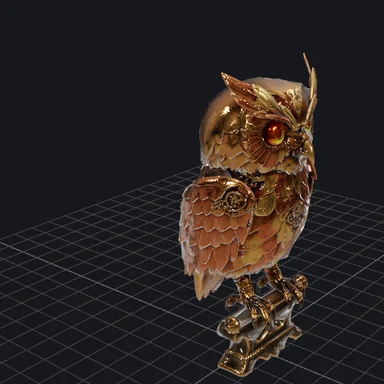
Turn a sketch or photo of a landmark into a 3D model.
$1 in free credits for eligible new accounts. No card needed. Generators have separate account and credit requirements. The GIS viewer is free.
Yes, with no account and no limits beyond your device's memory.
The .shp holds the shapes, the .dbf the attributes and the .prj the coordinate system. Add the .cpg if there is one, for the text encoding.
Yes. Open the Export panel to save it as GeoJSON, KML, CSV or a shapefile in another coordinate system.
No. The file is read and converted in your browser tab and never leaves your device.
Attribute table · Reprojects from .prj · No upload
/filters:quality(82)/media/images/1791123751656780930_IfFPY7R0.webp)
/filters:quality(82)/media/images/1791123737177812425_RjKT3cku.webp)
/filters:quality(82)/media/images/1791123748309870128_xlkNgK8N.webp)
/filters:quality(82)/media/images/1791123738630744263_oR09R0aj.webp)
/filters:quality(82)/media/images/1791177033162457776_uQ09OY7g.webp)
/filters:quality(82)/media/images/1791123734319125607_JdnwGPY7.webp)
/filters:quality(82)/media/images/1791123746355630206_udnxGPY7.webp)
/filters:quality(82)/media/images/1791123744771362580_yC0sPezZ.webp)
/filters:quality(82)/media/images/1791123738606970169_5KIR1ais.webp)
/filters:quality(82)/media/images/1791123748197655725_EUmuFNW6.webp)