Open your KML or KMZ
Drop the file. Placemarks and paths appear on the map.
Turn placemarks and paths from a KML or KMZ into a GPX file for GPS units and hiking apps.
Check everything on the map first.
Drop files here, or choose them. For a shapefile, pick its .shp, .dbf and .prj together, or a .zip.
GeoJSON, TopoJSON, KML, KMZ, GPX, TCX, Shapefile, CSV, FlatGeobuf, GeoPackageDrop the file. Placemarks and paths appear on the map.
Click features to see their names; delete or edit anything you don't want.
The Export panel is set to GPX. Points become waypoints and lines become tracks, with heights.
Create illustrations, cover images or explainer videos for your reports and story maps with WaveSpeed AI.
Make cover art, icons and illustrations for a map story from a prompt.
Turn a still map or photo into a short animated clip.
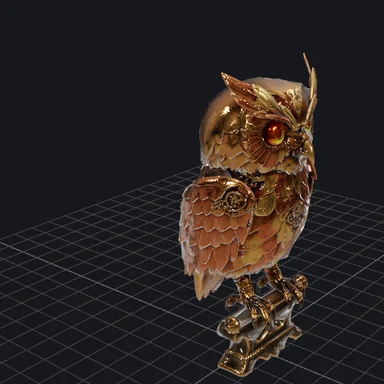
Turn a sketch or photo of a landmark into a 3D model.
$1 in free credits for eligible new accounts. No card needed. Generators have separate account and credit requirements. The GIS viewer is free.
Yes. Convert as many files as you like, with no account, no watermark and no limits beyond your device's memory.
GPX has no polygons, so polygons are left out; points and lines are converted.
Yes. Placemark names and descriptions become GPX names and descriptions.
No. The file is read and converted in your browser tab and never leaves your device.
KMZ too · Waypoints & tracks · No upload
/filters:quality(82)/media/images/1791123751656780930_IfFPY7R0.webp)
/filters:quality(82)/media/images/1791123737177812425_RjKT3cku.webp)
/filters:quality(82)/media/images/1791123748309870128_xlkNgK8N.webp)
/filters:quality(82)/media/images/1791123738630744263_oR09R0aj.webp)
/filters:quality(82)/media/images/1791177033162457776_uQ09OY7g.webp)
/filters:quality(82)/media/images/1791123734319125607_JdnwGPY7.webp)
/filters:quality(82)/media/images/1791123746355630206_udnxGPY7.webp)
/filters:quality(82)/media/images/1791123744771362580_yC0sPezZ.webp)
/filters:quality(82)/media/images/1791123738606970169_5KIR1ais.webp)
/filters:quality(82)/media/images/1791123748197655725_EUmuFNW6.webp)