Best Text to Image APIs for Product Teams
Text to image API guide for product teams comparing quality, latency, pricing, model access, and production workflow fit.
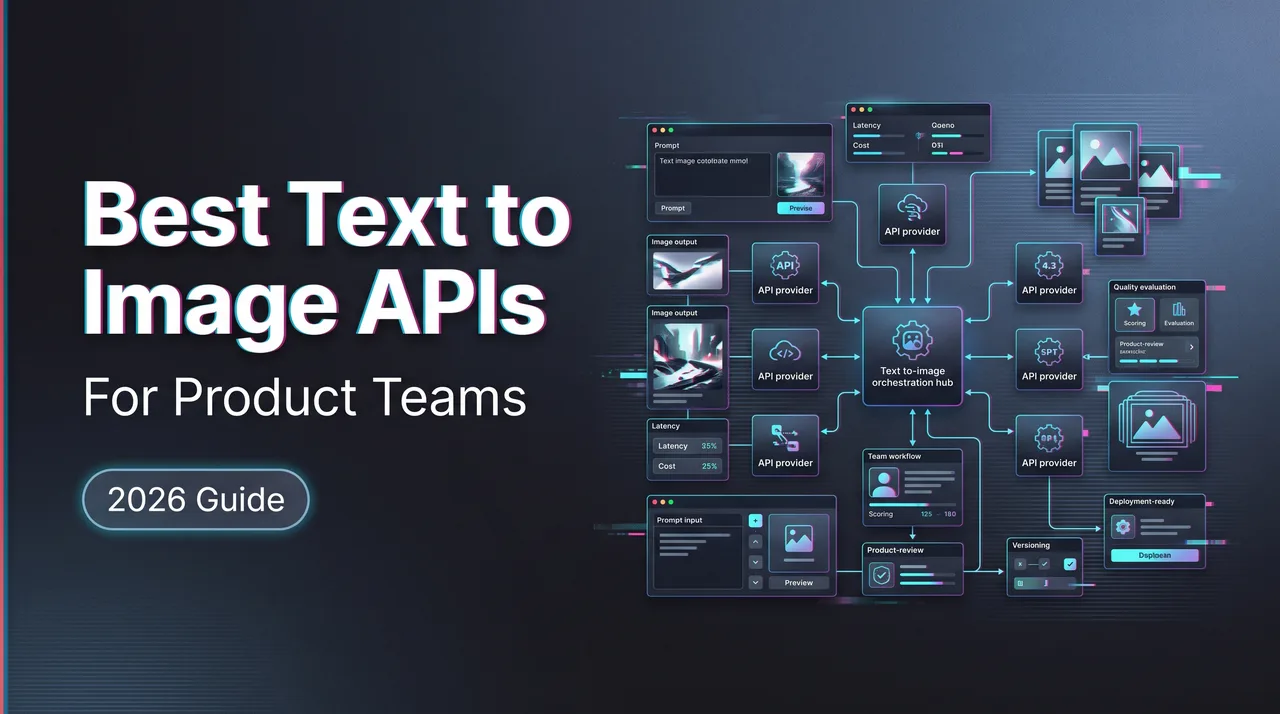
Dora here. The phrase text to image looks simple until it enters a product roadmap. Then it stops being a prompt box and becomes a queue, a bill, a moderation policy, a fallback rule, a support ticket, and a weekly argument about why two outputs from the same prompt do not match.
A text to image API has to survive all of that. This is not a consumer ranking of pretty demos. It is a work note for product managers, API engineers, creative ops, and procurement people who need to decide which image generation path can sit inside a customer-facing product without becoming a maintenance tax.
The short version: the “best” option is the one whose failure modes your team can actually operate.
What Product Teams Need from Text-to-Image APIs
Quality, Speed, Style Control, Safety, and Consistency
Quality is the first thing everyone checks. It is not the first thing that breaks production.
In a product workflow, quality has at least five separate meanings:
- Does the image follow the prompt?
- Does it respect style references?
- Does it handle text inside images?
- Does it keep objects, layout, and identity stable across retries?
- Does it produce enough usable outputs per batch to justify the cost?
A model can look good in a gallery and still be painful inside a product. One-off output quality hides variance. Product teams live inside variance.
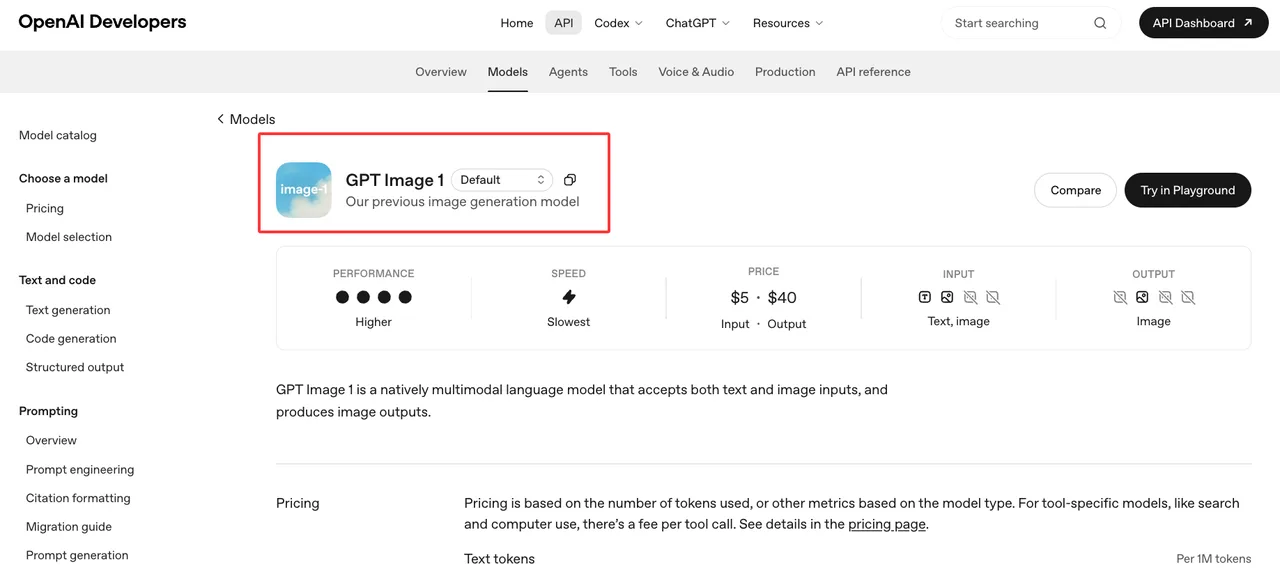
For example, OpenAI’s GPT Image 1 docs describe a model that accepts both text and image inputs and returns image outputs, with token-based pricing and per-image examples. That gives a team real evaluation fields: input type, output type, price unit, supported endpoints, and rate-limit behavior. It does not answer whether the model matches your brand system. That part still needs a prompt suite.
Google’s image generation docs are useful for a different reason. They show both image generation and editing flows, and they explicitly remind developers to make sure they have rights to uploaded images. I paused here. Legal review is not a footnote for product teams. If users upload brand assets, customer photos, product packaging, faces, or licensed images, the API choice becomes a policy choice.
Speed also splits into several pieces:
- Time to first response
- Queue wait
- Generation time
- Retry time
- Webhook delivery time
- Download time for generated assets
- Human review time before publish
Most API comparison pages collapse this into “fast” or “slow.” That is too thin. A design draft tool may tolerate 20 seconds. A UGC avatar preview inside onboarding may not. An ads pipeline can wait longer if batch mode makes cost and review cleaner.
Style control is the next trap. Product teams usually do not need infinite style freedom. They need bounded style behavior. The model should keep a campaign look, product lighting, layout ratio, packaging color, and typography rules close enough that a reviewer does not restart from zero.
Consistency is where the bill gets honest. If a premium model costs twice as much but produces twice as many usable outputs, it may be cheaper. If a fast model costs less per request but creates six retries per accepted image, it is not cheap. It is just hiding cost in review time.
The best image generation API for a product team is not always the model with the highest public benchmark score. It is the API whose output quality, safety behavior, queue model, and evidence trail match the product surface.
Why Consumer UI Rankings Do Not Answer API Questions
Consumer UI rankings answer a different question: “*Which tool gives a pleasing result when a person types a prompt?*”
API evaluation asks: “Can this provider handle repeated calls from users, preserve enough control for product requirements, and give engineering enough visibility when something fails?”
Those are not the same job.
A consumer list may rank tools by visual appeal, creativity, or how good the web editor feels. Product teams need to know:
- Can the provider return predictable JSON?
- Are output URLs temporary or persistent?
- Can the system poll, stream, or receive webhooks?
- Can failed jobs be retried safely?
- Are error codes specific enough to route?
- Are rate limits visible before launch?
- Can procurement map the bill to a real product metric?
- Can trust and safety review rejected generations?
This is where image model comparison becomes less glamorous and more useful. A product team should compare providers using a fixed prompt suite, fixed product scenarios, fixed review labels, and fixed acceptance rules. Not a gallery. A test bench.
The gallery is where a model tries to look its best. Production is where users try every weird prompt your roadmap did not imagine.

API Comparison Criteria
Model Access, Prompt Controls, Output Formats, Webhooks
Start with model access. Not the brand name. The actual model IDs, versions, endpoint names, and retirement behavior.
A product team needs to know whether the provider offers:
- Stable model versions
- Preview models for testing
- Editing endpoints
- Reference image support
- Aspect ratio and size controls
- Seed or reproducibility fields
- Negative prompts or guidance controls
- Safety parameters
- Batch or async support
If a provider only exposes a moving alias, the product has a reproducibility problem. If the product is a casual inspiration tool, that may be fine. If it is a customer-facing ad generator with audit needs, drifting outputs become a support liability.
Prompt controls matter because product prompts are rarely just user text. A real request may combine system-level brand rules, hidden safety instructions, user input, reference material, output format requirements, and locale-specific wording. The API needs enough structure to keep those pieces separate.
Output format is not cosmetic. Product teams need to know whether outputs arrive as base64, URLs, binary files, or structured objects with metadata. The developer workflow changes depending on that answer. Base64 is simple for small tests. URLs are cleaner for async jobs. Temporary URLs require immediate storage. Metadata matters for audit.
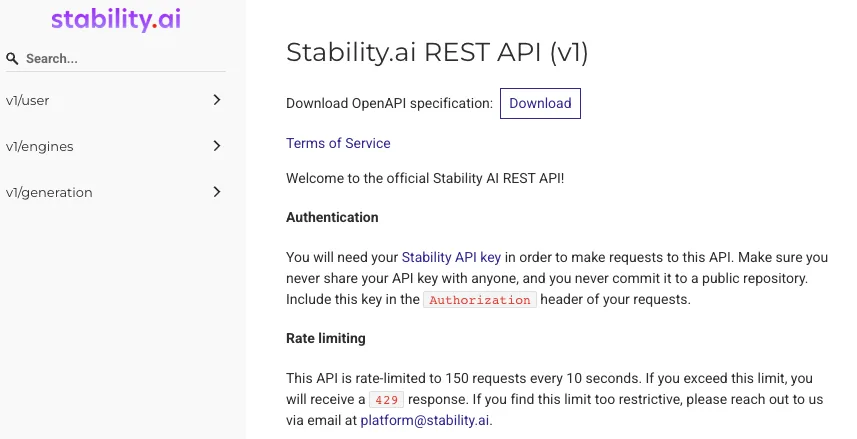
Stability AI’s REST API docs show why this belongs in the checklist. The documentation includes text generation from prompts, response formats, content-filtered finish reasons, error codes, and a published request limit. That is the kind of operational detail that matters before launch.
Webhooks decide how painful long-running jobs become. Polling is acceptable for small tools. At scale, it can waste compute and create brittle client behavior. Webhooks let a backend receive the final state and then update the product, send notifications, store files, or route the output to review.
For image generation, I look for four webhook details:
- What event triggers the callback?
- Does the provider retry failed deliveries?
- Is there signature verification?
- Can the handler be idempotent?
If those details are missing, the integration is not blocked, but the risk moves into your own code.
| Product Need | What to Verify | Why It Matters | Evidence to Save |
|---|---|---|---|
| Customer-facing generation | Model version, safety settings, rejected-output behavior | Support needs consistent explanations | Model ID, prompt, response, timestamp |
| Brand or ecommerce images | Reference image support, style controls, aspect ratios | Small visual drift can make outputs unusable | Input assets, prompt template, accepted output |
| Batch campaigns | Async jobs, queue state, webhooks, retry policy | Manual polling does not scale cleanly | Request IDs, queue logs, webhook payloads |
| Cost control | Price unit, retry rate, usable-output rate | Request price is not real cost | Accepted-image cost, reviewer time, failed jobs |
| Procurement review | Terms, data handling, model availability changes | Vendor risk is part of API risk | Vendor docs snapshot, approval date, owner |
Latency, Pricing, Rate Limits, and Fallback Options
Latency needs a product-specific budget.
For an interactive editor, latency is part of the user experience. For a background campaign generator, latency is mostly a capacity-planning question. For an ecommerce catalog workflow, latency matters less than predictable throughput before a launch deadline.
I split latency into three measurements:
- P50 for normal user experience
- P95 for support expectations
- Worst-case timeout for fallback routing
Average latency is useful only if the product never gets busy. Most products get busy exactly when the team most needs the system to behave.
Pricing has the same problem. Public price per image is a weak planning unit. The better unit is usable output.
Usable-output cost includes:
- Successful API requests
- Failed API requests that still consume budget
- Retries caused by prompt mismatch
- Human review time
- Storage and CDN cost
- Background regeneration
- Fallback provider calls
- Refunds or support credits
This is where cheap models can be expensive. Not always. Often enough to measure.
Rate limits should be read before model taste tests. A prototype that makes 20 calls per day tells you almost nothing about a product that might send 10,000 requests after a campaign email. Limits also affect retry behavior. A retry storm after an outage can hit the same limit that caused the incident to become visible.
Fallback options are the quiet part of API selection. A product team needs at least three route types:
- Primary model for normal generation
- Fast fallback for degraded service
- Premium fallback for high-value requests
Not every product needs all three. Small internal tools can keep one route. Customer-facing products with paid usage usually need at least one fallback. The fallback does not need to match quality perfectly. It needs to fail differently.
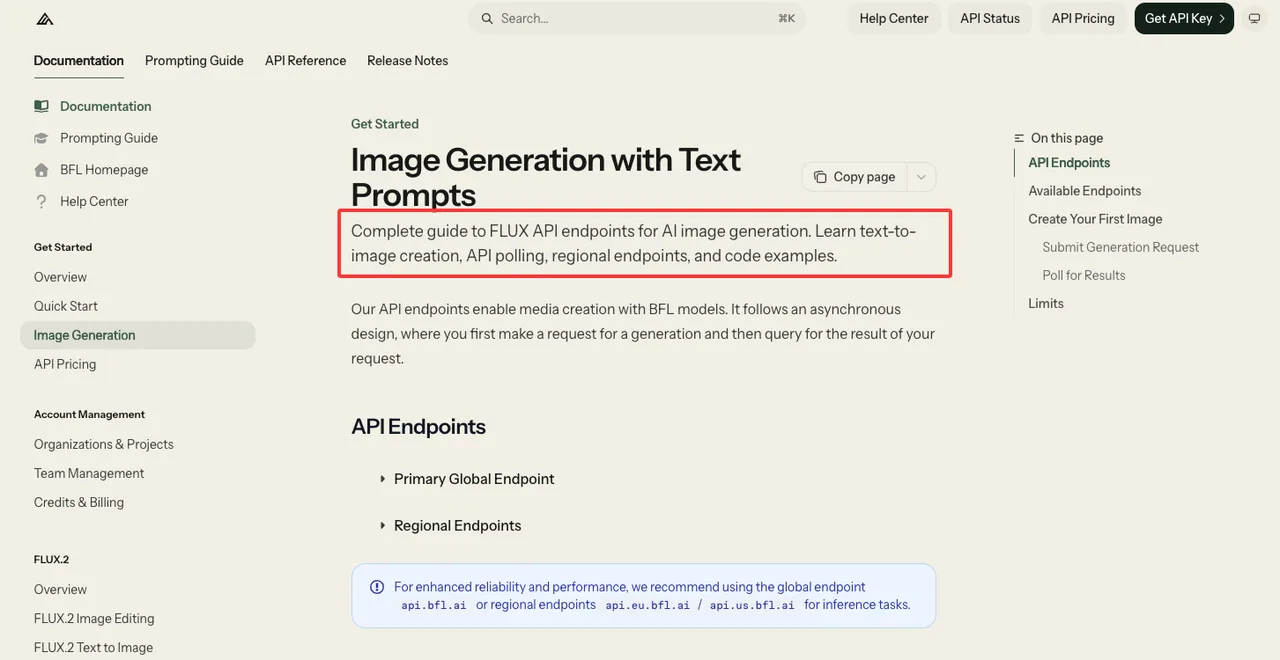
Black Forest Labs’ image generation docs are a useful example of infrastructure-relevant documentation. The page describes an async request flow, polling URLs, global and regional endpoints, and multiple FLUX endpoints including fixed snapshots and preview variants. For a product team, that is not just model trivia. It affects reproducibility, regional routing, and release testing.
fal’s queue docs show another operational pattern: async submission, status checks, result retrieval, cancellation, webhooks, and automatic retries for certain failures. I would not treat those docs as a reason to pick one provider blindly. I would treat them as a reminder that queue behavior belongs in every AI image API evaluation.
Good infrastructure makes you forget it is there. Bad infrastructure turns every product meeting into incident review.
Choosing by Use Case
Ads, Ecommerce, Design Drafts, UGC, and Batch Generation
Ads need brand control before raw creativity. The image has to match campaign style, layout constraints, product rules, and review policy. If the model invents packaging text or changes product shape, the output may be beautiful and unusable. Ads also need evidence storage because customer disputes usually arrive after the campaign has already moved on.
For ads, I would test:
- Text rendering
- Product placement
- Brand color drift
- Human subject safety
- Aspect ratio variants
- Repeated prompt behavior
- Legal review handoff
Ecommerce needs consistency and low rework. A product image pipeline usually cares about background changes, lighting, angle control, shadow consistency, and SKU identity. Editing support may matter more than pure generation. A model that can preserve the product while changing scene context can be more valuable than a model that creates a better fantasy image from scratch.
For ecommerce, the rejected-output labels should be practical:
- Wrong product shape
- Wrong color
- Logo distorted
- Packaging text changed
- Background unsuitable
- Scale mismatch
- Policy rejection
Design drafts are more forgiving. They need speed, variation, and cheap exploration. The output does not need to be final. It needs to help a designer or PM decide direction. In that scenario, a fast model can be the right default, with a premium route used only when a draft becomes production-bound.
UGC tools need safety and abuse handling. This includes prompt moderation, image moderation, upload rights, and clear behavior when content is blocked. The worst UGC workflow is one where the API returns a vague failure and the user sees a vague error. That creates support tickets with no evidence.
Batch generation needs a different architecture. It should not behave like a human clicking “generate” 500 times. It needs async calls, queue visibility, backoff, cancellation, review sampling, and output storage. If a provider does not make async behavior easy, the engineering team will build its own queue. Sometimes that is fine. Usually it is another thing to maintain.
Batch work also changes model choice. A slightly weaker model may be fine for background concept generation. A stronger model may be needed for final customer-visible assets. The route should follow the asset’s value, not the team’s favorite model.
When to Use Premium vs Fast Models
Premium models belong where mistakes are expensive.
That includes paid user exports, brand-sensitive assets, product images, ad variants near final approval, text-heavy graphics, and workflows where manual repair takes longer than generation. Premium does not mean “always better.” It means the extra cost can be defended when the accepted-output rate improves.
Fast models belong where volume matters and rejection is cheap.
That includes internal drafts, moodboards, early creative exploration, placeholder assets, thumbnail ideation, and batch variations that will go through another selection step. A fast model is also useful as a fallback when the premium route is slow or unavailable.
The mistake is dual routing too early. Teams sometimes build elaborate routing before they have enough traffic to justify it. Then the routing logic becomes harder to maintain than the cost it saves. Found the pattern on the third try: routing is only worth it when the decision rule is boring.
Examples of boring rules:
- Draft mode uses fast model.
- Final export uses premium model.
- Brand campaigns require approved reference templates.
- Failed premium requests retry once, then route to support review.
- Background batch jobs use low-priority queue settings when available.
- UGC requests with policy uncertainty go to manual review instead of automatic fallback.
The rule should be explainable to support, finance, and engineering. If only one engineer understands it, it is not a policy. It is a private spell, and private spells do not survive roadmap pressure.
A unified generation layer can help here because teams can compare multiple models without rebuilding every integration. The value is not “many models.” Having many tools is not the problem. Having to manage your tools is. The value is one place to test routes, track outputs, and move from experiment to production with fewer interface changes.

FAQ
Who Decides Whether an API Is Approved for Customer-Facing Use?
Approval should not sit with one person.
Product owns the user experience. Engineering owns integration reliability. Legal or policy owns rights, safety, and prohibited content exposure. Finance owns spend controls. Security owns data handling and access management. For customer-facing image generation, all five have a real stake.
The decision can still be lightweight. A small product does not need a 40-page vendor review. It does need a named owner, approved use cases, blocked use cases, logging requirements, model IDs, and a rollback path.
For an AI image API, I would not approve customer-facing use until the team has saved test prompts, outputs, failure examples, moderation behavior, and cost assumptions. Screenshots alone are weak evidence. API responses are better.
What Vendor Change Should Trigger Procurement Review?
Procurement review should trigger when a vendor change affects cost, legal exposure, availability, or operational control.
Examples include:
- Pricing unit changes
- Model retirement or alias changes
- New data retention terms
- Changed commercial-use language
- Region or subprocessors changing
- Rate-limit changes that affect peak traffic
- Safety policy updates that change rejection behavior
- Webhook, storage, or output-expiration changes
The review does not always mean “stop using it.” It means the previous approval may no longer match the current vendor behavior.
For a best image generation API decision, procurement should care less about launch-day demos and more about change handling. A vendor that documents changes clearly is easier to operate than one that looks great until something moves.
How Should Generated Image Evidence Be Stored for Audits?
Store enough evidence to reconstruct the decision.
That usually means:
- Prompt template
- User prompt
- Model ID and version
- Request timestamp
- Input image references, if allowed
- Output file or durable copy
- API response metadata
- Safety or filter result
- Reviewer decision
- Rejection label, if rejected
- Final asset ID, if published
Do not store more user data than the policy allows. That matters. Audit storage should be tied to retention rules, not panic.
For an image model comparison, I prefer storing both accepted and rejected outputs. Accepted images show what worked. Rejected images show why routing, prompt rules, or policy settings changed. That is the useful evidence after launch.
Conclusion
The best text to image choice for a product team is not a permanent winner. It is a controlled route through quality, speed, style control, safety, cost, latency, and fallback behavior.
I would start with the use case, not the vendor list. Ads need brand control. Ecommerce needs identity preservation. Design drafts need speed. UGC needs safety handling. Batch generation needs queues, webhooks, and review discipline.
The API that wins is the one that keeps producing usable outputs after the demo is over. This conclusion has an expiration date because models update fast. The evaluation method holds longer than any ranking.
Previous posts:
Related Articles

Best AI Video Platforms for Production Teams in 2027

Best Sora 2 Alternatives for Video Teams in 2027

Lanta AI Review 2027: Best Uses, Pricing, and Limits
Sora 2 Review 2027: API Quality, Cost, and Limits

Build a GPT-6 Astra 3D Workflow With Blender Assets