
Google Veo 3 Pricing 2026: API Costs and Access
Google Veo 3 pricing 2026 separates Gemini API, Vertex AI, and app access, then calculates cost per usable video for production teams.
A Veo budget often breaks in one quiet place: Flow credits sit beside a Gemini API per-second rate under one “video cost” column. The arithmetic works. The unit does not. That is where I paused.
For teams budgeting video, Google Veo 3 pricing starts with route, model, duration, resolution, and audio. This is a planning snapshot, not a rate guarantee.
Where Google Veo Pricing Appears
Gemini API and Google AI Studio
The Gemini Developer API charges Veo 3.1 per output second. Google AI Studio is a prototyping interface, not a subscription pool. Veo calls use the linked project’s paid API billing and quotas.
The current paid Veo 3.1 pricing is:
| Gemini API model | 720p with audio | 1080p with audio | 4K with audio |
|---|---|---|---|
| Veo 3.1 Standard | $0.40/sec | $0.40/sec | $0.60/sec |
| Veo 3.1 Fast | $0.10/sec | $0.12/sec | $0.30/sec |
| Veo 3.1 Lite | $0.05/sec | $0.08/sec | Not supported |
Audio is always on. It limits 1080p and 4K to eight seconds, so resolution changes both rate and required duration.
Vertex AI and Consumer App Access
Vertex AI uses Cloud billing, project controls, quotas, and contracts. It also offers lower-priced video-only output. At the September 19 snapshot, Standard video-only costs $0.20 per second at 720p or 1080p and $0.40 at 4K. Fast costs $0.08, $0.10, and $0.25, respectively. Lite costs $0.03 at 720p and $0.05 at 1080p. Negotiated or non-USD accounts need their Cloud SKU rate.
Flow, Gemini, and Vids use plan allowances, credits, or generation limits. Flow currently charges 10 credits for Lite, 20 for Fast, and 100 for Quality for most users; Ultra discounts Lite and Fast. The Flow credit rules warn that one request can create multiple generations. These credits are not Veo 3 API pricing in dollars per second.
Gemini app usage changes by plan and capacity. Vids uses account-specific monthly generation allowances and workspace administration. Neither route exposes a developer unit rate suitable for production forecasting.
Check the Current Veo Model Status
Veo 3 and Veo 3 Fast
Gemini marks veo-3.0-generate-001 and veo-3.0-fast-generate-001 deprecated. Old prices remain in search results, but not in a sound new budget.
Record the surface and model ID. “Veo 3” cannot distinguish a deprecated Gemini route, Vertex SKU, or consumer allowance.
Veo 3.1 Preview and Migration Decisions
Lifecycle differs by surface. Gemini lists the Standard, Fast, and Lite 3.1 IDs as preview. Preview access and capacity can change.
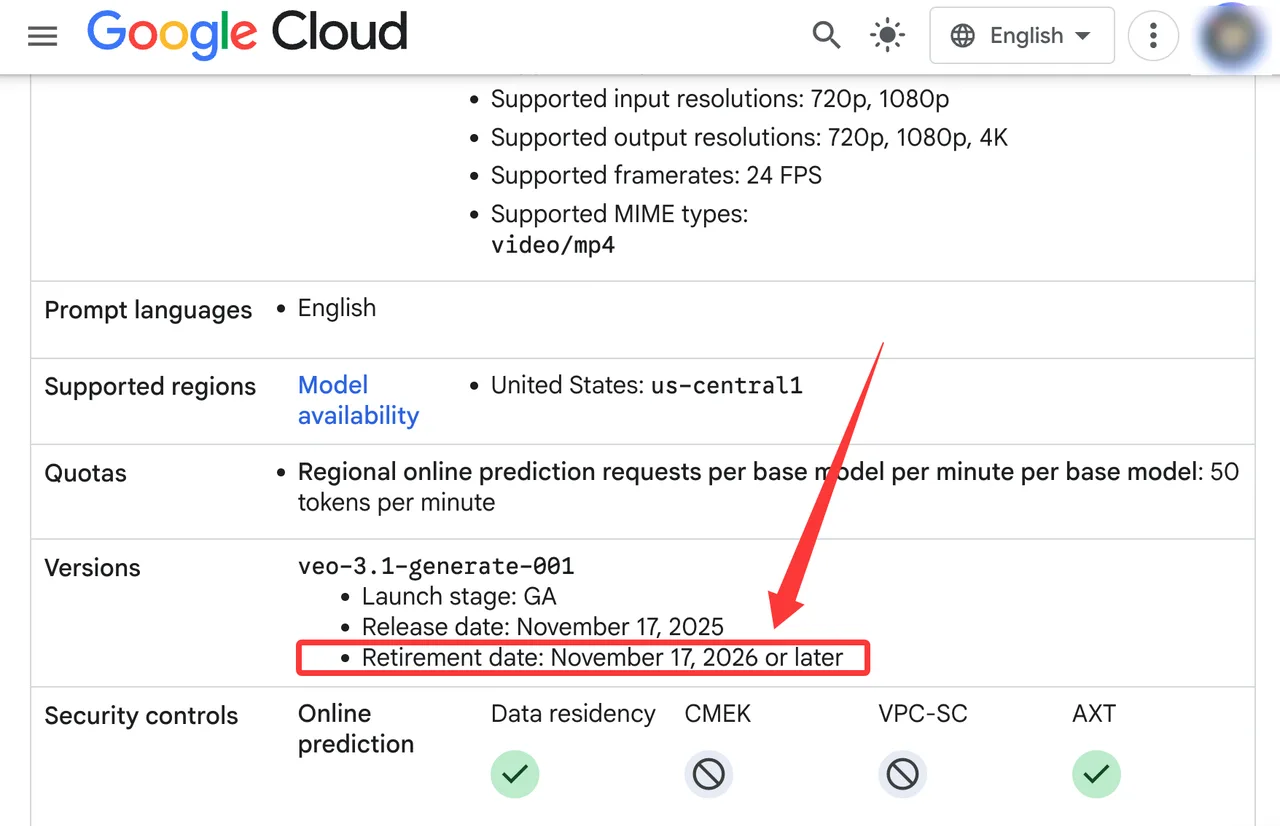
Vertex AI’s Veo 3.1 model card lists Standard and Fast -001 IDs as GA, with retirement no earlier than November 17, 2026. It offers fixed quota and Provisioned Throughput. Migration is also a choice between preview developer Veo 3 access and managed Cloud operation.
Calculate API Cost per Video
Duration, Resolution, Audio, and Model Variant
The basic formula is short:
headline cost = output seconds × rate per second
An eight-second 1080p Fast clip with audio costs 8 × $0.12 = $0.96. Standard costs $3.20; 4K Standard costs $4.80.
On Vertex, removing audio changes the SKU. Gemini API always generates native audio.
A Worked Cost Example for One Batch
Use one auditable batch assumption:
- 100 requested clips
- Veo 3.1 Fast, 1080p, eight seconds, audio on
- $0.96 headline cost per successful generation
- 90 jobs complete and are charged
- 54 completed clips pass review
Spend is 90 × $0.96 = $86.40, or $1.60 per accepted clip. The ten failed or blocked jobs are assumed uncharged; Their queue and review time still exist. Delivering 100 accepted clips at the same 60% rate costs about $160 before labor and storage.
Calculate Cost per Usable Clip
Failed Jobs, Safety Blocks, and Retries
Gemini charges an audio-processing job only when video generation succeeds. Flow says failed generations do not consume credits. A blocked attempt may cost zero; its successful replacement is charged.
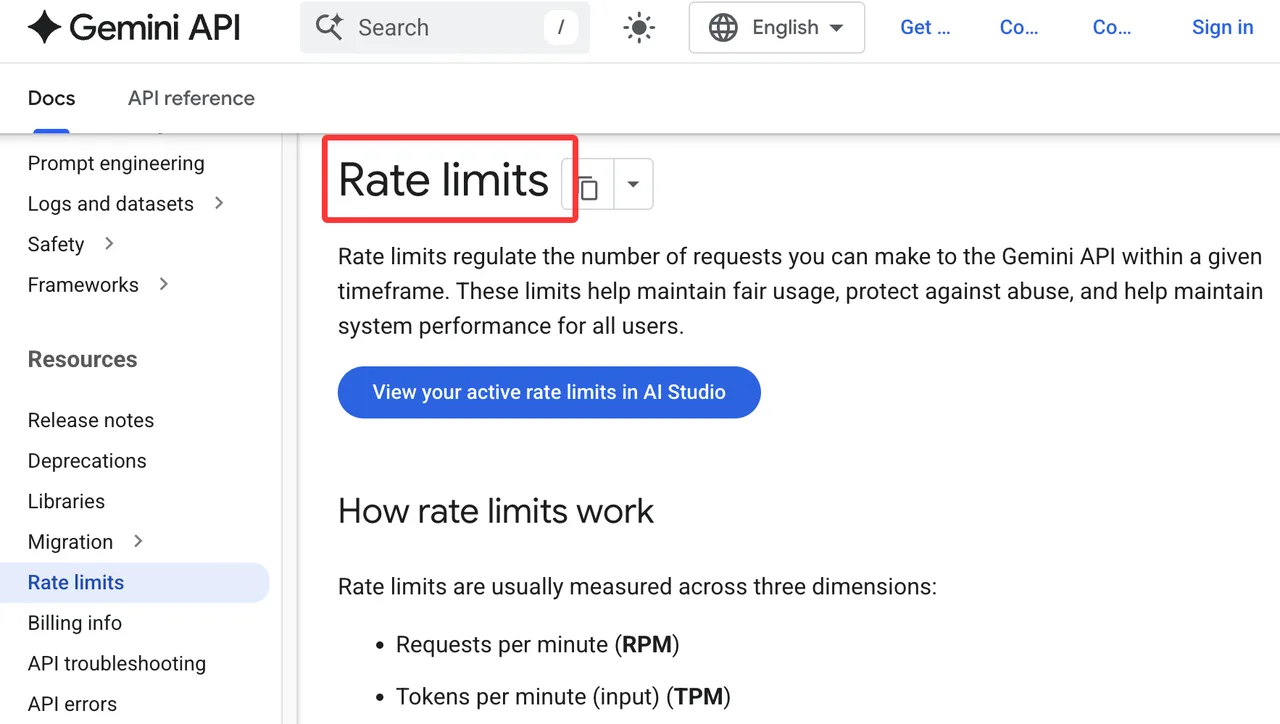
Gemini limits apply per project, not API key, with spend limits alongside RPM and daily limits. The rate-limit guide directs teams to AI Studio for active limits.
Storage, Review, and Workflow Overhead
If 90 clips take two minutes each to inspect, review consumes three hours. At $36 per hour, that adds $108. Generation plus review becomes $194.40, or $3.60 per accepted clip, before storage and editing.
The gap matters more than the $0.96 headline. Storage depends on region, retention, and egress. Veo automation still needs polling, idempotency, download checks, and retry logs.
Choose the Right Access Route
Prototyping in Gemini API
Gemini API fits bounded prototypes that accept preview IDs. AI Studio exposes project limits and spend controls. Google One subscriptions do not become API credit.
It is weaker when procurement requires GA, regional controls, or committed capacity.
Managed Production Through Vertex AI
Vertex fits workloads needing organization policy, IAM, billing exports, fixed quota, Provisioned Throughput, data residency, or CMEK. Google’s Vertex retention guidance documents the steps and exceptions for zero retention.
It adds Cloud governance work but improves project and SKU attribution. It does not guarantee a lower unit rate.
Recheck Pricing Before Committing
Model Deprecations, Preview Terms, and Quotas
Store model ID, surface, resolution, audio, duration, price date, and quota type. Recheck quarterly and before contracts. Preview aliases, GA endpoints, and Flow labels are not interchangeable.
Billing Currency, Contracts, and Regional Availability
Public rates are USD. Non-USD accounts use Cloud SKU prices. Contracts, taxes, credits, and availability alter invoices, so architecture and billing need the same region assumption.
FAQ

Does Google publish Veo-specific input-retention periods?
No universal period covers every route. Gemini stores generated videos for two days and Files API uploads for 48 hours. Vertex publishes broader zero-retention controls with exceptions. Consumer policies differ.
Can Cloud Billing exports separate Veo 3 and Veo 3.1 spend?
Exports include service, SKU, project, cost, credits, and currency. Video SKUs distinguish variants, audio, and resolution, but not a reliable universal version field. Log model IDs and isolate migrations by project.
Can organizations restrict Veo access with IAM conditions?
Vertex restricts models through vertexai.allowedModels and IAM deny policies on prediction. Generic IAM Conditions are not the clearest model control. The model access policy supports allow and deny lists.
Do Veo outputs include provenance metadata?
Veo outputs carry invisible SynthID. Vertex also lists C2PA Content Credentials on supported 3.1 routes. SynthID is embedded in media; C2PA is cryptographically bound provenance data. They are different signals.
Are promotional credits applied before paid Veo usage?
Eligible Cloud promotions reduce the bill automatically, but usage still accrues against a SKU. Scope and expiry follow each credit’s terms. Google One AI credits are separate and do not pay API invoices.
Conclusion
Google Veo 3 pricing is a dated rate tied to model ID, surface, resolution, duration, and audio. Start with the $0.96 Fast example, then replace acceptance, labor, storage, region, and credits with measured values. Budget the usable clip. This conclusion has an expiration date.
Previous posts:
Related Articles
/filters:quality(82)/media/images/1790590062795265714_fANXfpxI.webp)
Luma AI Pricing 2026: App and API Costs Explained
/filters:quality(82)/media/images/1790589262955077611_p3tThHZg.webp)
Veo Automation Guide 2026: Batch Video Workflows
/filters:quality(82)/media/images/1773962750383987480_n3hqzHRZ.webp)
Kling 4.0 vs Kling 3.0: What Is Expected to Change and How to Upgrade
Kling 4.0 vs Seedance 2.5: How to Choose for Commercial Video
Kling 4.0 vs Veo 3.1 vs Seedance 2.5: Choosing a Flagship Video Model