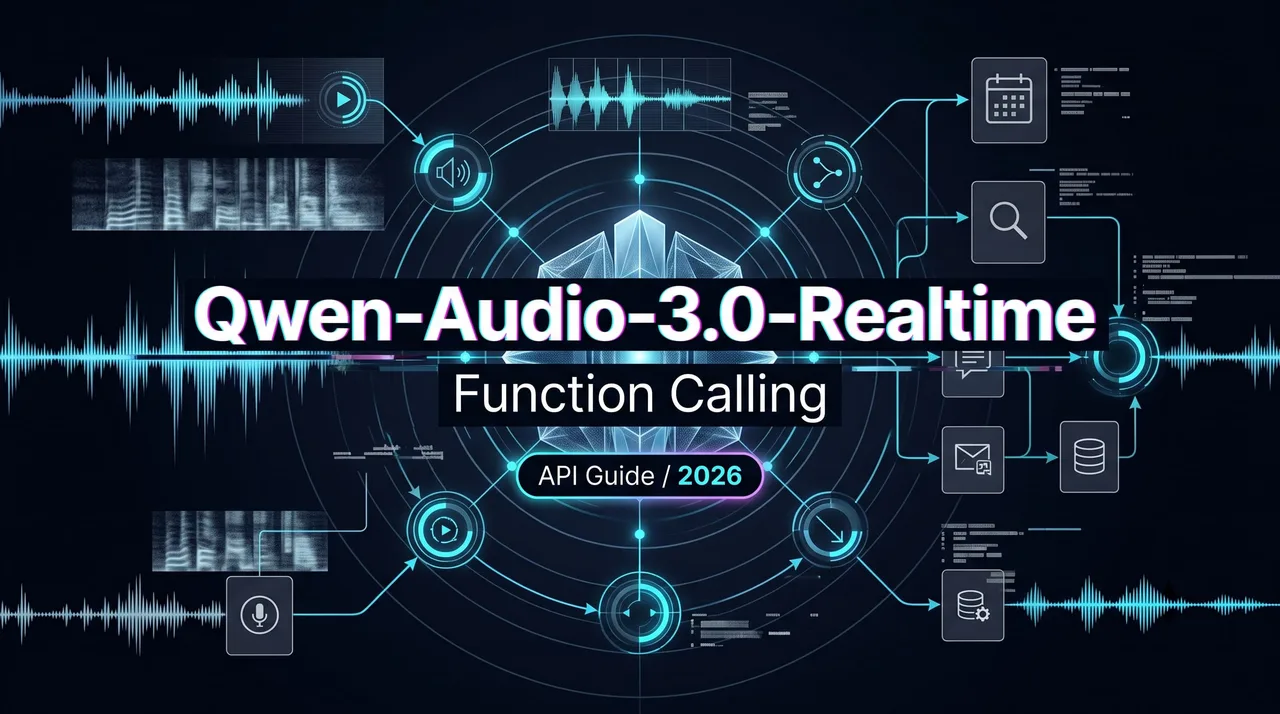
Qwen-Audio-3.0-Realtime Function Calling
Qwen-Audio-3.0-Realtime Function Calling shows how builders can design tool-using voice agents with streaming sessions.
Dora here. I would not ship Qwen-Audio-3.0-Realtime Function Calling as “voice plus tools.” That phrase is too clean. Voice agents do not behave like text agents. A user pauses halfway through a request. They correct themselves while audio is already playing. They say “yes,” then later dispute what they confirmed.
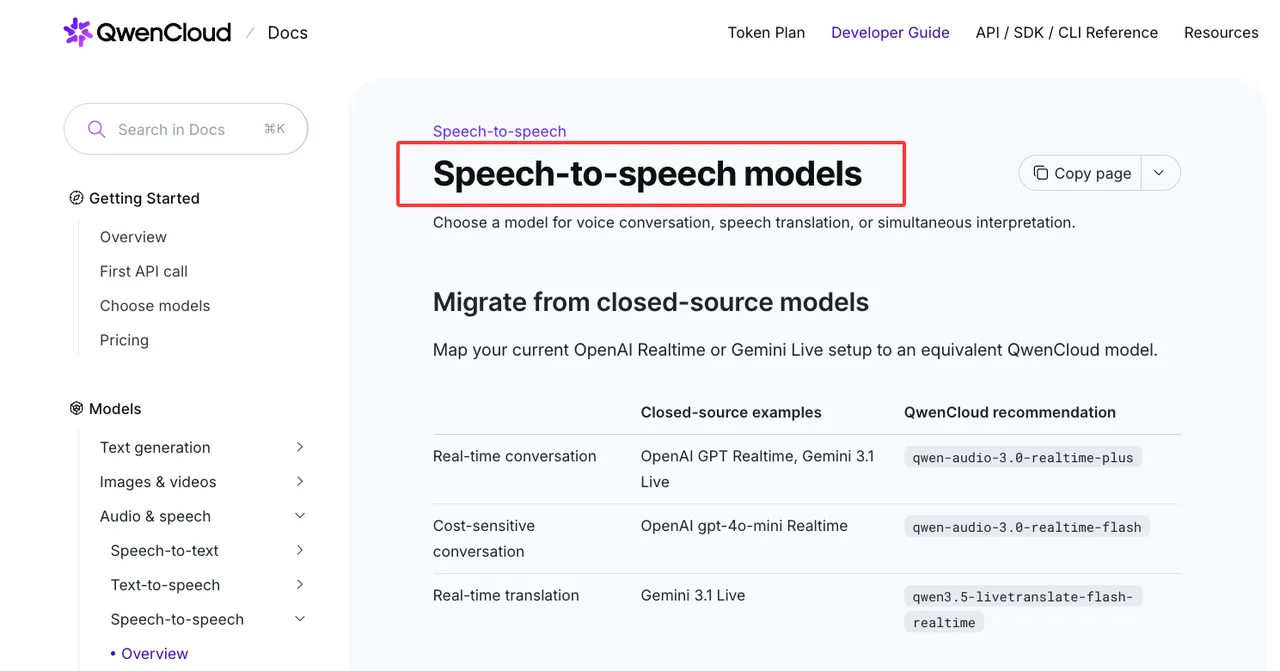
As of July 24, 2026, the confirmed baseline is narrow but usable. QwenCloud lists qwen-audio-3.0-realtime-plus and qwen-audio-3.0-realtime-flash as WebSocket models with function calling support in its speech-to-speech model table. I found documented WebSocket events, session state, function-call output, and cancellation behavior. I did not find confirmed native realtime MCP support for Qwen-Audio itself. So I would treat Qwen Audio MCP as a backend integration pattern, not a confirmed realtime API feature.
Tool-Using Voice Agent Architecture
A tool-using voice agent has four moving parts.
| Part | Responsibility |
|---|---|
| Audio stream | microphone chunks, playback, interruption |
| Session state | WebSocket connection, turn detection, context |
| Tool runtime | schema, permission, execution, validation |
| Response loop | transcript, tool result, spoken answer |
Having many tools is not the problem. Having to manage your tools is.
Audio stream, session state, tool schema, and speech response loop
The Qwen-Audio realtime pattern is event-driven. The client opens a WebSocket connection, sends session configuration, streams audio, receives transcript and response events, handles function calls, returns tool output, then triggers the follow-up response.
The Qwen-Audio WebSocket API reference documents server_vad, smart_turn, and push-to-talk. That matters because tool timing depends on turn timing. Push-to-talk gives the client control. VAD modes let the server detect speech boundaries.
Tool schemas should be small and strict. A voice-callable function needs a clear name, plain description, and constrained parameters. Do not expose backend service names. The model does not need your internal booking vocabulary. It needs functions like search_restaurants, check_availability, or create_draft_booking.
The model requests the tool. Your application executes it. That boundary should stay boring.
Why voice tool use is harder than text tool use
Text has a submit button. Voice has timing.
A user can say, “Find a restaurant near Union Square,” pause, then add, “not tonight, tomorrow.” If the tool fires after the first phrase, the result is wrong. If it books before the correction arrives, now you have a support problem.
Partial transcripts are useful for UI. They are not safe triggers for sensitive tools. Read-only search can run after a stable turn. Anything that books, pays, cancels, sends, deletes, or changes account state needs explicit confirmation.
Speed is not the goal. Not breaking flow is.
Example Flow: Restaurant Search and Follow-Up
Restaurant search looks harmless. It still exposes the hard parts: location, rating, price, availability, and ambiguity.
The user says, “Find a Japanese restaurant near Union Square with at least 4.5 stars. Not too expensive.”
The agent should not jump to booking. It should identify the request as search-only. It should also notice that “not too expensive” is not a usable constraint.
User request, location constraint, rating filter, and clarification
The agent asks one short clarification: “*What price range should I use?*”
The user says, “Under fifty per person.”
Now the read-only search can run. The tool request should preserve the user’s constraints without inventing missing data: cuisine, location text, minimum rating, price ceiling, and action type. I would include search_only or the equivalent in the executor contract. It prevents the backend from silently upgrading a search into a booking.
If the tool needs coordinates, resolve them outside the model or ask the user. Do not let the model invent latitude and longitude. That is how small hallucinations become real-world errors.
Tool response, context update, and spoken answer
The tool result should be normalized before it goes back to the model. Raw vendor payloads are noisy. They contain missing fields, promotional text, stale availability, and sometimes fake-looking precision.
The model needs candidates, matched constraints, missing fields, source time, and error status. If the tool fails, return a structured failure. Do not make the model guess whether an empty result means “nothing found” or “API broke.”
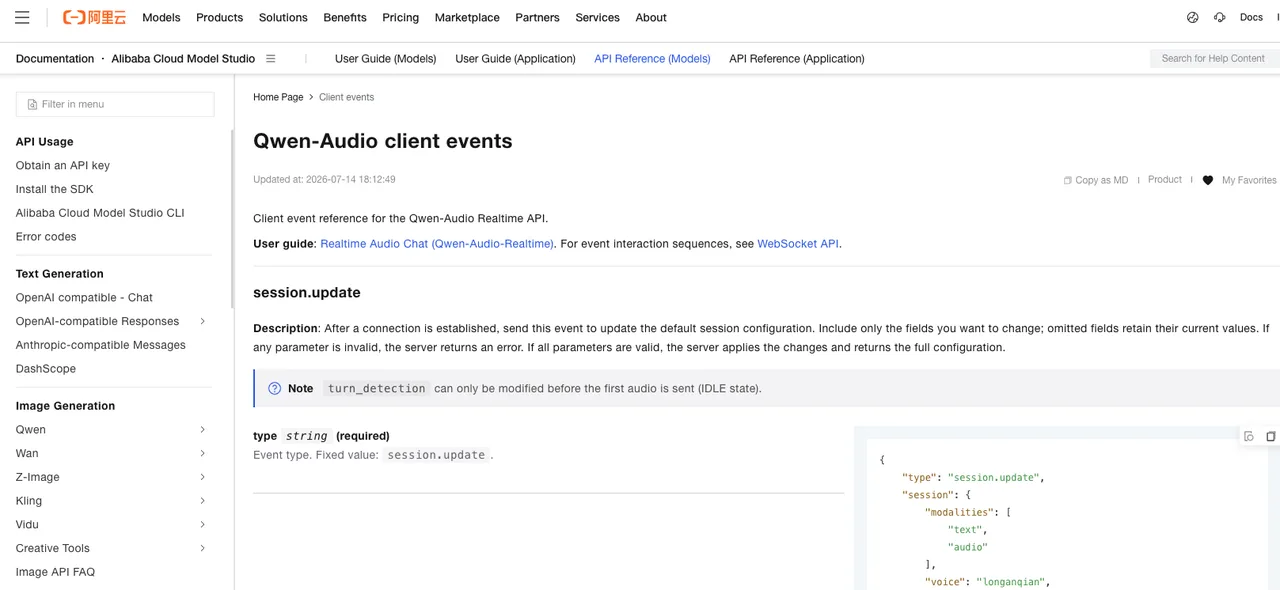
The Qwen-Audio client events page documents conversation.item.create for returning function_call_output with the matching call_id. After that, response.create can trigger the next inference round.
The spoken answer should be short: “I found three matches. The strongest one is a 4.6-rated izakaya two blocks from Union Square, usually under $50 per person. I can check availability if you want.”
No one wants a restaurant API payload read aloud.
WebSocket Session Design
A WebSocket voice agent should be designed as a state machine. Not a chat loop with audio attached.
The states are ordinary: idle, listening, transcribing, responding, tool pending, tool running, speaking, cancelled, recovering. The names matter less than the transitions.
When user speech starts, playback may need to stop. When a response is active, some client events are invalid. When a function call appears, the application pauses the normal answer path, executes the tool, returns output, and triggers another round.
Events, partial transcripts, tool calls, cancellations, and turn state
The Qwen-Audio server events page documents transcript deltas, completed transcripts, response audio deltas, function-call argument events, and response.done.
For tool execution, the completed function-call arguments event is the safer boundary. It gives the application the call ID, tool name, and arguments. The application parses the arguments, validates them against the allowlist, executes the tool, then returns output tied to that call ID.
For cancellations, treat interruption as a normal path. The client can send response.cancel. VAD can also interrupt playback when the user starts speaking. Stop local audio too. Backend cancellation without local playback cancellation still feels broken.
Recovering after dropped connections or malformed tool output
I did not find a confirmed contract saying a dropped Qwen-Audio WebSocket session can resume with the same server-side session ID. This is where my data ends.
So I would persist the application’s own call record: final user transcript, assistant transcript, function name, call ID, parsed arguments, validated tool output, confirmation phrase, cancellation reason, timestamps, and executor version.
On reconnect, start a fresh session. Send the current configuration again. Insert only compact context: latest user intent, confirmed constraints, and any already-executed tool result. Do not replay the whole audio conversation unless you enjoy duplicate side effects.
Malformed tool output should stop before it reaches the model. Validate it. If the tool returns bad JSON or missing required fields, return a controlled tool error. The spoken answer can be simple: “I could not verify that result, so I’m checking again.”
Production Controls
The easiest mistake is giving the model every tool the backend supports. Don’t.
| Risk Level | Example | Control |
|---|---|---|
| Low | search restaurants | stable turn, schema validation |
| Medium | check account status | signed-in user, scoped permission |
| High | create booking | explicit confirmation |
| Sensitive | payment or cancellation | verification, audit log, fallback |
This is where voice agent tool calling becomes product design, not backend plumbing.
Tool allowlists, permissions, audit logs, and sensitive actions
Tool allowlists should be built outside the model. A restaurant session does not need refund tools. A support session does not need payment capture unless the user has reached that flow and passed verification.
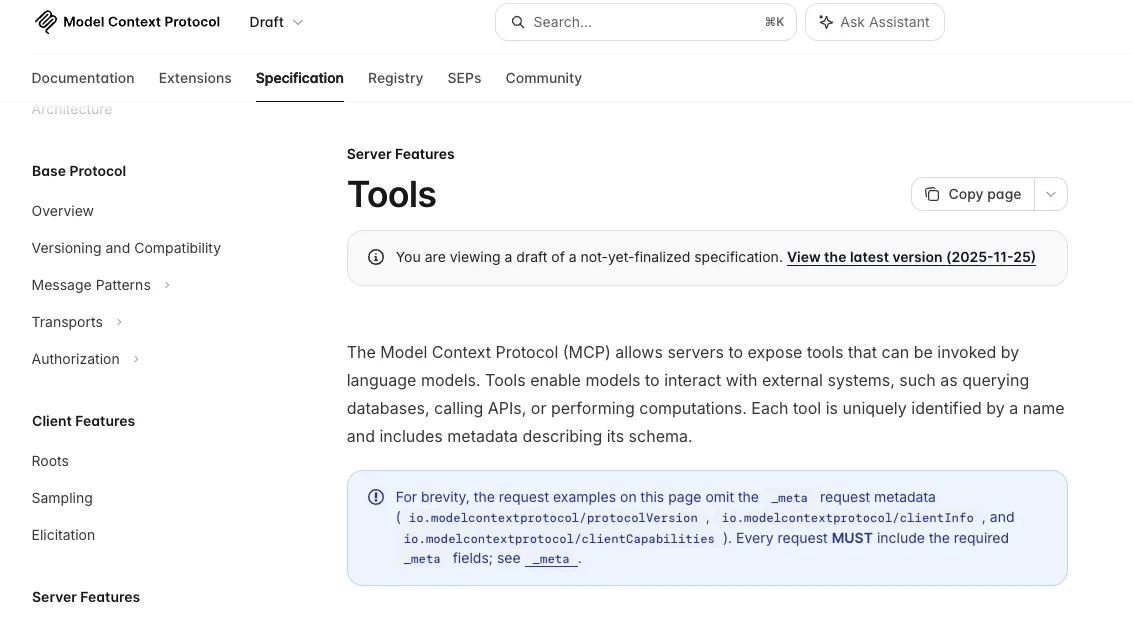
For MCP, keep the wording precise. I found Qwen docs for MCP in HTTP tool workflows, but not confirmed native MCP inside Qwen-Audio realtime events. The safer design is an MCP gateway behind your application. The gateway discovers internal tools, but the voice layer exports only approved functions into the realtime session.
The public MCP tools specification is useful here because it defines tool names, descriptions, input schemas, and tool results. Use it behind the scenes. Do not dump every MCP server into a live call.
Audit logs need to include what the user heard. Store transcript, confirmation text, function name, call ID, parsed arguments, permission decision, tool output, cancellation events, and final spoken response. If a user disputes a spoken confirmation, “the API returned 200” is not enough.
Human handoff and fallback to non-realtime workflow
Human handoff is not failure. It is a control.
Use it when the user disputes confirmation, the tool output conflicts with previous context, the action is sensitive, or the call keeps getting interrupted. Also use it when the task becomes too dense for speech. Comparing ten restaurants, reading policy terms, reviewing payment details, or editing account settings may start in voice, but they do not need to finish there.
A WebSocket voice agent is best when the interaction is fast, bounded, and reversible. Once the workflow becomes long, visual, or legally sensitive, move it to text, app UI, email, or a human operator.
FAQ
Who reviews new voice-callable tools before release?
Engineering reviews schema and executor behavior. Product reviews spoken flow. Security reviews permissions and abuse paths. Support reviews dispute handling. Legal or compliance joins when the tool touches payment, identity, employment, health, or regulated records.
What incident record is needed after a tool executes incorrectly?
Keep session ID, timestamps, transcript, function name, call ID, parsed arguments, raw tool output, validated output, permission decision, confirmation phrase, cancellation events, and final spoken response. Without the spoken response, the incident record is incomplete.
How should teams handle user disputes about spoken confirmations?
Use transcript and event logs first. If call recording is allowed and disclosed, use the recording. If not, use stored confirmation text, execution timestamp, and response transcript. For sensitive actions, the confirmation phrase should be short enough to audit.
Conclusion
Qwen-Audio-3.0-Realtime Function Calling is usable as the foundation for a tool-using voice agent, but the model should not own execution. It should request tools. Your application should validate, authorize, execute, log, and recover.
That boundary is the product. Keep it boring. Boring survives live calls.
Previous posts:
Related Articles

Best AI Video Platforms for Production Teams in 2027
Best Sora 2 Alternatives for Video Teams in 2027
Lanta AI Review 2027: Best Uses, Pricing, and Limits
Sora 2 Review 2027: API Quality, Cost, and Limits

Build a GPT-6 Astra 3D Workflow With Blender Assets