H3 Max Image-to-Video: Motion and Consistency Test
H3 Max image to video testing shows how one starting frame handles motion direction, identity stability, and usable results.
The task looks small: turn one approved product still into a five-second camera move without changing the product. Frame one is correct; by second three, the orange zipper has moved to another pocket, and the background is breathing. For this H3 Max image-to-video test, I am excluding first-to-last control.
The question: can one owned starting frame survive one motion brief?
Define a Single-Image Motion Test
Prepare one owned source image
Use an owned or licensed photograph. My test subject would be an unbranded matte-green backpack with an orange zipper pull, three visible pockets, and one loose strap. Those details give review something concrete to track.

The fal image to video interface lists JPG, JPEG, PNG, WebP, GIF, AVIF, HEIC, and HEIF. This confirms accepted extensions, not preservation of ICC profiles, EXIF orientation, animation frames, or alpha.
Export the H3 Max starting frame as one sRGB still, bake orientation into the pixels, flatten transparency, and keep its aspect ratio. Record the SHA-256 hash, dimensions, format, and license location.
Set motion and identity acceptance criteria
The H3 Max motion test requests a slow clockwise camera arc of about ten degrees while the loose strap moves slightly.
Accept only when:
- The orange pull remains on the same zipper.
- Three pockets remain three; seams and silhouette stay intact.
- No logo, extra strap, or new object appears.
- The camera moves smoothly in one direction.
- Background lines do not pulse or warp.
This cannot be judged by feel. It needs a sample run. Save the checklist before submission so attractive motion cannot hide changed geometry.
Run the H3 Max Image-to-Video Request
Map the starting frame, prompt, and generation settings
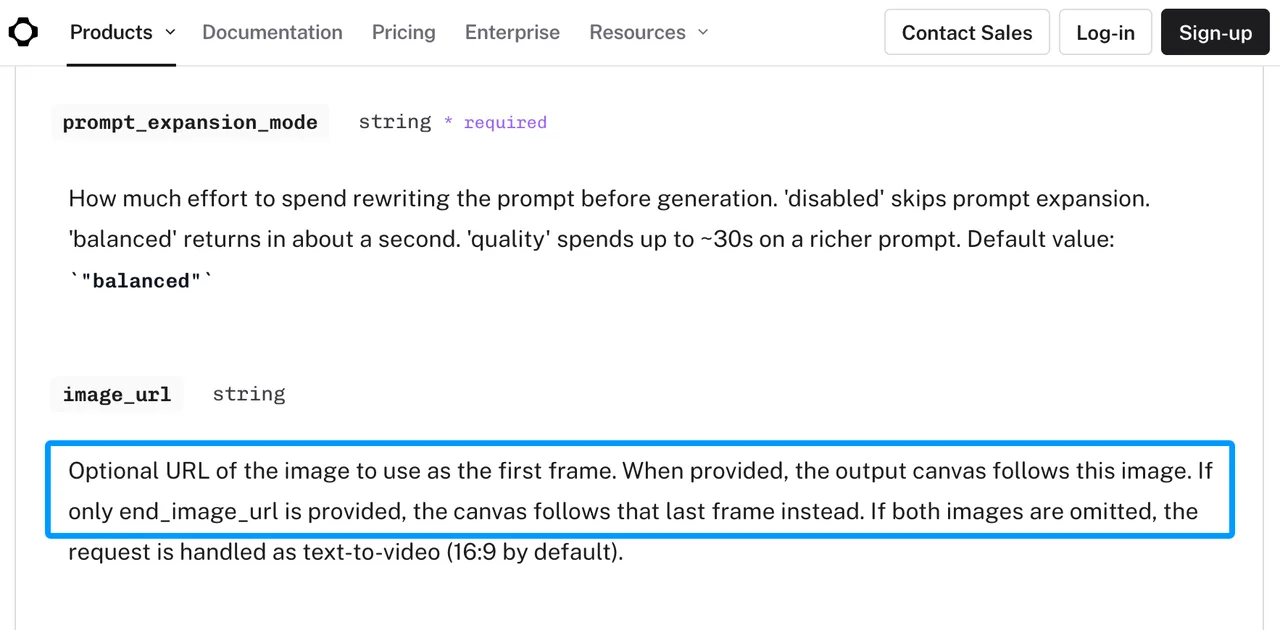
The current H3 Max I2V schema uses minimax/h3-max/image-to-video. Pass the image through image_url; the canvas follows it. If that URL is omitted, fal treats the request as text-to-video. Reject a missing image before submission.
{
  "image_url": "https://your-host/test-backpack.png",
  "prompt": "Slow clockwise camera arc of ten degrees. Keep the backpack fixed. Only the loose strap moves slightly. Preserve three pockets, orange zipper pull, stitching, shape, lighting, and background. No logo or new objects.",
  "duration": 5,
  "resolution": "768P",
  "seed": 314159,
  "prompt_expansion_mode": "disabled",
  "enable_safety_checker": true
}
This H3 Max image-to-video route lists 480P, 768P, and 1080P; 1080P is refinement from native 768P. Start at 768P and disable expansion so the brief is not rewritten. Store the seed because omission selects one randomly.
Use fal’s queue documentation to persist request_id and the result. Validate the downloaded file’s MIME type. The API page declares a video File but shows PNG metadata in its sample response, while the live result shows MP4. Do not build a downloader around a sample suffix.
Keep end-frame control outside this test
Do not send end_image_url. A destination frame changes the question to whether the model can connect two boundaries. Drift could then come from motion, incompatible frames, or the ending constraint.
Keep that for a separate first-last-frame workflow. Keep every field except the seed fixed across reruns.
Review Motion and Consistency
Subject identity, geometry, and camera movement
Place the source beside the video. Pause at the opening, midpoint, and final frame. Check the pull, pocket count, seams, silhouette, and spacing against background edges.
A smooth arc that changes the product fails. So does a stable product under a reversing or jittering camera. H3 Max image consistency means the subject survives movement, not merely that the opening matches.
Artifacts, retries, and usable-output rate
Run several seeds with every other field locked:
| Run | Seed | Identity | Motion | Artifact | Accepted |
|---|---|---|---|---|---|
| 1 | 314159 | Pass/Fail | Pass/Fail | Describe | Yes/No |
| 2 | New seed | Pass/Fail | Pass/Fail | Describe | Yes/No |
Separate API failures from unusable completed clips. Change the seed first. If a defect repeats, revise one prompt clause and create a new test version. Usable-output rate is accepted clips divided by completed clips; transport failures need a separate reliability metric.
Limits and Trade-Offs
A strong first frame does not guarantee stable motion
The image controls initial composition, but the model must synthesize unseen views and intermediate positions. Fine details can change. A good single output does not mean the workflow is ready. This result applies to one asset and one move.
Longer clips add more drift opportunities
More time creates more frames in which geometry can diverge and encourages too many actions in one prompt. Keep the baseline at five seconds and one move. Extend only after it passes, then inspect equal time checkpoints rather than just the final frame.
FAQ
Which image formats preserve color profiles?
fal lists accepted extensions but does not document ICC-profile preservation. Normalize to sRGB and archive the master. Format acceptance is not color-management assurance.
Does H3 Max honor image orientation metadata?
The schema does not say whether EXIF orientation is applied. Auto-orient the pixels, strip the tag, and confirm width and height before upload.
Can transparent PNGs be used as starting frames?
PNG is accepted, but alpha behavior is not documented. Do not assume transparent pixels composite onto the intended color. Flatten the image onto that background for this test.
What happens when the source image is too small?
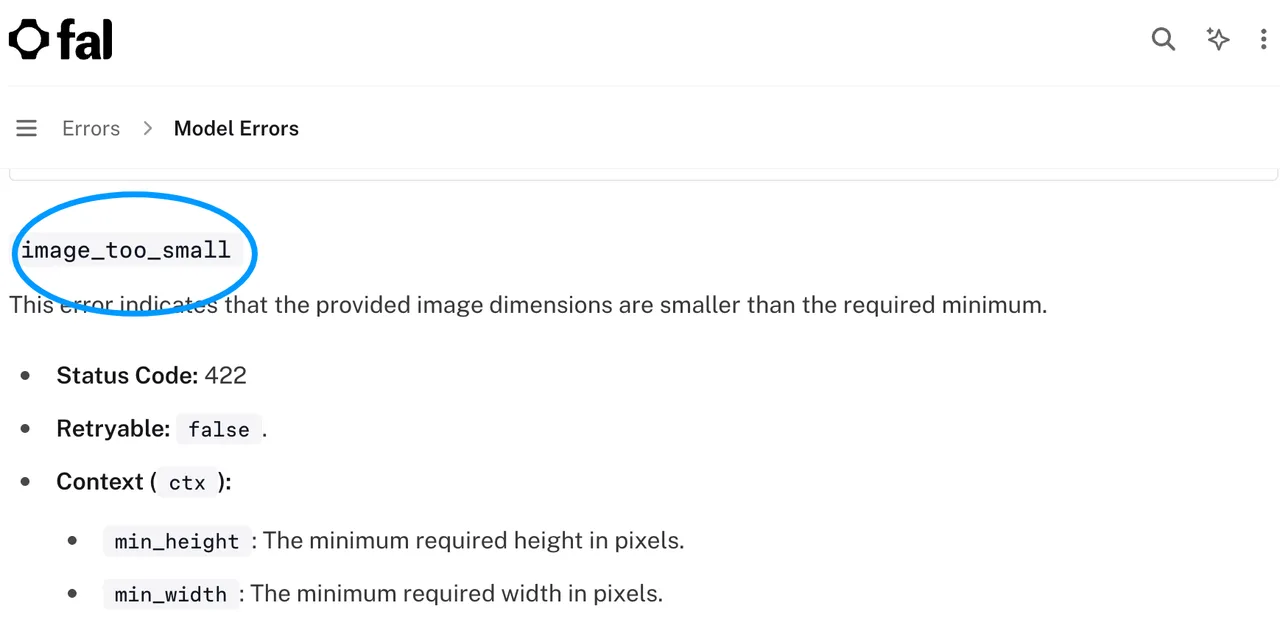
The current H3 Max I2V schema does not publish a minimum source-image size. fal’s model error reference defines a non-retryable image_too_small error that may report required dimensions. Its sample values are illustrations, not this endpoint’s guaranteed limit.
Are uploaded source images deleted automatically?
Do not assume so. fal’s data-retention guide says inputs and outputs are stored by default. X-Fal-Store-IO: 0 prevents payload storage, but uploaded CDN files may remain accessible, and deleting request payloads does not delete CDN input files. Use controlled URLs and a separate deletion policy.
Conclusion
A useful H3 Max image-to-video evaluation keeps one licensed starting frame, one move, one identity checklist, and one versioned request. Normalize the source, omit the end frame, compare several seeds, and separate motion failures from identity failures. If the backpack cannot keep its pockets through five seconds, a longer prompt will not make the workflow ready.
Previous posts: