 wavespeed-ai/
P-H3-Image by Pruna AI, built on MiniMax H3 open weights, generates photorealistic, editorial-quality images from text prompts for creative visuals, product imagery, branded content, and production workflows. Ready-to-use REST inference API, best performance, no coldstarts, affordable pricing.
Chờ
$0.02cho mỗi lần chạy·~50 / $1
Ví dụXem tất cả
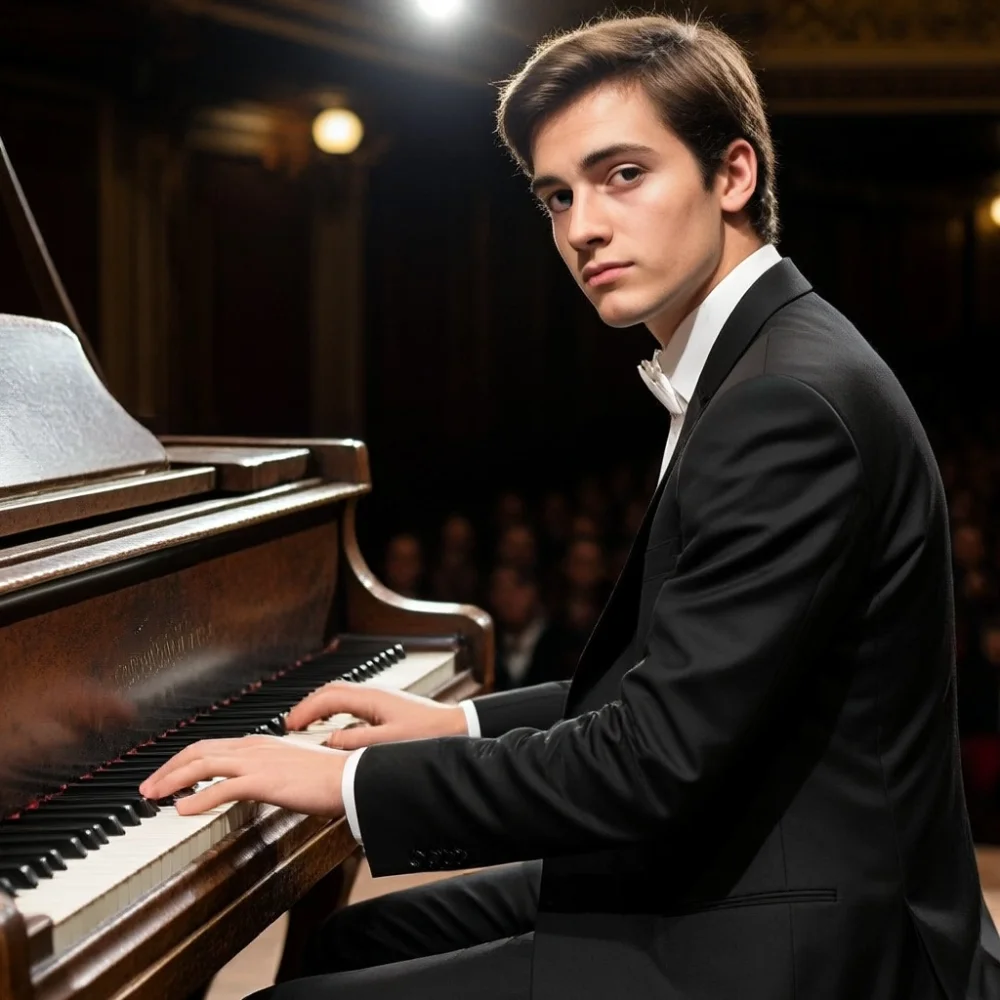
A handsome young pianist seated at a grand piano in a dim elegant hall, wearing a black suit and white shirt. One hand rests lightly on the keys while he looks toward the camera with a calm, slightly melancholic expression. Soft spotlight, cinematic mood, realistic fabric, wood, and skin detail.

A stylish young woman sitting in the back seat of a taxi on a rainy night, wearing a black coat and red lipstick, holding a bouquet of white roses on her lap, city lights reflecting through rain-covered windows, intimate cinematic atmosphere, photorealistic.
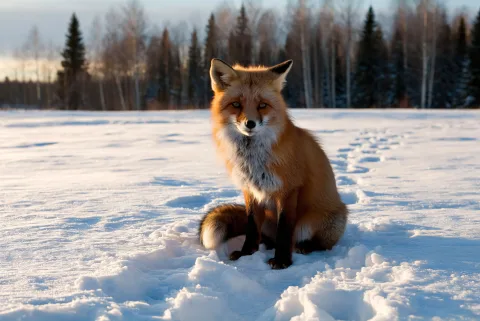
A red fox sitting in fresh snow at dawn, photorealistic wildlife photograph.
Mô hình liên quan






README
P-H3-Image Text-to-Image
P-H3-Image Text-to-Image generates images from text prompts using the MiniMax H3 open weights. Create photorealistic, editorial, cinematic, and creative visuals with flexible aspect ratios and output resolutions from 1k to 4k.
Why Choose This?
- High-quality image generation — Create detailed images from natural-language descriptions.
- Up to 4K output — Choose
1k,1.5k,2k,3k, or4kdepending on your quality needs. - Flexible framing — Generate images across a wide range of landscape, portrait, square, and ultrawide aspect ratios.
- Multiple output formats — Export as JPEG, PNG, or WebP.
- Seed control — Use a fixed seed for more reproducible generation.
Parameters
| Parameter | Required | Description |
|---|---|---|
| prompt | Yes | Text description of the image to generate. |
| aspect_ratio | No | Output aspect ratio: 1:1, 1:2, 2:1, 1:3, 3:1, 2:3, 3:2, 3:4, 4:3, 4:5, 5:4, 9:16, 16:9, 9:21, or 21:9. Default: 1:1. |
| resolution | No | Output resolution: 1k, 1.5k, 2k, 3k, or 4k. Default: 1k. |
| output_format | No | Output format: jpeg, png, or webp. Default: jpeg. |
| seed | No | Random seed. Use -1 for random generation. |
How to Use
- Write a prompt — Describe the subject, setting, composition, lighting, and visual style.
- Choose framing — Select the aspect ratio that fits your target layout.
- Choose resolution — Use lower resolutions for iteration or higher resolutions when more detail is needed.
- Choose output format optional — Select JPEG, PNG, or WebP.
- Set a seed optional — Use a fixed seed when comparing prompt variations.
- Submit — Generate and retrieve the finished image.
Pricing
Pricing is based on the selected resolution.
| Resolution | Price per Image |
|---|---|
| 1K | $0.02 |
| 1.5K | $0.03 |
| 2K | $0.04 |
| 3K | $0.08 |
| 4K | $0.12 |
Aspect ratio, output format, and seed do not add separate charges.
Best Use Cases
- Photorealistic imagery — Generate people, environments, products, and lifestyle scenes.
- Editorial visuals — Create magazine-style and documentary-inspired imagery.
- Advertising concepts — Produce campaign, product, and promotional visuals.
- Cinematic concepts — Explore dramatic lighting, compositions, and scene designs.
- High-resolution assets — Generate detailed images for publishing and design workflows.
Pro Tips
- Describe the subject, setting, composition, lighting, and visual style clearly.
- Use concrete visual details instead of unnecessary descriptive language.
- Put short text that should appear in the image inside quotation marks.
- Use
3kor4kwhen finer visual detail is important. - Use a fixed
seedwhen comparing prompt changes while keeping the generation setup consistent.
Notes
promptis required.aspect_ratiodefaults to1:1.resolutiondefaults to1k.- Supported resolutions are
1k,1.5k,2k,3k, and4k. output_formatdefaults tojpeg.- Use
seed=-1for random seed selection. - Higher resolutions increase the generation price.
Related Models
- P-H3-Image Edit — Edit existing images with P-H3-Image.
- P-H3-Image Text-to-Image LoRA — Generate images with custom LoRA guidance.
- P-H3-Image Edit LoRA — Edit images with custom LoRA guidance.
- MiniMax H3 Text-to-Video — Generate videos with the MiniMax H3 model family.
P H3 Image Text To Image API — Quick start
Grab a WaveSpeedAI API key, then call POST https://api.wavespeed.ai/api/v3/wavespeed-ai/p-h3-image/text-to-image with your input as JSON. The endpoint returns a prediction id. Start polling the result endpoint around every 2 seconds, increase the interval for long-running tasks, and stop on any terminal status. On completed, read output values from data.outputs. Examples for P H3 Image Text To Image below.
HTTP example
set -euo pipefail

: "${WAVESPEED_API_KEY:?Set WAVESPEED_API_KEY}"

REQUEST_BODY=$(cat <<'JSON'
{
    "prompt": "A cinematic shot of a city at sunset, soft golden light",
    "aspect_ratio": "1:1",
    "resolution": "1k",
    "output_format": "jpeg"
}
JSON
)

# 1. Submit the prediction.
SUBMIT_RESPONSE=$(curl --silent --show-error --fail-with-body \
  -X POST "https://api.wavespeed.ai/api/v3/wavespeed-ai/p-h3-image/text-to-image" \
  -H "Content-Type: application/json" \
  -H "Authorization: Bearer $WAVESPEED_API_KEY" \
  -d "$REQUEST_BODY")

TASK=$(printf '%s' "$SUBMIT_RESPONSE" | jq 'if has("data") then .data else . end')
PREDICTION_ID=$(printf '%s' "$TASK" | jq -r '.id')
if [ -z "$PREDICTION_ID" ] || [ "$PREDICTION_ID" = "null" ]; then
  printf 'Submission response did not contain a prediction id
' >&2
  exit 1
fi
RESULT_URL="https://api.wavespeed.ai/api/v3/predictions/$PREDICTION_ID/result"

# 2. Poll until the prediction finishes.
while true; do
  RESPONSE=$(curl --silent --show-error --fail-with-body "$RESULT_URL" \
    -H "Authorization: Bearer $WAVESPEED_API_KEY")
  RESULT=$(printf '%s' "$RESPONSE" | jq 'if has("data") then .data else . end')
  STATUS=$(printf '%s' "$RESULT" | jq -r '.status')
  case "$STATUS" in
    completed) printf '%s\n' "$RESULT" | jq '.outputs'; break ;;
    failed|cancelled|timeout|deleted) printf '%s\n' "$RESULT" | jq . >&2; exit 1 ;;
    *) sleep 2 ;;
  esac
done
Node.js example
const submitUrl = "https://api.wavespeed.ai/api/v3/wavespeed-ai/p-h3-image/text-to-image";
const apiKey = process.env.WAVESPEED_API_KEY;
if (!apiKey) throw new Error('Set WAVESPEED_API_KEY');

async function requestJson(url, options = {}) {
  const response = await fetch(url, options);
  if (!response.ok) throw new Error(await response.text());
  return response.json();
}

// 1. Submit the prediction.
const body = await requestJson(submitUrl, {
  method: "POST",
  headers: {
    "Authorization": `Bearer ${apiKey}`,
    "Content-Type": "application/json",
  },
  body: JSON.stringify({
        "prompt": "A cinematic shot of a city at sunset, soft golden light",
        "aspect_ratio": "1:1",
        "resolution": "1k",
        "output_format": "jpeg"
}),
});
const task = body.data ?? body;
if (!task.id) throw new Error("Submission response did not contain a prediction id");
const resultUrl = `https://api.wavespeed.ai/api/v3/predictions/${task.id}/result`;

// 2. Poll until the prediction finishes.
while (true) {
  const resultBody = await requestJson(resultUrl, {
    headers: { "Authorization": `Bearer ${apiKey}` },
  });
  const result = resultBody.data ?? resultBody;
  if (result.status === "completed") {
    console.log(result.outputs);
    break;
  }
  if (["failed", "cancelled", "timeout", "deleted"].includes(result.status)) throw new Error(JSON.stringify(result));
  await new Promise(resolve => setTimeout(resolve, 2000));
}
Python example
import json
import os
import time
from urllib.request import Request, urlopen

api_key = os.environ["WAVESPEED_API_KEY"]
headers = {"Authorization": f"Bearer {api_key}", "Content-Type": "application/json"}
payload = {
    "prompt": "A cinematic shot of a city at sunset, soft golden light",
    "aspect_ratio": "1:1",
    "resolution": "1k",
    "output_format": "jpeg"
}

def request_json(url, data=None):
    request = Request(url, data=data, headers=headers, method="POST" if data else "GET")
    with urlopen(request) as response:
        return json.load(response)

# 1. Submit the prediction.
body = request_json("https://api.wavespeed.ai/api/v3/wavespeed-ai/p-h3-image/text-to-image", json.dumps(payload).encode())
task = body.get("data", body)
if not task.get("id"):
    raise RuntimeError("Submission response did not contain a prediction id")
result_url = f"https://api.wavespeed.ai/api/v3/predictions/{task['id']}/result"

# 2. Poll until the prediction finishes.
while True:
    result_body = request_json(result_url)
    result = result_body.get("data", result_body)
    status = result.get("status")
    if status == "completed":
        print(result.get("outputs", []))
        break
    if status in {"failed", "cancelled", "timeout", "deleted"}:
        raise RuntimeError(result)
    time.sleep(2)
P H3 Image Text To Image API — Frequently asked questions
What is the P H3 Image Text To Image API?
P H3 Image Text To Image is a WaveSpeedAI model for image generation, exposed as a REST API on WaveSpeedAI. P-H3-Image by Pruna AI, built on MiniMax H3 open weights, generates photorealistic, editorial-quality images from text prompts for creative visuals, product imagery, branded content, and production workflows. Ready-to-use REST inference API, best performance, no coldstarts, affordable pricing. You can call it programmatically or try it from the playground above.
How do I call the P H3 Image Text To Image API?
POST your input parameters to the model's REST endpoint (shown in the API tab of this playground) with your WaveSpeedAI API key in the Authorization header. Submission returns a prediction ID. Poll the result endpoint starting around every 2 seconds, increase the interval for long-running tasks, and stop on any terminal status. The playground generates Python, JavaScript, and cURL examples for submitting requests and polling results. Full request/response shape is documented at https://wavespeed.ai/docs/docs-api/wavespeed-ai/p-h3-image/text-to-image.
How much does P H3 Image Text To Image cost per run or per second?
P H3 Image Text To Image starts at $0.02 per run or per second. That figure is the base price — the final charge scales with the parameters you set in the form (output size, length, count, references, or whatever knobs this model exposes), so a higher-quality or larger output costs more than a minimal one. The exact cost for your current input is shown live next to the Generate button before you submit, and the actual per-call charge is recorded on the prediction afterwards.
What inputs does P H3 Image Text To Image accept?
Key inputs: `prompt`, `aspect_ratio`, `resolution`, `seed`, `output_format`. The full JSON schema (types, defaults, allowed values) is rendered above the Generate button and mirrored in the API reference at https://wavespeed.ai/docs/docs-api/wavespeed-ai/p-h3-image/text-to-image.
How long does P H3 Image Text To Image take to generate?
Reported generation time on WaveSpeedAI is around 10 seconds per request. This is an estimate, not a latency guarantee; queue time and input settings can change the total wait. live status is visible in the prediction record.
Can I use P H3 Image Text To Image outputs commercially?
Commercial usage rights depend on the model's license, set by its provider (WaveSpeedAI). Check the provider's applicable terms and WaveSpeedAI's Terms of Service before commercial use.
Thêm từ WaveSpeed
Xem tất cả- wavespeed-ai/3d-to-videoVideo Editing
- wavespeed-ai/ace-stepAI Music Generation
- wavespeed-ai/ace-step-1.5AI Music Generation
- wavespeed-ai/ai-age-filterImage Effects
- wavespeed-ai/ai-breast-expansionImage Effects
- wavespeed-ai/ai-celebrity-look-alike-finderImage Effects
- wavespeed-ai/ai-clothes-changerImage Effects
- wavespeed-ai/ai-dog-selfieImage Effects
Các mô hình Text to Image khác
Xem tất cả- bytedance/seedream-v5.5Text to Image
- bytedance/seedream-v5.0-proText to Image
- google/nano-banana-2.1/text-to-imageText to Image
- openai/gpt-image-2.6-sunburst/text-to-imageText to Image
- google/nano-banana-pro/text-to-imageText to Image
- wavespeed-ai/z-image/turboText to Image
- openai/gpt-image-2/text-to-imageText to Image
- google/nano-banana-2/text-to-imageText to Image