RunwayML Gen4 Image model lets you generate precise images using up to 3 reference images to capture every angle and detail. Ready-to-use REST inference API, best performance, no coldstarts, affordable pricing.
Idle

$0.055per run·~18 / $1
ExamplesView all
In a dusty, cluttered garage filled with old books and woodworking tools, a kind grandfather is bending over, his hands gently guiding his young grandson's hands as he learns to sand a small piece of wood with sandpaper. Afternoon sunlight slants in through the open garage door, creating a warm beam of light that illuminates the floating sawdust. The child's expression is a mixture of concentration and curiosity, while the grandfather's eyes are full of patience and love.

close-up photo of an elderly male watchmaker, his wrinkled face wearing a monocle loupe, intense focus in his eyes, repairing the intricate interior of an antique pocket watch. He is wearing a dark vest. The background is his dimly lit workshop, only a single warm yellow desk lamp illuminates his hands and the watch, tiny dust particles visible in the air. high-texture, shallow depth of field.
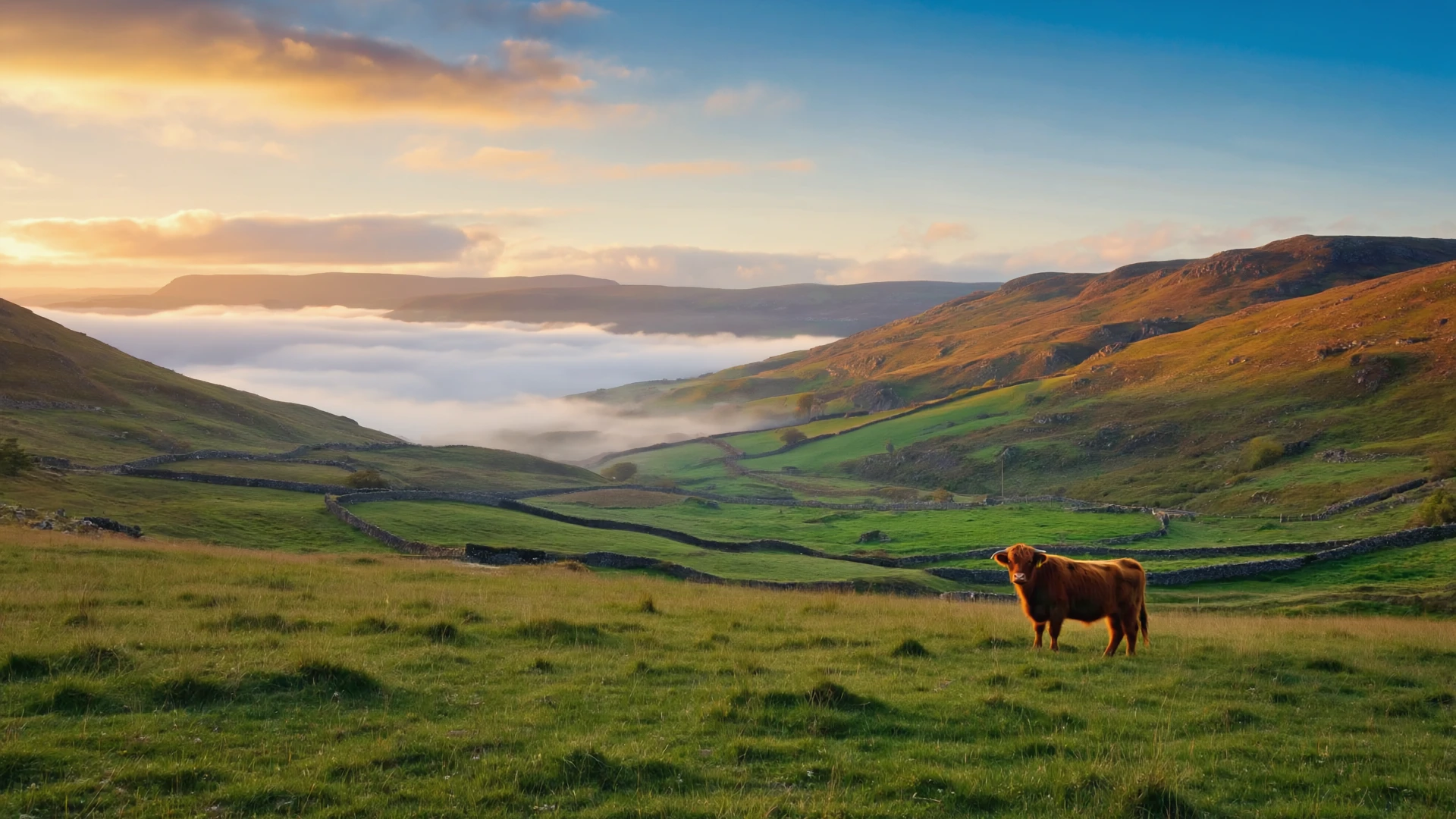
A photograph of the Scottish Highlands in the early morning, thick fog rolling over the green hills and ancient stone walls. The sun is just rising, casting golden sunbeams through the mist (crepuscular rays). a lone Highland cow with dew on its fur stands in the meadow. wide-angle shot, epic and serene atmosphere.
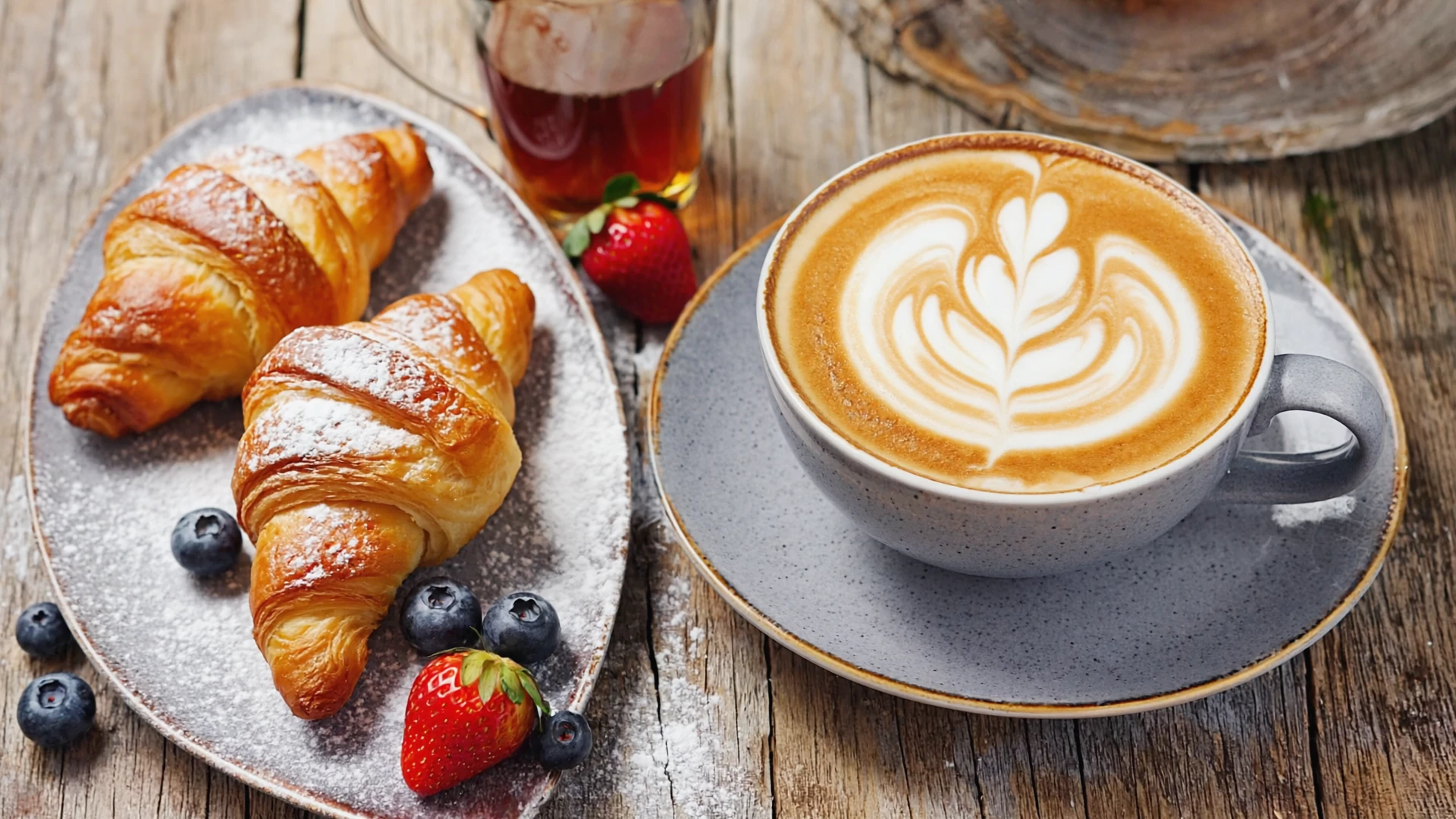
Food photography of a delicious brunch set on a rustic wooden table next to a window with soft morning light. On the plate are two golden-brown croissants with powdered sugar, next to a few fresh strawberries and blueberries. A steaming cup of latte with perfect latte art. macro shot, extremely detailed.
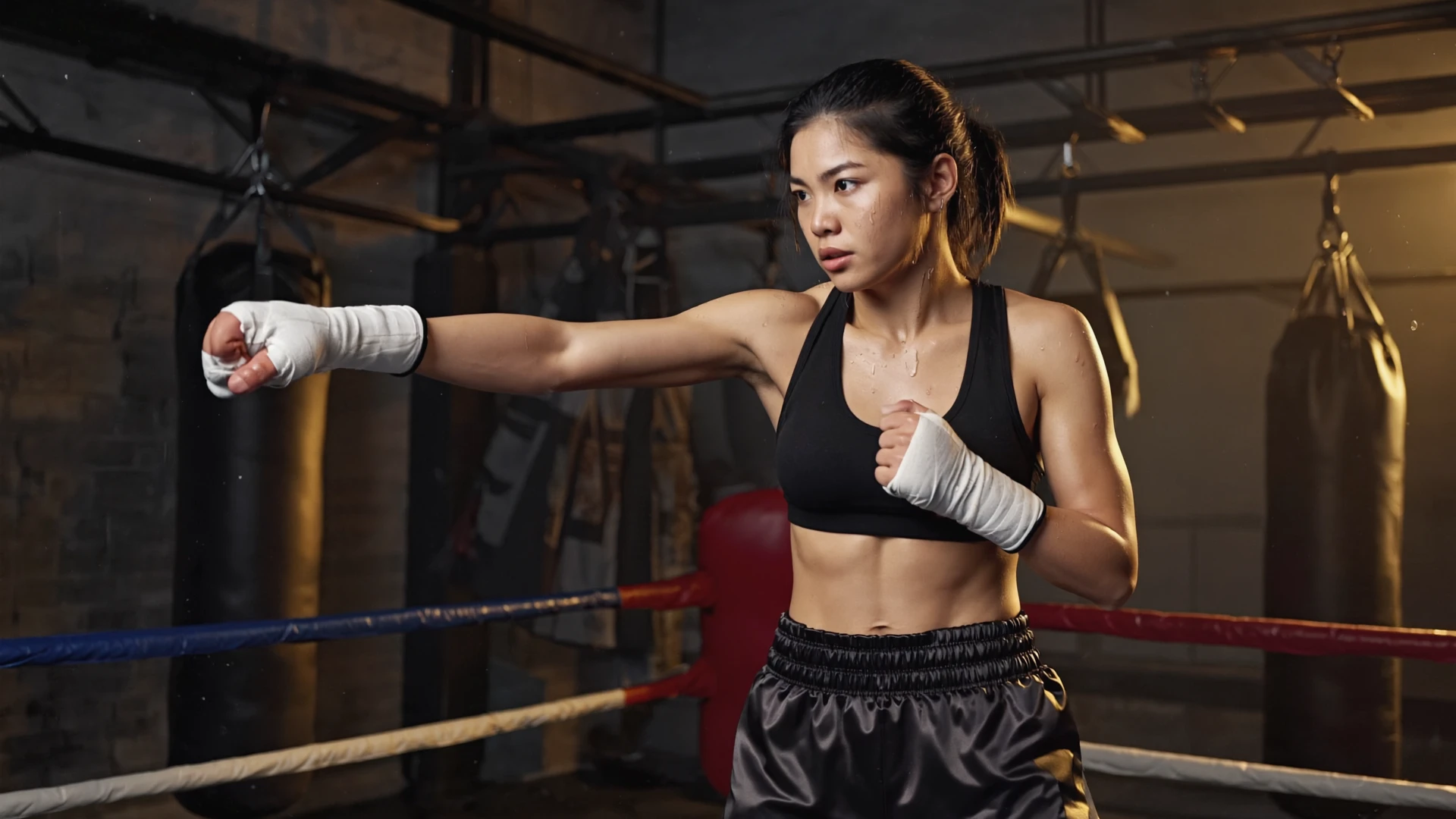
Action photograph of a female boxer during an intense training session in a gritty, dimly lit gym. She has just thrown a powerful right hook, and beads of sweat are flying off her brow. Her eyes show fierce determination, muscles tense and defined. The background is blurred with punching bags and a boxing ring. Dramatic side lighting highlights the contour of her body and the flying sweat droplets.
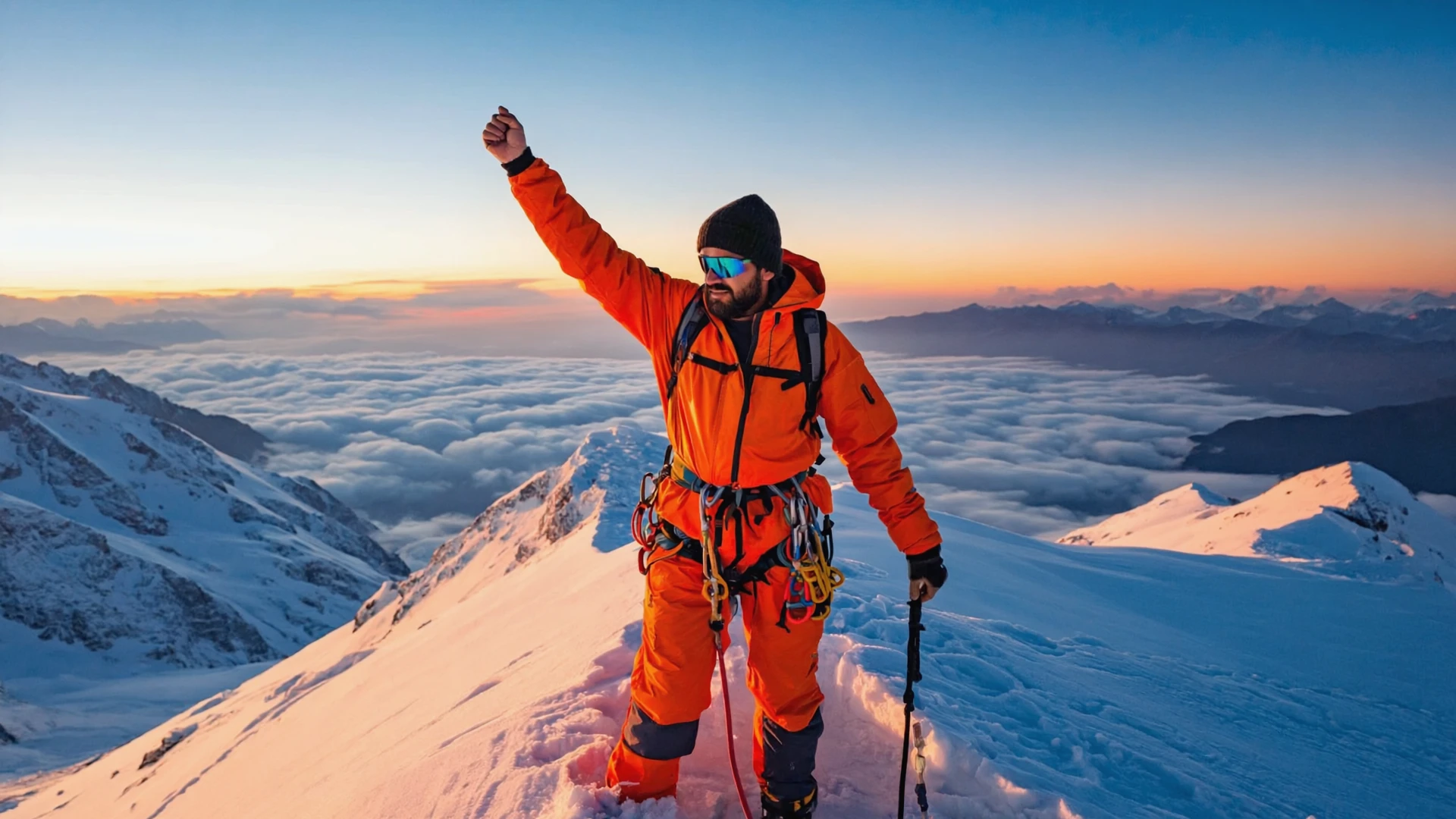
A mountain climber has just reached the summit of a snow-covered mountain at sunrise. He is wearing professional orange cold-weather gear and climbing equipment, his face a mixture of exhaustion and exhilaration. His breath forms a visible cloud of vapor in the frigid air. The background is a breathtaking panorama of sprawling mountain ranges and a sea of clouds, all tinted gold by the rising sun. Epic wide-angle shot, sense of scale.

In a modern operating room, a female surgeon wearing surgical loupes and a mask is performing a delicate procedure with intense focus. The bright, shadowless surgical lamp illuminates her eyes, which are sharp and steady. A slight sheen of sweat is visible on her forehead. In the background, monitors display vital signs, and various medical instruments are visible. Close-up shot, filled with tension and professionalism.
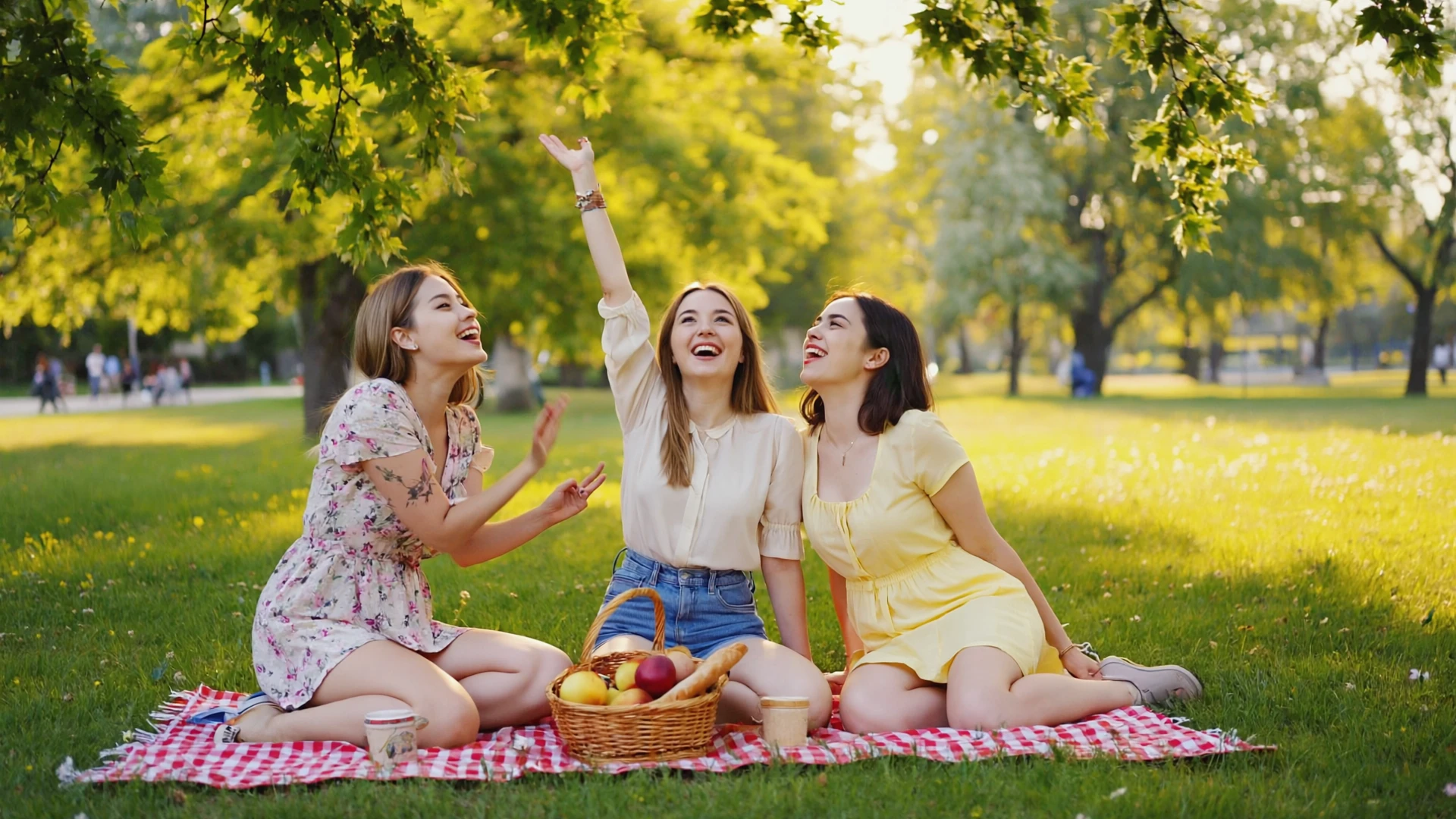
On a sunny spring afternoon, three young female friends are having a picnic on the grass in a park. They are sitting on a checkered picnic blanket, surrounded by a basket of fruit and some bread. One of the girls is telling a joke, causing the other two to laugh heartily and unreservedly. The sunlight filters through the leaves of a tree overhead, creating dappled, dancing spots of light on their hair and clothes. The image is full of youthful energy and genuine friendship.
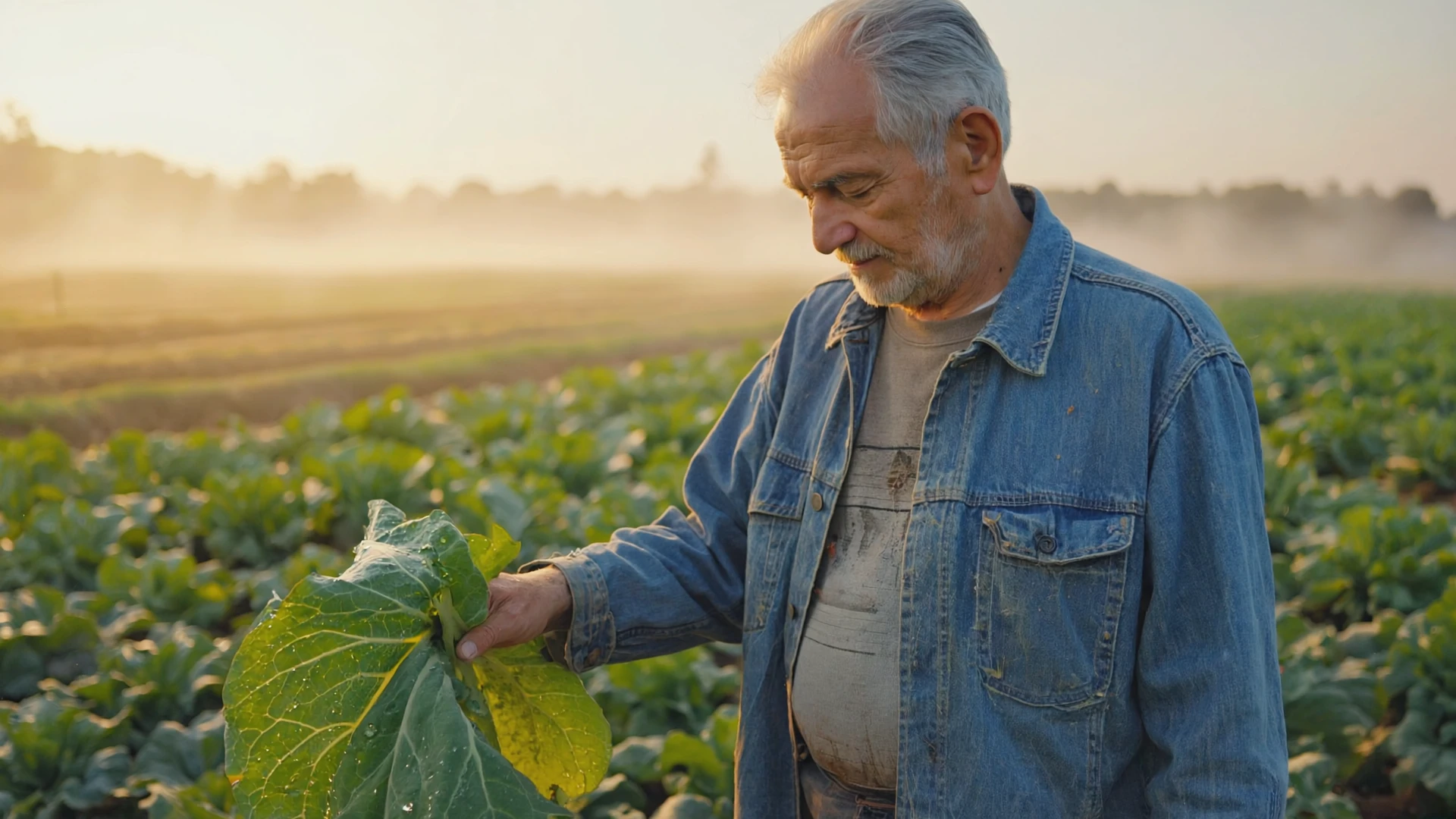
At dawn, an old farmer with dark, weathered skin stands in his vegetable field. The early morning mist has not yet dissipated, blurring the distant fields. He wears a simple, old jacket, and his hands are soiled with earth as he gently touches a dew-covered leaf with his calloused palm. The faint light of the rising sun comes from behind him, creating a golden rim light around his figure.

Inside a cozy, sunlit flower shop, a young female owner is focused on trimming a fresh bouquet of roses. She wears a linen apron, her hair casually tied up, with a gentle smile on her face. She is surrounded by buckets of various flowers, green plants, and rolls of wrapping paper, creating a scene of organized chaos. Soft morning light streams through the large street-front window, making the texture and colors of the petals incredibly vibrant. In a cozy living room corner, a young woman is curled up in a soft armchair under a knitted blanket, peacefully reading a book. Warm afternoon sunlight streams generously through a large window, creating bright patches of light on the floor and visibly illuminating tiny dust motes dancing in the air. An orange tabby cat is curled up asleep by her feet. The entire scene exudes serenity, comfort, and a sense of peaceful contentment.
Related Models
/filters:quality(82)/media/images/20260408104430_x7b63jbt.webp)
/filters:quality(82)/media/images/20260408104439_dvzc3mlw.webp)
/filters:quality(82)/media/images/20260408104433_ao78tedn.webp)
/filters:quality(82)/media/images/1785863771836481278_X1uFR2dL.webp)
/filters:quality(82)/media/images/1791312805430502065_dlG47iBV.webp)
/filters:quality(82)/media/images/1791312803887061677_SluDNW5I.webp)
README
RunwayML Gen4 Image
RunwayML Gen4 Image is a powerful text-to-image generation model from Runway that creates high-quality images from text descriptions. With optional reference image support, flexible aspect ratios, and resolution choices, it delivers stunning visuals for creative and professional projects.
Why It Stands Out
- High-quality generation: Produces detailed, visually striking images with excellent composition.
- Prompt Enhancer: Built-in AI-powered prompt optimization for better image results.
- Reference image support: Optionally include reference images to guide style or subject consistency.
- Flexible aspect ratios: Choose from 1:1, 16:9, 9:16, 4:3, or 3:4 to fit any use case.
- Resolution options: Generate at 720p for speed or 1080p for maximum detail.
- Reproducibility: Use the seed parameter to recreate exact results.
Parameters
| Parameter | Required | Description |
|---|---|---|
| prompt | Yes | Text description of the image you want to generate. |
| aspect_ratio | No | Output aspect ratio: 1:1, 16:9, 9:16, 4:3, 3:4 (default: 9:16). |
| resolution | No | Output resolution: 720p or 1080p (default: 1080p). |
| reference_images | No | Optional reference images to guide style or subject. |
| seed | No | Set for reproducibility; leave empty for random. |
Supported Aspect Ratios
| Aspect Ratio | Best For |
|---|---|
| 1:1 | Instagram posts, social media squares |
| 16:9 | YouTube thumbnails, widescreen displays |
| 9:16 | TikTok, Instagram Stories, mobile content |
| 4:3 | Classic format, presentations |
| 3:4 | Portrait photos, Pinterest |
How to Use
- Write a prompt describing the image you want. Use the Prompt Enhancer for AI-assisted optimization.
- Select aspect ratio — choose the format that fits your use case.
- Choose resolution — select 720p for faster generation or 1080p for higher quality.
- Add reference images (optional) — upload images to guide style or subject consistency.
- Set a seed (optional) for reproducible results.
- Click Run and download your image.
Best Use Cases
- Creative Art & Illustration — Generate unique artwork and digital illustrations.
- Social Media Content — Create platform-optimized visuals for any channel.
- Marketing & Advertising — Produce eye-catching visuals for campaigns.
- Concept Art — Quickly visualize ideas and creative directions.
- Style Transfer — Use reference images to maintain consistent aesthetics across projects.
Pricing
| Resolution | Price per image |
|---|---|
| 720p | $0.055 |
| 1080p | $0.09 |
Pro Tips for Best Quality
- Be descriptive in your prompt — include style, mood, lighting, composition, and specific details.
- Use reference images when you need consistent style or subject appearance across multiple generations.
- Choose 720p for quick drafts and iterations, 1080p for final outputs.
- Select the appropriate aspect ratio for your intended platform before generating.
- Fix the seed when iterating to compare different prompt variations.
Notes
- Ensure uploaded reference image URLs are publicly accessible.
- Processing time varies based on resolution and current queue load.
- Please ensure your prompts comply with content guidelines.
Gen4 Image API — Quick start
Grab a WaveSpeedAI API key, then call POST https://api.wavespeed.ai/api/v3/runwayml/gen4-image with your input as JSON. The endpoint returns a prediction id. Start polling the result endpoint around every 2 seconds, increase the interval for long-running tasks, and stop on any terminal status. On completed, read output values from data.outputs. Examples for Gen4 Image below.
HTTP example
set -euo pipefail

: "${WAVESPEED_API_KEY:?Set WAVESPEED_API_KEY}"

REQUEST_BODY=$(cat <<'JSON'
{
    "prompt": "A cinematic shot of a city at sunset, soft golden light",
    "aspect_ratio": "4:3",
    "resolution": "1080p"
}
JSON
)

# 1. Submit the prediction.
SUBMIT_RESPONSE=$(curl --silent --show-error --fail-with-body \
  -X POST "https://api.wavespeed.ai/api/v3/runwayml/gen4-image" \
  -H "Content-Type: application/json" \
  -H "Authorization: Bearer $WAVESPEED_API_KEY" \
  -d "$REQUEST_BODY")

TASK=$(printf '%s' "$SUBMIT_RESPONSE" | jq 'if has("data") then .data else . end')
PREDICTION_ID=$(printf '%s' "$TASK" | jq -r '.id')
if [ -z "$PREDICTION_ID" ] || [ "$PREDICTION_ID" = "null" ]; then
  printf 'Submission response did not contain a prediction id
' >&2
  exit 1
fi
RESULT_URL="https://api.wavespeed.ai/api/v3/predictions/$PREDICTION_ID/result"

# 2. Poll until the prediction finishes.
while true; do
  RESPONSE=$(curl --silent --show-error --fail-with-body "$RESULT_URL" \
    -H "Authorization: Bearer $WAVESPEED_API_KEY")
  RESULT=$(printf '%s' "$RESPONSE" | jq 'if has("data") then .data else . end')
  STATUS=$(printf '%s' "$RESULT" | jq -r '.status')
  case "$STATUS" in
    completed) printf '%s\n' "$RESULT" | jq '.outputs'; break ;;
    failed|cancelled|timeout|deleted) printf '%s\n' "$RESULT" | jq . >&2; exit 1 ;;
    *) sleep 2 ;;
  esac
done
Node.js example
const submitUrl = "https://api.wavespeed.ai/api/v3/runwayml/gen4-image";
const apiKey = process.env.WAVESPEED_API_KEY;
if (!apiKey) throw new Error('Set WAVESPEED_API_KEY');

async function requestJson(url, options = {}) {
  const response = await fetch(url, options);
  if (!response.ok) throw new Error(await response.text());
  return response.json();
}

// 1. Submit the prediction.
const body = await requestJson(submitUrl, {
  method: "POST",
  headers: {
    "Authorization": `Bearer ${apiKey}`,
    "Content-Type": "application/json",
  },
  body: JSON.stringify({
        "prompt": "A cinematic shot of a city at sunset, soft golden light",
        "aspect_ratio": "4:3",
        "resolution": "1080p"
}),
});
const task = body.data ?? body;
if (!task.id) throw new Error("Submission response did not contain a prediction id");
const resultUrl = `https://api.wavespeed.ai/api/v3/predictions/${task.id}/result`;

// 2. Poll until the prediction finishes.
while (true) {
  const resultBody = await requestJson(resultUrl, {
    headers: { "Authorization": `Bearer ${apiKey}` },
  });
  const result = resultBody.data ?? resultBody;
  if (result.status === "completed") {
    console.log(result.outputs);
    break;
  }
  if (["failed", "cancelled", "timeout", "deleted"].includes(result.status)) throw new Error(JSON.stringify(result));
  await new Promise(resolve => setTimeout(resolve, 2000));
}
Python example
import json
import os
import time
from urllib.request import Request, urlopen

api_key = os.environ["WAVESPEED_API_KEY"]
headers = {"Authorization": f"Bearer {api_key}", "Content-Type": "application/json"}
payload = {
    "prompt": "A cinematic shot of a city at sunset, soft golden light",
    "aspect_ratio": "4:3",
    "resolution": "1080p"
}

def request_json(url, data=None):
    request = Request(url, data=data, headers=headers, method="POST" if data else "GET")
    with urlopen(request) as response:
        return json.load(response)

# 1. Submit the prediction.
body = request_json("https://api.wavespeed.ai/api/v3/runwayml/gen4-image", json.dumps(payload).encode())
task = body.get("data", body)
if not task.get("id"):
    raise RuntimeError("Submission response did not contain a prediction id")
result_url = f"https://api.wavespeed.ai/api/v3/predictions/{task['id']}/result"

# 2. Poll until the prediction finishes.
while True:
    result_body = request_json(result_url)
    result = result_body.get("data", result_body)
    status = result.get("status")
    if status == "completed":
        print(result.get("outputs", []))
        break
    if status in {"failed", "cancelled", "timeout", "deleted"}:
        raise RuntimeError(result)
    time.sleep(2)
Gen4 Image API — Frequently asked questions
What is the Gen4 Image API?
Gen4 Image is a Runwayml model for image generation, exposed as a REST API on WaveSpeedAI. RunwayML Gen4 Image model lets you generate precise images using up to 3 reference images to capture every angle and detail. Ready-to-use REST inference API, best performance, no coldstarts, affordable pricing. You can call it programmatically or try it from the playground above.
How do I call the Gen4 Image API?
POST your input parameters to the model's REST endpoint (shown in the API tab of this playground) with your WaveSpeedAI API key in the Authorization header. Submission returns a prediction ID. Poll the result endpoint starting around every 2 seconds, increase the interval for long-running tasks, and stop on any terminal status. The playground generates Python, JavaScript, and cURL examples for submitting requests and polling results. Full request/response shape is documented at https://wavespeed.ai/docs/docs-api/runwayml/runwayml-gen4-image.
How much does Gen4 Image cost per run?
Gen4 Image starts at $0.055 per run. That figure is the base price — the final charge scales with the parameters you set in the form (output size, length, count, references, or whatever knobs this model exposes), so a higher-quality or larger output costs more than a minimal one. The exact cost for your current input is shown live next to the Generate button before you submit, and the actual per-call charge is recorded on the prediction afterwards.
What inputs does Gen4 Image accept?
Key inputs: `prompt`, `aspect_ratio`, `resolution`, `seed`, `reference_images`, `enable_base64_output`. The full JSON schema (types, defaults, allowed values) is rendered above the Generate button and mirrored in the API reference at https://wavespeed.ai/docs/docs-api/runwayml/runwayml-gen4-image.
How long does Gen4 Image take to generate?
Reported generation time on WaveSpeedAI is around 29 seconds per request. This is an estimate, not a latency guarantee; queue time and input settings can change the total wait. live status is visible in the prediction record.
Can I use Gen4 Image outputs commercially?
Commercial usage rights depend on the model's license, set by its provider (Runwayml). Check the provider's applicable terms and WaveSpeedAI's Terms of Service before commercial use.
More from Runway
View allMore Text to Image models
View all- bytedance/seedream-v5.0-proText to Image
- openai/gpt-image-2/text-to-imageText to Image
- google/nano-banana-pro/text-to-imageText to Image
- google/nano-banana-2/text-to-imageText to Image
- wavespeed-ai/z-image/turboText to Image
- bytedance/seedream-v4.5Text to Image
- alibaba/wan-2.7/text-to-imageText to Image
- alibaba/qwen-image-3.0/text-to-imageText to Image