MAGI-2 API
MAGI-2 by Sand AI — 1080p video of 4 to 30 seconds with sound generated together with the picture, from a text prompt, a first frame, or up to 10 reference images, 5 videos and 5 audio clips.
sand-ai/magi-2/text-to-video writes a clip from a prompt, sand-ai/magi-2/image-to-video animates a first frame with an optional last frame, and sand-ai/magi-2/reference-to-video builds a scene from your images, videos and audio. Every clip is 1080p at 25 fps, 4 to 30 seconds long, in six aspect ratios, with dialogue, effects and ambience included.
Overview
About the MAGI-2 API
What MAGI-2 does, how it fits in the Sand AI model lineup, and why teams reach for it.
MAGI-2 is a video generation model from Sand AI, available through the WaveSpeedAI REST API. MAGI-2 by Sand AI — 1080p video of 4 to 30 seconds with sound generated together with the picture, from a text prompt, a first frame, or up to 10 reference images, 5 videos and 5 audio clips.
sand-ai/magi-2/text-to-video writes a clip from a prompt, sand-ai/magi-2/image-to-video animates a first frame with an optional last frame, and sand-ai/magi-2/reference-to-video builds a scene from your images, videos and audio. Every clip is 1080p at 25 fps, 4 to 30 seconds long, in six aspect ratios, with dialogue, effects and ambience included.
The MAGI-2 family on WaveSpeedAI ships 3 REST endpoints covering Reference-To-Video, Image-To-Video, Text-To-Video workflows. Each variant carries its own pricing, parameter knobs, and example outputs — pick the one that matches your input modality and production constraints, or call several from the same API key to compose multi-step pipelines.
Run MAGI-2 through the same API key, billing account, and rate-limit envelope you use for the other 1,000+ AI models on WaveSpeedAI. No separate vendor setup, no per-provider SDKs, no per-vendor rate-limit envelopes — one integration covers everything from text-to-image and text-to-video through audio synthesis, 3D generation, upscaling, and editing.
Specs
MAGI-2 API capabilities and release status
The model-specific details developers search for before choosing an API: availability, expected output length, reference support, and the current live fallback.
Modes
Text / Image / Reference
Image-to-video takes a first frame and an optional last frame.
Resolution
1080p, 25 fps
Six aspect ratios: 16:9, 9:16, 1:1, 4:3, 3:4, 21:9.
Length
4-30 seconds
Chosen per request; 5 seconds by default.
Audio
Generated with the video
Dialogue, effects, ambience and music; can be turned off.
Endpoints
All MAGI-2 API endpoints
3 MAGI-2 endpoints available now on WaveSpeedAI — pick the variant that matches your workflow.

Magi 2 Reference To Video
MAGI-2 Reference-to-Video by Sand AI makes a 1080p video of 4 to 30 seconds with sound from up to 10 reference images, 5 videos and 5 audio clips. Ready-to-use REST inference API, best performance, no coldstarts, affordable pricing.

Magi 2 Image To Video
MAGI-2 Image-to-Video by Sand AI animates a first frame, with an optional last frame, into a 1080p video of 4 to 30 seconds with generated sound. Ready-to-use REST inference API, best performance, no coldstarts, affordable pricing.
Magi 2 Text To Video
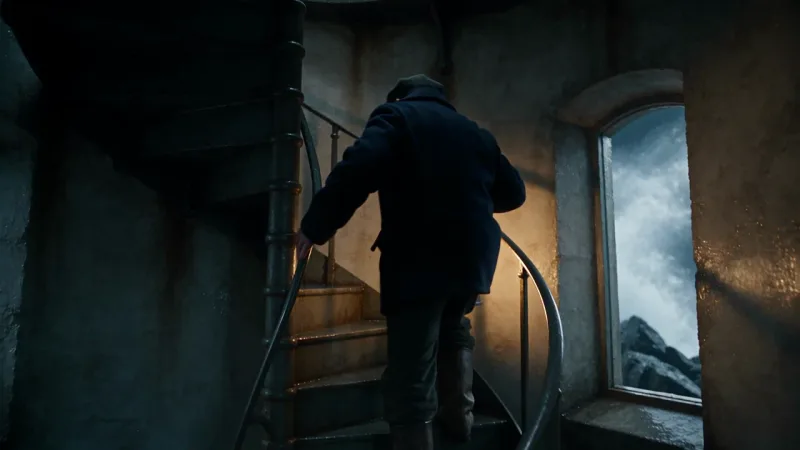
MAGI-2 Text-to-Video by Sand AI turns a prompt into a 1080p video of 4 to 30 seconds with generated sound, in six aspect ratios. Ready-to-use REST inference API, best performance, no coldstarts, affordable pricing.
Examples
See MAGI-2 in action
Real outputs generated by the MAGI-2 API. Hover any video to preview, click to open the full-size viewer.
How to
How to use the MAGI-2 API
Four steps from signup to a finished generation. Full Python, Node.js, and cURL examples are in the API section below.
- 01
Get an API key
Sign up for a WaveSpeedAI account and copy your API key from the dashboard. New accounts come with free starter credits — enough to run the playground a few dozen times before billing kicks in.
- 02
Submit a prediction
POST your input as JSON to https://api.wavespeed.ai/api/v3/sand-ai/magi-2/text-to-video. The endpoint returns a prediction id immediately — generations are async so you don't hold an open connection during inference.
- 03
Poll for completion
GET https://api.wavespeed.ai/api/v3/predictions/{request_id}/result. Return outputs on completed; stop with an error on failed, cancelled, timeout, or deleted; continue polling for every other status.
- 04
Read the output URL
Once status is "completed", read the URL from data.outputs[0]. The URL points to your generated media on the WaveSpeedAI CDN — image, video, audio, or 3D file depending on the MAGI-2 variant you called.
Use cases
What you can build with MAGI-2
Common workflows developers and creators use the MAGI-2 API for.
Full 30-second scenes
Choose any length from 4 to 30 seconds per request, so a complete scene, product spot or story beat comes back as one continuous clip instead of several short ones.
Sound in the same pass
Dialogue, sound effects, ambience and music are generated together with the picture. Put spoken lines in quotes in the prompt, or turn generate_audio off for a silent clip.
Animate a still
sand-ai/magi-2/image-to-video starts from your image and can end on a second one, for product reveals, portrait animation and scene transitions. Leave the aspect ratio out and the video follows the shape of your image.
Scenes built from references
sand-ai/magi-2/reference-to-video combines up to 10 images, 5 videos and 5 audio clips; name them in the prompt as @image_1, @image_2 and so on to say which is the character and which is the setting.
Vertical, square or ultrawide
Pick 16:9, 9:16, 1:1, 4:3, 3:4 or 21:9 to match the platform, from vertical short-form video to cinematic ultrawide.
Tips
Tips for prompting MAGI-2
Practical advice for getting better outputs from MAGI-2 — drawn from the patterns that work across video models in production pipelines.
- 01
Name the subject, action, setting and camera
Say who or what is on screen, what happens, where, and how the camera moves, for example a slow dolly-in or a handheld tracking shot. For long clips, describe how the scene develops from start to finish.
- 02
Write the sound into the prompt
Sound is generated with the picture: put dialogue in quotes and name the ambience, effects or music you want to hear. Set generate_audio to false when you will add your own track.
- 03
Use a first frame in the shape you want
On sand-ai/magi-2/image-to-video the first frame is cropped from the centre to the chosen aspect ratio. Leave aspect_ratio out to use the ratio closest to your image, or supply an image already in the target shape so nothing is cut.
- 04
Say what each reference is for
On sand-ai/magi-2/reference-to-video, refer to images as @image_1, @image_2 ... in the order you provide them, for example the cat from @image_1 walking through the street from @image_2.
- 05
Draft short, then go long
Try a prompt at 5 seconds, then re-run the version you like at the full length you need, up to 30 seconds.
Pricing
MAGI-2 API pricing
Pricing is per-output. The final charge scales with the parameters you set in each variant's playground (resolution, duration, output count, references).
| Endpoint | Type | Starting price |
|---|---|---|
| sand-ai/ | reference-to-video | $0.08 |
| sand-ai/ | image-to-video | $0.08 |
| sand-ai/ | text-to-video | $0.08 |
API
Call the MAGI-2 API
Sign up for an API key at wavespeed.ai/accesskey, then submit a prediction via REST. The playground generates ready-to-paste samples for any combination of inputs.
POSThttps://api.wavespeed.ai/api/v3/sand-ai/magi-2/text-to-video
# 1. Submit the prediction.
SUBMIT_RESPONSE=$(curl --silent --show-error --fail-with-body \
  -X POST "https://api.wavespeed.ai/api/v3/sand-ai/magi-2/text-to-video" \
  -H "Content-Type: application/json" \
  -H "Authorization: Bearer $WAVESPEED_API_KEY" \
  -d '{
    "prompt": "A cinematic shot of a city at sunset, soft golden light",
    "aspect_ratio": "16:9",
    "duration": 5,
    "generate_audio": true
}')

TASK=$(printf '%s' "$SUBMIT_RESPONSE" | jq 'if has("data") then .data else . end')
PREDICTION_ID=$(printf '%s' "$TASK" | jq -r '.id')
if [ -z "$PREDICTION_ID" ] || [ "$PREDICTION_ID" = "null" ]; then
  printf 'Submission response did not contain a prediction id
' >&2
  exit 1
fi
RESULT_URL="https://api.wavespeed.ai/api/v3/predictions/$PREDICTION_ID/result"

# 2. Poll until the prediction finishes.
while true; do
  RESPONSE=$(curl --silent --show-error --fail-with-body "$RESULT_URL" \
    -H "Authorization: Bearer $WAVESPEED_API_KEY")
  RESULT=$(printf '%s' "$RESPONSE" | jq 'if has("data") then .data else . end')
  STATUS=$(printf '%s' "$RESULT" | jq -r '.status')
  case "$STATUS" in
    completed) printf '%s\n' "$RESULT" | jq '.outputs'; break ;;
    failed|cancelled|timeout|deleted) printf '%s\n' "$RESULT" | jq . >&2; exit 1 ;;
    *) sleep 2 ;;
  esac
done
const submitUrl = "https://api.wavespeed.ai/api/v3/sand-ai/magi-2/text-to-video";
const apiKey = process.env.WAVESPEED_API_KEY;
if (!apiKey) throw new Error('Set WAVESPEED_API_KEY');
async function requestJson(url, options = {}) {
const response = await fetch(url, options);
if (!response.ok) throw new Error(await response.text());
return response.json();
}
// 1. Submit the prediction.
const body = await requestJson(submitUrl, {
method: "POST",
headers: {
"Authorization": `Bearer ${apiKey}`,
"Content-Type": "application/json",
},
body: JSON.stringify({
"prompt": "A cinematic shot of a city at sunset, soft golden light",
"aspect_ratio": "16:9",
"duration": 5,
"generate_audio": true
}),
});
const task = body.data ?? body;
const resultUrl = `https://api.wavespeed.ai/api/v3/predictions/${task.id}/result`;
// 2. Poll until the prediction finishes.
while (true) {
const resultBody = await requestJson(resultUrl, {
headers: { "Authorization": `Bearer ${apiKey}` },
});
const result = resultBody.data ?? resultBody;
if (result.status === "completed") {
console.log(result.outputs);
break;
}
if (["failed", "cancelled", "timeout", "deleted"].includes(result.status)) throw new Error(JSON.stringify(result));
await new Promise(resolve => setTimeout(resolve, 2000));
}import json
import os
import time
from urllib.request import Request, urlopen
api_key = os.environ["WAVESPEED_API_KEY"]
headers = {"Authorization": f"Bearer {api_key}", "Content-Type": "application/json"}
payload = {
"prompt": "A cinematic shot of a city at sunset, soft golden light",
"aspect_ratio": "16:9",
"duration": 5,
"generate_audio": True
}
def request_json(url, data=None):
request = Request(url, data=data, headers=headers, method="POST" if data else "GET")
with urlopen(request) as response:
return json.load(response)
# 1. Submit the prediction.
body = request_json("https://api.wavespeed.ai/api/v3/sand-ai/magi-2/text-to-video", json.dumps(payload).encode())
task = body.get("data", body)
result_url = f"https://api.wavespeed.ai/api/v3/predictions/{task['id']}/result"
# 2. Poll until the prediction finishes.
while True:
result_body = request_json(result_url)
result = result_body.get("data", result_body)
status = result.get("status")
if status == "completed":
print(result.get("outputs", []))
break
if status in {"failed", "cancelled", "timeout", "deleted"}:
raise RuntimeError(result)
time.sleep(2)Compare
MAGI-2 vs alternatives
When to pick MAGI-2 over similar models on WaveSpeedAI.
MAGI-2 vs Kling 4.0
Kling 4.0 covers 3 to 30 seconds with 720p, 1080p and 4K output, HDR, keyframes, video editing and extension. MAGI-2 is a focused 1080p model with sound included in every clip and a broader set of aspect ratios, including 4:3 and 3:4.
MAGI-2 vs Grok Imagine Video 1.5
Grok Imagine Video 1.5 makes short stylized clips up to 1080p and takes up to seven reference images. MAGI-2 runs up to 30 seconds and also takes reference videos and audio clips.
MAGI-2 vs MAGI-1
MAGI-1 is Sand AI's earlier open model for cinematic image-to-video. MAGI-2 is its successor, adding text-to-video, reference-to-video, generated sound and clips up to 30 seconds at 1080p.
FAQ
MAGI-2 API — Frequently asked questions
Pricing, license, integration — common questions about running MAGI-2 on WaveSpeedAI.
What is the MAGI-2 API?
MAGI-2 is a Sand AI video generation model exposed as a REST API on WaveSpeedAI. MAGI-2 by Sand AI — 1080p video of 4 to 30 seconds with sound generated together with the picture, from a text prompt, a first frame, or up to 10 reference images, 5 videos and 5 audio clips. You can call it programmatically or try it from the playground linked above.
How do I call the MAGI-2 API?
Sign up for a WaveSpeedAI account, copy your API key from /accesskey, then POST to https://api.wavespeed.ai/api/v3/sand-ai/magi-2/text-to-video with your input as JSON. The endpoint returns a prediction id. Poll the result endpoint starting around every 2 seconds, increase the interval for long-running tasks, and stop on any terminal status. Production-oriented Python / Node.js / cURL examples are above.
How much does the MAGI-2 API cost?
MAGI-2 starts at $0.08. The exact cost scales with the parameters you set (resolution, duration, output count, references). The live cost preview next to the Generate button in the playground shows the exact price for your current input.
Which MAGI-2 variants are available?
WaveSpeedAI hosts 3 live MAGI-2 endpoints: sand-ai/magi-2/reference-to-video, sand-ai/magi-2/image-to-video, sand-ai/magi-2/text-to-video. Each variant has its own playground page and pricing.
Can I use MAGI-2 outputs commercially?
Commercial usage rights follow the Sand AI model license. Most Sand AI models permit commercial output use; see each model's playground page for the specific license summary, and WaveSpeedAI's Terms of Service for platform-level conditions.
Why use MAGI-2 on WaveSpeedAI instead of going direct?
One API key + one billing account across MAGI-2 AND 1,000+ other AI models from other providers. No per-vendor SDK setup, no separate rate-limit envelopes, no rewrite-per-vendor integration code. Pricing is typically at parity with or below Sand AI's direct API.
Provider
About Sand AI
The team behind MAGI-2 and the broader Sand AI model lineup on WaveSpeedAI.
Sand AI is a video generation research company and the developer of the MAGI models. MAGI-1 was released as an open model for cinematic image-to-video; MAGI-2 adds text-to-video and reference-to-video at 1080p, clips up to 30 seconds and sound generated together with the picture. On WaveSpeedAI the MAGI-2 models are available as REST endpoints with one API key and pay-as-you-go pricing.
Start building with MAGI-2 on WaveSpeedAI
Free starter credits on signup. One API key across 1,000+ AI models from Sand AI and every other provider.