Kling Image 4.0 API
Kuaishou Kling Image 4.0 — text-to-image, multi-reference editing, consistent image sets and long product detail pages, with photographic realism, legible in-image text and output up to native 8K.
kwaivgi/kling-image-v4.0/text-to-image renders a prompt at 2K, 4K or native 8K, edit combines up to 10 input images, image-set returns 2 to 10 images that keep the same subjects and style, and long-image turns 1-3 product photos into a full ecommerce detail page or designs a webpage as one tall image.




Overview
About the Kling Image 4.0 API
What Kling Image 4.0 does, how it fits in the Kuaishou model lineup, and why teams reach for it.
Kling Image 4.0 is a image generation and editing model from Kuaishou, available through the WaveSpeedAI REST API. Kuaishou Kling Image 4.0 — text-to-image, multi-reference editing, consistent image sets and long product detail pages, with photographic realism, legible in-image text and output up to native 8K.
kwaivgi/kling-image-v4.0/text-to-image renders a prompt at 2K, 4K or native 8K, edit combines up to 10 input images, image-set returns 2 to 10 images that keep the same subjects and style, and long-image turns 1-3 product photos into a full ecommerce detail page or designs a webpage as one tall image.
The Kling Image 4.0 family on WaveSpeedAI ships 4 REST endpoints covering Image-To-Image, Text-To-Image workflows. Each variant carries its own pricing, parameter knobs, and example outputs — pick the one that matches your input modality and production constraints, or call several from the same API key to compose multi-step pipelines.
Run Kling Image 4.0 through the same API key, billing account, and rate-limit envelope you use for the other 1,000+ AI models on WaveSpeedAI. No separate vendor setup, no per-provider SDKs, no per-vendor rate-limit envelopes — one integration covers everything from text-to-image and text-to-video through audio synthesis, 3D generation, upscaling, and editing.
Specs
Kling Image 4.0 API capabilities and release status
The model-specific details developers search for before choosing an API: availability, expected output length, reference support, and the current live fallback.
Modes
Text-to-image, edit, image set, long image
Four endpoints under kwaivgi/kling-image-v4.0.
Resolution
2K / 4K / 8K
2K is the default; long images come in 1K or 2K.
References
Up to 10 images
On edit and image-set; long-image takes up to 3.
Image sets
2-10 images
Planned together with the same subjects and style; 4 is the default.
Endpoints
All Kling Image 4.0 API endpoints
4 Kling Image 4.0 endpoints available now on WaveSpeedAI — pick the variant that matches your workflow.
Kling Image v4.0 Long Image
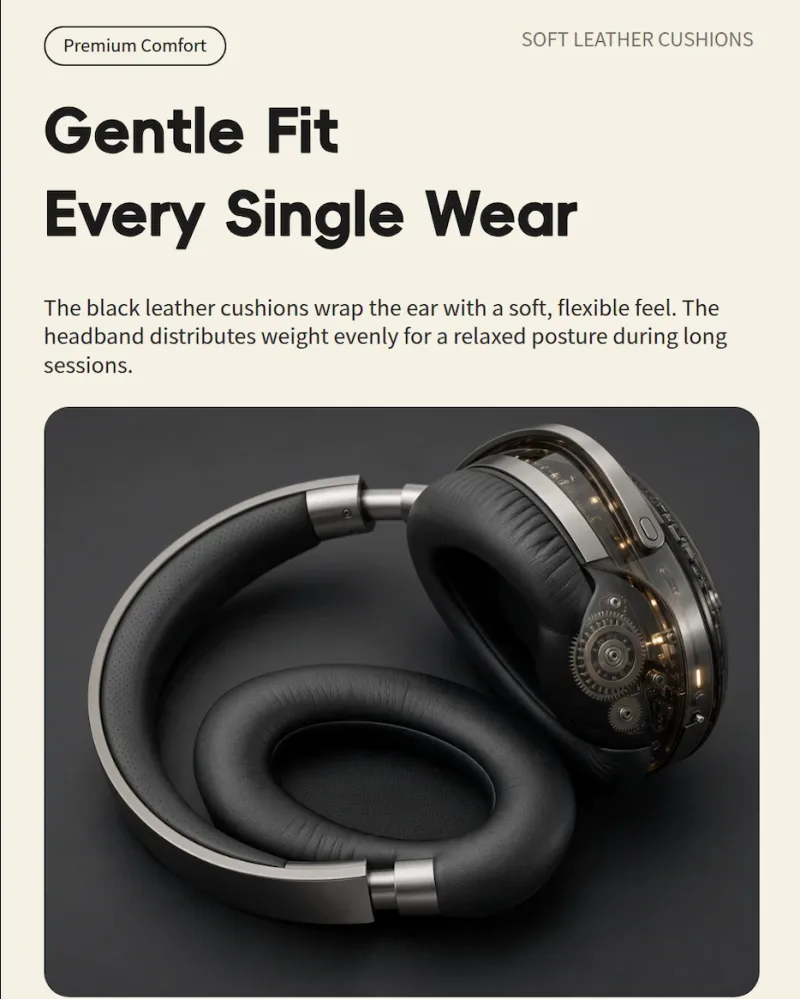
Kling Image 4.0 Long Image creates long-form vertical images from product photos or text prompts, making it suitable for ecommerce product detail pages, landing pages, promotional layouts, and web design workflows. Ready-to-use REST inference API, best performance, no coldstarts, affordable pricing.

Kling Image v4.0 Image Set
Kling Image 4.0 Image Set generates cohesive image sets with consistent subjects and visual style for storyboards, product angle variations, character sheets, campaign assets, and multi-image creative workflows. Ready-to-use REST inference API, best performance, no coldstarts, affordable pricing.

Kling Image v4.0 Edit
Kling Image 4.0 Edit transforms and combines reference images through natural-language instructions, supporting multi-image composition, subject and style consistency, product imagery, creative edits, and production workflows. Ready-to-use REST inference API, best performance, no coldstarts, affordable pricing.
Kling Image v4.0 Text To Image
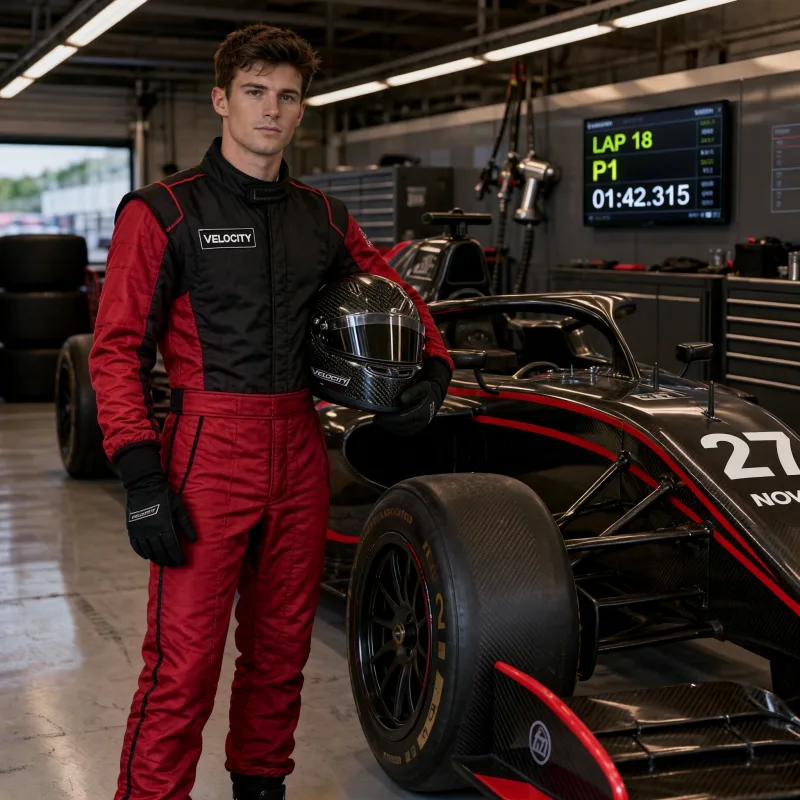
Kling Image 4.0 Text-to-Image generates photorealistic images from text prompts with strong typography and detailed composition, making it suitable for product visuals, posters, marketing assets, branded content, and production workflows. Ready-to-use REST inference API, best performance, no coldstarts, affordable pricing.
Examples
See Kling Image 4.0 in action
Real outputs generated by the Kling Image 4.0 API. Hover any video to preview, click to open the full-size viewer.
How to
How to use the Kling Image 4.0 API
Four steps from signup to a finished generation. Full Python, Node.js, and cURL examples are in the API section below.
- 01
Get an API key
Sign up for a WaveSpeedAI account and copy your API key from the dashboard. New accounts come with free starter credits — enough to run the playground a few dozen times before billing kicks in.
- 02
Submit a prediction
POST your input as JSON to https://api.wavespeed.ai/api/v3/kwaivgi/kling-image-v4.0/text-to-image. The endpoint returns a prediction id immediately — generations are async so you don't hold an open connection during inference.
- 03
Poll for completion
GET https://api.wavespeed.ai/api/v3/predictions/{request_id}/result. Return outputs on completed; stop with an error on failed, cancelled, timeout, or deleted; continue polling for every other status.
- 04
Read the output URL
Once status is "completed", read the URL from data.outputs[0]. The URL points to your generated media on the WaveSpeedAI CDN — image, video, audio, or 3D file depending on the Kling Image 4.0 variant you called.
Use cases
What you can build with Kling Image 4.0
Common workflows developers and creators use the Kling Image 4.0 API for.
Posters and text-heavy visuals
kwaivgi/kling-image-v4.0/text-to-image renders the headlines, labels and signs you quote in the prompt as sharp, legible text, including small type on posters and packaging.
Print-size output at native 8K
Every image endpoint except long-image outputs 2K, 4K or native 8K, so one prompt can serve a web thumbnail, a large print or a billboard proof without a separate upscaling pass.
Products and characters in new scenes
kwaivgi/kling-image-v4.0/edit combines up to 10 input images, which the prompt refers to as <<<image_1>>>, <<<image_2>>> and so on, to place a product in a new setting, dress a character or merge styles.
Storyboards and character sheets
kwaivgi/kling-image-v4.0/image-set plans 2 to 10 images together and returns them in order, keeping the same subjects and style across a story in panels, a product shown from several angles or a campaign series.
Ecommerce detail pages from product photos
kwaivgi/kling-image-v4.0/long-image builds a complete product detail page from 1-3 product photos, with a hero, selling points, specs and lifestyle shots, at a short, medium or long length.
Landing-page design mockups
Set page_type to webpage and long-image designs a full website visual from a text description, returned as one tall image you can review before building the page.
Tips
Tips for prompting Kling Image 4.0
Practical advice for getting better outputs from Kling Image 4.0 — drawn from the patterns that work across image models in production pipelines.
- 01
Describe lighting, composition, and style — not just subject
Move past 'a cat' to 'a tabby cat on a windowsill, soft afternoon light streaming in, shallow depth of field, cinematic 35mm composition'. Subject + scene + lighting + camera language is the prompt formula that pulls best from image-model training data.
- 02
Use style anchors instead of artist names
'In the style of editorial photography' or 'studio product shot, white seamless background' beats vague 'high quality, masterpiece' boilerplate AND avoids the legal / licensing concerns that come with naming living artists in commercial work.
- 03
Specify resolution and aspect ratio explicitly
Don't rely on defaults. Set the target aspect ratio (1:1, 4:3, 16:9) and resolution up front. Cropping or upscaling later loses fidelity that the model could have placed correctly in the first generation.
- 04
Iterate on a locked seed before re-rolling
Lock the seed, change one prompt element at a time. Much faster than re-rolling random seeds for every change — you isolate cause-and-effect on each prompt edit and reach the target image with fewer total generations.
- 05
Use the edit endpoint for refinements, not full re-generation
Generate the base image once, then use the model's edit / inpaint endpoint to refine specific elements — text, lighting, individual subjects. Edits preserve everything you liked about the base and cost less per iteration than full re-generations.
Pricing
Kling Image 4.0 API pricing
Pricing is per-output. The final charge scales with the parameters you set in each variant's playground (resolution, duration, output count, references).
| Endpoint | Type | Starting price |
|---|---|---|
| kwaivgi/ | image-to-image | $0.235 |
| kwaivgi/ | text-to-image | $0.063 |
| kwaivgi/ | image-to-image | $0.063 |
| kwaivgi/ | text-to-image | $0.063 |
API
Call the Kling Image 4.0 API
Sign up for an API key at wavespeed.ai/accesskey, then submit a prediction via REST. The playground generates ready-to-paste samples for any combination of inputs.
POSThttps://api.wavespeed.ai/api/v3/kwaivgi/kling-image-v4.0/text-to-image
# 1. Submit the prediction.
SUBMIT_RESPONSE=$(curl --silent --show-error --fail-with-body \
  -X POST "https://api.wavespeed.ai/api/v3/kwaivgi/kling-image-v4.0/text-to-image" \
  -H "Content-Type: application/json" \
  -H "Authorization: Bearer $WAVESPEED_API_KEY" \
  -d '{
    "prompt": "A cinematic shot of a city at sunset, soft golden light",
    "aspect_ratio": "1:1",
    "resolution": "2k",
    "num_images": 1,
    "output_format": "png"
}')

TASK=$(printf '%s' "$SUBMIT_RESPONSE" | jq 'if has("data") then .data else . end')
PREDICTION_ID=$(printf '%s' "$TASK" | jq -r '.id')
if [ -z "$PREDICTION_ID" ] || [ "$PREDICTION_ID" = "null" ]; then
  printf 'Submission response did not contain a prediction id
' >&2
  exit 1
fi
RESULT_URL="https://api.wavespeed.ai/api/v3/predictions/$PREDICTION_ID/result"

# 2. Poll until the prediction finishes.
while true; do
  RESPONSE=$(curl --silent --show-error --fail-with-body "$RESULT_URL" \
    -H "Authorization: Bearer $WAVESPEED_API_KEY")
  RESULT=$(printf '%s' "$RESPONSE" | jq 'if has("data") then .data else . end')
  STATUS=$(printf '%s' "$RESULT" | jq -r '.status')
  case "$STATUS" in
    completed) printf '%s\n' "$RESULT" | jq '.outputs'; break ;;
    failed|cancelled|timeout|deleted) printf '%s\n' "$RESULT" | jq . >&2; exit 1 ;;
    *) sleep 2 ;;
  esac
done
const submitUrl = "https://api.wavespeed.ai/api/v3/kwaivgi/kling-image-v4.0/text-to-image";
const apiKey = process.env.WAVESPEED_API_KEY;
if (!apiKey) throw new Error('Set WAVESPEED_API_KEY');
async function requestJson(url, options = {}) {
const response = await fetch(url, options);
if (!response.ok) throw new Error(await response.text());
return response.json();
}
// 1. Submit the prediction.
const body = await requestJson(submitUrl, {
method: "POST",
headers: {
"Authorization": `Bearer ${apiKey}`,
"Content-Type": "application/json",
},
body: JSON.stringify({
"prompt": "A cinematic shot of a city at sunset, soft golden light",
"aspect_ratio": "1:1",
"resolution": "2k",
"num_images": 1,
"output_format": "png"
}),
});
const task = body.data ?? body;
const resultUrl = `https://api.wavespeed.ai/api/v3/predictions/${task.id}/result`;
// 2. Poll until the prediction finishes.
while (true) {
const resultBody = await requestJson(resultUrl, {
headers: { "Authorization": `Bearer ${apiKey}` },
});
const result = resultBody.data ?? resultBody;
if (result.status === "completed") {
console.log(result.outputs);
break;
}
if (["failed", "cancelled", "timeout", "deleted"].includes(result.status)) throw new Error(JSON.stringify(result));
await new Promise(resolve => setTimeout(resolve, 2000));
}import json
import os
import time
from urllib.request import Request, urlopen
api_key = os.environ["WAVESPEED_API_KEY"]
headers = {"Authorization": f"Bearer {api_key}", "Content-Type": "application/json"}
payload = {
"prompt": "A cinematic shot of a city at sunset, soft golden light",
"aspect_ratio": "1:1",
"resolution": "2k",
"num_images": 1,
"output_format": "png"
}
def request_json(url, data=None):
request = Request(url, data=data, headers=headers, method="POST" if data else "GET")
with urlopen(request) as response:
return json.load(response)
# 1. Submit the prediction.
body = request_json("https://api.wavespeed.ai/api/v3/kwaivgi/kling-image-v4.0/text-to-image", json.dumps(payload).encode())
task = body.get("data", body)
result_url = f"https://api.wavespeed.ai/api/v3/predictions/{task['id']}/result"
# 2. Poll until the prediction finishes.
while True:
result_body = request_json(result_url)
result = result_body.get("data", result_body)
status = result.get("status")
if status == "completed":
print(result.get("outputs", []))
break
if status in {"failed", "cancelled", "timeout", "deleted"}:
raise RuntimeError(result)
time.sleep(2)Compare
Kling Image 4.0 vs alternatives
When to pick Kling Image 4.0 over similar models on WaveSpeedAI.
Kling Image 4.0 vs Kling Image O3
Kling Image O3 offers text-to-image and editing up to 4K. Kling Image 4.0 goes up to native 8K and adds consistent image sets and long ecommerce and webpage images.
Kling Image 4.0 vs Nano Banana 2
Nano Banana 2 offers more aspect ratios, including very tall and very wide ones, up to 4K with up to 14 reference images. Kling Image 4.0 is the pick for native 8K output, image sets and product detail pages.
Kling Image 4.0 vs Seedream 5.5
Seedream 5.5 outputs up to 2K with up to 10 reference images. Kling Image 4.0 takes the same number of references and reaches 4K and native 8K.
FAQ
Kling Image 4.0 API — Frequently asked questions
Pricing, license, integration — common questions about running Kling Image 4.0 on WaveSpeedAI.
What is the Kling Image 4.0 API?
Kling Image 4.0 is a Kuaishou image generation model exposed as a REST API on WaveSpeedAI. Kuaishou Kling Image 4.0 — text-to-image, multi-reference editing, consistent image sets and long product detail pages, with photographic realism, legible in-image text and output up to native 8K. You can call it programmatically or try it from the playground linked above.
How do I call the Kling Image 4.0 API?
Sign up for a WaveSpeedAI account, copy your API key from /accesskey, then POST to https://api.wavespeed.ai/api/v3/kwaivgi/kling-image-v4.0/text-to-image with your input as JSON. The endpoint returns a prediction id. Poll the result endpoint starting around every 2 seconds, increase the interval for long-running tasks, and stop on any terminal status. Production-oriented Python / Node.js / cURL examples are above.
How much does the Kling Image 4.0 API cost?
Kling Image 4.0 starts at $0.063. The exact cost scales with the parameters you set (resolution, duration, output count, references). The live cost preview next to the Generate button in the playground shows the exact price for your current input.
Which Kling Image 4.0 variants are available?
WaveSpeedAI hosts 4 live Kling Image 4.0 endpoints: kwaivgi/kling-image-v4.0/long-image, kwaivgi/kling-image-v4.0/image-set, kwaivgi/kling-image-v4.0/edit, kwaivgi/kling-image-v4.0/text-to-image. Each variant has its own playground page and pricing.
Can I use Kling Image 4.0 outputs commercially?
Commercial usage rights follow the Kuaishou model license. Most Kuaishou models permit commercial output use; see each model's playground page for the specific license summary, and WaveSpeedAI's Terms of Service for platform-level conditions.
Why use Kling Image 4.0 on WaveSpeedAI instead of going direct?
One API key + one billing account across Kling Image 4.0 AND 1,000+ other AI models from other providers. No per-vendor SDK setup, no separate rate-limit envelopes, no rewrite-per-vendor integration code. Pricing is typically at parity with or below Kuaishou's direct API.
Provider
About Kuaishou
The team behind Kling Image 4.0 and the broader Kuaishou model lineup on WaveSpeedAI.
Kuaishou is a major Chinese short-video platform and the team behind the Kling family of video generation models. Kling 3.0 ships Standard, Pro, and 4K tiers with native audio synthesis (a sound parameter on every variant), plus a dedicated motion-control endpoint that transfers motion from a reference video to animate a still character image.
Start building with Kling Image 4.0 on WaveSpeedAI
Free starter credits on signup. One API key across 1,000+ AI models from Kuaishou and every other provider.