Paste the SMILES
Paste one or more SMILES into the box and press Load, or press Ctrl+V on the drawing to add it next to what's there.
Paste any SMILES string, including stereo, charges and isotopes, and get a clean 2D drawing you can edit.
Read the formula, masses, logP, TPSA and InChIKey, then export the drawing or a structure file.
Loading the structure editor…
Paste one or more SMILES into the box and press Load, or press Ctrl+V on the drawing to add it next to what's there.
The structure is laid out automatically. Fix or extend it with the drawing tools; formula, mass and identifiers update as you go.
Download PNG or SVG images, or MOL, SDF, InChI or canonical SMILES files.
Turn molecules into illustrations, cover art and explainer clips for slides, papers and lessons with WaveSpeed AI.
Create journal-cover style art and lab illustrations from a description.
Animate an illustration into a short explainer clip.
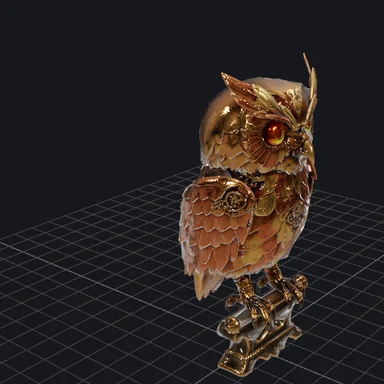
Make a 3D model of lab equipment or a stylised molecule.
$1 in free credits for eligible new accounts. No card needed. Generators have separate account and credit requirements. The structure drawer is free.
Yes, with no account, no watermark and no limits.
Standard SMILES with aromatic atoms, stereo (@, @@, / and \), charges, isotopes and dot-separated fragments, plus CXSMILES. Text after the SMILES is used as the structure's name.
No. It is read and drawn in your browser by a chemistry engine that downloads once; nothing you paste leaves your device.
Yes. Draw or open any structure and the canonical SMILES, InChI and InChIKey appear in the panel, ready to copy.
Stereo, charges, isotopes · PNG · SVG · MOL · SDF · Files stay on your device
/filters:quality(82)/media/images/1791123751656780930_IfFPY7R0.webp)
/filters:quality(82)/media/images/1791123737177812425_RjKT3cku.webp)
/filters:quality(82)/media/images/1791123748309870128_xlkNgK8N.webp)
/filters:quality(82)/media/images/1791123738630744263_oR09R0aj.webp)
/filters:quality(82)/media/images/1791177033162457776_uQ09OY7g.webp)
/filters:quality(82)/media/images/1791123734319125607_JdnwGPY7.webp)
/filters:quality(82)/media/images/1791123746355630206_udnxGPY7.webp)
/filters:quality(82)/media/images/1791123744771362580_yC0sPezZ.webp)
/filters:quality(82)/media/images/1791123738606970169_5KIR1ais.webp)
/filters:quality(82)/media/images/1791123748197655725_EUmuFNW6.webp)