Add a picture
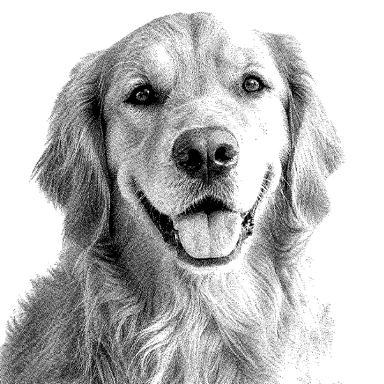
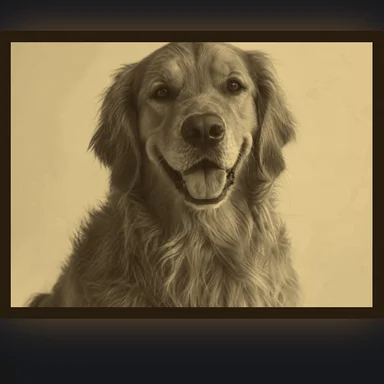
Drop a photo, a drawing or a logo. Pictures with clear shapes and a few strong colours make the most recognisable quilts.
Turn a photo or drawing into a pixel or postage stamp quilt: a grid of squares in a handful of fabrics picked from the picture.
Choose the quilt size and square size, name your fabrics, then print a numbered chart and a cutting list with yardage.
Drop a picture here, or paste it
Photos and bold drawings both work · The picture is cropped to the quilt’s shapeNeed art? Create pixel art or a character with AI Image GeneratorSimple cartoons with bold outlines make the cleanest patterns. Choose one to open it as a pattern, then change the size, colours and craft.
Drop a photo, a drawing or a logo. Pictures with clear shapes and a few strong colours make the most recognisable quilts.
Pick a quilt size and the finished size of each square, in inches or centimetres, and how many fabrics to use. Rename the fabrics after the ones you have.
Fix squares with the brush, then download the PDF chart with its cutting list, the chart PNG or the cutting list CSV, and sew the quilt row by row.
Create a cute character, an animal or pixel art from a short prompt with WaveSpeed AI, then turn it into a bead pattern here.
Make simple, bold drawings that turn into clean bead patterns.
Bring your character to life in a short clip.
Turn your design into a 3D model.
$1 in free credits for eligible new accounts. No card needed. Generators have separate account and credit requirements. The bead pattern maker is free.
Yes. Make, edit and download as many quilt patterns as you like, with no account and no watermark.
Baby (crib) 36 × 52 in, throw 50 × 65 in, twin 68 × 86 in, queen 90 × 95 in and king 108 × 95 in, or a custom width in squares. The number of squares across and down comes from the quilt size divided by the finished square size, and the picture is cropped to that shape.
Each square is cut at its finished size plus a seam allowance on every side: with the default ¼ in seam, a 2 in finished square is cut at 2½ in. In centimetres the default seam allowance is 0.75 cm. You can change both.
Squares are cut from strips across the usable fabric width (42 in or 110 cm by default, which you can change). The tool counts the strips each fabric needs and rounds the length up to the next ⅛ yard or 0.1 m. Nothing extra is added for shrinkage or cutting mistakes, so buy a little more if you prewash.
Yes, as estimates: binding from 2½ in (6.5 cm) strips long enough to go round the quilt plus extra for joins, and backing from fabric widths sewn together with 4 in (10 cm) extra on each side. Borders are not added; plan them separately.
No. The pattern uses whole squares only, as in a pixel or postage stamp quilt. Smaller squares give smoother edges.
No. The pattern is made in your browser; your picture never leaves your device.
Baby to king sizes · Cutting list + yardage · Printable PDF chart
/filters:quality(82)/media/images/1791123751656780930_IfFPY7R0.webp)
/filters:quality(82)/media/images/1791123737177812425_RjKT3cku.webp)
/filters:quality(82)/media/images/1791123748309870128_xlkNgK8N.webp)
/filters:quality(82)/media/images/1791123738630744263_oR09R0aj.webp)
/filters:quality(82)/media/images/1791177033162457776_uQ09OY7g.webp)
/filters:quality(82)/media/images/1791123734319125607_JdnwGPY7.webp)
/filters:quality(82)/media/images/1791123746355630206_udnxGPY7.webp)
/filters:quality(82)/media/images/1791123744771362580_yC0sPezZ.webp)
/filters:quality(82)/media/images/1791123738606970169_5KIR1ais.webp)
/filters:quality(82)/media/images/1791123748197655725_EUmuFNW6.webp)