Pick a material
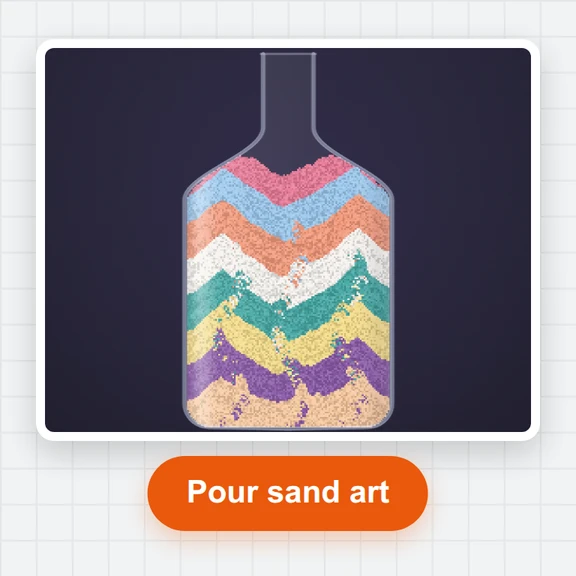
Choose sand, water, lava, fire or any of the 22 materials, set the brush size and shape, or start from a ready-made scene.
Pour sand, water, oil, lava, fire, acid, ice, seeds and more, and watch them flow, burn, freeze, grow and explode.
Record your session and export a smooth time-lapse video for TikTok, Shorts or Reels.
Loading the sandbox…
Choose sand, water, lava, fire or any of the 22 materials, set the brush size and shape, or start from a ready-made scene.
Click and drag, or touch and drag, to pour it into the world. Mix materials and watch them flow, burn, freeze and react.
Save a PNG or a scene file, or press Record and export your session as a smooth time-lapse video.
A few combinations that always look good, and how to get a clean video out of them.
Glass holds acid, and walls hold everything. Draw a cup first, then pour liquids into it.
Pour water, then oil: oil floats on top. Sand and mud sink to the bottom, ash and seeds float.
Draw a wooden structure and touch it with fire. Wood glows as embers and crumbles to ash; pour water to put it out.
Lava poured into water turns to stone and sends up steam, which rises and rains back down as water.
Drop seeds onto wet ground. They sprout and climb, and plants keep growing into any water they touch.
Choose the Vertical 9:16 world size before recording and export at 9:16 for a full-screen phone video. 4× or 8× time-lapse keeps clips short.
Make pixel art, animations and short videos from a prompt with WaveSpeed AI.
Create pixel-art scenes, textures and thumbnails.
Animate a still image into a short clip.
Turn a picture into a 3D model.
$1 in free credits for eligible new accounts. No card needed. Generators have separate account and credit requirements. The falling sand simulator is free.
A sandbox where the screen is a grid of tiny cells and each cell is a material. Simple rules for each material, such as sand falls, water flows, fire rises and burns, add up to rich behaviour: dunes, waterfalls, wildfires and chemical reactions.
Yes. It is free with no sign-up and no watermark on your pictures or videos. It runs in your browser, with nothing to install.
Sand, water, stone, wood, fire, oil, lava, ice, snow, plants, seeds, acid, salt, metal, glass, gunpowder, gas, steam, smoke, mud, ash and indestructible walls, plus salt water and embers that appear through reactions.
Fire lights wood, oil, plants, gas and gunpowder; water puts fire out and turns to steam; steam rises and condenses into water; lava turns water into steam and cools into stone; salt dissolves in water; acid eats almost everything except glass and walls; seeds sprout when they touch water.
Press Record, play and draw as usual, then press Stop. Choose the time-lapse speed, video shape (9:16, 1:1 or 16:9), resolution and frame rate, and export an MP4 (or WebM in browsers without MP4 encoding). The video is rendered from the recording, so it is perfectly smooth even if your device was busy.
Yes. Save scene downloads a small file you can open again later or share with friends. Save PNG keeps a crisp picture of the world.
Yes. Open a PNG or JPG and each pixel becomes the material with the nearest colour, then press Play and watch it crumble, flow and burn.
Yes. Draw with your finger, pick materials from the toolbar and use the Vertical 9:16 world size for clips that fill a phone screen.
Pick a material and start drawing. Free, no sign-up, no watermark.
/filters:quality(82)/media/images/1791123751656780930_IfFPY7R0.webp)
/filters:quality(82)/media/images/1791123737177812425_RjKT3cku.webp)
/filters:quality(82)/media/images/1791123748309870128_xlkNgK8N.webp)
/filters:quality(82)/media/images/1791123738630744263_oR09R0aj.webp)
/filters:quality(82)/media/images/1791177033162457776_uQ09OY7g.webp)
/filters:quality(82)/media/images/1791123734319125607_JdnwGPY7.webp)
/filters:quality(82)/media/images/1791123746355630206_udnxGPY7.webp)
/filters:quality(82)/media/images/1791123744771362580_yC0sPezZ.webp)
/filters:quality(82)/media/images/1791123738606970169_5KIR1ais.webp)
/filters:quality(82)/media/images/1791123748197655725_EUmuFNW6.webp)