Pick a program
Choose one of the bundled games in Programs, or open a .ch8 file from your device. It loads with the speed and settings it was made for.
Play 33 public-domain CHIP-8, SUPER-CHIP and XO-CHIP games, or open your own .ch8 file.
Switch quirks, change the speed, save your state and step through every instruction.
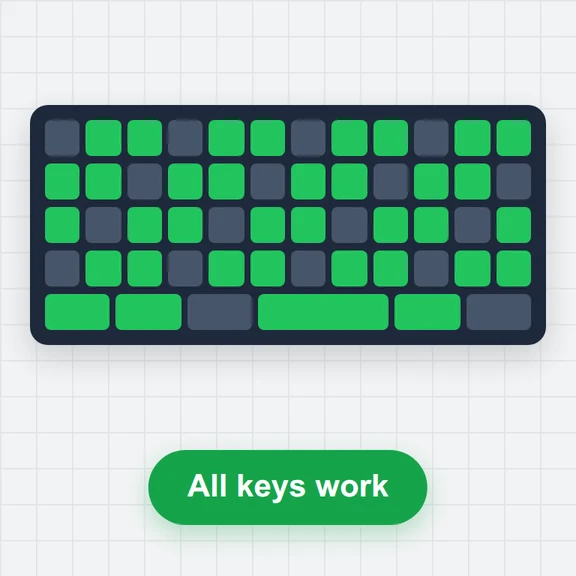
Keys the program reads light up here.
The 4×4 CHIP-8 keypad is on 1 2 3 4 / Q W E R / A S D F / Z X C V. Arrow keys work as W A S D and Space as E. Click the screen first if keys do nothing.
Choose one of the bundled games in Programs, or open a .ch8 file from your device. It loads with the speed and settings it was made for.
Play with the keys 1–4, Q–R, A–F and Z–V, the arrow keys, a gamepad or the on-screen keypad. Keys the program is checking light up.
Change the speed, colours and quirks, save your state, or pause and step through the code with the debugger.
CHIP-8 programs are tiny and were written for very different machines. These habits make them run right.
Modern CHIP-8 games mostly move with W A S D and act with E. Arrow keys and Space do the same here.
Speed is instructions per frame. Original CHIP-8 games expect about 10, SUPER-CHIP 30 and up, XO-CHIP 1,000 or more.
If sprites wrap oddly or a game freezes, switch the platform or toggle a quirk. The bundled programs already use the right ones.
CHIP-8 erases a sprite by drawing it again, so many games flicker. Reduce flicker smooths it out.
Save state remembers the whole machine for this program in your browser, so you can try again from there.
Pause, open the debugger and press Step to watch each instruction change the registers and the screen.
Create sprites, title screens and short clips from a prompt with WaveSpeed AI.
Make pixel-art sprites, tiles and title screens.
Turn a still picture into a short animated clip.
Turn a picture into a 3D model.
$1 in free credits for eligible new accounts. No card needed. Generators have separate account and credit requirements. The CHIP-8 emulator is free.
CHIP-8 is a simple virtual machine from 1977 for writing games on hobby computers: 35 instructions, 4 KB of memory, a 64×32 screen and a 16-key keypad. SUPER-CHIP added a 128×64 mode and scrolling; XO-CHIP adds colour planes, sound patterns and 64 KB of memory.
Yes. No account, no ads and no limits. Everything runs in your browser, with nothing to install.
Yes. Open or drop a .ch8, .sc8, .xo8 or .bin file of up to 65,024 bytes. The platform is detected from the instructions it uses, and the file is read in your browser and stays on your device.
From the Chip8 Community Archive, whose authors dedicated their programs to the public domain (CC0). The About tab credits each program’s authors and links to its source code.
CHIP-8 interpreters differ on a few instructions, for example whether shifts use VX or VY, whether saving registers moves I, and whether sprites wrap at the edges. The switches let you match the machine a program was written for.
Yes. Tap the on-screen keypad under the screen; keys the program is checking are outlined, and you can press several at once. Fullscreen keeps the keypad next to the screen.
Save state stores the whole machine (memory, registers, screen and timers) for the current program in this browser. Load state brings it back, even after you close the page.
The interpreter passes a widely used CHIP-8 test suite: the opcode and flag tests, the quirk tests for CHIP-8, SUPER-CHIP and XO-CHIP, the keypad test and the scrolling test. Sound follows the XO-CHIP pattern and pitch rules.
Pause, open the debugger and press Step to watch each instruction change the registers and the screen — a hands-on way to learn how emulators and machine code work. Reduce flicker smooths the sprite flicker that CHIP-8 games are known for.
Pick a public-domain game or open your own CHIP-8 file.
/filters:quality(82)/media/images/1791123751656780930_IfFPY7R0.webp)
/filters:quality(82)/media/images/1791123737177812425_RjKT3cku.webp)
/filters:quality(82)/media/images/1791123748309870128_xlkNgK8N.webp)
/filters:quality(82)/media/images/1791123738630744263_oR09R0aj.webp)
/filters:quality(82)/media/images/1791177033162457776_uQ09OY7g.webp)
/filters:quality(82)/media/images/1791123734319125607_JdnwGPY7.webp)
/filters:quality(82)/media/images/1791123746355630206_udnxGPY7.webp)
/filters:quality(82)/media/images/1791123744771362580_yC0sPezZ.webp)
/filters:quality(82)/media/images/1791123738606970169_5KIR1ais.webp)
/filters:quality(82)/media/images/1791123748197655725_EUmuFNW6.webp)