Add your green screen video
Drop an MP4, MOV or WebM filmed in front of a green or blue screen, or a photo.
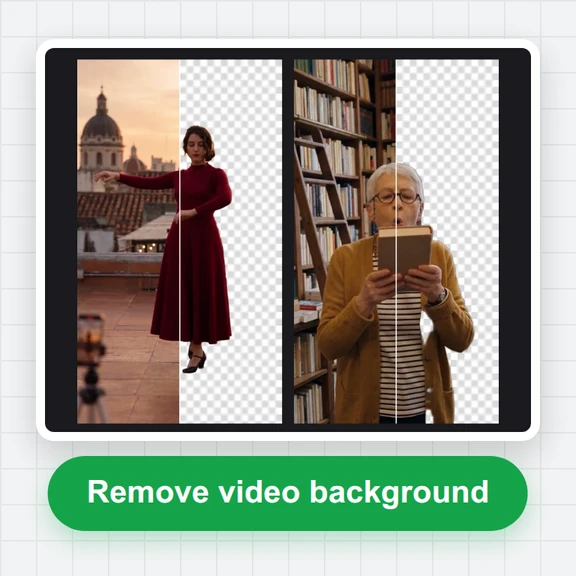
Key out a green or blue screen in your browser and see the result live.
Pick the colour from the frame, then add a new background or keep it transparent.
Drop a green or blue screen video or photo here, or paste it
MP4, MOV or WebM video, or a PNG, JPG or WebP photo · Up to 4 GBNo footage? Make a clip on a green screen with AI Video GeneratorClips filmed on green by WaveSpeed AI’s video models. Choose one, remove the green and put it on a transparent, colour or photo background.
Drop an MP4, MOV or WebM filmed in front of a green or blue screen, or a photo.
Click the backdrop with the colour picker, then adjust the strength, edge softness and spill until the edges are clean.
Choose transparent, a colour, an image or a video, place your subject, and save MP4, transparent WebM or a PNG frame.
Generate a background image or a whole moving scene with WaveSpeed AI, then put your subject in it here.
Make a moving background or a full scene from a prompt with Seedance, Kling, Veo and more.
Create any backdrop from a prompt: studios, cities, nature, sets.
Make a 3D model to place in your scene.
$1 in free credits for eligible new accounts. No card needed. Generators have separate account and credit requirements. The green screen editor is free.
It makes one colour transparent, usually the green or blue screen behind a person or object, so you can put something else behind them.
Yes. Pick any backdrop colour with the colour picker; green and blue work best because they are far from skin tones.
Raise Spill to take the green tint off hair and edges, and Edge softness for a smoother edge. Even lighting on the screen helps the most.
Yes, as WebM with an alpha channel. It plays transparent in Chrome, Edge and Firefox and in editors that import WebM with alpha. MP4 can’t be transparent, so MP4 exports include a background.
No. Keying and export run in your browser and the video never leaves your device.
Live preview · Transparent WebM · No upload
/filters:quality(82)/media/images/1791123751656780930_IfFPY7R0.webp)
/filters:quality(82)/media/images/1791123737177812425_RjKT3cku.webp)
/filters:quality(82)/media/images/1791123748309870128_xlkNgK8N.webp)
/filters:quality(82)/media/images/1791123738630744263_oR09R0aj.webp)
/filters:quality(82)/media/images/1791177033162457776_uQ09OY7g.webp)
/filters:quality(82)/media/images/1791123734319125607_JdnwGPY7.webp)
/filters:quality(82)/media/images/1791123746355630206_udnxGPY7.webp)
/filters:quality(82)/media/images/1791123744771362580_yC0sPezZ.webp)
/filters:quality(82)/media/images/1791123738606970169_5KIR1ais.webp)
/filters:quality(82)/media/images/1791123748197655725_EUmuFNW6.webp)