Add a photo
Choose, drop or paste one photo or several. Faces are found in seconds.
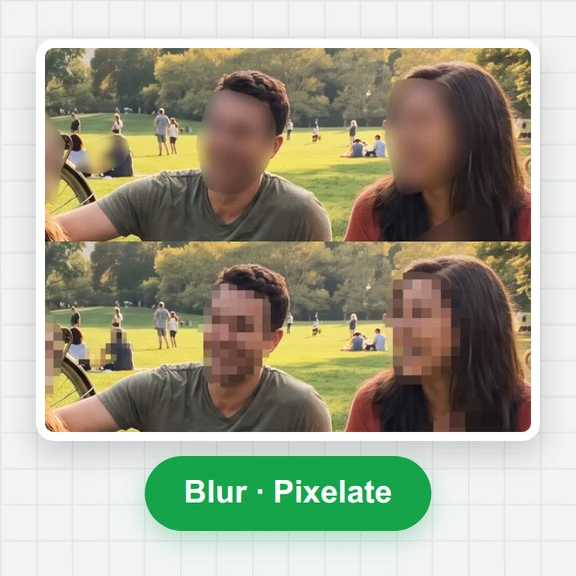
Drop a photo and every face is blurred automatically, from one person to a whole crowd.
Adjust the strength, keep anyone visible with a tap, and save the full-size photo.
Drop, paste or choose one photo or a whole batch. Every face is found automatically and hidden.
JPG, PNG, WebP, HEIC and more · up to 50 MP · 50 photos at oncePick an example to see faces found and hidden in seconds, then switch faces on and off or try another style.
Choose, drop or paste one photo or several. Faces are found in seconds.
Set the strength and padding. Tap a face to keep it sharp, or draw an area over anything else.
Save the full-size photo as JPG, PNG or WebP, or all photos as a ZIP.
Face blur protects the people in your photos. To create new pictures and clips from a prompt, with no one to hide, try WaveSpeed AI.
Create stock-style photos of places, products and scenes from a prompt.
Turn a photo or an idea into a short video clip.
Make 3D models from a picture.
$1 in free credits for eligible new accounts. No card needed. Generators have separate account and credit requirements. The face blur is free.
Open your photo here and every face is blurred automatically. Set the strength, tap any face you want to keep visible, and download. No app or account needed.
Yes. Press Blur none, then tap the face you want to hide. Or tap faces to switch them one by one.
No. The face's pixels are replaced with a few averaged colours in the saved file, so the detail cannot be brought back.
Yes. It's free with no sign-up or watermark, and your photos stay in your browser.
Automatic face finding · Full-size download · Free, no watermark
/filters:quality(82)/media/images/1791123751656780930_IfFPY7R0.webp)
/filters:quality(82)/media/images/1791123737177812425_RjKT3cku.webp)
/filters:quality(82)/media/images/1791123748309870128_xlkNgK8N.webp)
/filters:quality(82)/media/images/1791123738630744263_oR09R0aj.webp)
/filters:quality(82)/media/images/1791177033162457776_uQ09OY7g.webp)
/filters:quality(82)/media/images/1791123734319125607_JdnwGPY7.webp)
/filters:quality(82)/media/images/1791123746355630206_udnxGPY7.webp)
/filters:quality(82)/media/images/1791123744771362580_yC0sPezZ.webp)
/filters:quality(82)/media/images/1791123738606970169_5KIR1ais.webp)
/filters:quality(82)/media/images/1791123748197655725_EUmuFNW6.webp)