
Image to Video AI Model Comparison for Production
Image to video model comparison for production teams testing motion quality, reference fidelity, latency, and review cost.
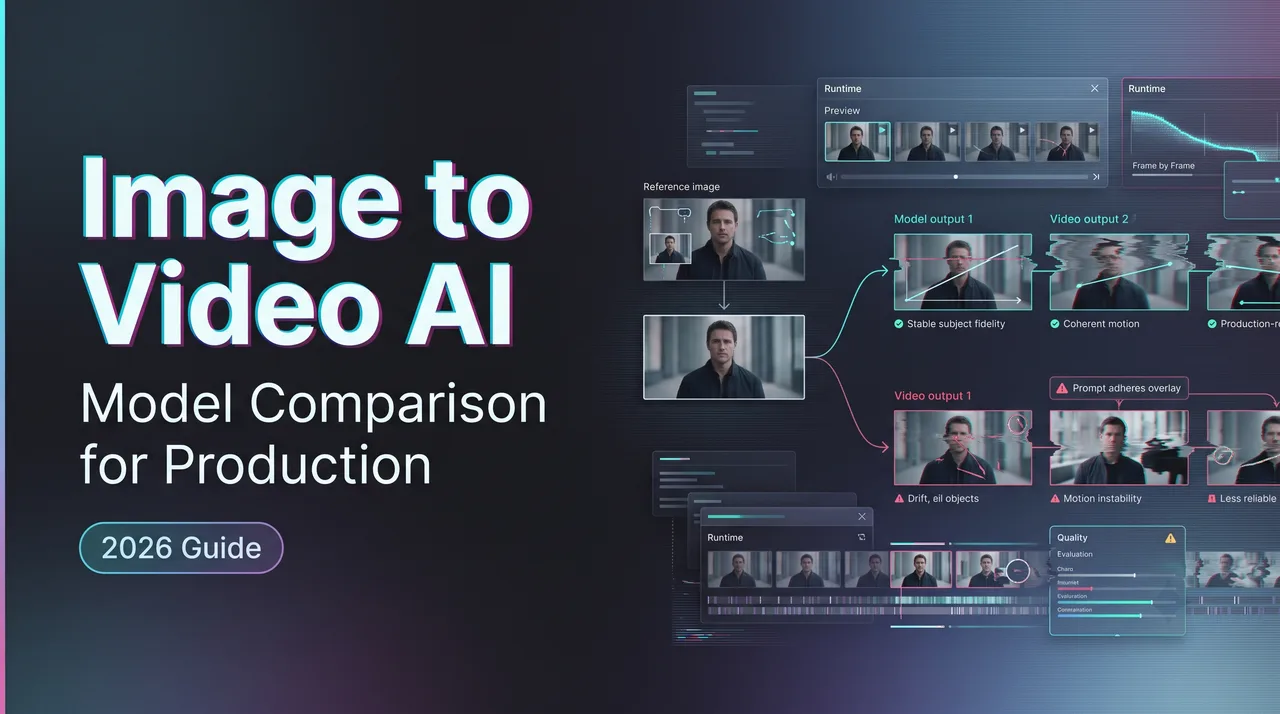
An image to video AI test starts with a still frame, which makes everyone too confident. The product shot is approved. The character design is locked. The client likes the mood board. Then the clip moves for three seconds and the logo bends, the sleeve changes fabric, or the camera invents geometry behind the subject.
That is the production problem. A good first frame is not a good video.
This note is for teams comparing models for API workflows, campaign pipelines, product surfaces, and client-facing video generation. It does not rank ordinary tools. It looks at what has to be measured before a video-from-image route becomes part of a repeatable workflow.
What Makes Image-to-Video Different
Reference fidelity, motion control, camera movement
Video-from-image generation is not just text-to-video with a picture attached. The reference asset becomes a constraint. The model has to preserve the approved subject while creating motion, depth, light changes, camera movement, and time.
That is a hard job.
Reference fidelity means the subject stays itself. For a product, that means shape, material, color, logo placement, label text, and scale. For a person, it means face structure, hair, outfit, body proportions, and pose continuity. For a character, it means silhouette, costume logic, and identity across frames.
Motion control is separate. A model may preserve the subject but ignore the requested action. The camera may drift when the prompt asked for a locked shot. Steam may move correctly while the cup rotates for no reason. The scene may look smooth and still fail the task.
Camera movement is where weak references break. A slow push-in is usually safer than an orbit. A pan can stretch backgrounds. A tilt can reveal surfaces the source image never showed. A handheld look can hide small artifacts, but it can also create new ones. I paused here. Some “cinematic” samples are just well-disguised instability.
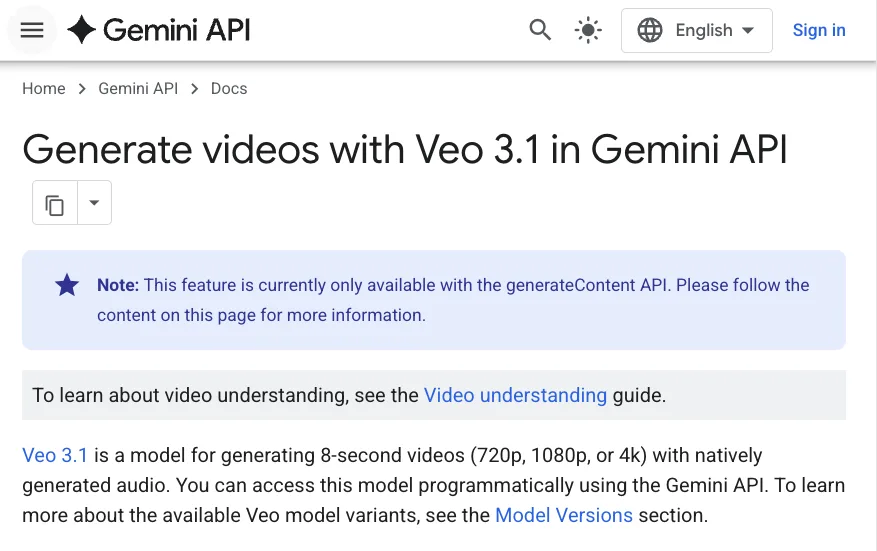
Google’s Veo API docs show the distinction clearly. Veo 3.1 supports image input, first-and-last-frame generation, reference images, long-running operations, and downloadable output after polling. Those are different control modes, not one generic “animate this picture” feature.
A product team comparing models should not collapse those modes. First frame, last frame, reference image, and multi-reference control each answer a different production need.
Why good first frames can still produce bad videos
The first frame proves the model accepted the image. It does not prove temporal stability.
Many failures become visible after motion starts:
- The product edge softens.
- The logo changes.
- A hand fuses with the object.
- A face drifts.
- The background crawls.
- Text turns into decoration.
- Shadows move against the light source.
- The camera reveals an impossible object side.
- The last frame no longer matches the approved asset.
A good still image can be a poor generation source. It may have weak depth cues, tiny typography, reflections, heavy compression, cropped limbs, ambiguous scale, or lighting that makes the model guess where forms begin and end.
Guessing is fine for concept work. It is dangerous for production.
The Runway input parameters page is worth checking before visual tests because file size, formats, URL rules, and aspect ratio handling can quietly affect results. If the input is being compressed, cropped, rejected, or transformed before generation, the visual comparison is already contaminated.
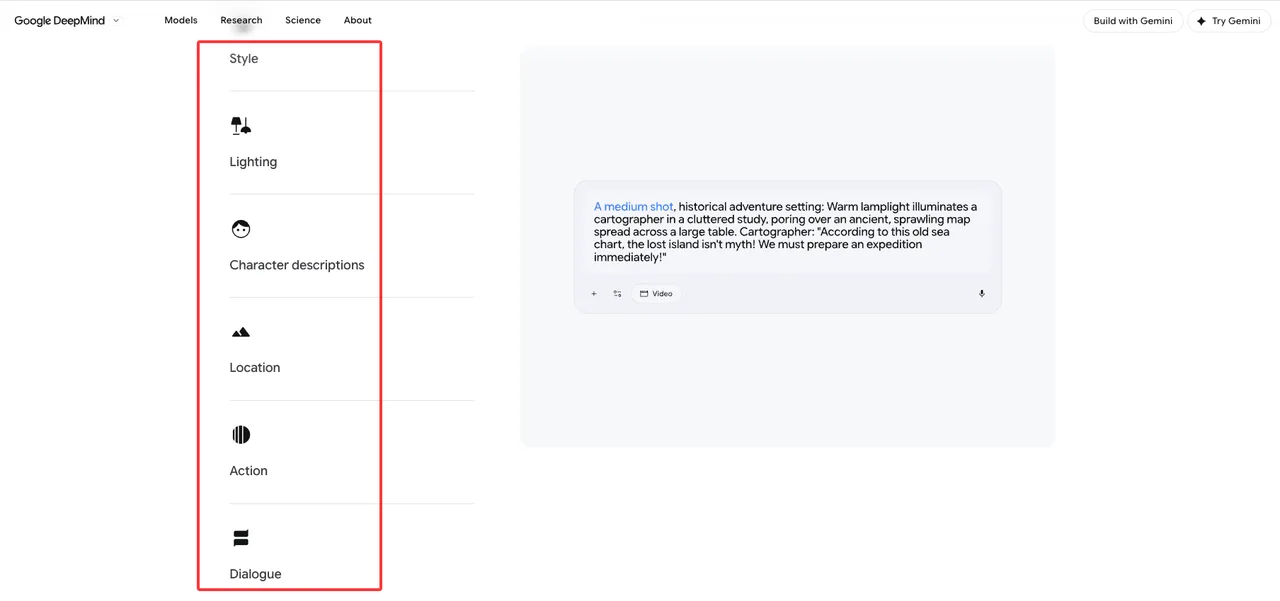
Prompt structure matters too. Google DeepMind’s Veo prompt guide emphasizes shot framing, camera motion, style, lighting, character descriptions, location, action, and dialogue. I would add one production-specific field: what must not change.
A practical prompt for a product clip sounds plain:
“Preserve the bottle shape, label placement, cap color, and front-facing orientation. The camera slowly pushes in. Condensation moves slightly. Background remains minimal. No hands. No label changes. No bottle rotation.”
It will not win a writing award. Good. The output is the artifact, not the prompt.
Model Comparison Criteria
Subject preservation, scene coherence, artifact rate
I start with subject preservation. If the approved asset changes, the clip fails. Everything else is downstream.
For product work, I check whether the object survives at the opening frame, middle frame, and final frame. I look at logos, labels, color, scale, material, and key edges. For people, I check face identity, hands, clothing, hair, and body continuity. For characters, I check silhouette and costume consistency.
Scene coherence comes next. A clip can preserve the subject and still fail because the world around it breaks. Background depth may shift. Reflections may disagree with movement. Shadows may detach. Lighting may change without motivation. The room may stretch. The floor may move like fabric. Rejected.
Artifact rate is the metric that turns taste into operations. I do not want one label called “bad.” I want defect types:
| Criterion | What to Check | Common Failure | Production Decision |
|---|---|---|---|
| Subject preservation | Product, face, clothing, character, logo | Identity drift, warped text, changing shape | Reject if asset must stay approved |
| Motion control | Action and camera movement | Over-motion, under-motion, wrong camera path | Retry or switch route |
| Scene coherence | Light, depth, background, reflections | Moving walls, impossible shadows, warped floor | Usually reject for client-facing work |
| Temporal stability | Frame-to-frame consistency | Flicker, texture crawling, sudden jumps | Fix only if local and brief |
| Editability | Whether flaws are isolated | Small crop issue vs full-scene collapse | Route to editor or regenerate |
A video generation benchmark can help with terminology. VBench breaks video quality into dimensions such as subject consistency, motion smoothness, temporal flickering, and spatial relationships, and VBench++ includes image-to-video evaluation. I would not copy a public leaderboard into a product decision. I would borrow the habit of separating failures.
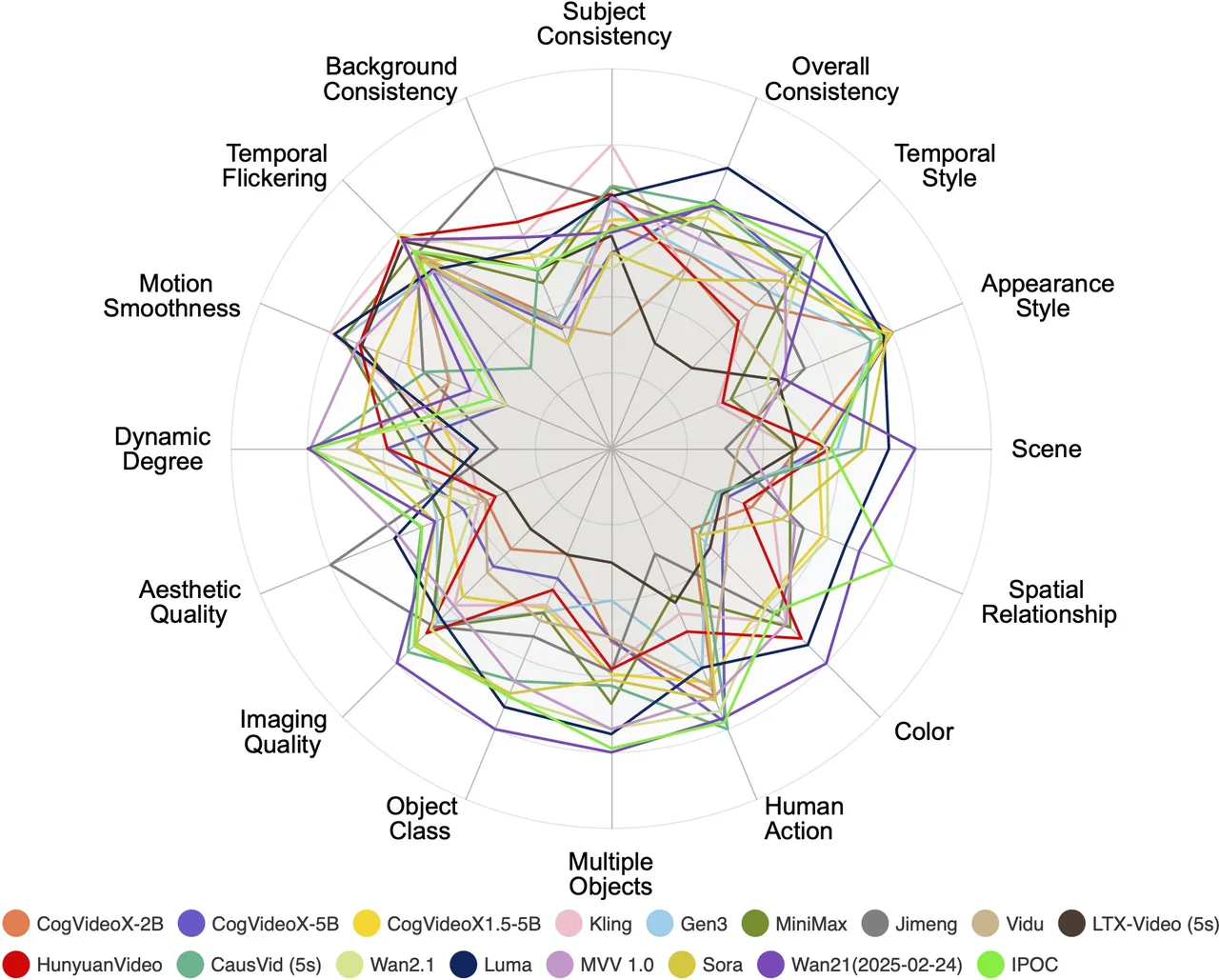
One model may be strong at motion and weak at product preservation. Another may keep the object stable but produce dull camera movement. That is not a contradiction. That is the comparison.
An image to video model should be tested against the actual asset categories the team ships:
- Product hero clips
- Ecommerce lifestyle scenes
- Apparel and try-on motion
- Food and beverage loops
- Character animation
- Human UGC-style ads
- App onboarding previews
- Social variations
- Background visual loops
- Client storyboard transitions
Each use case has a different pass line. A background loop can tolerate mild subject ambiguity. A product ad cannot tolerate a changed label. A stylized character scene can accept surreal lighting. A customer testimonial cannot accept face drift.
Speed, cost, retry rate, and API reliability
Visual quality is the visible part. API behavior is where production work either settles down or becomes a weekly incident.
I measure speed in four parts:
- Queue time
- Generation time
- Polling or webhook time
- Human review time
The last one is easy to miss because it does not appear on the provider invoice. It appears in team calendars.
Cost has the same problem. Request price is not the real unit. Usable-clip cost is the real unit. A cheap route that needs five retries is not cheap. A premium route that passes in one or two attempts may be cheaper for final assets.
Retry rate has to be labeled by cause:
- Prompt mismatch
- Subject drift
- Artifact
- Moderation block
- Timeout
- Rate limit
- Provider error
- Input format issue
- Client rejection after review
The action changes by cause. A prompt mismatch can be repaired with template changes. Subject drift may require another model. Rate limits require traffic control. Moderation blocks should not be retried blindly. That is how teams burn budget while learning nothing.
BytePlus’ video generation API shows the kind of detail worth checking for production: asynchronous task creation, first-frame and first-and-last-frame scenarios, multimodal reference rules, task retrieval, and task ID behavior—verify against the live BytePlus documentation before publication. BytePlus’ Seedance 2.0 tutorial also documents practical issues such as abrupt frame jumps when input image resolution and output ratio do not match. That is exactly the kind of failure that should become a preflight check, not a postmortem.
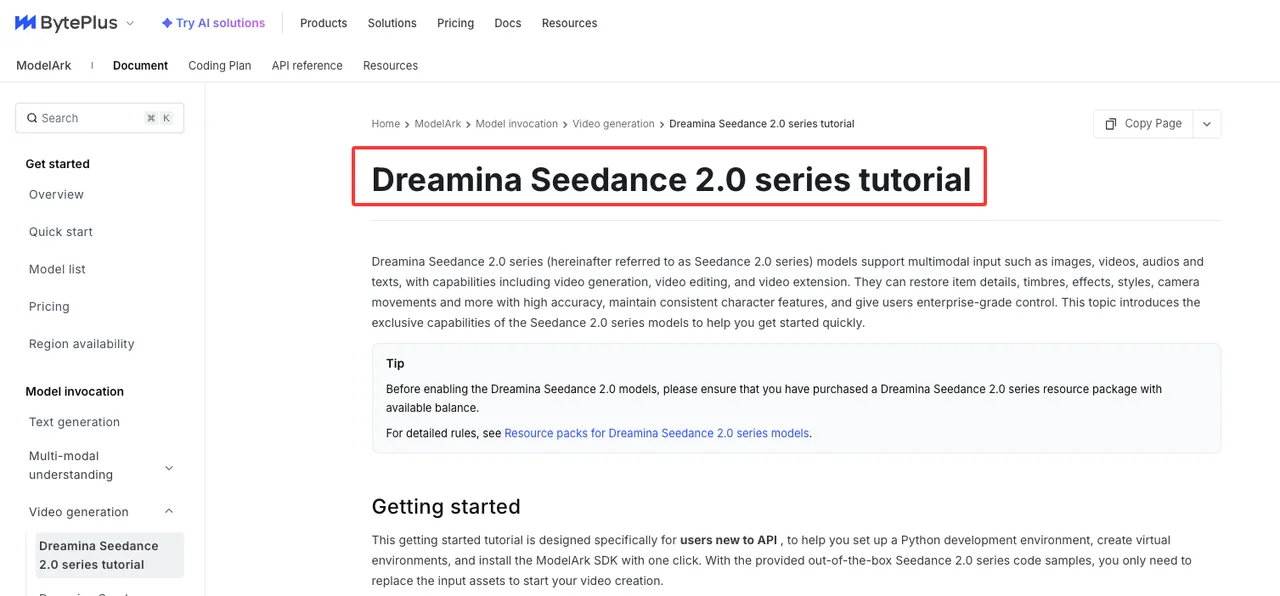
Good infrastructure makes you forget it is there. Bad infrastructure makes every model test look like an engineering problem.
For API reliability, I check:
- Stable model IDs or version labels
- Request schema clarity
- Supported input methods
- Async task state
- Output URL lifetime
- Error codes
- Rate limits
- Concurrent job behavior
- Retry guidance
- Request tracing
- Provider-side moderation behavior
Luma’s rate limit guide separates requests-per-minute limits from concurrent-job limits and explains how 429 responses differ. That distinction matters. A retry policy for RPM is not the same as a retry policy for full concurrency.
Luma’s error handling docs also separate synchronous errors from asynchronous failures, and document the failure_code and failure_reason fields, the X-Request-Id response header, and presigned-output-URL expiry. Those fields belong in the logging plan before launch.
Found the pattern on the third try: the best model route is usually the one whose failures can be classified quickly.
Production Workflow
Reference image preparation and prompt structure
Many bad clips can be traced to decisions made before the API request.
The reference image should be treated like a production input, not a creative suggestion. If the image is cropped badly, compressed, over-stylized, full of tiny text, or unclear about depth, the model has to invent. Some invention is useful. Uncontrolled invention is the problem.
My preflight checklist is simple:
- Use the approved asset, not a screenshot from a slide.
- Match target aspect ratio before generation when possible.
- Remove UI borders, watermarks, annotations, and canvas padding.
- Keep the subject large enough for detail preservation.
- Avoid tiny text unless the model has passed text tests.
- Keep hands and product contact points visible if they matter.
- Use clean lighting for shape-critical assets.
- Store the exact asset ID used in the request.
- Save the prompt template version with the output.
The prompt should not re-describe every visual detail in the source. That can make the model reinterpret the image. I prefer a narrow structure:
- Lock: what must stay unchanged.
- Action: what moves.
- Camera: what the camera does.
- Environment: what can move around the subject.
- Constraints: what should not appear.
- Intent: ad, product loop, UGC clip, storyboard beat, preview.

For a reference image video workflow, I also tag image roles before testing. First frame. Last frame. Identity reference. Product reference. Style reference. Background reference. If the API supports role fields, use them. If it does not, store the role in your own metadata.
This is where a unified generation layer can reduce friction. Not because having many models is impressive. It is not. The value is running the same test harness across routes: same reference asset, same prompt intent, same duration, same review labels, same cost fields.
Having many tools is not the problem. Having to manage your tools is.
QA labels for usable, fixable, and rejected clips
QA cannot be “looks good.”
That label tells engineering nothing. It tells finance nothing. It tells the next reviewer nothing. It also makes model comparison too subjective to survive a stakeholder meeting.
I use four states.
| QA State | Meaning | Typical Labels | Next Action |
|---|---|---|---|
| Usable | Generation can move forward | Subject preserved, motion accepted, scene clean | Send to edit, approval, or publish queue |
| Fixable | Local issue can be repaired | Minor flicker, crop issue, pacing problem, removable artifact | Edit or run one controlled retry |
| Rejected | Core requirement failed | Identity drift, wrong motion, warped product, policy block | Change prompt, source asset, or model route |
| Needs approval | Asset or usage risk is unclear | Real person, client-sensitive product, rights question | Hold for owner review |
The labels should be attached to the generated clip, not stored in someone’s memory. The record should include:
- Source asset ID
- Prompt template version
- User prompt if applicable
- Model and version
- Provider or route
- Duration
- Aspect ratio
- Seed if available
- Output URL or stored file
- Request ID
- Error or failure reason
- Reviewer ID
- QA label
- Retry count
- Final approval state
For batch work, I also track accepted-output rate by route. That is the real budget signal. If Route A costs less per request but produces 35 percent usable clips, and Route B costs more but produces 70 percent usable clips, the price sheet alone is misleading.
Review time belongs in the cost model. If one model creates clips that take 10 extra minutes each to inspect because artifacts are subtle, that is cost. It just arrives as attention loss.
Speed is not the goal. Not breaking flow is.
A production comparison should include both easy and ugly prompts. Easy prompts confirm the route works. Ugly prompts show whether it will survive real work.
My usual regression set includes:
- Glossy bottle with label
- Apparel on a person
- Hand holding product
- Face near product
- Food with steam or liquid
- Reflective object
- Small typography
- Character with detailed costume
- Interior scene with depth
- Wide product shot and close-up crop

Run the same set after model updates, prompt template changes, API parameter changes, safety policy updates, and routing changes. Do not wait for a client complaint to discover drift.
FAQ
Who approves reference assets before generation?
The owner depends on the asset.
Brand teams approve logos, packaging, campaign look, product angles, and identity rules. Legal or rights teams approve licensed images, talent images, customer-provided photos, and usage scope. Product approves whether the asset belongs in the user workflow. Creative QA checks whether the image is technically suitable for generation.
For internal drafts, approval can be light. For client-facing or customer-facing clips, the asset record should include source, owner, approval date, allowed use, expiration if any, and whether the asset can be used for generation, storage, editing, and future variants.
Do not treat one approved generated clip as approval for every future variant. A client may approve one output and reject the next one because the model changed the product shape. Annoying. Also reasonable.
What model update should trigger rechecking old assets?
Recheck when a model update changes output behavior, input handling, reference support, duration, aspect ratio, safety filters, watermarking, pricing, model IDs, or output delivery.
I would also recheck when accepted-output rate drops, retry rate rises, support complaints cluster, or a provider moves a preview route into a stable route. Stable does not mean identical.
A small regression set is enough to catch obvious drift. Keep 20 to 50 old assets that represent real production: products, people, logos, fabric, food, interiors, reflective surfaces, small text, and character designs. Run the same prompts. Compare preservation, motion, artifacts, retry rate, and approval rate.
This conclusion has an expiration date. Models update fast.
How should client approval be tracked for generated clips?
Track approval as a versioned asset state, not a chat message.
A generated clip should have a record containing the source asset, prompt version, model route, output file, QA label, revision history, client reviewer, approval timestamp, approved file ID or hash, usage scope, campaign dates, and any edits made after generation.
If version three is approved, version three is the approved clip. Not the folder. Not the newest export. Version three.
Store rejected clips too. They explain why the route changed. They also help resolve disputes when someone asks why a model was replaced, why costs increased, or why a clip was not delivered.
Conclusion
The image to video workflow is not solved by picking the most impressive sample. It is solved by matching model behavior to asset risk, motion needs, API reliability, review capacity, and approval evidence.
A production comparison should answer plain questions. Does the subject stay intact. Does the scene hold together. Does the motion follow the prompt. How often do retries happen. What do failures cost. Can the team explain why a clip was accepted, fixed, or rejected.
That is the comparison I trust. Everything else is a gallery.
Previous posts:
Related Articles
/filters:quality(82)/media/images/1773962750383987480_n3hqzHRZ.webp)
Seedance 3.0 Rumors: Native Audio-Video Sync, Multi-Shot Storytelling, and What to Expect
GPT Image 2.6: What Is Confirmed, What Is Rumor, and What to Build On Today
Pika H3 Flex Explained: What It Is and How to Try the H3 Family via API
Seedream 5.5: What to Expect, and How to Get Ready
AI Lip Sync Dialogue Scenes with Seedance 2.5: Prompts and Settings