
Seedance 2.0 Mini vs Fast: Cost and Routing
Compare Seedance Mini and Fast across workload fit, usable-output cost, latency, quality and production routing.
I first saw the Seedance routing problem in a budget sheet. One row treated Mini as “Fast, but cheaper.” Another routed every draft to Fast because the name sounded safer. Both rows were wrong enough to cost money.
Seedance 2.0 Mini vs Seedance 2.0 Fast is not a simple “which one is faster” comparison. Mini is exposed as a separate, lower-cost Seedance 2.0 model ID. Fast is the speed-oriented branch in the standard Seedance 2.0 route. That distinction matters when teams build Seedance API routing, estimate video generation cost, and explain why one workload goes to one model instead of another.
This is a work note for production teams. Not a hype sheet.
Mini vs Fast at a Glance
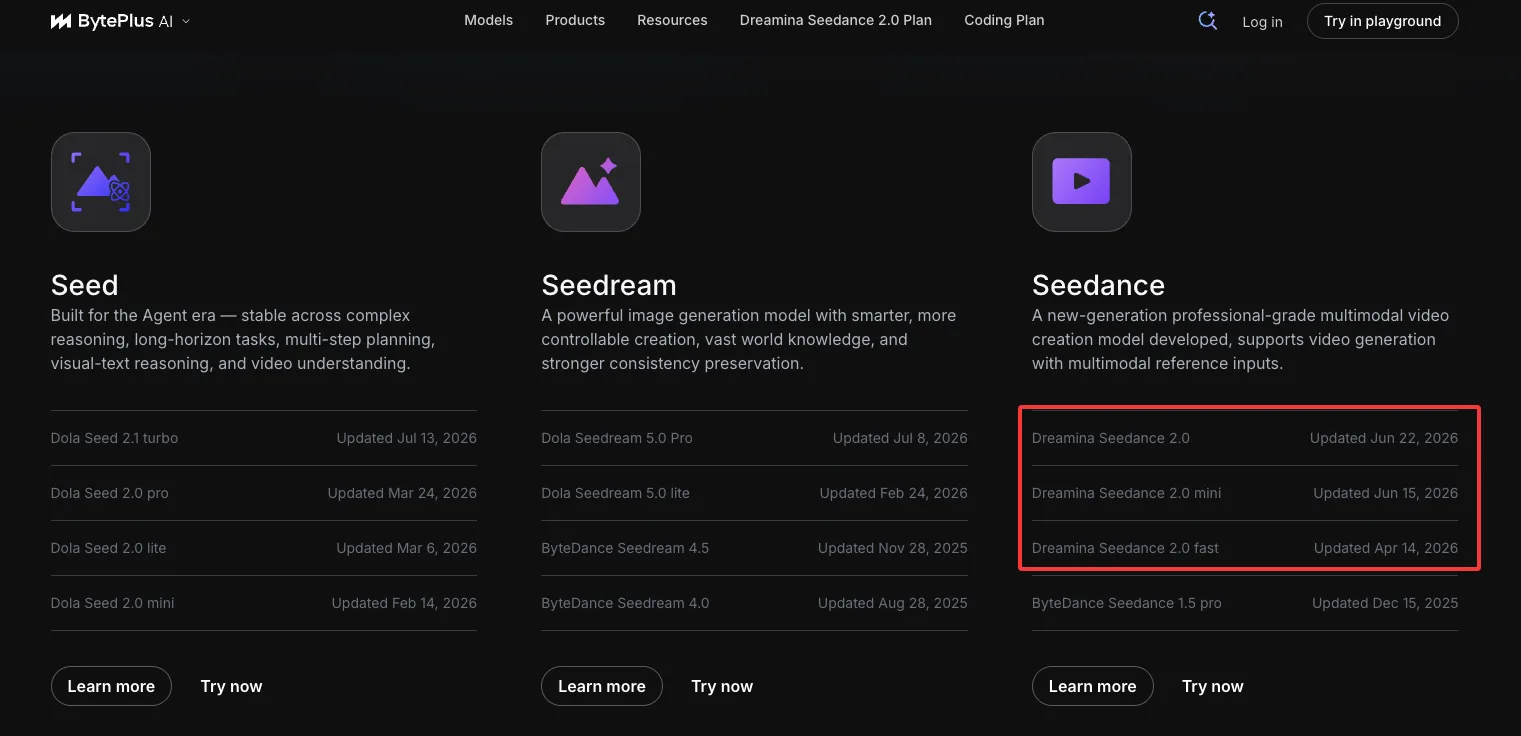
The first check is the model directory. The BytePlus model directory lists the Seedance family separately: Dreamina Seedance 2.0, Dreamina Seedance 2.0 mini, Dreamina Seedance 2.0 fast, and ByteDance Seedance 1.5 pro. It also shows update dates: Mini on June 15, 2026; Fast on April 14, 2026; standard Seedance 2.0 on June 22, 2026.
That is enough to reject one lazy sentence: Mini is not “Fast’s faster version.”
The official BytePlus model IDs I would put in an integration note are:
| Layer | Mini | Fast |
|---|---|---|
| Product position | Separately exposed lower-cost Seedance 2.0 model | Fast-response variant in the Seedance 2.0 route |
| BytePlus model ID | dreamina-seedance-2-0-mini-260615 | dreamina-seedance-2-0-fast-260128 |
| Mainland Ark naming to verify | doubao-seedance-2-0-mini-260615 | doubao-seedance-2-0-fast-260128 |
| Output ceiling in current pricing docs | 480p / 720p; no 1080p | 480p / 720p; no 1080p |
| Best first use | Cheap drafts, bulk previews, prompt variation | Higher-value fast runs where latency and output reliability justify more spend |
| Routing mistake | Treating it as lower-priced Fast | Treating it as the default for all volume work |
Access path matters. BytePlus ModelArk and Mainland Volcengine Ark may expose similar model families with different prefixes. I would not let a routing config guess model IDs from names. Put the exact IDs in config. Log the provider path.
I paused here.
A provider label is not a production policy.
Workload, Quality, Latency, and Real Cost
The unit price is not the real cost. It is only the first line.
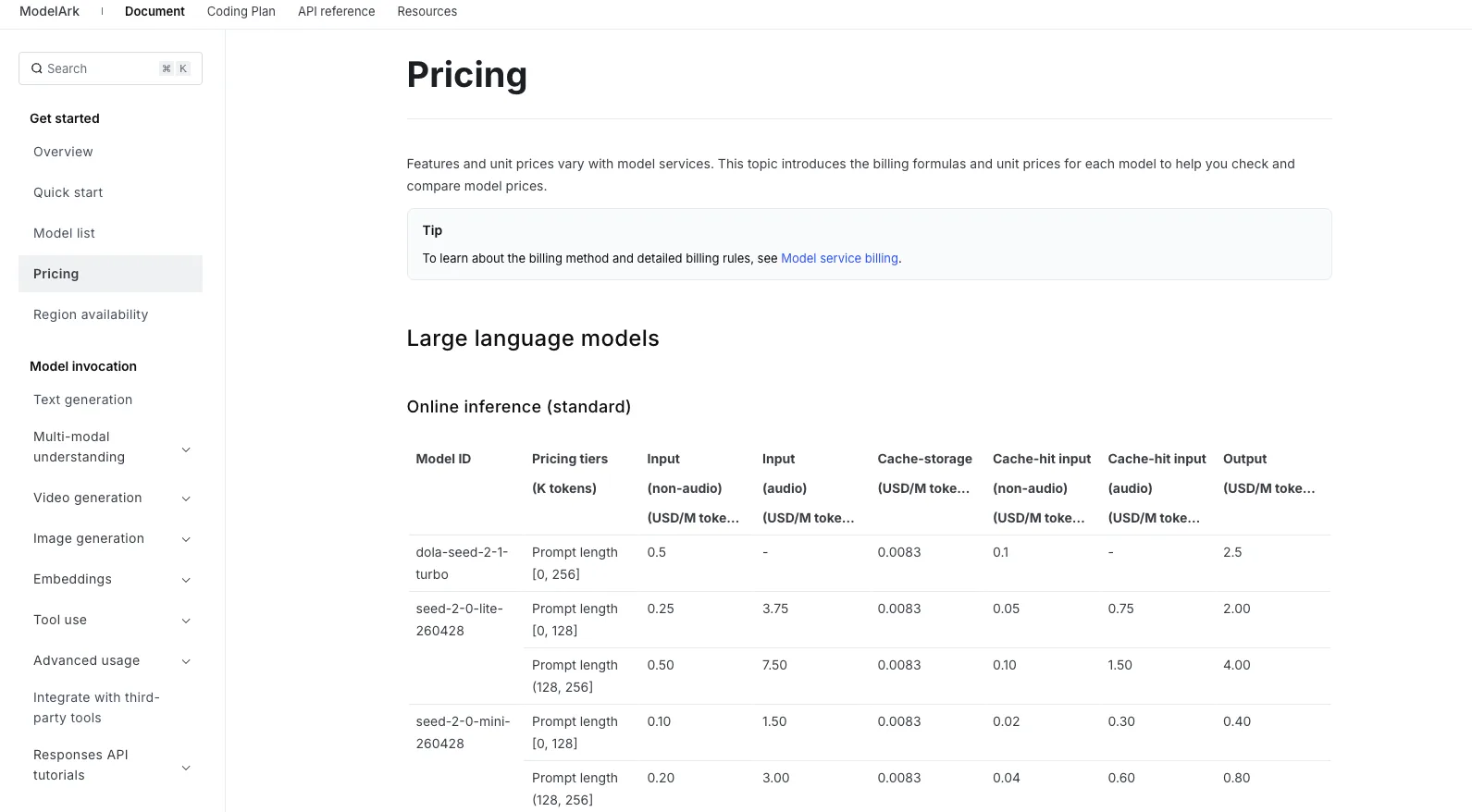
Official BytePlus pricing for video models is token-based. The BytePlus pricing page lists Dreamina Seedance 2.0 Fast at $5.60 per million tokens without video input and $3.30 per million tokens with video input. It lists Dreamina Seedance 2.0 Mini at $3.50 per million tokens without video input and $2.10 per million tokens with video input.
The Mainland RMB figures I would check against the Volcengine model pricing page before publishing are: Mini at RMB 23/M tokens without video input and RMB 14/M tokens with video input; Fast at RMB 37/M tokens without video input and RMB 22/M tokens with video input.
For the USD conversion below, I used the July 28, 2026 central parity note reported by China News from CFETS/PBOC: 1 USD = RMB 6.7928. These are converted estimates, not contract prices.
| Model | Official RMB/M tokens | Converted estimate | BytePlus USD/M tokens |
|---|---|---|---|
| Mini, no video input | RMB 23 | ~ $3.39 | $3.50 |
| Mini, with video input | RMB 14 | ~ $2.06 | $2.10 |
| Fast, no video input | RMB 37 | ~ $5.45 | $5.60 |
| Fast, with video input | RMB 22 | ~ $3.24 | $3.30 |
The numbers are close enough to make budgeting possible. They are not close enough to skip region-specific price checks.
The better cost field is usable-output cost:
usable-output cost = total billed cost / accepted outputs
Then add the ugly parts:
- retry count
- rejected outputs
- queue time
- reviewer time
- edit time
- failed session handling
- storage and transfer
- customer revision cost
The pricing docs also say video jobs are charged only when successfully generated, and actual token use is subject to the usage returned after the API call. Good. That does not make failed work free. A failed moderation run may not bill tokens, but it still burns time, queue slots, and production attention.
For a rough 720p, 16:9, 5-second no-video-input clip, the token estimate is about 108,000 tokens if using 1280 × 720 × 24 fps × 5 / 1024. At Mainland RMB rates, that makes Mini about RMB 2.48 per successful clip and Fast about RMB 4.00. Converted on the July 28 rate, that is about $0.37 and $0.59. The BytePlus examples land in the same area.
This is where advertising claims get messy. “Lowest price” may mean 480p, short duration, no video input, no retries, no rejected outputs, and a regional price. That is not your monthly bill.
AI video latency needs the same discipline. Record queue time, generation time, polling time, download time, and retry time separately. Fast may be the better route when a user is waiting in-product. Mini may be the better route when a batch job can sit in the background. Do not infer latency from the name alone.
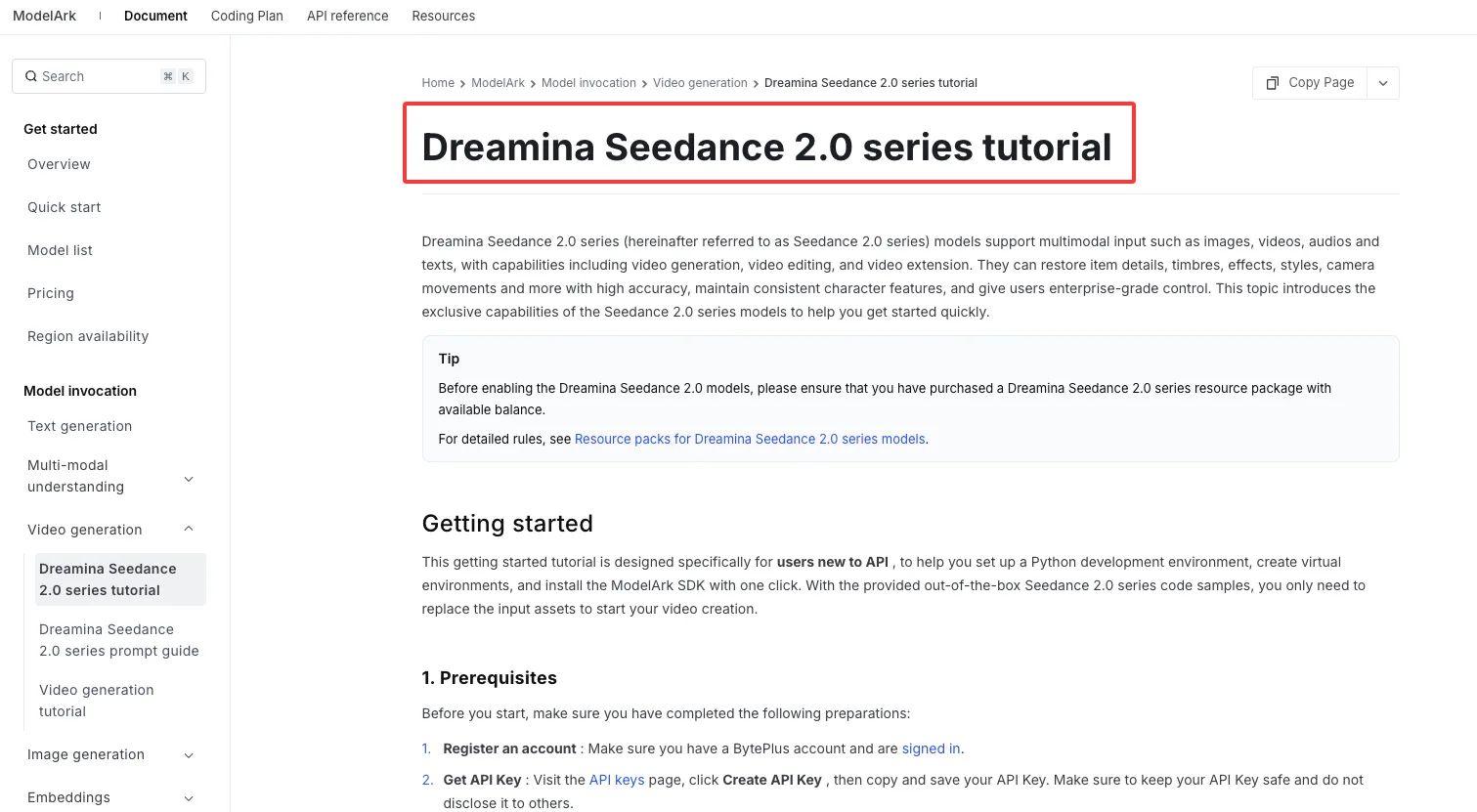
The Seedance 2.0 series tutorial shows the series as an asynchronous task workflow with multimodal inputs and examples for polling task status. That means routing logic should own job state, not just model selection.
Production Routing Decision
Routing only pays off when the model split maps to actual workload differences.
If the team cannot define those differences, pick one model and simplify.
Use Mini for Lightweight Volume Workloads
Mini is the first candidate for high-volume generation when the clip is not yet close to final.
I would route these to Mini first:
- prompt previews
- hook variations
- layout tests
- low-risk social drafts
- batch A/B creative
- internal storyboard motion tests
- early product-motion sketches
- rejected-idea exploration
The reason is not “Mini is worse.” The reason is that these jobs have high waste by design. Most outputs will never ship. Paying a higher rate for every abandoned variation makes the budget look serious and behave badly.
Mini also fits workflows where 720p is enough. That includes internal review, short vertical drafts, thumbnails for planning, and first-pass client direction checks. If the final asset must be 1080p or 4K, neither Mini nor Fast should be described as the final route without checking the standard model.
Found the pattern on the third try.
Volume is where small unit deltas become visible. A few cents on one clip is trivia. Across 5,000 attempts, it becomes a line item.
Use Fast for Higher-Value Outputs
Fast belongs where time pressure and output value justify the higher rate.
I would route to Fast when the prompt has already survived Mini, when the clip is for near-final review, or when the product experience depends on a shorter wait. Fast also makes sense when repeated production shows better acceptance rates on a specific category: character motion, product detail, branded visuals, or reference-heavy outputs.
This is not a universal quality claim. It is a measurement rule.
If Fast costs more but reduces retries enough, it can be cheaper per accepted output. If Fast only looks slightly better while the acceptance rate stays the same, Mini remains the better economic route.
The routing metric is not request price.
It is:
accepted outputs per 100 requests
and
total cost per accepted output
Add p95 latency if users wait for results. Add reviewer minutes if humans screen every clip. Add “manual rescue” if editors keep fixing the same model failure.
Avoid Dual Routing When Complexity Is Too High
Dual routing has its own cost.
It adds two prompt tracks, two QA baselines, two failure profiles, and two sets of model-specific notes. It also gives teams one more thing to argue about when output quality is subjective.
I avoid dual routing when:
- monthly volume is low
- Mini and Fast acceptance rates are close
- the team has no labeled rejection data
- prompts are still changing daily
- reviewer time costs more than token savings
- engineering has to maintain special cases nobody can explain
- customer-facing commitments require one predictable output standard
Routing logic cost more than it saves when nobody can name the decision boundary.
A clean single-model path is boring. Boring is good when volume is low.
FAQ
Can Mini and Fast share the same prompt templates safely?
They can share a base prompt structure. I would not call it safe until tested.
Use the same scene description, subject requirements, aspect ratio, and duration language. Keep model-specific wrappers separate. If one route needs shorter motion language or stricter reference notes, put that in a routing layer, not in the core creative prompt.
The test is simple: run the same prompt suite on both models, label failures, and compare usable output. If the failure labels diverge, the templates are no longer shared in practice.
Which workloads reveal quality differences after repeated production use?
The differences may show up more clearly in work that stresses memory and motion; verify this with a labeled prompt suite.
Watch product identity, logo stability, human hands, face consistency, wardrobe consistency, camera motion, text rendering, and multi-object scenes. Also watch reference-heavy jobs. A model can look equal on simple prompts and separate quickly when the prompt asks for three objects, a camera push, and consistent materials.
High-volume generation reveals boring failures. Boring failures are the ones that shape routing.
When does routing logic cost more than it saves?
When savings are smaller than the operational overhead.
If Mini saves RMB 1.50 per accepted clip but adds enough QA, prompt repair, and engineering support to eat the difference, the route is not saving money. If the team runs only a few dozen clips per month, the routing system may become more expensive than the model choice.
I would require at least four numbers before keeping dual routing: acceptance rate, retry rate, p95 latency, and cost per accepted output.
How should teams measure usable output instead of request price?
Count outputs that survive the intended workflow.
For internal drafts, “usable” may mean accepted by the creative lead for next-step review. For customer-facing assets, it means passed brand, legal, and edit review. For an API product, it means the user did not regenerate immediately or report the clip as wrong.
Track these fields per model: billed tokens, generated clips, accepted clips, retries, failed jobs, human review time, edit time, and final route. Request price is only the receipt. Usable-output cost is the operating number.
Conclusion
Seedance 2.0 Mini vs Seedance 2.0 Fast is a routing problem before it is a model preference problem.
Mini is the lightweight cost route for volume, previews, and low-risk variation. Fast is the speed-oriented route for higher-value outputs when latency or acceptance rate justifies the price. Both need exact model IDs, region-specific pricing checks, and real usable-output logs.
That is the clean version. The invoice will tell the rest.
Previous posts:
Related Articles
/filters:quality(82)/media/images/1773962750383987480_n3hqzHRZ.webp)
Seedance 3.0 Rumors: Native Audio-Video Sync, Multi-Shot Storytelling, and What to Expect
GPT Image 2.6: What Is Confirmed, What Is Rumor, and What to Build On Today
Pika H3 Flex Explained: What It Is and How to Try the H3 Family via API
Seedream 5.5: What to Expect, and How to Get Ready
AI Lip Sync Dialogue Scenes with Seedance 2.5: Prompts and Settings