
AI Video Model Comparison 2027: Builder Framework
AI video comparison framework for builders evaluating quality, latency, cost, controls, API access, and fallback strategy.
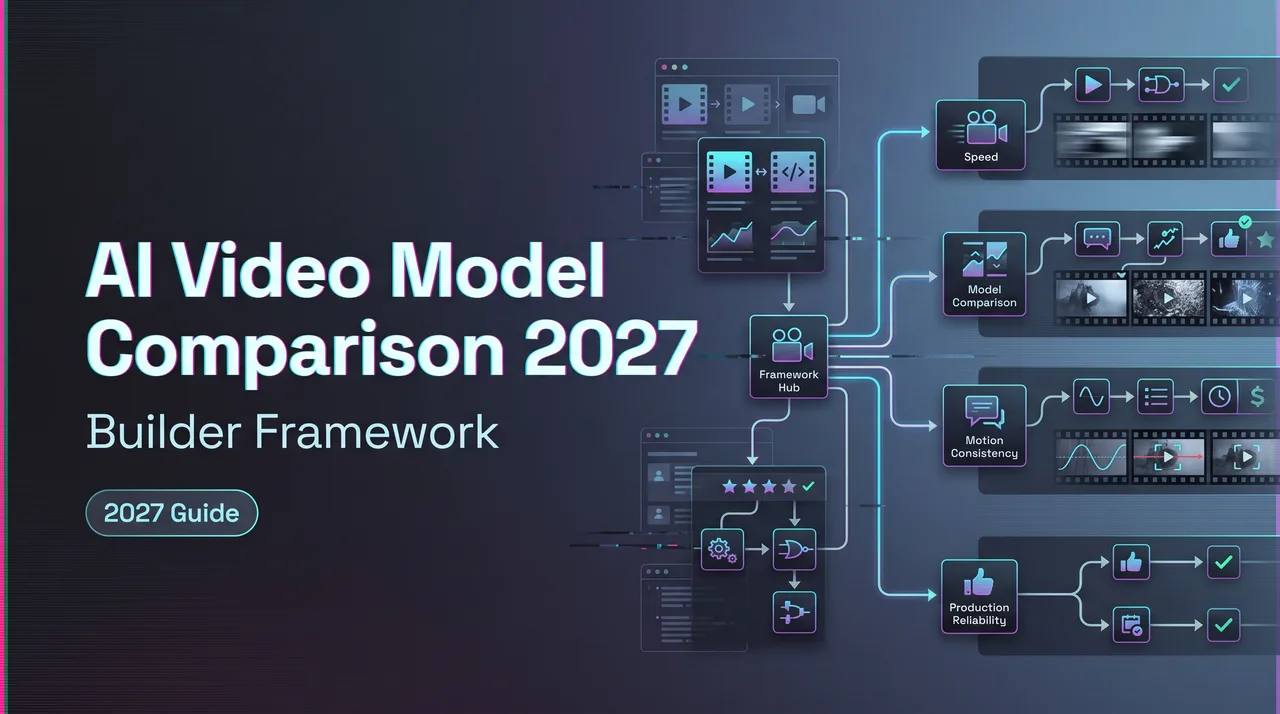
Dora here. I would not publish a 2027 ranking table today. It would be fake confidence with a date stamp. The useful AI video question for builders is different: what evaluation framework survives the next model update, the next provider outage, and the next product request for “just one more variation.”
This is a living comparison framework for teams building with generated video in production. My rule is simple. If the fact depends on a model’s current API behavior, test it again before publishing the result internally.
One more boundary. This page is not a buyer’s crown. It is a decision sheet for teams that have to ship clips through APIs, queues, review systems, and product promises. AI video models will keep changing through 2027. The evaluation habit has to be steadier than the model list.
What AI Video Teams Should Compare in 2027
The model list will change. The comparison categories will not change as fast.
For 2027 planning, I would compare models across five production modes: text-to-video, image-to-video, editing, audio, and reference input. That sounds obvious until a team tries to use one model for all five and then wonders why half the outputs feel expensive and slightly wrong.
A good evaluation page should say which job the model was tested for, not just whether the clip looked good.
Text-to-video, image-to-video, editing, audio, reference input
Text-to-video is the cleanest way to test imagination and prompt adherence. It also exposes ambiguity fast. If a prompt asks for a product, character, camera move, lighting style, and emotional beat, the model has to build everything from language. Good models can do that. They still fail in different ways.
Image-to-video is usually more practical for product teams. The starting image locks composition, subject, brand style, or character identity. The prompt can focus on motion. This is where many production clips should begin, especially when a designer already approved the hero frame.
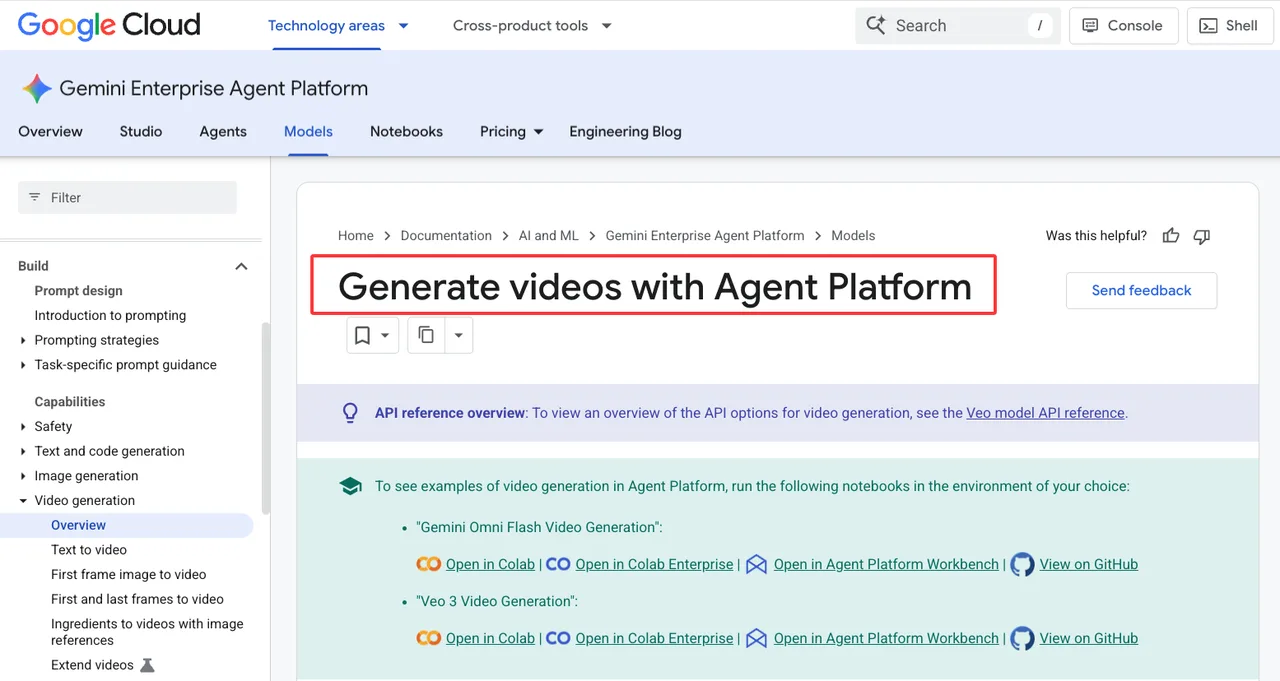
Editing is its own category. Do not mix it into generation quality. Removing an object, extending a clip, changing a background, or replacing a product requires different controls from making a new shot. Google Cloud’s current video generation docs list Veo and Gemini Omni Flash capabilities such as text to video, first-frame image to video, first-and-last-frame video, image references, extending videos, inserting objects, and removing objects. That Google video generation page is useful because it shows how broad the workflow surface has become.
Audio is no longer a footnote. Some models generate sound or dialogue together with video. Others stay silent and expect a separate audio pass. Native audio can save time, but it can also create a new review problem: lip-sync, speech clarity, ambience, timing, and rights management all become part of the clip review.
Reference input is the part I would treat carefully. References can anchor character, product, location, motion, or style. They can also become a false sense of control. A model may follow a reference closely in a portrait and ignore it in a full-body action shot. Same reference. Different stress.
Found the pattern on the third try: inputs define the test. A text-only test does not prove image-to-video readiness. A pretty draft does not prove editing readiness.
Why model quality alone is not enough
Quality is the easiest thing to overrate.
A clip can look beautiful and still be wrong for the workflow. It may take too long. It may fail too often. It may ignore a product detail. It may break when asked for vertical output. It may look good at 6 seconds and collapse at 12. It may cost too much to iterate.
This is why I do not like single-score leaderboards for production decisions. They compress too much. A creator picking a final hero shot and a developer routing 10,000 user clips per day are solving different problems.
For production, I would separate models into four roles:
| Role | What it is for | What decides approval |
|---|---|---|
| Draft model | Fast exploration and prompt shaping | Low queue time and low retry cost |
| Workhorse model | Repeatable user-facing generation | Stable pass rate and predictable cost |
| Premium model | Hero assets and final renders | High visual ceiling and brand fit |
| Specialist model | Editing, lip-sync, reference control, stylized output | Wins one narrow task clearly |
That table matters more than a crown.
Production Evaluation Matrix
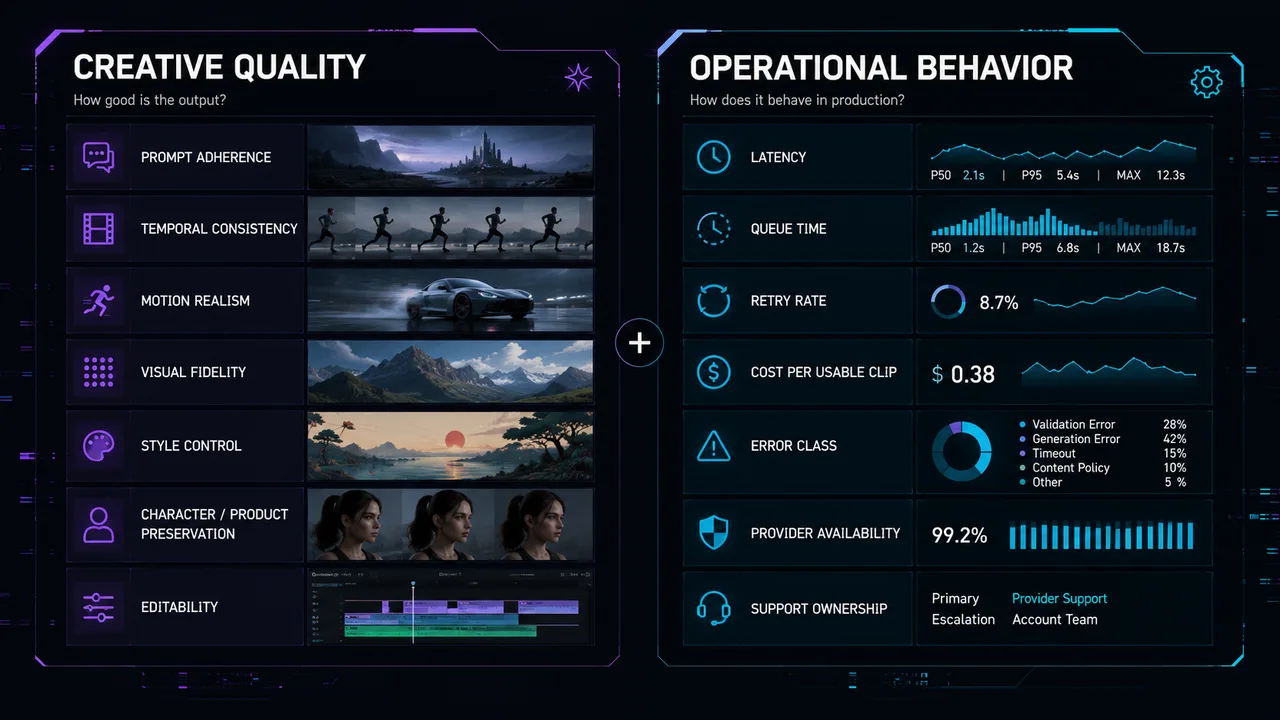
A production matrix needs two halves.
- The first half is creative quality: prompt adherence, temporal consistency, motion realism, visual fidelity, style control, character or product preservation, and editability.
- The second half is operational behavior: latency, queue time, retry rate, cost per usable clip, error class, provider availability, and support ownership.
Leave out either half and the comparison will lie to you.
Prompt adherence, temporal consistency, motion realism
Prompt adherence is not “did it understand the vibe.” That phrase belongs in a comment thread, not an evaluation sheet.
I score prompt adherence against specific requirements:
- subject: correct character, object, product, or scene
- action: correct motion, sequence, and interaction
- camera: correct shot type, movement, angle, and framing
- style: correct lighting, genre, palette, and finish
- constraints: no forbidden objects, no wrong logos, no off-brand tone
- output format: duration, ratio, resolution, and audio expectation
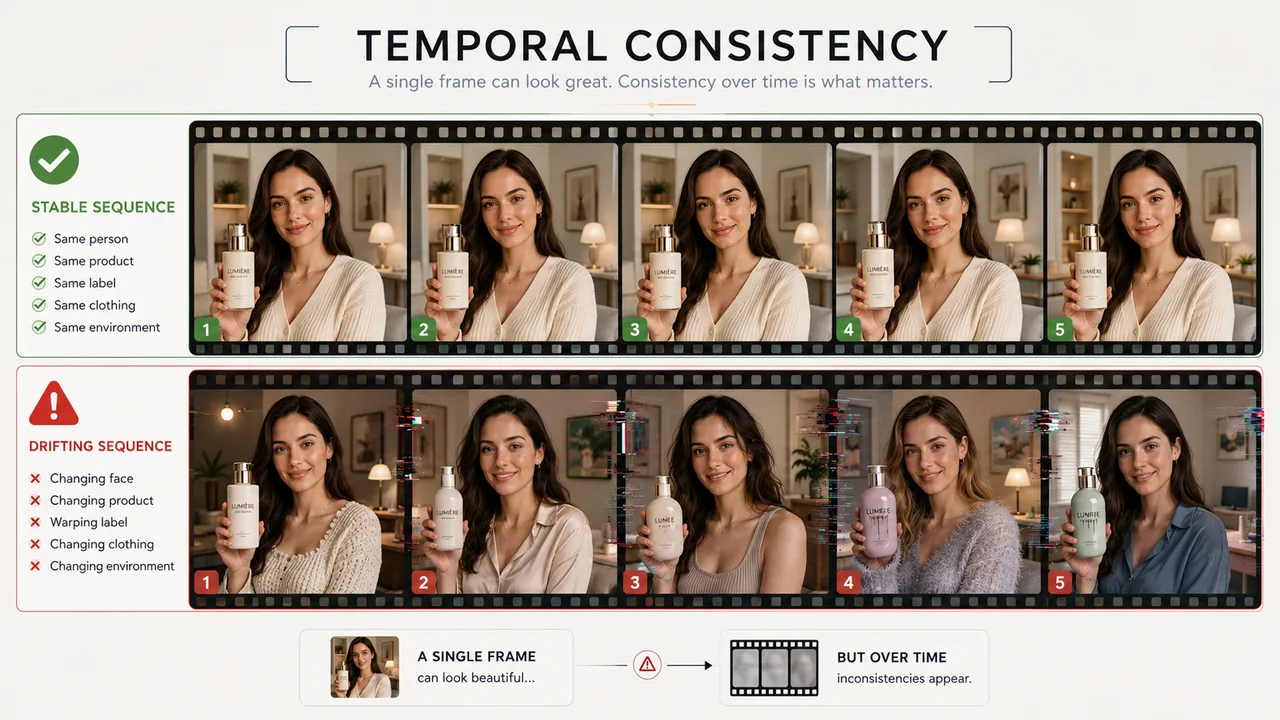
Temporal consistency is the clip’s ability to stay itself. Faces should not drift. Product labels should not melt. Clothing should not change texture. The room should not rearrange itself because the camera moved. This is where image quality and video quality diverge.
Motion realism is about physics and intent. A hand reaching for a cup should connect with the cup. A dancer’s weight should shift through the feet. A car should not glide without suspension. Water, fabric, hair, smoke, reflections, and shadows all reveal whether the model understands motion or only knows how to make frames look good.
I use a five-point score, but I do not average blindly:
| Score | Routing result | Meaning |
|---|---|---|
| 5 | Eligible for production route | Usable without edit |
| 4 | Eligible with review sampling | Minor issue, still usable |
| 3 | Draft or manual-edit route | Concept works, clip needs repair |
| 2 | Not approved for that task | Repeated visible failure |
| 1 | Block and retest after model update | Unsafe, incoherent, or unusable |
A 5 in beauty and a 2 in prompt adherence is not a 3.5. It is a failed production clip. I paused here because averaging is where bad routing decisions hide.
Latency, queue time, retries, and cost per usable clip
Latency is not one number. Split it into request time, queue time, generation time, upload/download time, webhook delivery, and human review time.
Queue time matters because many video models run as asynchronous jobs. At low volume, a queue feels like waiting. At product scale, queue time becomes user experience, support load, and cost leakage.
Cost per usable clip is the number I trust most.
Do not track only cost per generation. Track:
- cost per submitted task
- cost per completed task
- cost per approved clip
- cost per user-visible clip
- cost per manually repaired clip
- retry cost by failure class
A cheap model with a 40% usable rate can cost more than a premium model with a 90% usable rate. A premium model can also waste budget if the team uses it for early drafts. Both things can be true. Annoying. Useful.
Run a fixed test set before comparing prices. For example:
- 20 text-to-video prompts
- 20 image-to-video prompts
- 10 editing tasks
- 10 reference-guided character or product tasks
- 10 audio or lip-sync tasks if the product needs sound
- 10 stress prompts with camera moves, crowds, hands, text, reflections, or fast action
For each output, store the raw prompt, model ID, provider, parameters, input assets, duration, aspect ratio, seed if available, latency segments, failure label, reviewer score, and final decision.
If that sounds like too much bookkeeping, the team is not ready to compare models. It is ready to watch demos.
The maintenance cadence matters too. I would refresh draft routes monthly, final routes after every major model release, and paid-user routes whenever cost, quota, or provider ownership changes. Keep the old results. Side-by-side history tells you whether the new route actually improved the product or only made the demo folder prettier. Add the test date, sample count, and reviewer group to every published result. Future you will need that context. Future support will need it more.
Routing and Fallback Strategy
Routing is where comparison becomes product infrastructure.
A static comparison page says “Model A is good at X.” A routing system says “use Model A for this request, Model B for draft variants, and Model C if the provider is down or the user has a lower budget ceiling.”
That is the part builders need for 2027.
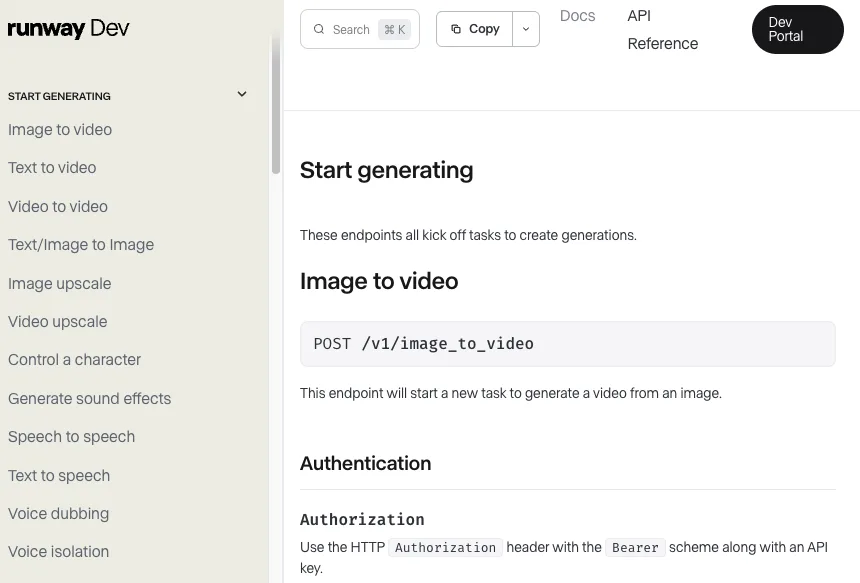
Runway’s current API reference is one example of how video systems expose separate task types such as image to video, text to video, video to video, character control, sound effects, and routed generation. I am not treating that as a universal pattern. I am using it as evidence that production APIs are moving beyond one generic “generate video” call.
Premium model for hero assets, faster model for drafts
Premium models belong where quality ceiling matters: campaign hero clips, app store videos, client approvals, high-value paid-user exports, product launches, and shots where brand damage costs more than inference.
Fast models belong where iteration matters: storyboarding, prompt tuning, internal previews, layout checks, motion tests, creative exploration, and low-stakes user drafts.
The useful route is usually two-stage:
- draft route: faster model, lower cost, looser review, high iteration count
- final route: stronger model, stricter inputs, lower retry tolerance, human review before release
This is not about treating cheap models as bad. It is about using each route where it earns its keep.
A builder framework should include routing rules like these:
I would rather have six boring rules than one smart-sounding selector that nobody can debug.
Model routing should also read account and product context. Free users may get fast drafts. Paid users may get stronger routes. Enterprise users may get stricter fallback, regional controls, or dedicated queues. The routing layer should know which promises the product has made.
Provider outage, quota, and model update handling
Provider failure is not rare enough to ignore.
Plan for outages, quota errors, content-policy shifts, model deprecations, silent quality changes, and new default parameters. Video generation is especially sensitive because one failed job can cost 60 seconds of user waiting, not just one chat turn.
Fallback should be visible in logs. If the app silently routes a failed premium request to a faster model, support will inherit the confusion. The user will say “quality dropped.” Support will say “works on my side.” Everyone loses time.
For each provider, log:
- provider name and route ID
- exact model ID and version
- request timestamp
- task ID or prediction ID
- status transitions
- error body and retry count
- fallback route, if used
- output URL retention window
- final user-visible status
This is also where model updates need policy.
A full retest should trigger when any of these change: model ID, default model version, endpoint, input schema, duration options, aspect ratios, audio support, reference support, price, queue behavior, content policy, or provider ownership.
Small model updates can still move output style. That is not paranoia. That is the job.
FAQ
Who decides when a model is approved for paid users?
Product owns the paid-user promise, but approval should include platform and creative QA. Product decides whether the output meets the feature promise. Platform verifies reliability, latency, cost, quota, logging, and fallback. Creative QA checks brand fit and user-visible quality. A model should not be approved for paid users from one good demo clip.
What provider change should trigger a full retest?
A full retest should run after any provider change that affects model behavior, task routing, price, quota, input formats, output duration, audio support, safety filtering, or result delivery. That includes a new upstream model version, a changed API field, a new default resolution, a pricing change, or a new fallback path. For an AI video benchmark, treat provider metadata as part of the test result.
How should comparison results be shared with product teams?
Share decisions, not raw folders. Product teams need approved task classes, examples of passes and failures, cost per usable clip, expected latency, known weak spots, and routing rules. Keep the raw comparison assets available for audit, but lead with the decision table. A comparison report that cannot drive a route is just a mood board with numbers.
Conclusion
An AI video comparison page for 2027 should not pretend to know the year’s winners before the year happens. It should give builders a framework that can survive model churn.
Compare workflow modes, not only output beauty. Measure temporal consistency, motion realism, prompt adherence, latency, retries, and cost per usable clip. Route premium models to final assets and faster models to drafts. Retest when providers change.
This conclusion has an expiration date. The framework should not.
Previous posts:
Related Articles
/filters:quality(82)/media/images/1773962750383987480_n3hqzHRZ.webp)
Seedance 3.0 Rumors: Native Audio-Video Sync, Multi-Shot Storytelling, and What to Expect
GPT Image 2.6: What Is Confirmed, What Is Rumor, and What to Build On Today
Pika H3 Flex Explained: What It Is and How to Try the H3 Family via API
Seedream 5.5: What to Expect, and How to Get Ready
AI Lip Sync Dialogue Scenes with Seedance 2.5: Prompts and Settings