
Krea 2 vs FLUX: Style Control and Workflows
Krea 2 vs FLUX comparison for teams evaluating style control, workflow fit, LoRA ecosystem, review loops, and production stability.
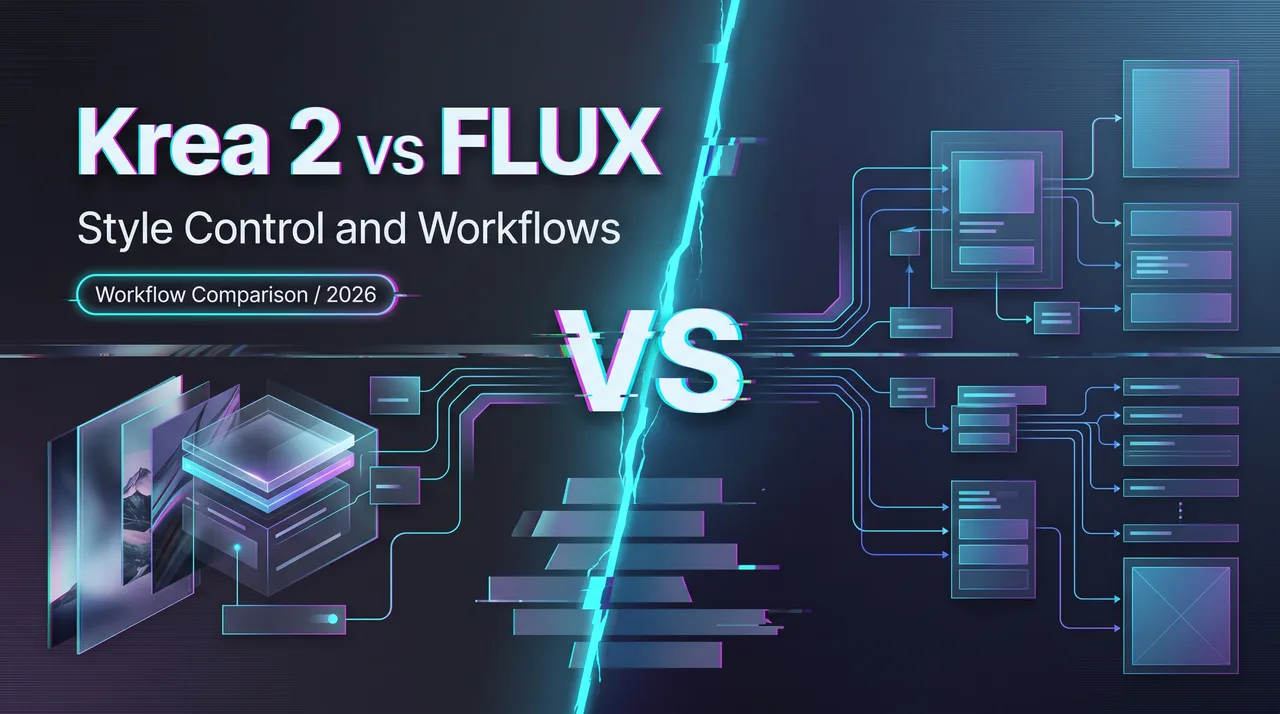
Hello, I’m Dora. I had a style eval sheet open with two tabs: Krea 2 vs FLUX. The first mistake was treating it like an image beauty contest. That would be easy to score and mostly useless.
For production, I care less about the prettiest single output and more about whether the image generation workflow survives revision, batching, brand review, and routing. Krea 2 and FLUX can both produce strong images. The question is which surface gives a team more control over the kind of work it actually ships.
Krea 2 vs FLUX Is a Workflow Decision

Why visual quality is only one signal
Krea 2 is Krea AI’s own foundation image model, built from scratch with a focus on aesthetics and creative control, according to the official Krea 2 launch note. That matters because Krea 2 is not just another FLUX wrapper.
I paused here because the naming is easy to blur.
FLUX.1 Krea[dev], sometimes written as FLUX Krea, is different. Black Forest Labs describes it as an open-weights text-to-image model developed with Krea AI and tied to the FLUX.1[dev] ecosystem, not the Krea 2 model family. The BFL FLUX.1 Krea post frames it as the open-weights version of Krea 1.
So the comparison is not “Krea model versus Krea model.” It is Krea 2, a newer Krea-built AI image model, versus a FLUX-compatible model path with a broader open-weight workflow history.
Style control, repeatability, and prompt adherence
Visual quality is the first pass. It is not the decision.
For style control, I would test how each model handles the same brand rules across different subjects: one product shot, one lifestyle scene, one poster, one social ad, one odd prompt that normally breaks the house style. Pretty samples do not answer that.
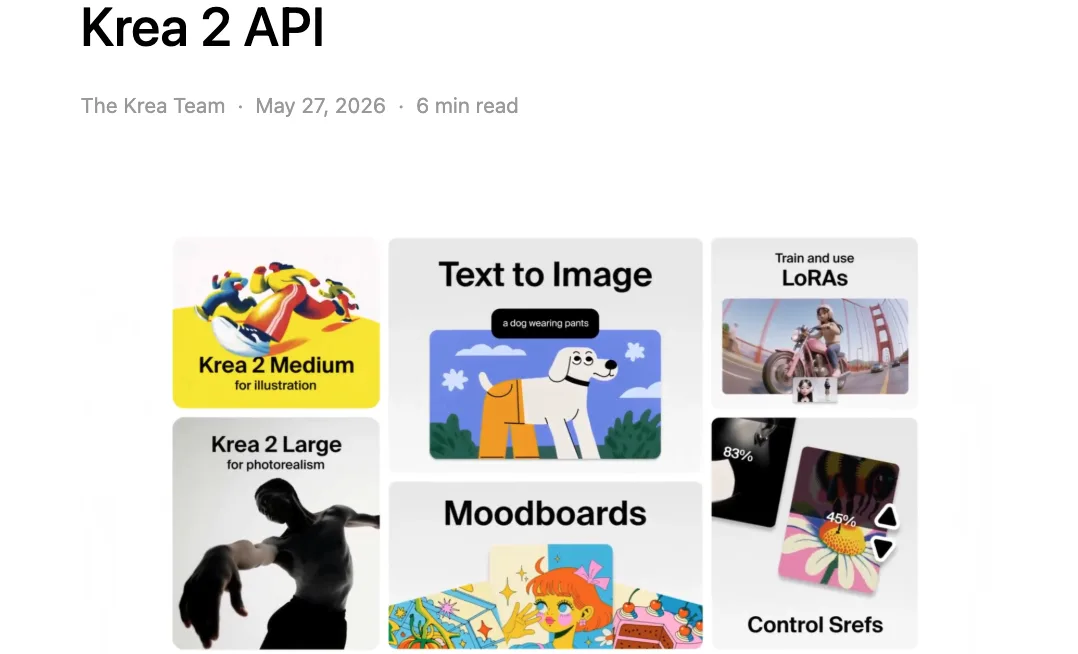
Krea 2 has a clear product direction around style references, moodboards, and creative sliders. The Krea 2 API launch also shows API-level fields such as creativity and image style references. That gives design teams a natural place to encode “make it feel like this,” not just “describe this object better.”
FLUX has a different advantage. Its production value often comes from ecosystem familiarity: existing ComfyUI graphs, LoRA habits, prompt libraries, local runners, and team muscle memory. If the team already has FLUX-based review loops, switching away can cost more than the model gain.
Better image. Worse workflow. I have seen that trade before.
Compare Production Surfaces
Open weights, hosted access, ComfyUI support, and LoRA ecosystem
Krea 2 now has an open-weight route. Krea’s Krea 2 open-source page describes RAW for training and research, Turbo for fast inference, LoRA training on RAW, and running those LoRAs on Turbo. It also points to Hugging Face, SGLang, FAL, Comfy, and other deployment paths.
That makes Krea 2 more than a hosted creative tool. It can enter the same evaluation layer where engineering teams look at checkpoints, licenses, safety duties, inference cost, queue behavior, and fallback options.
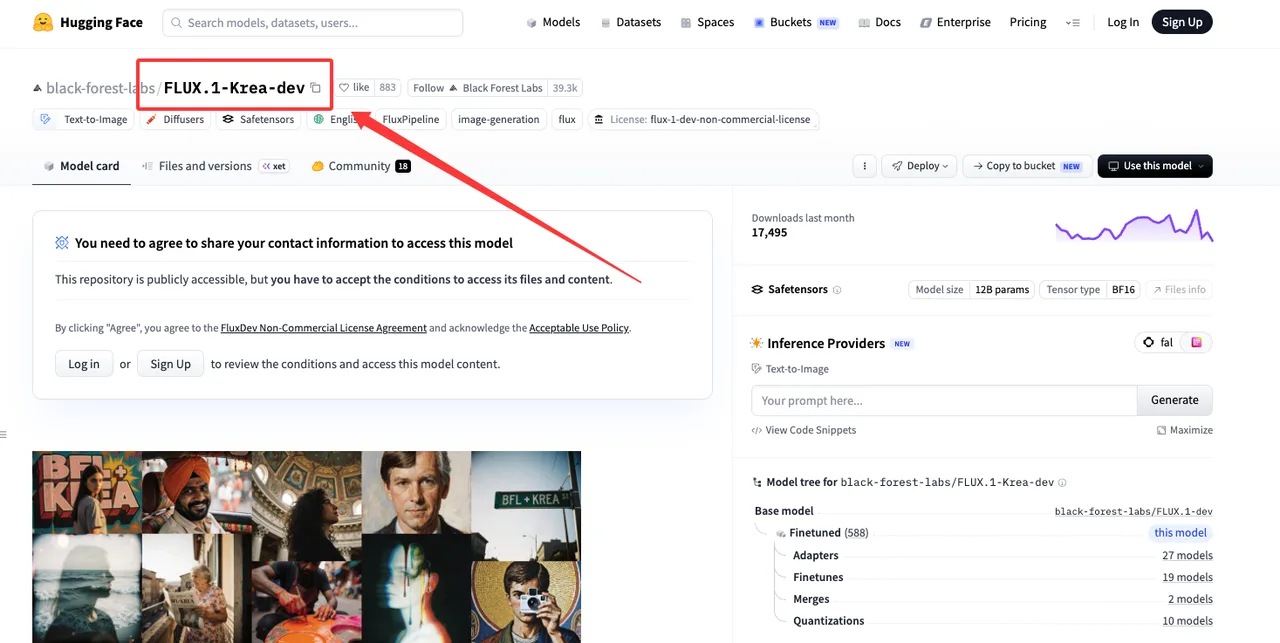
FLUX.1 Krea is already very legible to open-model teams. Its Hugging Face model card lists Diffusers usage, ComfyUI support, open weights, BF16 safetensors, a non-commercial dev license, and visible adapter, fine-tune, merge, and quantization branches.
That does not make FLUX better. It makes it easier to place inside existing FLUX infrastructure.
My split is simple:
Krea 2 first when the team needs style references, moodboards, exploratory aesthetics, or a model designed around visual direction.
FLUX first when the team already depends on FLUX-compatible tooling, LoRAs, ComfyUI graphs, and existing review automation.
Review loops, brand consistency, and fallback routing
A production image pipeline is a review system with a model inside it.
For brand work, I would track four things: style hit rate, subject preservation, prompt adherence, and revision cost. If the model needs five prompt rewrites to keep one packaging style stable, the image is not cheap. The invoice just appears in the designer’s calendar instead of the API bill.
Krea 2 may fit teams that review visually: moodboard in, style direction out, adjust strength, compare options. FLUX may fit teams that review operationally: graph locked, LoRA loaded, seed recorded, parameters versioned, batch outputs compared.
Fallback routing needs a reason. Do not split traffic just because both models look good. Split when one route handles brand-style exploration better and another route handles locked production variants better.
This is where my data ends. The rest has to come from your own eval sheet.
Which Team Should Test Which First
Design systems, ads, product imagery, and concept exploration
For design systems, I would test Krea 2 first if the team works from moodboards, art direction decks, reference images, and style families. Its controls match that language.
For ads, I would test both. Ads punish boring outputs, but they also punish drift. One model might find stronger visual territories. The other might be easier to repeat across 40 sizes, crops, and product variations.
For product imagery, start with the model that preserves the product identity with the least manual cleanup. I!f the product shape, material, logo area, or packaging geometry drifts, no amount of “nice lighting” saves the workflow.
For concept exploration, Krea 2 gets the first slot in my notebook. It is designed for wider aesthetic search. FLUX stays in the set if the team needs open-weight reproducibility, local graph control, or a familiar LoRA path.

When to keep both models in evaluation
Keep both models when design and engineering are measuring different risks.
Design may care about palette, texture, composition, brand voice, and whether the output avoids the default AI look. Engineering may care about latency, queue behavior, license terms, reproducibility, inference cost, and how easily the model fits existing tooling.
Those are not competing opinions. They are different failure modes.
The clean test is not “which model wins?” The clean test is “which model owns which job class?” One may handle early visual exploration. One may handle production variants. One may be fallback only. One may be removed after two rounds.
Good enough. That is the most honest assessment I can give.
FAQ
How often should brand-style evals rerun after prompt libraries change?
Rerun the eval after any meaningful prompt library change, not on a fixed calendar alone. A new prompt template, negative prompt rule, captioning style, product naming rule, or reference-image policy can change model behavior.
For stable teams, I would also keep a monthly lightweight regression set and a full rerun before major campaign launches.
Who signs off when design and engineering disagree on model choice?
Design signs off on visual acceptance. Engineering signs off on serving reliability, reproducibility, and integration risk. Product or growth signs off on the launch tradeoff.
If those three disagree, the decision is not ready. Run a smaller traffic test with written acceptance rules.
What launch trigger justifies splitting traffic across two image models?
Split traffic when two request classes show different winners over repeated evals. For example: Krea 2 wins exploratory brand concepts, while FLUX wins repeatable production variants in the existing ComfyUI workflow.
The trigger should include accepted-output rate, revision count, queue cost, review time, and rollback path. Krea 2 vs FLUX only becomes a production answer after those numbers exist.
Previous posts:
Related Articles
/filters:quality(82)/media/images/1773962750383987480_n3hqzHRZ.webp)
Seedance 3.0 Rumors: Native Audio-Video Sync, Multi-Shot Storytelling, and What to Expect
GPT Image 2.6: What Is Confirmed, What Is Rumor, and What to Build On Today
Pika H3 Flex Explained: What It Is and How to Try the H3 Family via API
Seedream 5.5: What to Expect, and How to Get Ready
AI Lip Sync Dialogue Scenes with Seedance 2.5: Prompts and Settings