
Krea 2 ComfyUI Workflow: RAW, Turbo, LoRA
Krea 2 ComfyUI workflow guide for Raw, Turbo, LoRA files, FP8 variants, GGUF options, and reproducible image pipelines.
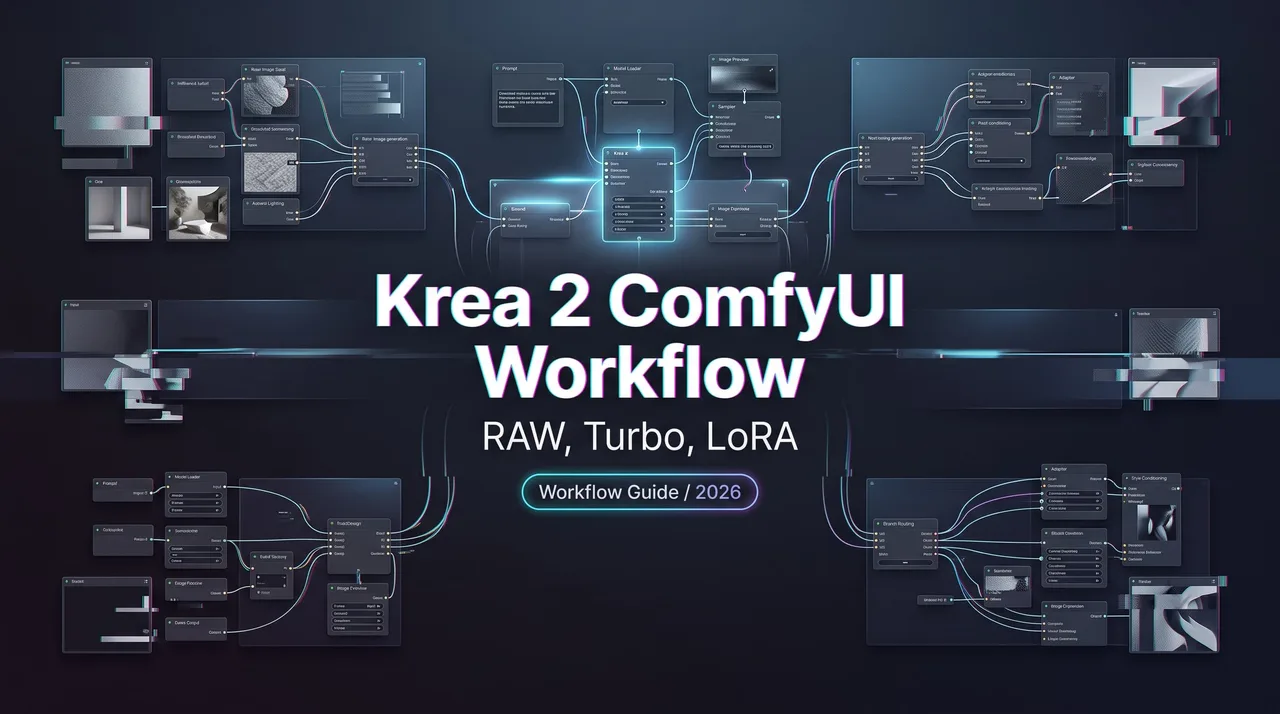
Hey, I’m Dora. I do not treat a Krea 2 ComfyUI graph as “download model, press Queue.” The fragile part is not the prompt. It is the file contract: RAW versus Turbo, diffusion model versus text encoder, VAE location, and whether the LoRA was made for the path I am actually running. I checked the linked documentation again on October 29, 2026. This note is about local ComfyUI setup only. API access, hosted production, provider quotas, and web app routing belong in a separate article. Different failure surface.
The short version: train or adapt on RAW, run most repeatable inference on Turbo, keep LoRAs in their own lane, and label the exact checkpoint format and precision in the graph. That sounds basic. It is also where most broken canvases start.
How Krea 2 Fits Into ComfyUI

Krea’s open-weight release splits the model family into two checkpoints. The Krea 2 Open-Source page describes RAW as the malleable checkpoint for fine-tuning, post-training, and LoRA training, while Turbo is the distilled checkpoint for fast text-to-image inference. Krea also says Turbo is built around 8-step generation.
That gives the ComfyUI graph a simple job boundary. RAW is the adaptation surface. Turbo is the fast inference surface. A Krea 2 workflow gets unstable when those jobs blur and someone starts swapping files because the names look related.
RAW, Turbo, diffusion files, text encoders, and VAE placement
The first thing I check is not the sampler. I check folders.
The current ComfyUI Krea 2 guide points local users to a split setup: a diffusion model, a Qwen3VL text encoder, and a Qwen Image VAE**.** In its standard Turbo FP8 example, those files are krea2_turbo_fp8_scaled.safetensors, qwen3vl_4b_fp8_scaled.safetensors, and qwen_image_vae.safetensors.
The placement is boring, which is why it gets skipped. Diffusion files belong in ComfyUI/models/diffusion_models/. Text encoders belong in ComfyUI/models/text_encoders/. VAE files belong in ComfyUI/models/vae/. If one of those lands in a familiar but wrong folder, the graph may still load far enough to waste your time.
The Comfy-Org/Krea-2 model card lists ComfyUI-ready diffusion files for RAW and Turbo, including BF16, FP8, INT8, MXFP8, and NVFP4 variants. I keep the exact filename in the graph note. Not “Turbo FP8.” The full name. krea2_turbo_fp8_scaled.safetensors and krea2_turbo_mxfp8.safetensors are different decisions.
For a baseline, use the official Turbo text-to-image workflow JSON with the three FP8-example files above. The ComfyUI guide also provides a workflow preview. That preview is an official example, not a screenshot of my machine running this graph. If you publish a local result, save its output image and workflow metadata beside it.
Where LoRA files belong in the workflow
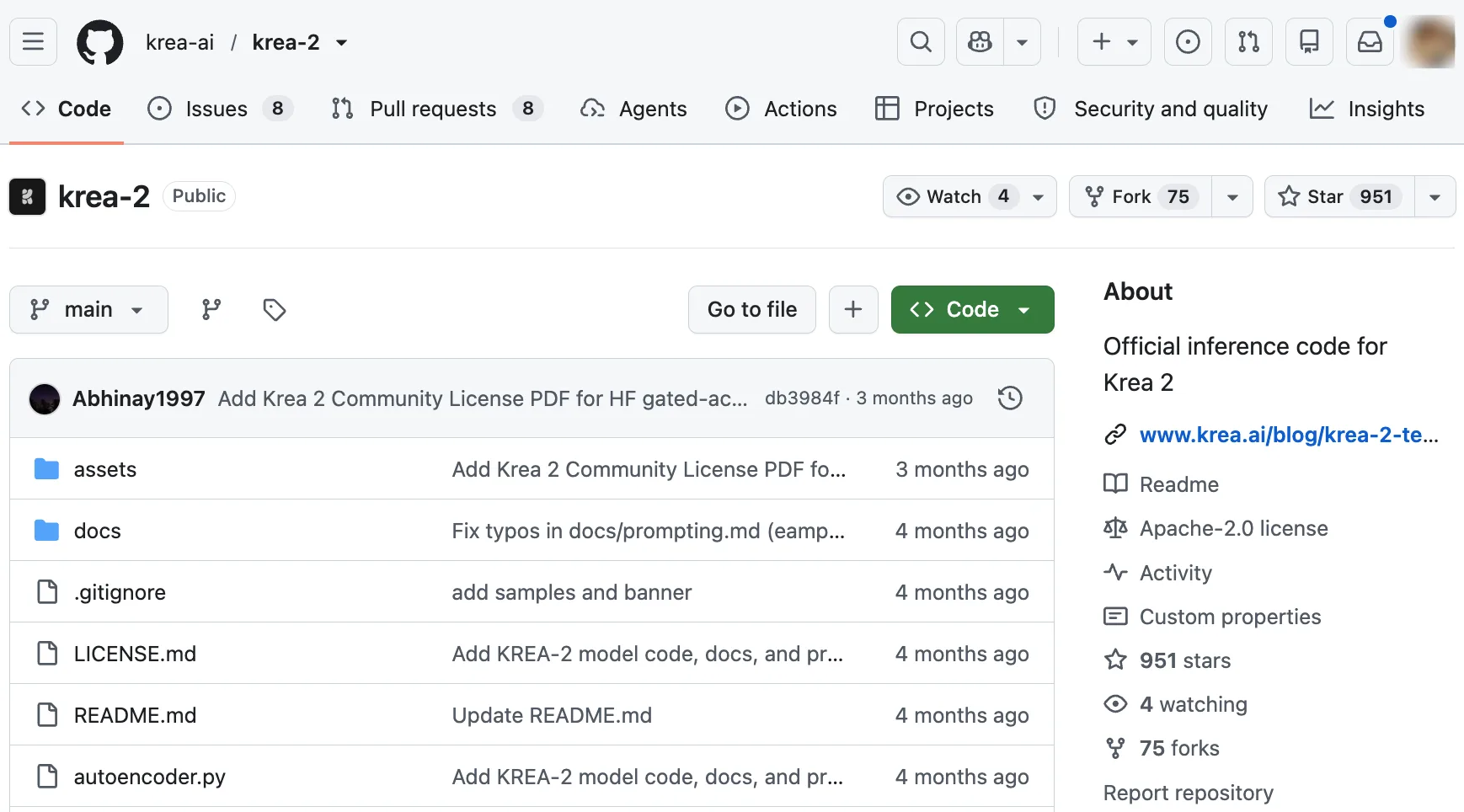
Krea’s own recommendation is clean: train LoRAs on RAW, apply them on Turbo. The official Krea 2 repository repeats that pairing and frames RAW as the base checkpoint for LoRA training.
In ComfyUI, LoRA files go under ComfyUI/models/loras/. Current Comfy-Org examples include krea2_darkbrush.safetensors, krea2_dotmatrix.safetensors, krea2_kidsdrawing.safetensors, krea2_neondrip.safetensors, krea2_rainywindow.safetensors, krea2_retroanime.safetensors, krea2_softwatercolor.safetensors, krea2_sunsetblur.safetensors, krea2_vintagetarot.safetensors, and krea2_turbo_lora_rank_64_bf16.safetensors.
A Krea 2 LoRA is not just visual seasoning. It is a dependency. I track the LoRA source, trigger word, strength, base model assumption, and approval status beside the graph. The official template has an enable_lora? switch and a LoRA-strength control; putting a file in the right folder does not turn it on. If the LoRA came from a community repo, I do not assume its license follows the base model. That is where “it rendered fine” becomes a bad compliance argument.
Choosing the Right ComfyUI Path
The practical choice is not “which checkpoint is better.” It is whether the graph is allowed to move.
An experiment graph can change node packs, LoRA strength, resolution, seed policy, sampler settings, and quantized files. A production graph should not move that much. Once a canvas is used for assets that other people review, I want fewer degrees of freedom. One fewer switch. Sounds small. Adds up fast.
RAW for adaptation experiments
RAW is where I put adaptation experiments: LoRA training tests, style-transfer probes, subject tuning, prompt behavior checks, and post-training research. The reason is not romance about base models. RAW is the undistilled checkpoint, so it gives more room to explore behavior before running an adapted result through Turbo.
I do not use RAW as my default final-image path. The ComfyUI guide describes RAW with full-step sampling and Turbo as the 8-step route. Krea’s repository gives 52 steps with CFG for its RAW example and 8 steps with CFG disabled for its Turbo example. Those are recommended examples for different checkpoints, not settings to copy interchangeably into every ComfyUI node. More steps can be useful when I am measuring control, variation, or training response. They are not what I want when I need to generate many candidates quickly.
For RAW tests, I keep a separate staging graph. It records the base checkpoint, LoRA or adapter source, trigger words, seed range, prompt pattern, ComfyUI version, and any custom-node changes. This is not ceremony. It is how I avoid opening a graph two weeks later and wondering why last week’s result cannot be reproduced.
Turbo for faster inference workflows
Turbo is the path I use when the output loop matters. The official workflow template centers on a Turbo text-to-image subgraph with model loading, prompt handling, sampling, optional style LoRA, and VAE decode. The default shape is meant to get an image out without turning every run into a graph-design session.
This is where Krea 2 FP8 is the normal first stop for many local users. The ComfyUI guide recommends krea2_turbo_fp8_scaled.safetensors for most local setups. The model card lists other precision variants, but their availability alone does not establish which is fastest or best on your GPU.
I keep Turbo graphs narrower than RAW graphs. One graph for plain Turbo. One graph for approved style LoRAs. One graph for quantization tests. If everything lives in one canvas, the canvas becomes a junk drawer. Found the pattern on the third try.
File Format and Quantization Choices
Quantization is not a personality test. It is a constraint trade-off.
BF16, FP8, INT8, NVFP4, and GGUF trade-offs
BF16 is the comparison path when the machine can handle it. I use it to check whether a visual difference might be caused by the prompt, the LoRA, or the lower-precision file. If BF16 is too heavy for the machine, that answer is not helpful in daily work, but it can still be useful as a baseline.
FP8 is my practical starting point for standard ComfyUI inference. That is a workflow choice, not a measured speed or quality advantage across hardware. I still compare it against BF16 when the project depends on fine texture, typography-like shapes, or face consistency.
INT8, NVFP4, and MXFP8 need their own validation pass. I do not treat “it loads” as “it is approved.” I run the same prompt set, seed policy, resolution, prompt-enhancement setting, and LoRA settings. Then I compare edge detail, style strength, prompt adherence, and whether the model smooths away the exact thing the LoRA was supposed to preserve. For any performance claim, I would also record GPU, available VRAM, checkpoint filename, steps, resolution, and elapsed time. This article does not contain those benchmark results.
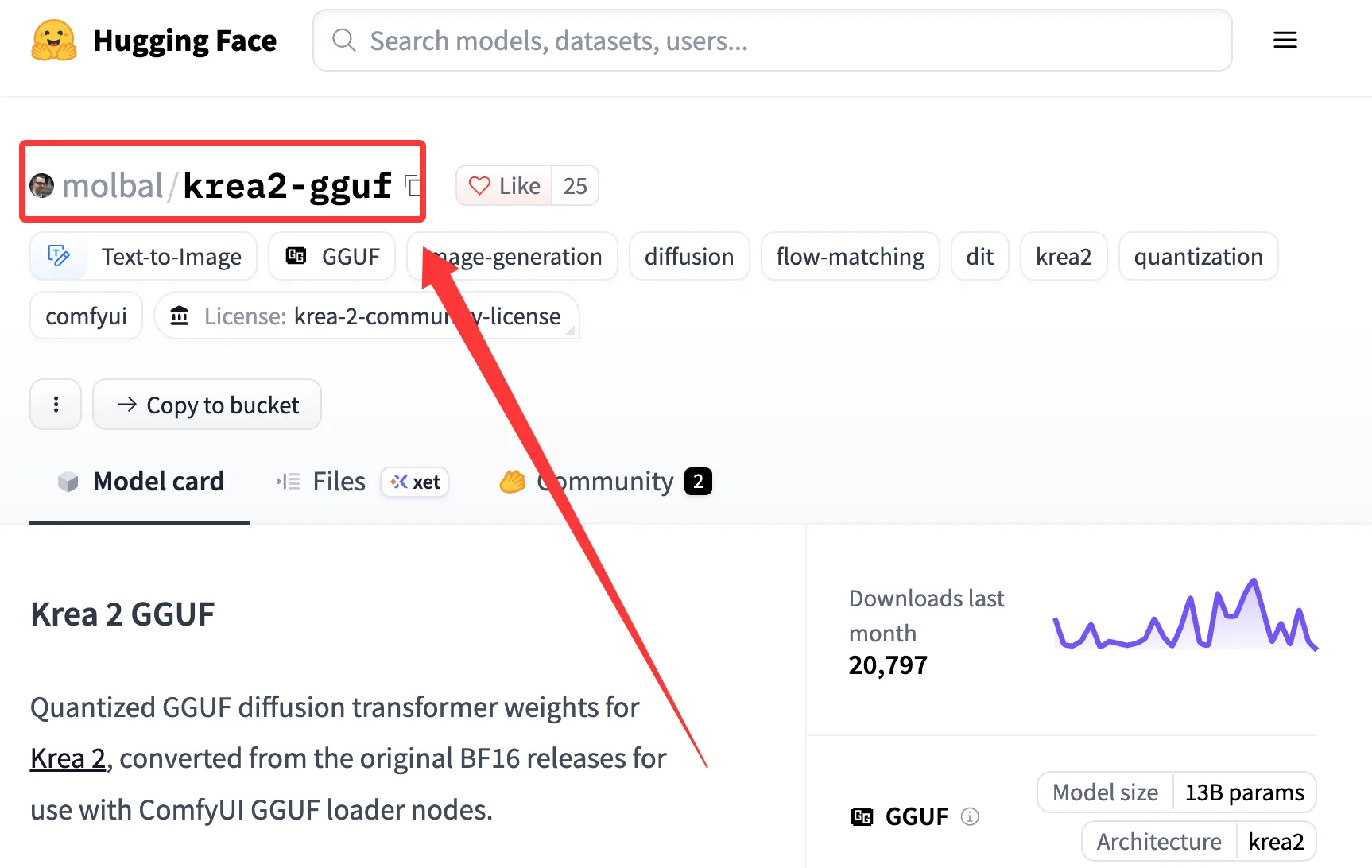
Krea 2 GGUF belongs in a separate graph family. The community Krea 2 GGUF repository lists RAW and Turbo files such as krea2_raw_bf16-Q5_1.gguf and krea2_turbo_bf16-Q5_1.gguf. Its model card says these files need a Krea 2-compatible GGUF loader; they are not drop-in replacements for the standard safetensors loader. The text encoder and VAE are still needed. I do not mix a GGUF loader graph with a standard safetensors graph and pretend they are the same pipeline.
| Format | Best use in my workflow | What I check before keeping it |
|---|---|---|
| BF16 | Reference and comparison runs | Whether memory and offload cost are acceptable |
| FP8 | Regular Turbo inference | Exact scaled filename and visual differences |
| INT8 | Lower-memory safetensors testing | Loader compatibility, prompt drift, fine detail |
| NVFP4 / MXFP8 | Hardware-specific experiments | Loader support and repeatability |
| GGUF | Memory-constrained or offload-oriented tests | Krea 2-compatible custom loader and complete model components |
Common file placement and version mismatch failures
The most common failure is a file in the wrong folder. The second is a graph looking for a filename that almost matches the file on disk. The third is a node update changing loader behavior while the old workflow JSON stays in circulation.
ComfyUI’s Krea guide tells users to update ComfyUI and notes that missing nodes can come from an outdated build or failed imports. That conclusion has an expiration date because model support moves fast.
My rule is simple. When a downloaded workflow changes, I treat it as a new dependency version. I record the workflow JSON date, model filenames, text encoder, VAE, node version, and one known-good seed. If a graph must survive client work, it gets pinned before it gets trusted.
Three Failures to Check Before Rebuilding the Graph
| What I see | First check | Next move |
|---|---|---|
| Model missing from the selector | Compare the workflow’s exact filename with the file on disk; check diffusion_models/, text_encoders/, and vae/ separately | Move the misplaced file or select the file actually installed, then refresh or restart ComfyUI |
| Missing node or unknown node type | Check the ComfyUI version and the startup log for failed node imports | Update the required core or custom node, then reopen the same workflow JSON |
| Out of memory during generation | Record which stage failed, along with resolution, precision, LoRA use, and available VRAM | Try a lower resolution or an appropriately supported precision variant; rerun the same prompt before comparing output |
I keep the failed run’s error message and settings next to the successful retry. Otherwise “fixed it by switching to FP8” can hide the real cause: perhaps I changed resolution or disabled a LoRA at the same time. The table is a debugging sequence, not a record of three measured failures.
FAQ
What should be checked when a downloaded node pack changes?
Check the loader node name, input sockets, sampler defaults, LoRA node behavior, prompt-enhancement toggle, and any workflow note that mentions model downloads. Then run one locked prompt with a known seed. If the same graph now needs a different loader or ignores a previous LoRA toggle, the change is functional, not cosmetic.
This is especially important for ComfyUI Krea 2 workflows because support can depend on current model-detection logic. A node pack can be correct and still be too old for the file you downloaded.
When should staging and production ComfyUI graphs be separated?
Separate them when outputs leave your own notebook. Client assets, paid campaigns, team templates, brand style tests, and reusable batches should not share the same graph with experimental GGUF files or unapproved LoRAs.
My staging graph is allowed to break. My production graph is allowed to be boring. Different job.
Who approves community LoRA use in commercial assets?
The person wiring the graph does not approve commercial use. The approver is whoever owns the commercial risk: brand lead, legal reviewer, client owner, studio producer, or internal compliance owner.
Krea’s Community License has commercial-use conditions, including a company-wide revenue threshold, content-filter requirements, and responsibility for outputs. Community LoRAs can add another license layer. I check the base model license, the LoRA license, the source of training material if disclosed, and whether the final asset needs AI disclosure. The inference-code repository’s license is not a substitute for the model-weights agreement.
 That is the Krea 2 ComfyUI boundary I would keep: RAW for adaptation, Turbo for repeatable inference, LoRA files tracked like dependencies, and quantized files treated as separate graph versions. It works. More importantly, it fails in ways I can debug.
Previous posts:
Related Articles
/filters:quality(82)/media/images/1773962750383987480_n3hqzHRZ.webp)
Seedance 3.0 Rumors: Native Audio-Video Sync, Multi-Shot Storytelling, and What to Expect
GPT Image 2.6: What Is Confirmed, What Is Rumor, and What to Build On Today
Pika H3 Flex Explained: What It Is and How to Try the H3 Family via API
Seedream 5.5: What to Expect, and How to Get Ready
AI Lip Sync Dialogue Scenes with Seedance 2.5: Prompts and Settings