
AI Character Consistency Workflow for Production Images
Character consistency AI workflow for builders testing reference images, identity drift, style control, and production review.
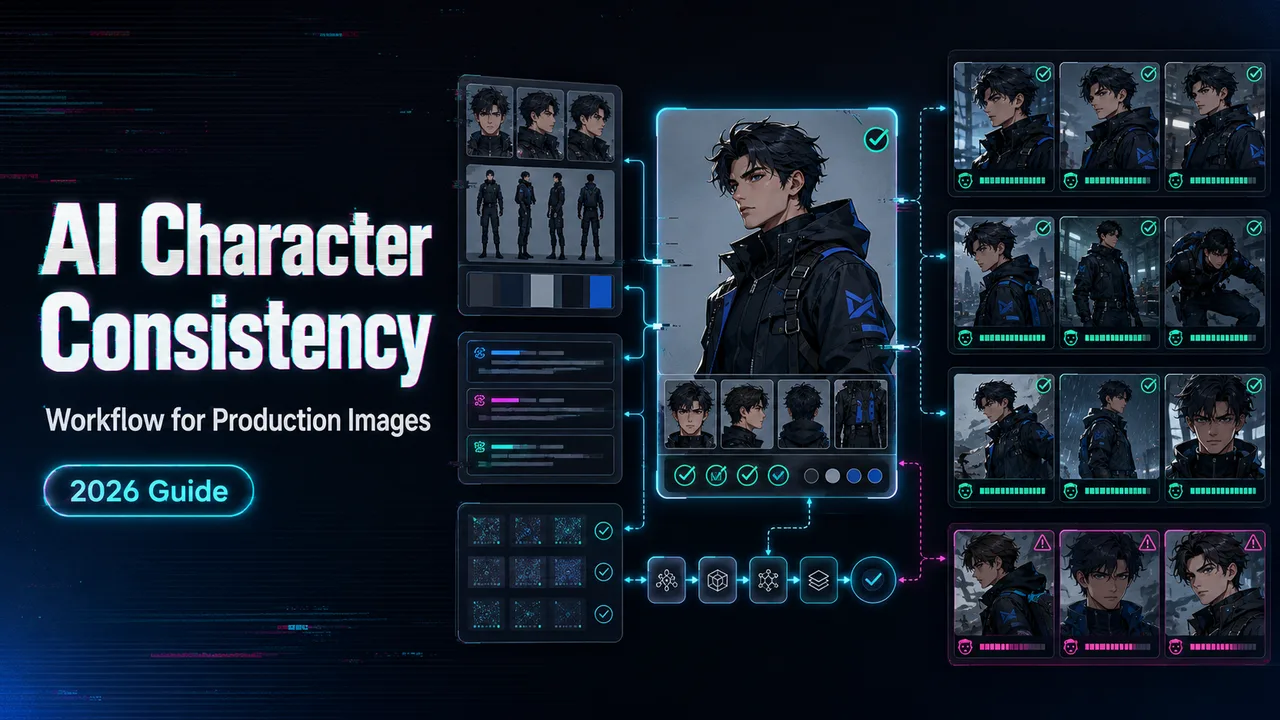
I’m Dora. I usually notice the problem on image 7. Image 1 looks like the approved character. Image 2 is close. By image 7, the cheekbones have moved, the jacket has changed fabric, and the character now looks like a cousin hired for the afternoon. That is where character consistency AI stops being a prompt issue and becomes a production workflow issue.
This note is for teams making campaign images, product scenes, story assets, mascot libraries, or app-generated visuals through an image generation API. I am not writing a LoRA training tutorial. I am writing the workflow I would want before letting a character batch go near a client folder.
The short version: consistency comes from controlled references, fixed prompt parts, labeled review, and a benchmark that measures more than face similarity.
Replicate’s consistent characters article is useful SERP context because it frames the current market around single-reference character generation and model comparison. I would not stop there for production. A model comparison tells you which tool to test. It does not tell you how to run a 120-image batch without losing the character halfway through.
Where Character Consistency Breaks
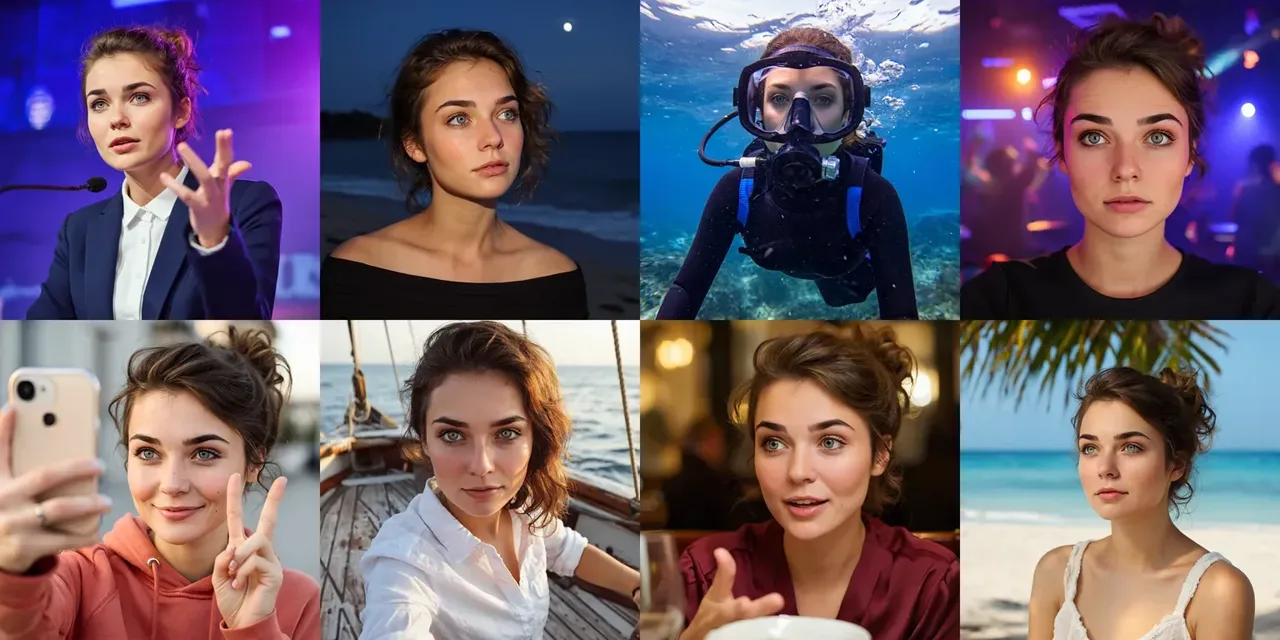
Character consistency breaks in layers.
The face changes first because the model is reconstructing identity from limited signals. Then the outfit drifts because the prompt allows too much freedom. Then pose and camera angle expose weak references. Then style moves because someone changed lighting, lens, scene, and mood in one request.
Found the pattern on the third try: many teams call this “model inconsistency” when half of it is workflow looseness.
Face drift, outfit drift, pose drift, style drift
Face drift is the most visible failure. The person is not wrong enough to fail at a glance, but wrong enough to damage the set. Eyes get wider. Nose shape changes. Jawline softens. Hairline moves. Freckles disappear. Distinctive marks become decorative noise.
Outfit drift is quieter. A navy jacket becomes black. A ribbed sweater becomes smooth. A logo shifts position. A sleeve length changes. This is bad for brand characters and worse for product mascots because the outfit often carries the commercial identity.
Pose drift is different. The face may stay close, but the body shape, shoulder width, hand proportion, or posture changes. It shows up in storyboards and product scenes where the character needs to sit, run, hold a package, or interact with another object.
Style drift is the batch killer. One image looks like editorial photography. The next looks like a mobile game render. The third has glossy studio lighting. Individually, each may be usable. Together, they look like three campaigns.
I paused here because this is the mistake I see most: teams ask for “the same character” but do not define which traits are allowed to move.
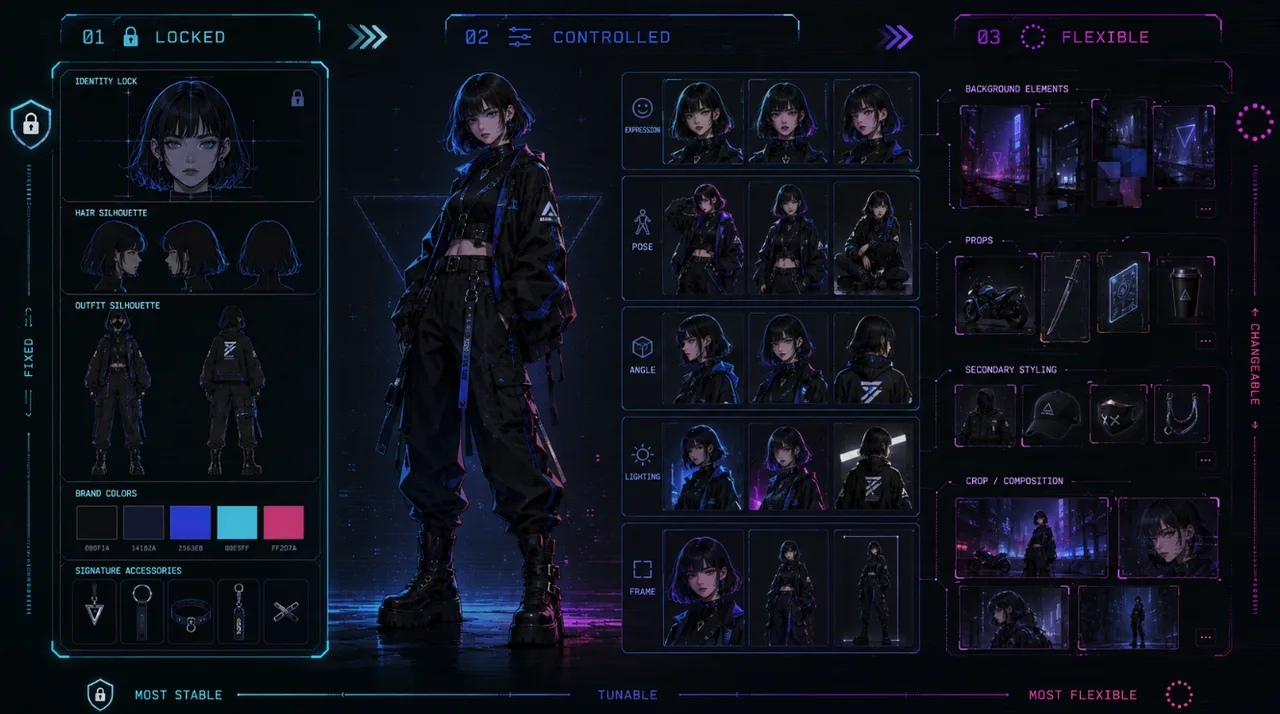
A production character spec needs three buckets:
- locked traits: face structure, hair, core outfit, brand colors, signature accessories
- controlled traits: expression, pose, camera, scene, lighting
- flexible traits: background details, props, secondary styling, crop
If everything is locked, the character cannot act. If everything is flexible, the character dissolves.
Single reference vs multi-reference workflows
Single reference workflows are fast. They work when the target output is close to the reference: same face angle, similar crop, same outfit, modest scene change. They are good for early exploration and small batches.
They fail when the production brief asks for range. A single headshot does not explain full-body proportions. A front-facing studio image does not explain how the character looks from profile. A polished hero image does not explain how the character should behave in low light, motion, or a messy room.
Multi-reference workflows give the model more anchors. Google Cloud’s Imagen subject customization docs describe reference images for people, products, and pets, with person examples that use subject references and, in some cases, face mesh control. The useful detail in the subject customization docs is not the exact API syntax. It is the idea that subject, pose, and style can be separated into different reference inputs. That separation matters.
For production, I use reference packs rather than “the reference image.” A minimal pack has a hero face image, a full-body image, an outfit detail image, a style frame, and two negative examples. The negative examples are not pretty. They show what the character is not: wrong jacket, wrong face age, wrong illustration style, wrong hair volume.
Single reference is a shortcut. Multi-reference is a control system.
Production Workflow for Consistent Characters
The workflow starts before generation.
A consistent character AI run needs a character bible, a reference pack, a prompt template, generation settings, output metadata, review labels, and retry rules. If those pieces sound boring, good. Boring systems are easier to debug.
Reference pack, prompt template, negative cases
The reference pack is the stable input set. It should live in version control or an asset system, not someone’s downloads folder.
I use this structure:
| Asset | Purpose | Acceptance note |
|---|---|---|
| Hero face | Identity anchor | Neutral expression, clear lighting |
| Full body | Proportions and outfit | Visible shoes, sleeves, silhouette |
| Outfit detail | Brand and costume lock | Colors, texture, logos, accessories |
| Style frame | Render language | Lens, palette, grain, lighting |
| Pose samples | Action range | Walking, sitting, holding object |
| Negative examples | Drift boundaries | Rejected face, wrong outfit, wrong style |
The prompt template should split fixed and variable text. Do not rewrite the whole prompt per scene. That is how drift enters through the side door.
A practical template looks like this:
[LOCKED CHARACTER BLOCK]
Same character as reference pack v03: adult woman, oval face, short black bob, small silver hoop earrings, dark green field jacket, warm brown eyes, calm expression range. Preserve face structure, hair shape, jacket color, earrings, and overall age.

[STYLE BLOCK]
Natural editorial photography, 50mm lens feel, soft daylight, clean skin texture, muted urban color palette, realistic fabric detail.

[SCENE VARIABLE]
Scene: walking through a train station, holding a paper coffee cup, three-quarter view, mid-shot.

[NEGATIVE BLOCK]
Do not change hair length, jacket color, age, face shape, earrings, body type, or render style. No glossy fashion lighting. No cartoon texture.
The locked block should change only when the character version changes. The scene variable is where creative range belongs.
This is where an image generation API helps. Instead of relying on manual prompt discipline, the application can store the locked blocks and assemble requests programmatically. The prompt should be boring because the system around it is doing the work.
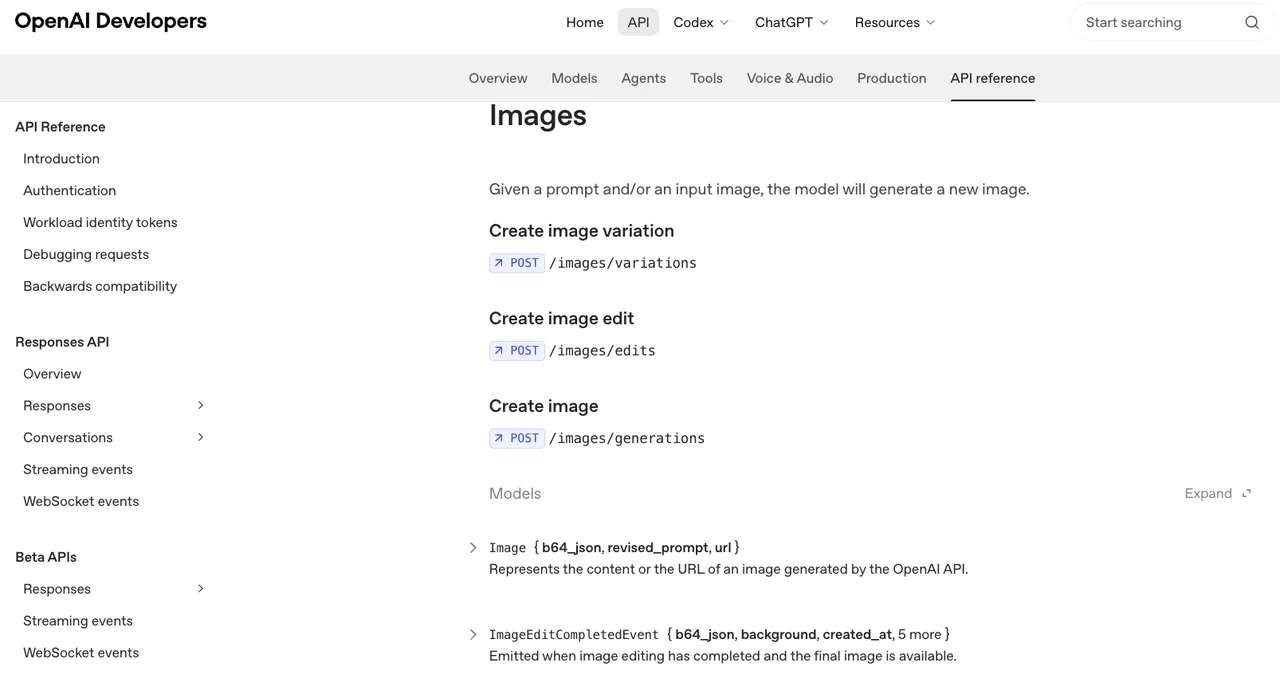
OpenAI’s image streaming API documents that completed image generation and edit events include usage information (for GPT image models), including input image tokens and text tokens for GPT image models. That kind of image API usage data is useful because production teams need to connect output quality to request cost, not just admire the best render.
Negative cases are part of the prompt system, but they are also part of review. Save rejected outputs and label why they failed. The model does not learn from that automatically unless you build a training loop, but your team learns. That counts.
Batch generation, review labels, and retry rules
Batching is where good demos get exposed.
Run a preflight batch before the real batch. I usually start with 12 images: three close portraits, three half-body scenes, three full-body scenes, and three style-stress scenes. If the character cannot survive 12, it will not survive 120.
For each output, assign one primary label and optional secondary labels:
- pass: usable without edit
- minor edit: usable after crop, cleanup, or color adjustment
- face drift: identity changed
- outfit drift: clothing or accessories changed
- pose failure: body, hands, or interaction failed
- style drift: visual language changed
- brand mismatch: correct character, wrong campaign feel
- unusable artifact: distortion, extra limbs, broken object, bad text
Do not let reviewers write only “bad” or “weird.” That is satisfying for three seconds and useless later.
Retry rules should be written before the batch starts. Mine usually look like this:
- If face drift appears in 2 of first 12, tighten identity references before scaling.
- If outfit drift appears in 3 of first 12, add outfit detail reference and stronger locked block.
- If pose failure appears in action scenes only, separate pose control from identity reference.
- If style drift appears across otherwise correct images, lock style block and reduce scene adjectives.
- If two retries fail for the same scene, route to a different model or mark for manual edit.
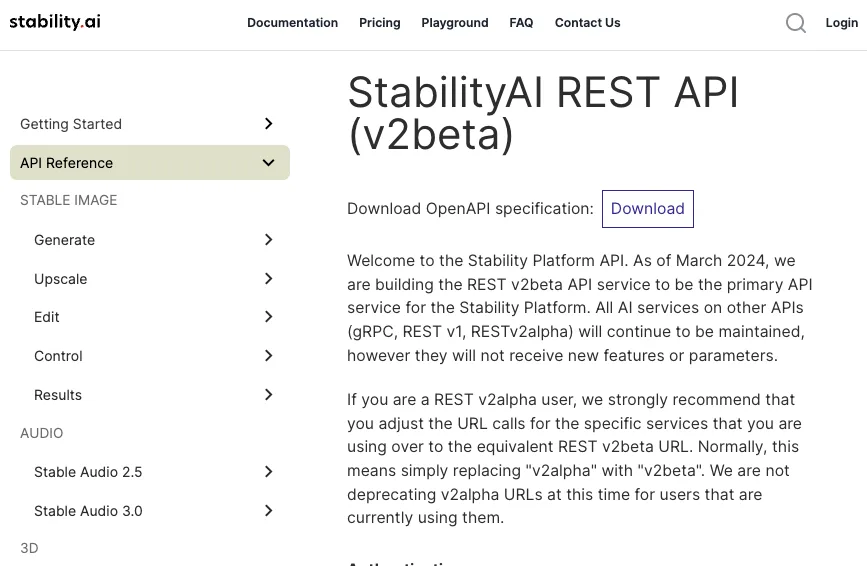
Stability AI’s API reference separates control modes such as sketch, structure, and style. The Stability control docs are a useful reminder that “reference” is not one thing. Sometimes the team needs structure control. Sometimes it needs style control. Sometimes it needs identity anchoring. Mixing those goals into one vague prompt is how the batch goes soft.
Good logging is not glamorous. Neither is flossing. Both prevent expensive problems later.
Benchmarking Character Consistency
A character benchmark is not a beauty contest.
The point is to decide whether a model, reference pack, and prompt template are stable enough for a production job. A good benchmark separates four questions: does it look like the same character, can the character still be edited, can the character survive scene variation, and does the output still fit the brand?
The last question is the one automated scoring usually misses.
Similarity, editability, scene variation, brand fit
Similarity measures whether the generated image preserves the character’s identity and locked traits. For face-forward human characters, face embedding similarity can help, but it should not be the only score. NIST’s ongoing FRTE 1:1 evaluation is a useful external reminder that face verification is a serious evaluation domain with controlled protocols. A campaign review folder is not the same thing.
For illustrated characters, mascots, fantasy characters, or stylized faces, face recognition tools can mislead. A mascot may need consistent silhouette and color more than biometric identity. A stylized heroine may change line weight by scene but still read correctly to the audience.
Editability measures whether the character can move through useful tasks. Can the character hold a product? Change expression? Turn sideways? Sit in a car? Wear a branded badge without losing identity? A model that preserves the face only when nothing else changes is not production-ready.
Scene variation measures how far the character can travel. Build a matrix:
| Test class | Example task | What it reveals |
|---|---|---|
| Close portrait | same face, new lighting | face stability |
| Outfit detail | same jacket, new crop | brand asset stability |
| Full body | walking, standing, sitting | proportion and clothing drift |
| Prop interaction | holding product, using laptop | hand and object reliability |
| Environment shift | studio, street, store, home | style and lighting control |
| Style stress | editorial, flat illustration, 3D render | identity under style change |
Brand fit is the final gate. The image can pass similarity and still fail the campaign. Maybe the face is right but the character feels too luxurious. Maybe the mascot is correct but the palette moved away from the brand system. Maybe the generated pose undermines the tone.
That is why the character benchmark needs brand labels, not just visual similarity scores.
Human review vs automated scoring
Automated scoring is useful for triage. It is bad as the only decision-maker.
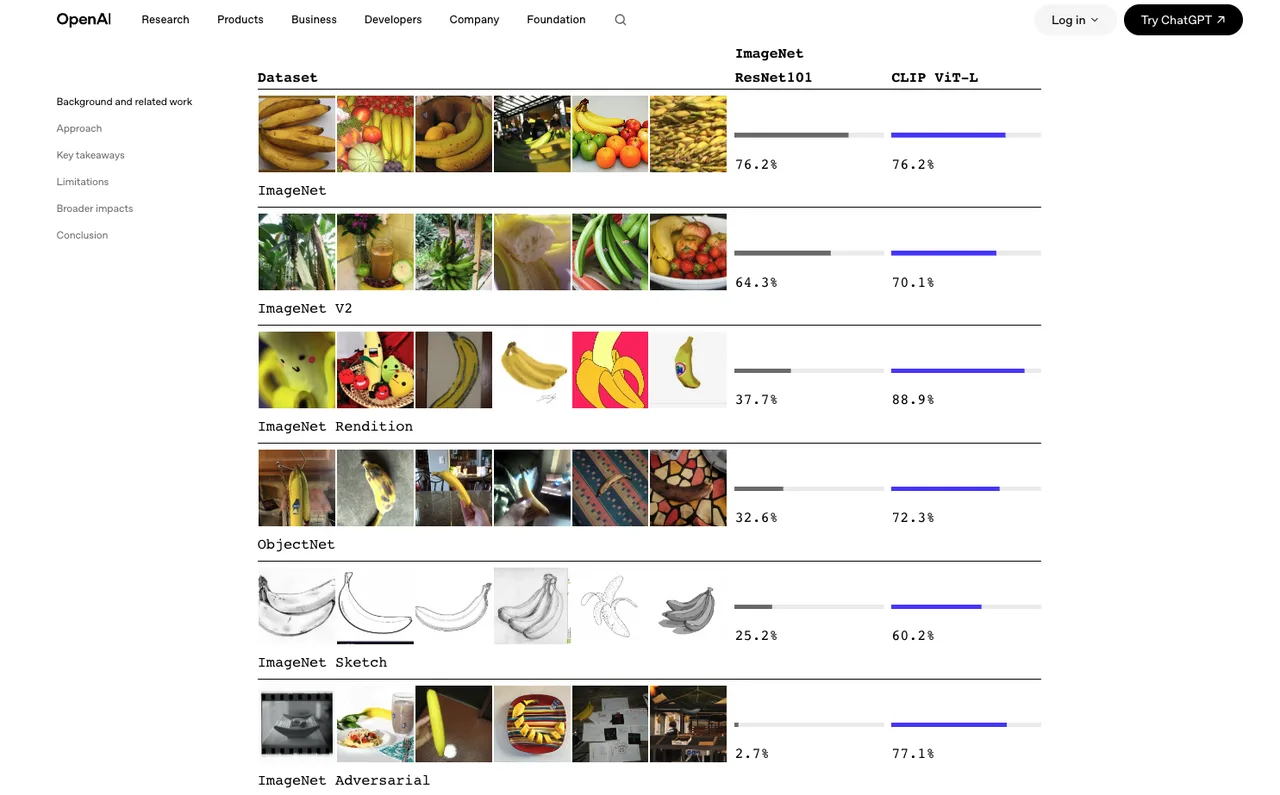
CLIP-style image-text similarity can help check whether a generated output still matches a prompt or label. OpenAI’s CLIP research note explains the model’s core idea: connecting images and natural language so visual categories can be evaluated from text descriptions. In a character workflow, that can support checks like “does this still read as a field-jacket character in a train station.” It does not prove the face is right.
Perceptual similarity can help compare image features. Face embeddings can help for realistic human identity. Color histograms can catch palette drift. Object detectors can catch missing props. None of those tells you whether the client will say, “That is not our character.”
Human review should be structured, not casual. I use two passes.
First pass: production review. Is the image usable? Does it fail any locked trait? Which retry rule applies?
Second pass: brand review. Does it still feel like the character system? Does the character look approved, not merely similar? Would this image be acceptable if it appeared alone in an ad?
For high-volume work, use automated scoring to sort the folder. Let low-risk passes move quickly. Send borderline cases to humans. Escalate repeated failure classes to workflow changes, not endless retries.
This is where the benchmark becomes operational. If 70% of failures are outfit drift, the answer is not “try harder.” The answer is a better outfit reference, stricter locked block, or a model route that handles clothing better.
FAQ
Who signs off when a character variant changes the brand look?
Brand ownership should sign off, not only the production artist. A consistent character AI output can preserve face similarity while changing the brand read. For client work, the sign-off record should name the approved character version, reference pack version, and accepted drift range.
How should rejected character outputs be documented?
Rejected outputs should keep the generated image, task ID, model ID, prompt version, reference pack version, reviewer label, and rejection reason. That documentation turns AI image consistency from taste debate into a usable dataset. It also protects the team when the same failure returns three batches later.
What client-facing note is needed when similarity is approximate?
The note should say that generated character images are controlled by references and review, but similarity is approximate unless the contract defines a stricter identity process. For a character reference workflow, I would state which traits are locked, which traits may vary by scene, and who approves final variants.
Conclusion
Character consistency AI is not solved by asking for the same person again. It is solved by deciding what “same” means before the batch starts.
Use a reference pack, not a lonely hero image. Lock the prompt blocks that should not move. Generate in batches with labels and retry rules. Benchmark similarity, editability, scene range, and brand fit separately. Keep the metadata.
That is the workflow I trust for production images. Not perfect. Usable. Good enough. That is the most honest assessment I can give.
Previous posts:
Related Articles
/filters:quality(82)/media/images/1773962750383987480_n3hqzHRZ.webp)
Seedance 3.0 Rumors: Native Audio-Video Sync, Multi-Shot Storytelling, and What to Expect
GPT Image 2.6: What Is Confirmed, What Is Rumor, and What to Build On Today
Pika H3 Flex Explained: What It Is and How to Try the H3 Family via API
Seedream 5.5: What to Expect, and How to Get Ready
AI Lip Sync Dialogue Scenes with Seedance 2.5: Prompts and Settings