
Best Video Editing APIs for a First Timeline Build
Video editing API options for a first timeline build: compare Shotstack, Creatomate, and JSON2Video on inputs, render jobs, and cost.

The first video editing API decision appears when a team already has footage and needs the same edit every day: trim a clip, burn in approved subtitles, attach a brand card, export an MP4. The awkward part is deciding where the timeline lives and who keeps the source file available during the render queue.
I’m Dora. I use that job to compare Shotstack, Creatomate, and JSON2Video. Their documented request shapes and failure points are clear.
What Does a First Timeline Integration Need?
Use one fixed brief: a 25-second source clip, timed subtitles, a five-second brand card, and a 30-second vertical MP4 at 1080 × 1920 and 30 fps. Keep media and export settings identical across implementations.
Programmable video editing needs a business job ID, edit payload, provider render ID, last verified status, and finished-file location. The business ID matters when POST succeeds but the client times out before receiving the response. A second POST can create another billable render.
Caption timestamps must match the clip’s position in the final movie. Here the clip starts at zero, the card starts at second 25, and captions end with the clip.
How Should Teams Compare Render Workflows?
A useful video editing API comparison follows the request to a file in your storage. I care most about that gap. Log submission, first active status, completion, callback, and download times. A timeline rendering API puts assembly decisions in the request; a template route leaves more of them in a saved design.
| Question | Shotstack | Creatomate | JSON2Video |
|---|---|---|---|
| First request | JSON edit with timeline and output | template_id plus modifications, or full RenderScript | Movie JSON with scenes, elements, and exports |
| Natural place for the end card | A clip on the timeline | A locked template segment | A final scene |
| Job handle | Render ID | Render ID | Project ID |
| Completion | Status GET or callback | Status GET or webhook | Status GET or export webhook |
| Base render meter | Output seconds at plan-specific credits per minute | Output pixels × fps × duration | One credit per output second |
These units are not dollar prices. For this hypothetical 30-second export, Shotstack’s pay-as-you-go render meter is 0.5 credit; Creatomate’s formula gives 18.66 credits; JSON2Video’s base render meter is 30 credits. As of November 2026, published entry paid options include Shotstack’s $10 for 50 minutes, Creatomate Essential at $45 per month billed annually, and JSON2Video’s $49.95 prepaid bundle for 120 minutes. At those rates, this base render works out to about $0.10, $0.42, and $0.21, respectively, before extra charges. The purchase commitments differ.
-
Shotstack for Programmatic Timelines

Shotstack fits a product that represents edits as timed clips and layers. Its Edit API schema puts tracks and clips inside timeline, with export settings in output. For this brief, the video occupies seconds 0–25, captions sit above it, and the card begins at 25. Supply SRT or VTT to keep approved timing.
Submission returns a render ID. Status GET or a callback reports completion or failure. I paused here: Shotstack’s webhook guide says callback payloads are unsigned. The callback is a signal; the authenticated status API confirms the result before delivery.
Render time is charged by the second, with plan-specific minutes per credit.
Timeline code pays off when users move clips, change overlaps, or reposition captions. For one approved layout, that flexibility adds maintenance.
-
Creatomate for Template-Based Renders

Creatomate fits when a designer owns the layout and the API fills named slots. Put the video region, caption style, and card in a template. The render request sends template_id and modifications for media and text. RenderScript allows a full JSON composition when the edit exceeds a fixed template.
The response starts at planned with a render ID and future output URL. The URL works after succeeded; webhook_url or GET reports status. Read warnings as well as errors: an unknown modification name can be ignored without stopping the render. A finished video with the previous logo is still wrong.
Creatomate’s credit formula uses width, height, fps, and duration, with a one-credit minimum. This brief computes to 18.6624 base credits before applicable transcription charges. A 720p draft costs fewer credits. Finished renders are hosted for up to 30 days; copy the MP4 to your storage.
Rename a dynamic element and a valid request can stop changing that field. Version the template and payload mapping together. Batch correctness lives there.
-
JSON2Video for Scene-Based Assembly
JSON2Video maps the brief into two scenes: clip, then card. The V2 movie endpoint accepts movie JSON and returns a project ID for status checks. The subtitle element belongs at movie level, covering the finished composition.
Its subtitle syntax accepts SRT, VTT, or ASS as a URL or inline captions string. Omit that property and the service attempts transcription. My choice for approved copy is the timed file. Only one subtitles element is allowed per movie.
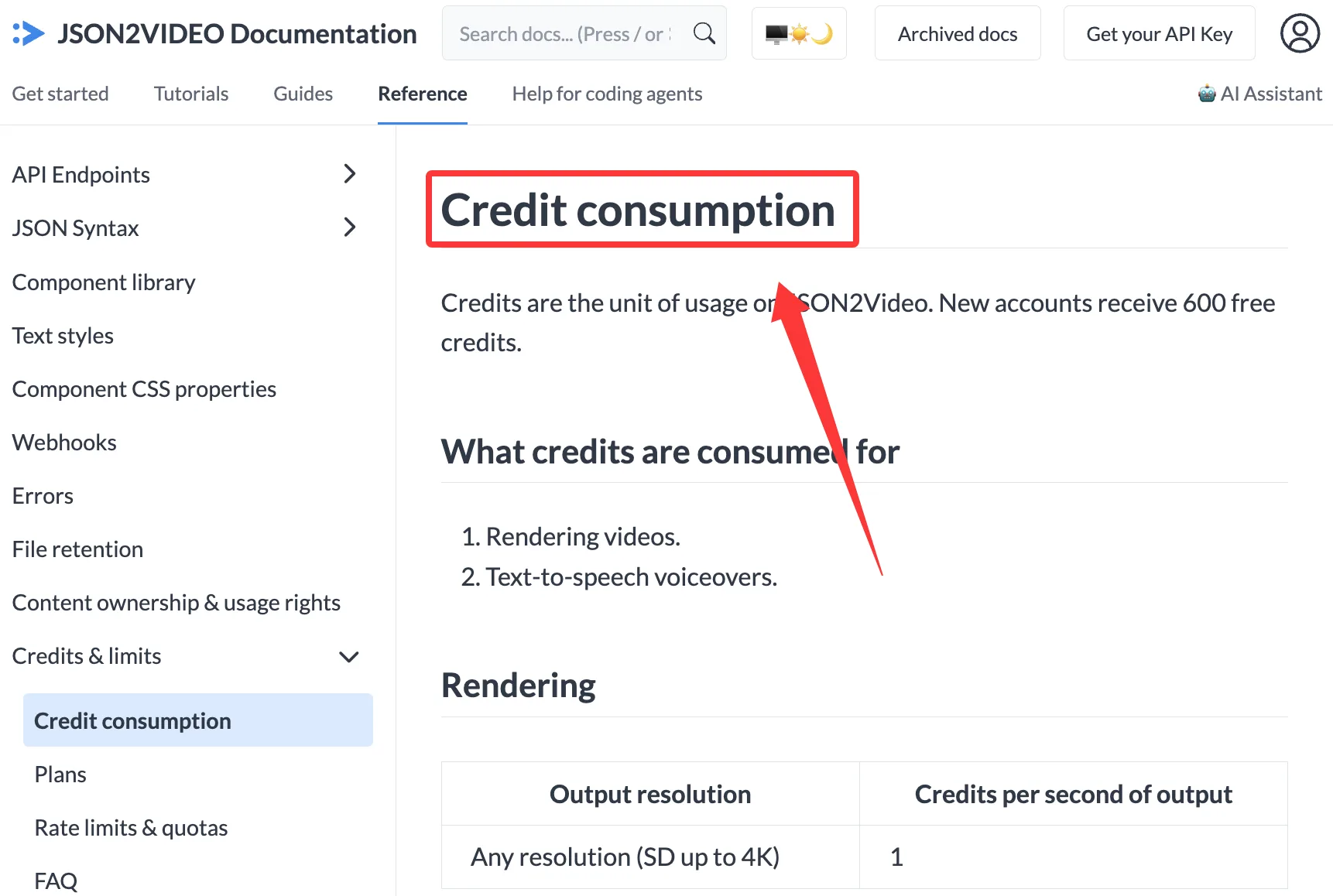
Status comes from the project ID; an export destination can send a webhook or file. Check render and destination results separately: a movie can finish while delivery fails. JSON2Video’s credit schedule counts one base credit per output second, independent of resolution.
I like scenes when the business object is a sequence of sections. Overlapping layers across scene boundaries make the structure harder to manage.
Which API Fits Your Editing Pipeline?
The distance between choice freedom and choice fatigue is short. Match the request shape to the system storing the edit:
- Shotstack: for application-owned clip timing, tracks, and user edits. The payload expresses the edit directly.
- Creatomate: for designer-owned layouts with named replacement fields. Version the template with its payload mapping.
- JSON2Video: for outputs assembled from repeatable scenes. Check its movie-level subtitle rule if scenes need different caption styles.
For the first sprint, success is one verified file with correct captions and a recoverable job record. Your own asset URLs and queue volume will decide the operating fit.
What Breaks When Render Jobs Scale?
Asset URLs expire in queues. Callbacks repeat or fail. Finished URLs vanish before download. Speed isn’t the goal. Not breaking flow is.
The job state machine separates submission, verification, and delivery. For any video render API, an accepted request is not a finished file. Submit under a stable business key; store the provider ID. On callback, confirm status or reconcile with a scheduled GET. Copy the output before marking the job complete. After a POST timeout without an ID, investigate before retrying: the original render may already be running.
Request rate and render concurrency are separate. Creatomate documents 30 API requests per 10 seconds, with 429 and Retry-After when exceeded; accepted jobs may still queue. Load-test the purchased tier. Track queue, render, callback, and download times separately.
FAQ
Does Shotstack sign its render-completion callback?
No. Shotstack’s callback payloads are unsigned. Confirm the render ID and status through its authenticated API. Acknowledge the callback promptly and download in a worker; unsuccessful deliveries are retried.
Does Creatomate offer an idempotency key for render jobs?
No documented idempotency key appears in Creatomate’s current render-create fields. metadata correlates a job; it does not promise deduplication. Store your own business key and render ID. Investigate an ambiguous timeout before another POST.
Can JSON2Video accept subtitle timing in a render request?

Yes. Put timed SRT, VTT, or ASS in the movie-level captions property, inline or by URL. One movie accepts one subtitles element, processed after the render.
What happens when a source asset URL expires during rendering?
The render can fail when the provider tries to fetch that asset after the URL expires. Shotstack says a signed source URL must still be reachable when the render runs; JSON2Video reports unreachable src URLs as asset download errors. Creatomate likewise requires direct, reachable media URLs for render inputs. Set URL lifetime to cover queue and render time, or upload reusable assets to durable storage. Replace an expired URL and submit a new job only after checking the old job’s state.
How long does each provider retain uploaded source media?
Shotstack keeps Ingest uploads until deletion; JSON2Video keeps Media-library uploads while the account has credits; Creatomate publishes no fixed expiry for source media stored in templates and feeds. Shotstack’s data-handling policy also says URL-fetched working copies are discarded after rendering and hosted outputs remain until deletion. Creatomate counts source media against storage and hosts finished renders for up to 30 days. Under JSON2Video’s file-retention policy, a balance at zero for 30 days triggers Media deletion; finished videos last seven days. Keep durable originals and MP4s in storage you control.
Conclusion
A first video editing API build needs one fixed edit and a complete job record. Shotstack gives direct timeline control; Creatomate makes a template the contract; JSON2Video makes scenes the contract. Keep the clip, captions, and card as an acceptance fixture, then inspect queue behavior, failures, and the bill. The first usable render is a milestone. The second identical render, delivered without manual cleanup, is the one that counts.
Previous posts:
Related Articles

AI Filmmaking: From Storyboard to Multi-Shot Video

A2E AI Pricing 2026: Plans, Credits, Free Tier and Limits
Akool Pricing 2026: Plans, Credits, Free Plan and Limits
DreamFace Pricing 2026: Plans, Free Tier, Credits and Limits
Dreamina Pricing 2026: Plans, Credits, Free Daily Credits