
GPT Image 2.5 vs GPT Image 2: Is It Worth Upgrading?
GPT Image 2.5 vs GPT Image 2 compares quality, editing, speed, API cost, and migration trade-offs to show when an upgrade is worthwhile.
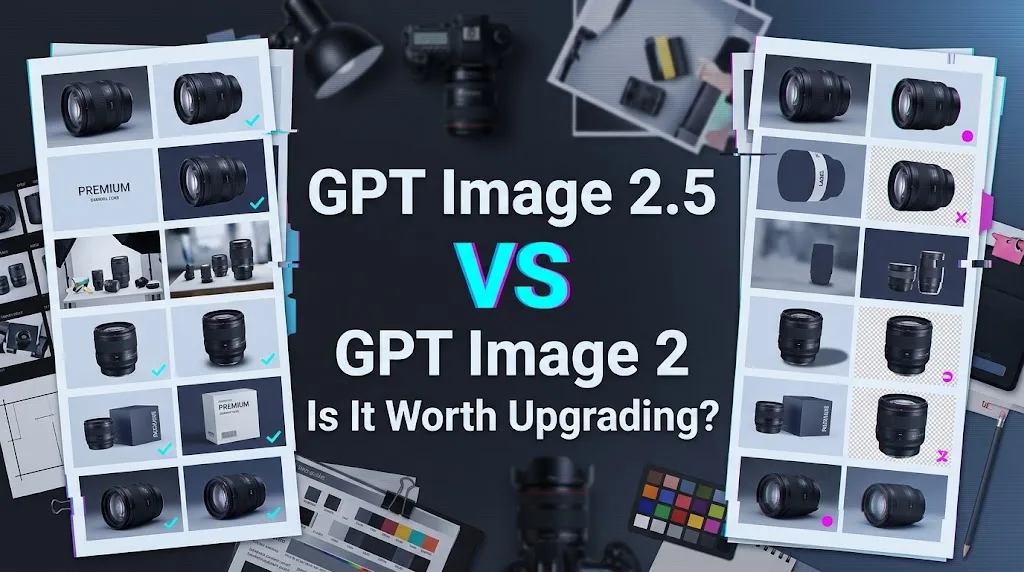
I had three model IDs and no honest comparison table. GPT Image 2 already supports our baseline settings. GPT Image 2.5 adds Flare, Sunburst, higher quality levels. A model-field swap would be easy. Calling that an upgrade would not.
This GPT Image 2.5 vs GPT Image 2 comparison is a migration note. No complete three-model run log was supplied for this article, so I am not inventing quality scores or latency results. The method below defines what an existing production team needs to measure before moving traffic.
Quick Verdict: When GPT Image 2.5 Is Worth the Upgrade
GPT Image 2.5 is worth evaluating when repeated edits, queue latency, typography errors, or reference drift create measurable rework. It is not an automatic replacement for a stable GPT Image 2 API pipeline.
| Production condition | Starting decision |
|---|---|
| High-volume assets with latency targets | Test Flare as the default |
| Precise edits and premium creative | Route selected work to Sunburst |
| Stable prompts with acceptable cost | Keep GPT Image 2 |
| No usage logs or rollback path | Delay migration |
Upgrade for iterative editing and latency-sensitive workflows
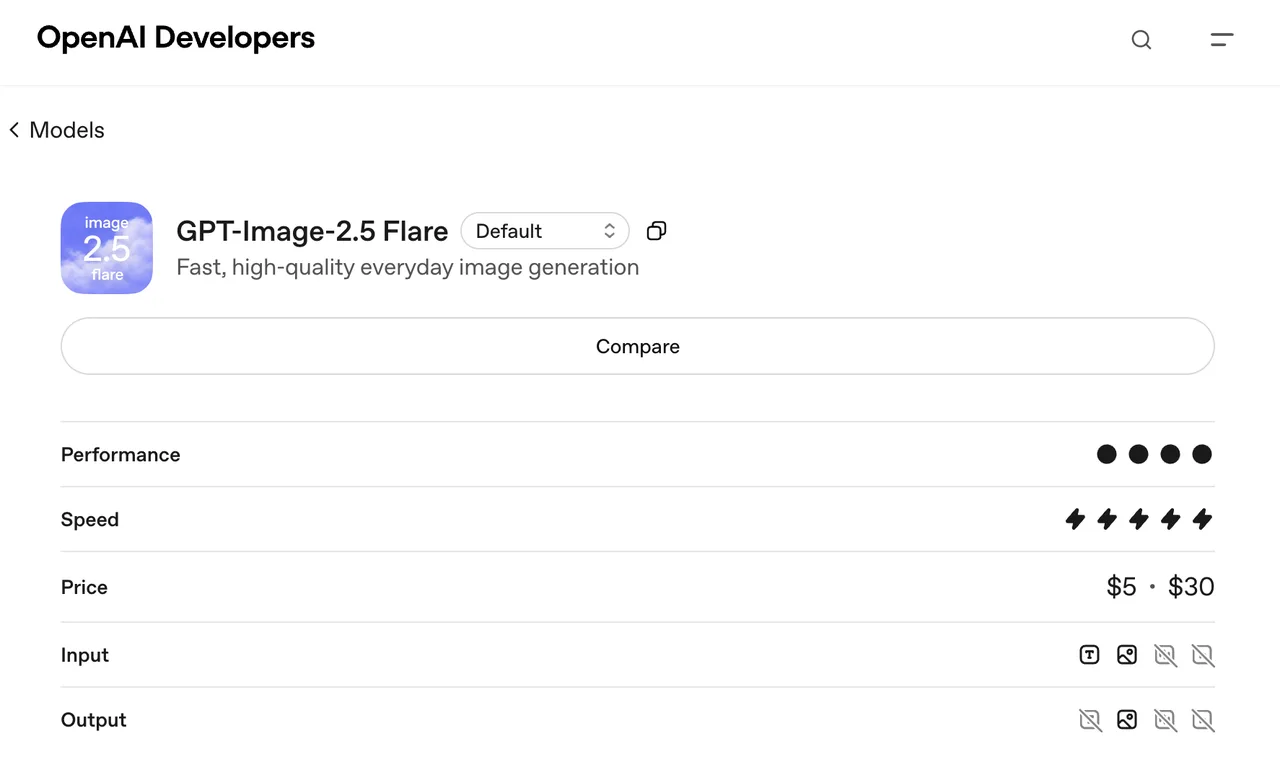
OpenAI calls Flare its fastest model for high-quality everyday generation. That makes it the first candidate for catalog images, social assets, thumbnails, and other repeated jobs.
OpenAI positions Sunburst as its most capable image model, aimed at workflows where editing precision matters. Both statements are vendor positioning. They do not prove lower p95 latency or higher usable-output rates for a specific queue.
Keep GPT Image 2 when migration risk outweighs the gains
Keep GPT Image 2 when its prompts are tuned, outputs already pass review, and migration would require broad visual regression testing. The GPT Image 2 model page still lists an active model and dated snapshot. OpenAI had not published a deprecation date when checked on September 10, 2026.
No forced deadline means the decision can stay boring and evidence-based.
How We Run a Fair GPT Image 2 vs 2.5 Test
A defensible comparison needs identical work, repeated outputs, and request-level records. Without those, there is no winner to report.
Match prompts, references, dimensions, and quality settings
Use four production-shaped tasks:
- Replace a product-photo background while preserving geometry, labels, and color.
- Generate a poster with an exact headline, price, date, and legal line.
- Produce a transparent PNG around reflective and semi-transparent edges.
- Apply five consecutive local edits while preserving every unnamed region.
Freeze prompts, reference files, dimensions, format, background mode, moderation settings, and repeat counts. Use high quality for the main comparison because all three models support it. Test xhigh and max separately because GPT Image 2 does not expose them.
The Image API guide permits custom dimensions up to 3,840 pixels per edge and 8,294,400 total pixels. Output above 2560 × 1440 is experimental. A GPT Image 2.5 4K test therefore needs its own compatibility lane.
Compare GPT Image 2, Flare, and Sunburst with repeated runs
Run every task five times per model. Store the exact model ID, prompt, reference hashes, size, quality, format, timestamps, usage, error code, and reviewer decision.
Keep rejected outputs. Deleting them makes the report cleaner and the model artificially better.
Score character accuracy, reference preservation, local-edit containment, transparent-edge quality, end-to-end latency, retry rate, manual repair time, and acceptance rate. Five repeats do not remove variance, but they reveal whether a strong first result was an exception.
Quality and Editing Results
No measured quality result is claimed here. The following checks define what Flare or Sunburst must improve before replacing the existing route.
Instruction following and embedded text
Compare every required object and instruction against the output. For posters, score letters, numbers, punctuation, line breaks, and placement separately.
OpenAI says the newer family improves generation and editing, but its guide still warns that text placement and clarity can fail. A poster that looks polished while changing “30%” to “20%” is rejected. Visual preference does not override semantic accuracy.
Reference fidelity and transparent backgrounds
For product edits, inspect silhouette, proportions, logo placement, packaging text, color, materials, and untouched regions. Use automated comparison for preserved areas, followed by human review.
Transparent output requires background: "transparent" with PNG or WebP. Check the alpha channel itself. White fringes, opaque shadows, clipped hair, and missing glass edges count as failures even when the preview looks acceptable.
GPT Image 2 processes image inputs at high fidelity automatically. The same source images still need to pass through all three models. A broader setting range does not prove better reference preservation.
Multi-turn editing drift and failure patterns
Save the original and every intermediate edit. Score each result against both the preceding image and the original.
This catches accumulated drift. A logo may move slightly in turn two, change color in turn three, and become a different mark by turn five. Adjacent comparisons can hide that sequence.
Separate instruction errors, reference drift, malformed files, moderation blocks, timeouts, and creative rejection. Do not retry a user-correctable request without changing its prompt or inputs.
Speed and Cost per Usable Image
Measure latency, retries, and rejection rates
Record submission-to-first-partial and submission-to-final latency. Report p50, p95, and timeout rate for each task and quality level.
Partial images can improve perceived responsiveness without shortening final completion. They also cost money. Each streamed partial adds 100 image-output tokens.
Use two operational metrics:
Usable rate = accepted outputs ÷ completed outputs
Retry rate = replacement requests ÷ initial requests
Flare only earns the default route when faster delivery does not raise rejection or repair time.
Convert API usage into accepted-asset cost
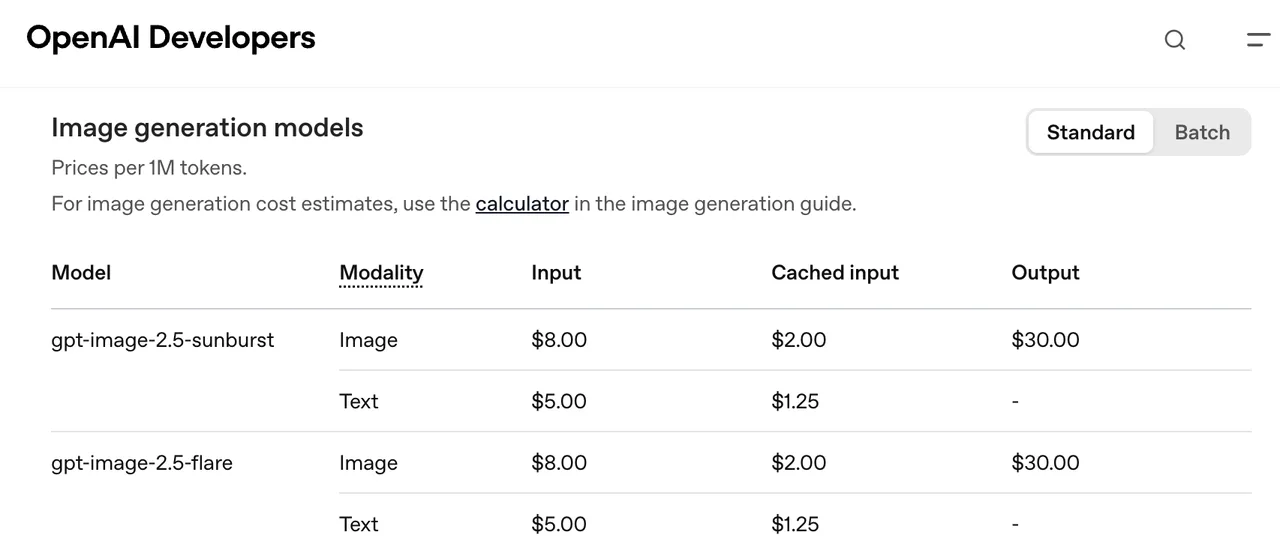
The pricing page currently lists these rates per million tokens:
| Model | Text input | Image input | Image output |
|---|---|---|---|
| Flare | $5.00 | $8.00 | $30.00 |
| Sunburst | $5.00 | $8.00 | $30.00 |
| GPT Image 2 | $2.50 | $4.00 | $15.00 |
Flare and Sunburst share token rates, but may consume different token amounts. GPT Image 2 currently has lower listed rates.
Some model documentation says the 2.5 rates match GPT Image 2, which conflicts with the dated pricing table. This didn’t match the documentation. Use invoice-visible usage and the current pricing page until OpenAI resolves the discrepancy.
Calculate:
Accepted-asset cost = (input + output + partials + retries + rejected-output charges) ÷ accepted assets
A lower generation time does not help if the workflow needs twice as many paid attempts.
API Compatibility and Migration Work
Model IDs, quality settings, and snapshot pinning
Use dated IDs during evaluation:
gpt-image-2-2026-04-21gpt-image-2.5-flare-2026-09-08gpt-image-2.5-sunburst-2026-09-08
GPT Image 2 supports quality through high. Flare and Sunburst add xhigh and max. All three support generation and editing through OpenAI’s image interfaces.
ChatGPT Images 2.5 usage is not a substitute for this API test. The interactive product may hide model selection, retries, and request-level controls needed for a migration record.
Staged rollout, fallback, and rollback
Send a small percentage of eligible jobs to Flare. Keep the pinned GPT Image 2 snapshot as fallback. Add Sunburst only for precision-heavy tasks.
Log the requested and served model. Roll back when accepted-asset cost, p95 latency, failure rate, or manual repair exceeds the written threshold.
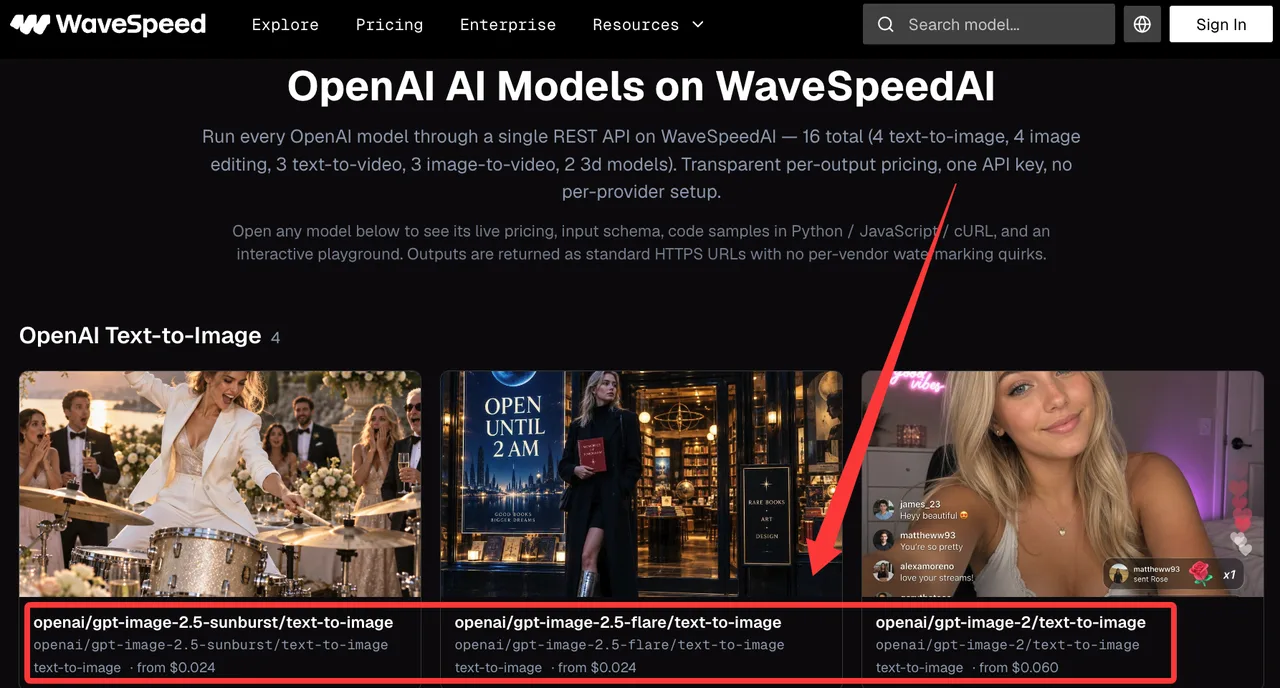
WaveSpeed’s OpenAI model directory listed GPT Image 2, Flare, and Sunburst on September 10, 2026. That confirms a possible access and routing layer. It does not turn OpenAI’s quality claims into WaveSpeed test results.
Which Model Fits Each Production Workflow
Flare vs GPT Image 2 for volume and speed
Default to Flare when matched tests show lower latency without increasing rejection or repair time. Keep GPT Image 2 when its tuned prompts remain cheaper per accepted asset or when Flare changes established visual behavior.
For simple repeated work, the older model may still be the calmer route.
Sunburst vs GPT Image 2 for precision and premium creative
Route local edits, packaging work, and premium campaign assets to Sunburst when it preserves references or reduces manual revisions.
Keep GPT Image 2 when the gain is small, inconsistent, or only appears at expensive quality settings. Sunburst needs a measurable premium outcome.
Upgrade Checklist for Production Teams
- Freeze prompts, references, and acceptance rules.
- Pin all three model snapshots.
- Compare at identical dimensions and
highquality. - Test
xhigh,max, and 4K separately. - Run at least five repeats per task.
- Log usage, latency, failures, and repair time.
- Count partial images and rejected outputs.
- Calculate accepted-asset cost.
- Define rollout and rollback thresholds.
- Keep GPT Image 2 until fallback tests pass.
Limitations of This Comparison
Output variance can hide small model differences
Five repeats can expose obvious instability but may miss rare failures. Brand-critical work needs a larger sample across several product, subject, and reference types.
Reviewer disagreement may also exceed the difference between models. Use objective checks for text and preserved regions, then blind review for visual preference.
Official claims still need workflow-specific validation
“Fastest” and “most capable” describe OpenAI’s intended positioning. They are not independent measurements.
This article has no complete three-model output set. It therefore does not award a quality, speed, or cost winner. The method is reproducible. The outcome remains to be verified.
FAQ
Are GPT Image 2 and 2.5 rate limits pooled or separate?
The model pages publish the same tier schedule, starting at 100,000 TPM and five images per minute for Tier 1. They do not clearly state whether enforcement uses a shared pool or separate model buckets. Check the organization’s Limits page and run a controlled concurrency test.
Has OpenAI announced a GPT Image 2 deprecation date?
No deprecation date was listed as of September 10, 2026. GPT Image 2 remains active. Pin its April 21 snapshot and monitor OpenAI’s deprecation notices.
Do GPT Image 2 and 2.5 emit different provenance metadata?
OpenAI’s provenance-check API can detect supported C2PA and SynthID signals. Current documentation does not promise a model-specific metadata difference between GPT Image 2, Flare, and Sunburst. Check exported files after every downstream conversion.
Do enterprise data-retention controls apply equally to GPT Image 2 and 2.5?
The data-controls documentation lists GPT Image 2, plus Flare and Sunburst and their September 8 snapshots, as Zero Data Retention compatible on /v1/images for approved customers. Safety-related retention exceptions can still apply.
Do GPT Image 2.5 model IDs require separate project allowlisting?
Yes, when a project uses an allowlist that does not contain the new IDs. Add Flare and Sunburst explicitly. Keep GPT Image 2 permitted during rollout so fallback and rollback continue working.
Conclusion
The GPT Image 2.5 vs GPT Image 2 decision has three valid outcomes. Keep GPT Image 2 when production is stable. Default to Flare when it lowers measured latency without raising accepted-asset cost. Route selected precision work to Sunburst when fewer edits justify it. No unconditional winner. The run log decides.
Previous posts:
Related Articles
/filters:quality(82)/media/images/1773962750383987480_n3hqzHRZ.webp)
GPT Image 2.6: What Is Confirmed, What Is Rumor, and What to Build On Today
Pika H3 Flex Explained: What It Is and How to Try the H3 Family via API
Seedream 5.5: What to Expect, and How to Get Ready
AI Lip Sync Dialogue Scenes with Seedance 2.5: Prompts and Settings
How to Make an AI Short Drama with Seedance 2.5, Wan 3.0 and Kling 4.0