
Best AI Video Translation Tools for 2027
Compare the best AI video translation tools for 2027 by language coverage, dubbing, lip sync, review workflow, API access, and usable cost.
The translation was accurate. The product name was not. That single error would be enough to reject an otherwise polished localized video.
Dora here. I started this guide from that production problem, not from language-count claims. I defined one 48-second, rights-cleared product-training clip containing a visible presenter, a brief side profile, a brand term, an acronym, a price, background music, and editable English captions. Spanish, German, and Japanese are the target languages.
Each platform receives the same source, settings, and acceptance criteria. I record first-pass usability, correction time, retries, processing time, and total cost per accepted video. However, I do not have authenticated paid runs and invoices from all five platforms. The recommendations therefore describe verified workflow fit, while measured results remain subject to the planned human review in Feishu.
How We Evaluated AI Video Translation Tools
Translation Quality, Voice, Lip Sync, and Human Review
A usable result must preserve meaning, names, numbers, speaker attribution, and pronunciation. The localized voice should remain appropriate for the presenter, while lip movement, captions, and scene timing must avoid distracting errors.
The 48-second clip is submitted three times per target language. A run fails when it changes the product term or price, mistranslates the call to action, assigns the wrong speaker, produces conspicuous mouth artifacts, or requires a complete rerender.
I track human correction time separately from generation time. A 30-second render followed by 15 minutes of transcript repair is not a 30-second workflow. So that is where the bottleneck was.
API Access, Batch Workflow, Data Handling, and Usable Cost
Browser editing, subtitle translation, voice cloning, lip sync, and complete video dubbing tools are treated as separate capabilities. For automation, I check job creation, status reporting, language-level outputs, retries, batch controls, caption export, and deletion options.
Usable cost equals platform charges plus review and editing labor, divided by accepted outputs. Rejected takes, lip-sync reruns, and downstream caption work remain in the calculation. Sensitive voice and likeness data also require documented consent, retention, and removal procedures before upload.
1. HeyGen — Best for Avatar-Led Localization
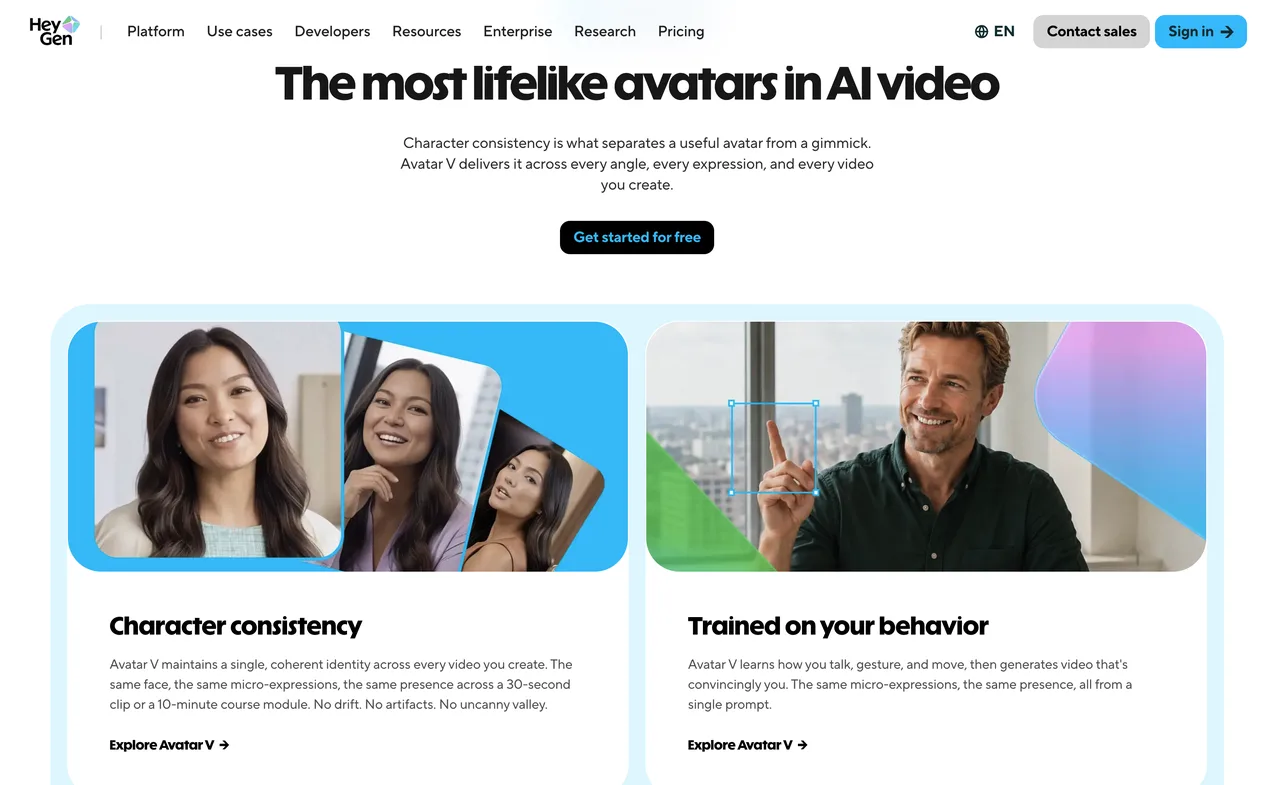
Best Use Case and Production Workflow
A strong HeyGen use case is localizing the 48-second presenter video for three regional product pages. The team wants to preserve the presenter’s voice and facial delivery while adapting the narration, captions, and call to action.
I would upload the approved master and apply a Brand Glossary to lock the product name, acronym, and price wording. Each language would first use audio-only translation for script review. Accepted scripts would move to Speed lip sync, with Precision reserved for the side-profile shot or visible mouth errors.
The deliverables are one clean video, one captioned video, and an SRT file per language. The result sheet records terminology errors, review minutes, lip-sync reruns, processing time, and consumed credits.
HeyGen’s current video translation workflow supports local files or links, up to ten target languages per job, and separate audio-only, Speed, and Precision modes. This workflow fits product demos, onboarding clips, and presenter-led marketing.
Key Limits and Current Access
HeyGen translates speech, captions, and optional mouth movement, but not text baked into video graphics. The source must use one spoken language. Profiles, occlusion, frequent camera cuts, and multiple visible speakers can increase correction work.
Proofreading, duration, resolution, and API controls vary by plan. API translation is separate from the browser subscription, and API proofreading is Enterprise-gated. HeyGen is less suitable when localization depends mainly on replacing diagrams, screen recordings, or embedded text.
2. Synthesia — Best for Managed Training Localization
Best Use Case and Production Workflow
The clearest Synthesia use case is localizing a product-training module that already exists as an editable Synthesia project. Regional reviewers must approve terminology before employees receive the Spanish, German, and Japanese versions.
I would duplicate the approved source, add glossary rules, and generate language drafts without immediate publication. Reviewers would inspect the script, on-screen content, pronunciation, and timing. Approved translations would then be rendered and published through the multilingual player. XLIFF or a translation-management integration would handle external linguistic review.
Deliverables include independently publishable language versions, captions, and the translation files needed for future updates. I would record reviewer time, rejected terms, regeneration work, and whether a source edit propagates cleanly.
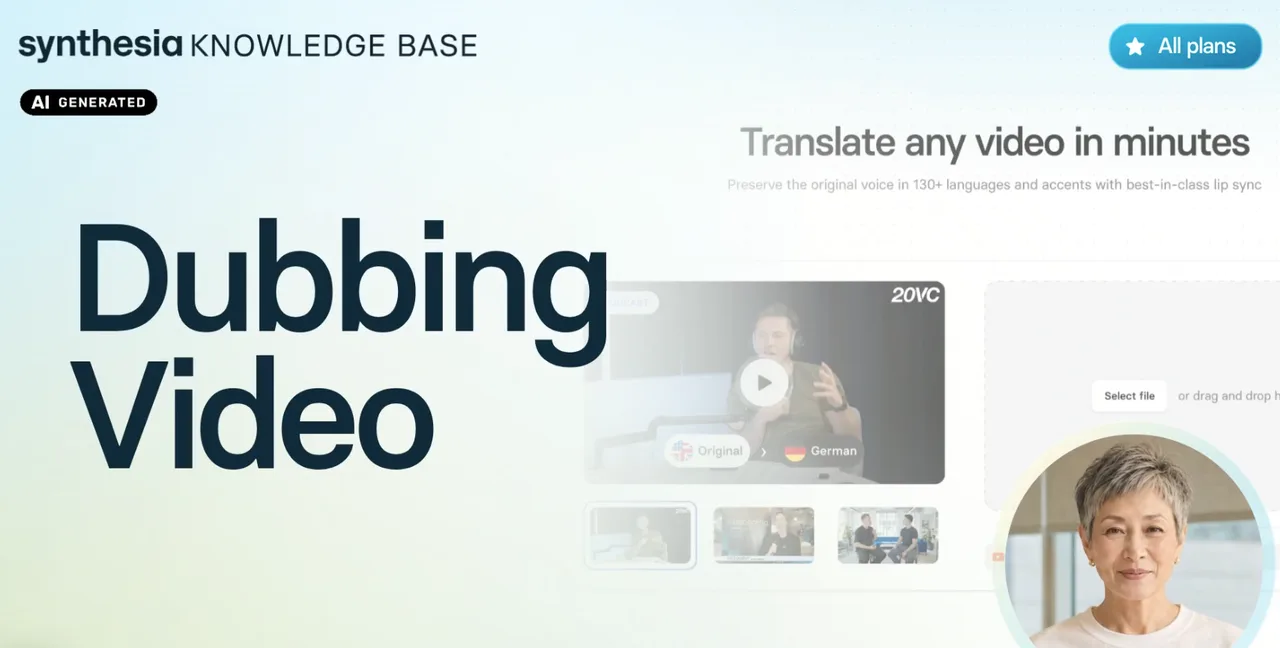
Synthesia’s translation and dubbing documentation supports multiple languages, transcript review, language-specific editing, lip sync, and adaptive or original duration.
Key Limits and Current Access
For uploaded third-party footage, dubbing translates speech rather than burned-in titles or graphics. Editable Synthesia projects provide broader localization control because their text remains structured.
Transcript editing and some managed translation features require Enterprise access. Bulk dubbing also skips the pre-dub transcript-review stage. Adaptive duration may alter playback speed, while original-duration mode may compress speech. Teams should review comprehension, not merely whether the video finishes on time.
3. Rask AI — Best for Long-Form Dubbing Workflows
Best Use Case and Production Workflow
Rask fits a team localizing a library of recorded webinars. The 48-second test clip acts as a representative excerpt before the team submits a complete session containing technical terminology and frequent timing changes.
I would create the source transcript, correct speaker labels and timestamps, and apply a translation dictionary before dubbing. Each target language would receive a linguistic review at segment level. Only approved versions would proceed to voice generation and optional lip sync.
The deliverables are translated videos, separate audio, and original and translated subtitle files. For a longer program, I would also sample the opening, middle, and closing sections rather than approving the entire result from one excerpt.
Rask’s documented SRT export options include original and translated captions with timecodes and speaker-oriented text. Bulk upload, dictionaries, version history, and API access make it suitable for repeatable video localization.
Key Limits and Current Access
Lip sync consumes additional processing time and credits. Rask also warns that side profiles, facial obstruction, lighting, and multiple faces can reduce results. Any transcript change made after lip sync may require that stage to run again.
Dictionary, SRT, collaboration, and API features vary by plan. The 48-second excerpt can reveal terminology and timing problems, but it cannot prove reliability across a one-hour webinar.
4. ElevenLabs Dubbing — Best for Voice-First Localization
Best Use Case and Production Workflow
ElevenLabs suits a team turning a narrated product interview into localized audio and video editions. Voice character, speaker separation, and background music matter more than reconstructing the presenter’s mouth.
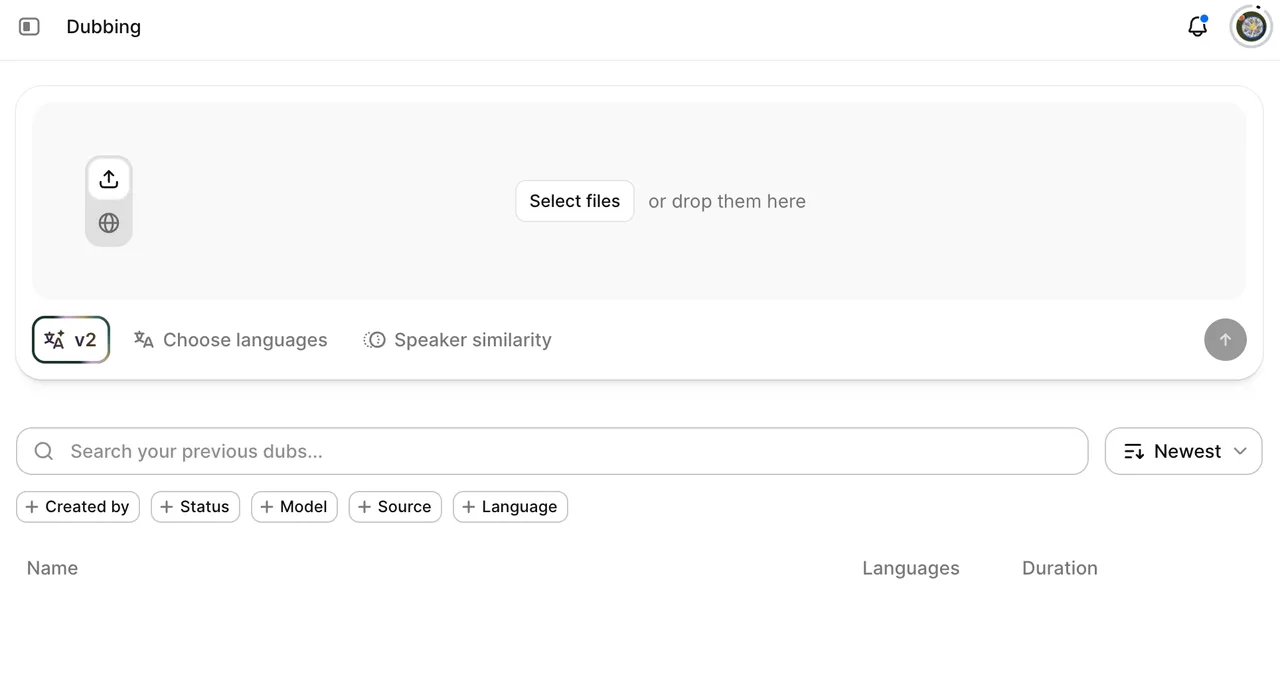
I would upload the same source, verify the detected transcript and speakers, and generate each target language independently. An Enterprise workflow could correct one translated segment and regenerate that language without restarting every output.
The primary Dubbing v2 output is a localized lossless audio file, while timestamped source and target transcript segments are accessible through the API. I would score speaker consistency, emotional tone, background-audio preservation, mistranslations, and regeneration cost.
The current Dubbing v2 documentation describes support for more than 90 languages, up to 32 speakers, retained background audio, and app or API ingestion.
Key Limits and Current Access
Dubbing v2 is labeled alpha. Transcript editing and API regeneration are Enterprise features, while concurrency depends on workspace tier.
ElevenLabs does not document Dubbing v2 as a facial lip-sync system. A team producing close-up presenter footage may need another service for mouth correction and a video editor for graphics. It is strongest when the voice is the asset.
5. VEED — Best for Browser-Based Editing and Translation
Best Use Case and Production Workflow
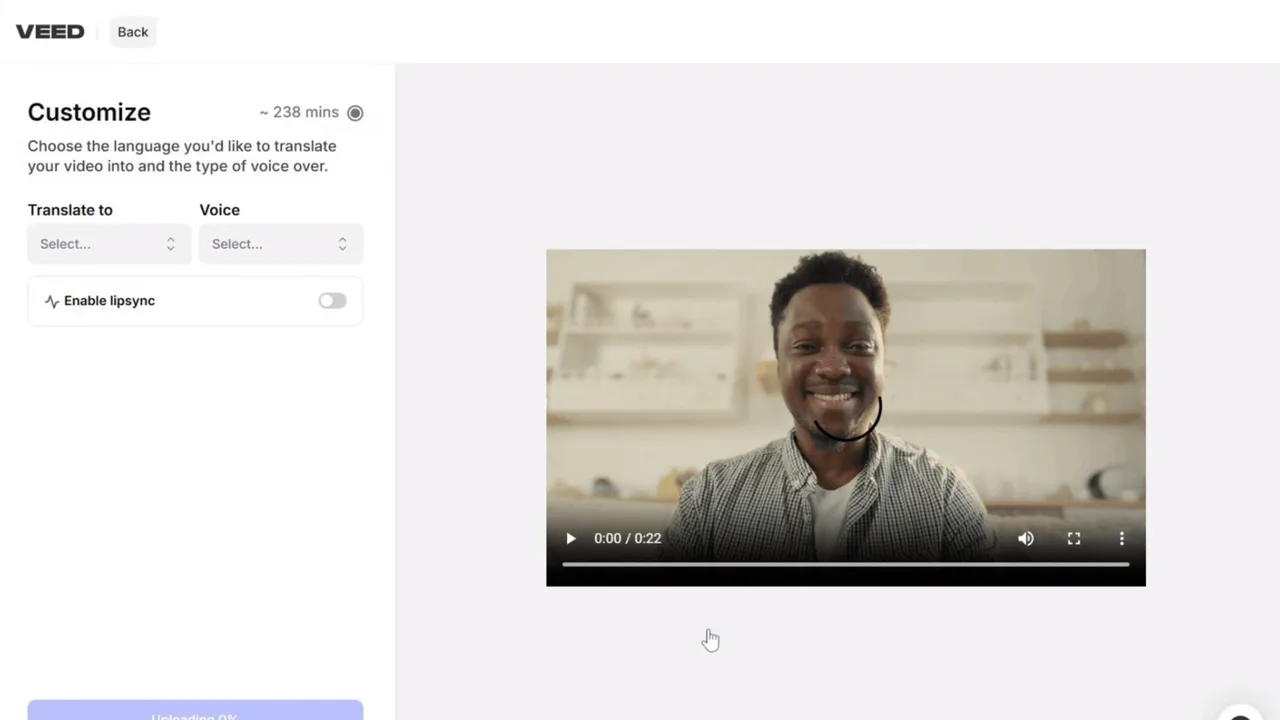
VEED fits a small social team localizing the 48-second product clip without building an API pipeline. The same operator handles translation, captions, layout changes, and final vertical-video export.
I would upload the master, generate one language, review the transcript, choose the localized voice, and apply optional lip sync. The result would then move directly into the VEED timeline for caption placement, replacement graphics, music balancing, and a 9:16 export.
The deliverable is a finished social video rather than an intermediate dubbing asset. I would record translation corrections, editor time, failed dubbing attempts, caption adjustments, and export time.
VEED’s AI Dubbing guide documents automatic source detection, optional lip sync, subtitle-file input, follow-up editing, and failed-job credit returns.
Key Limits and Current Access
VEED’s lip sync remains beta and currently downscales output to 1080p. Dubbing uses one voice for all speakers, while proofreading and SRT upload require Enterprise access.
The public documentation does not establish a production-oriented dubbing API comparable with API-first platforms. VEED is therefore better for operator-led finishing than unattended localization batches.
Choose the Right Translation Workflow
Choose by Source Video, Review Burden, and Distribution Channel
Choose HeyGen for visible presenters, Synthesia for managed training, Rask for segment-heavy programs, ElevenLabs for voice-led media, and VEED for browser finishing. There is no unconditional winner.
For every route, I would reject a first pass that changes the brand term, price, or speaker. The final decision should use median correction time and cost per accepted video, not the most flattering sample.
Separate Dubbing, Lip Sync, Captions, and Final Editing
A controlled workflow moves through transcription, terminology approval, translation, dubbing, voice review, optional lip sync, caption export, and final editing.
This order avoids paying to animate a mistranslation. It also preserves usable audio and subtitles when lip sync fails.
FAQ
Do translation platforms preserve source timecodes in exports?
Some do, but SRT support does not guarantee frame-accurate preservation. Rask explicitly exports original and translated timecoded SRT files. VEED exports SRT and VTT, while ElevenLabs exposes timestamped segments. Every export should be checked against the source frame rate.
Which tools support glossary imports for brand terminology?
HeyGen and Synthesia document CSV glossary imports. Rask provides translation dictionaries, although its public workflow focuses on creating and applying entries. ElevenLabs Dubbing and VEED do not publicly document equivalent dubbing-glossary imports.
Can reviewers approve individual languages before rendering?
Synthesia provides the clearest managed route through language versions and external translation approval. ElevenLabs can edit language targets independently through Enterprise APIs. Rask and HeyGen support review workflows, while VEED reserves proofreading for Enterprise. The products do not expose an identical approval model.
Can translated videos retain source-language captions as separate tracks?
Rask explicitly exports original and translated subtitles. VEED can maintain multiple subtitle languages in a project, although only one is displayed at a time. Other platforms offer caption exports or language versions, but teams should retain the source SRT or VTT independently.
Which platforms disclose how uploaded voices are deleted?
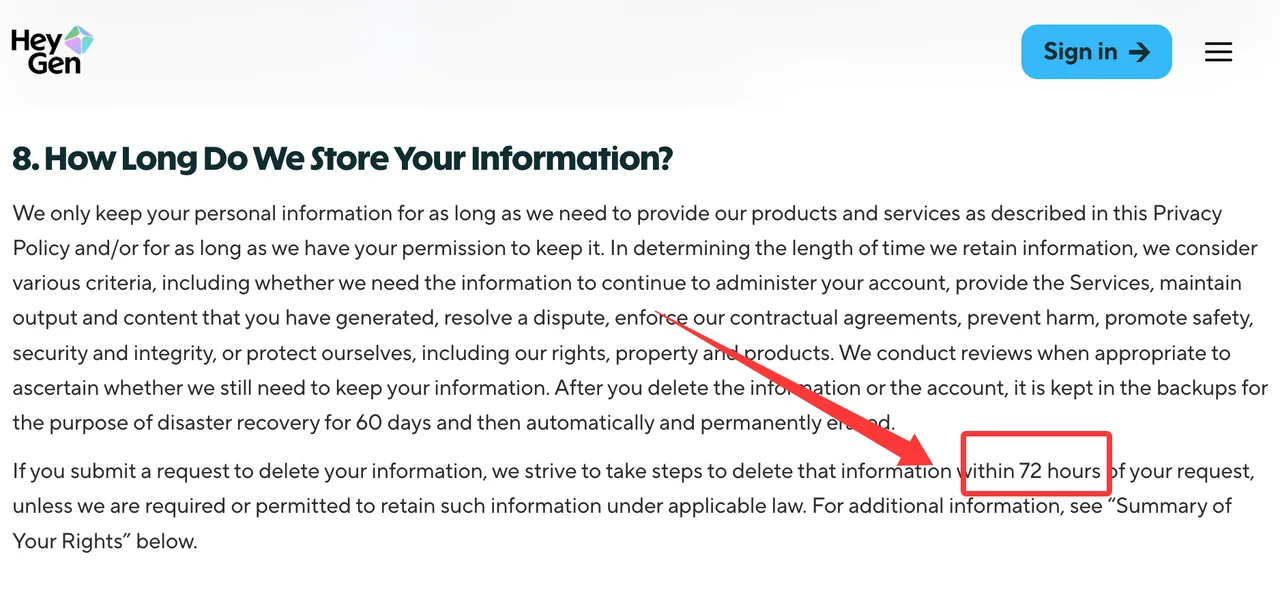
Policies differ. HeyGen’s privacy policy targets deletion within 72 hours after a valid request, followed by a 60-day backup period. Rask says deleted project media may remain for up to 30 days under its retention policy. ElevenLabs supplies a delete-voice endpoint. Synthesia states that voice, avatar, and video deletion may take up to 90 days. VEED publishes general erasure rights but no fixed voice-specific deletion period.
Conclusion
The best AI video translation tools solve different parts of localization. HeyGen emphasizes presenter lip sync, Synthesia manages structured training, Rask supports detailed dubbing operations, ElevenLabs protects voice character, and VEED keeps finishing inside the browser.
My role here is to make the comparison reproducible, not to fill missing test cells with confident prose. This is where my data ends. Commercial use, voice and likeness consent, retention, and licensing information is general guidance rather than legal advice. Current provider terms govern each deployment.
Previous posts:
/filters:quality(82)/media/images/1790674052777090724_VkQ0airA.webp)
/filters:quality(82)/media/images/1790673621210536798_7KpzHQZ8.webp)
/filters:quality(82)/media/images/1790667061147571629_q61iPczX.webp)
/filters:quality(82)/media/images/1790674802528777336_lzVsEXlH.webp)
/filters:quality(82)/media/images/1790675047405706000_iR5fnwFP.webp)
/filters:quality(82)/media/images/1790589731632080935_0wwFPY8h.webp)