Z-Image-Turbo is a 6 billion parameter text-to-image model that generates photorealistic images in sub-second time. Ready-to-use REST inference API, best performance, no coldstarts, affordable pricing.
Boşta
$0.005çalıştırma başına·~200 / $1
ÖrneklerTümünü görüntüle
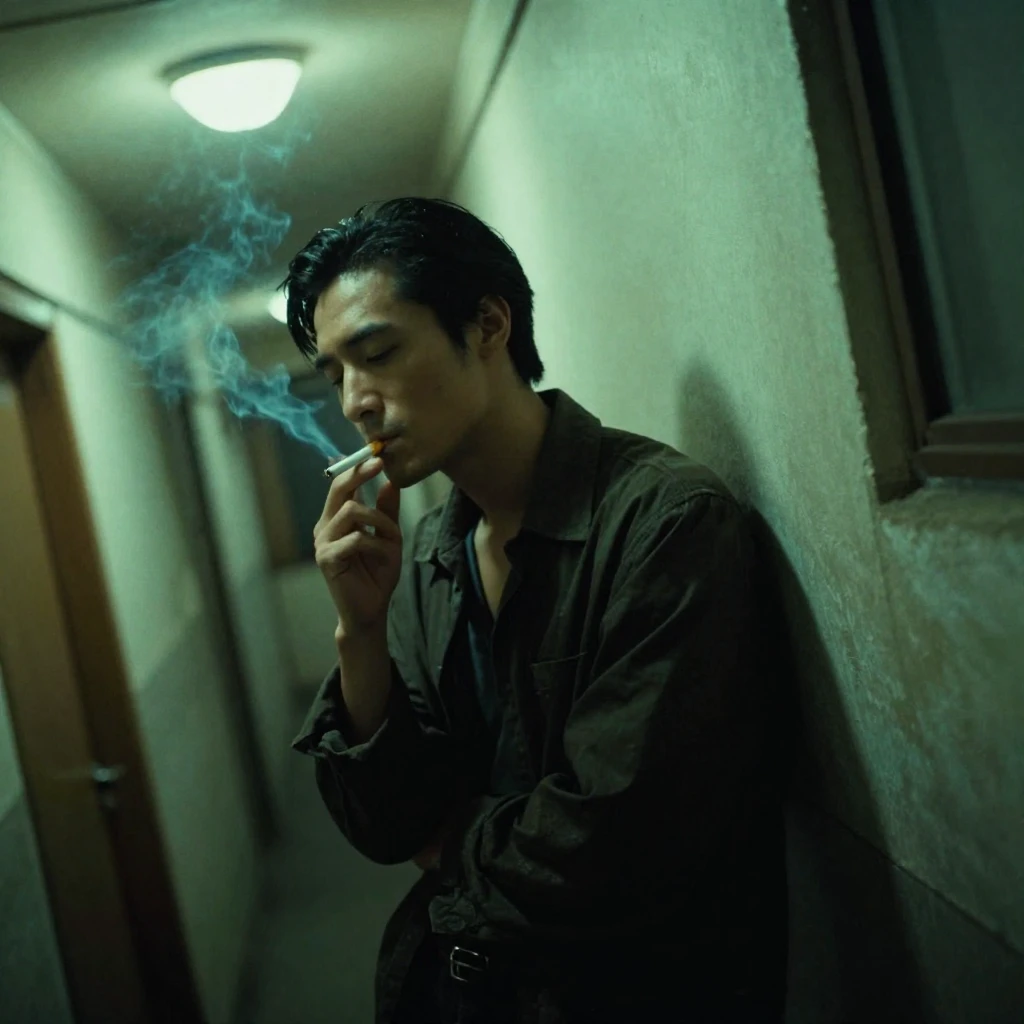
Wong Kar-wai film style, a lonely man smoking a cigarette in a narrow Hong Kong hallway, 1990s. Greenish fluorescent lighting, heavy shadows, moody atmosphere. Slight motion blur to create a dreamlike quality. Film grain, vignetting, emotional, cinematic composition, dutch angle shot.

A translucent jellyfish made of flowing liquid fire and smoke, floating inside a cube of solid ice. The ice is melting, dripping water that turns into gold coins. Stark contrast between the warm orange fire and cold blue ice. Studio lighting, black background, 3D render style, caustics lighting effects, refraction, octane render, 8k.
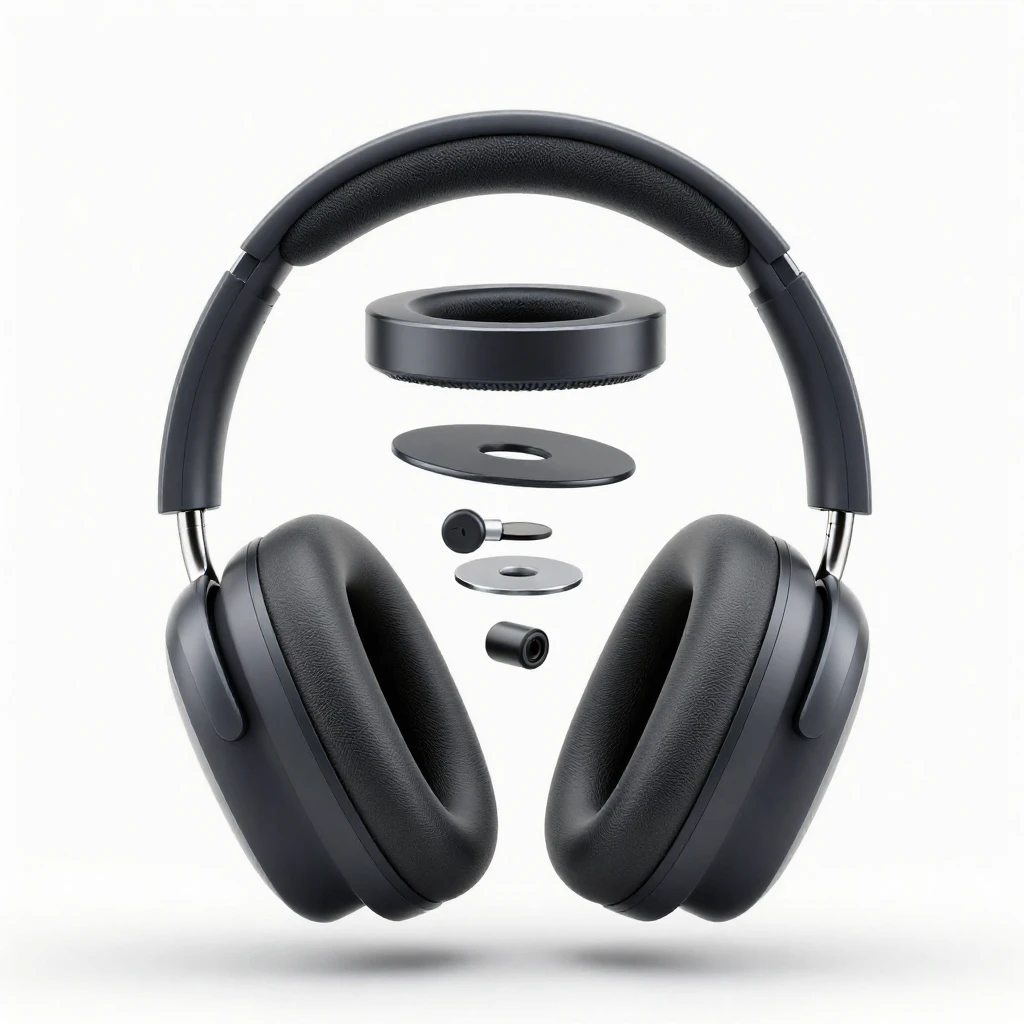
A clean exploded view diagram of modern over-ear headphones. All components are deconstructed and floating in mid-air to show the internal structure. White background, studio lighting, soft shadows, industrial design style, high resolution, photorealistic, 8k.

Cinematic wide shot of a battle-worn viking warrior standing in a blizzard. Wearing intricate silver armor with fur cloak. Face covered in mud and war paint. Snowflakes landing on eyelashes. Intense gaze, screaming. Epic mountain background, overcast sky, desaturated colors, gritty texture, highly detailed armor, 8k, Arri Alexa camera.
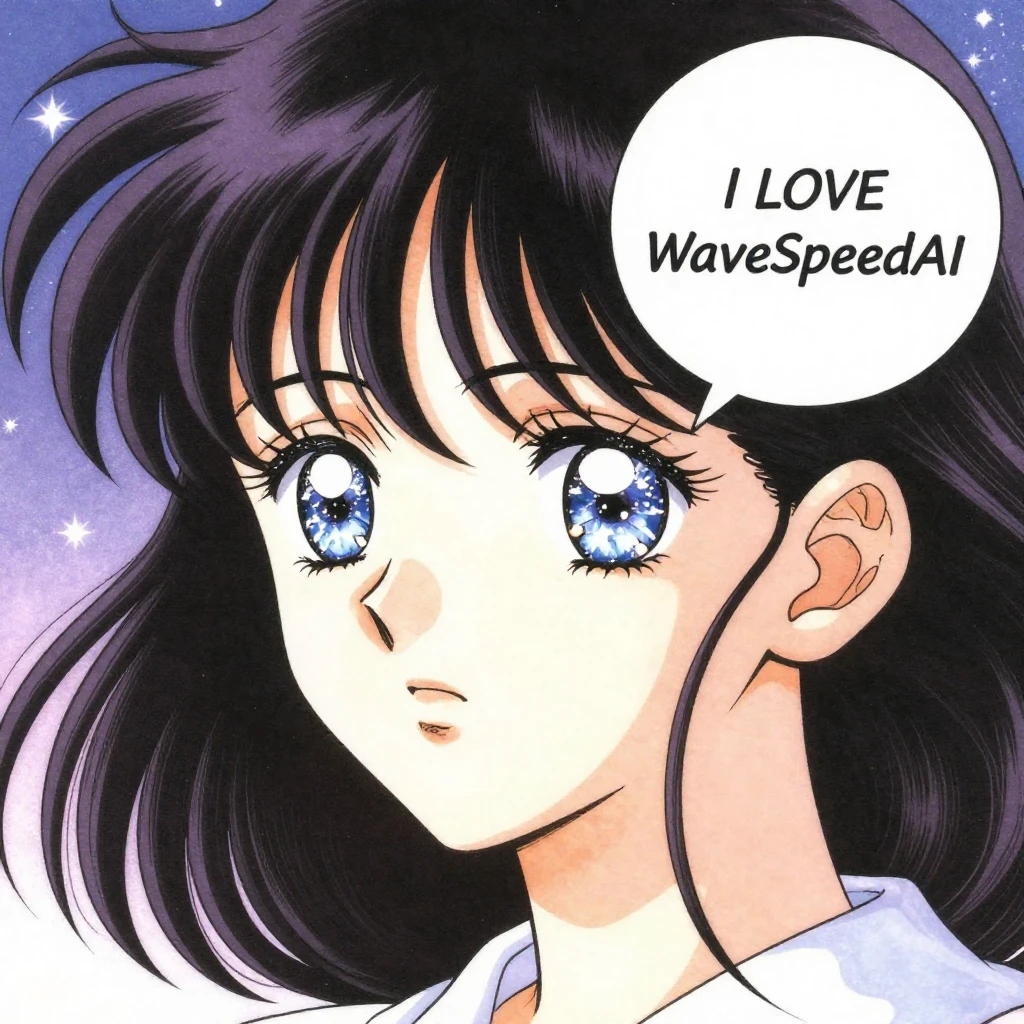
Retro 90s shojo manga style. Close-up of a girl with sparkling watery eyes and windblown hair. A clean white speech bubble next to her face. The text inside the bubble explicitly reads "I LOVE WaveSpeedAI". Soft dreamy atmosphere, starry background, delicate linework, vintage anime aesthetic.
İlgili Modeller
/filters:quality(82)/media/images/20260408112243_fhp8ohcz.webp)
/filters:quality(82)/media/images/20260408110553_98wmm7hc.webp)
/filters:quality(82)/media/images/1790488410091771665_KrDReM9p.webp)
/filters:quality(82)/media/images/20260408105856_xdkgwc0r.webp)
/filters:quality(82)/media/images/20260408111715_5fdg8ssd.webp)
/filters:quality(82)/media/images/20260408110248_0t3q3i37.webp)
README
Z-Image-Turbo — 6B-parameter, ultra-fast text-to-image
Z-Image-Turbo is a 6B-parameter text-to-image model from Tongyi-MAI, engineered for production workloads where latency and throughput really matter. It uses only 8 sampling steps to render a full image, achieving sub-second latency on data-center GPUs and running comfortably on many 16 GB VRAM consumer cards.
Ultra-fast generation with production-ready quality
Where many diffusion models need dozens of steps, Z-Image-Turbo is aggressively optimised around an 8-step sampler. That keeps inference extremely fast while still delivering photorealistic images and reliable on-image text, making it a strong fit for interactive products, dashboards, and large-scale backends—not just offline batch jobs.
Why it looks so good?
• Photorealistic output at speed Generates high-fidelity, realistic images that work for product photos, hero banners, and UI visuals without multi-second waits.
• Bilingual prompts and text Understands prompts in English and Chinese, and can render multilingual text directly in the image—helpful for cross-market campaigns, posters, and screenshots.
• Low-latency, low-step design Only 8 function evaluations per image deliver extremely low latency, ideal for chatbots, configuration tools, design assistants, and any “click → image” experience.
• Friendly VRAM footprint Runs well in 16 GB VRAM environments, reducing hardware costs and making local or edge deployments more realistic.
• Scales for bulk generation Its efficiency makes large jobs—catalogues, continuous feed images, or auto-generated thumbnails—practical without blowing up compute budgets.
• Reproducible generations A controllable seed parameter lets you recreate a previous image or generate small, controlled variations for brand safety and experimentation.
How to use
- prompt – natural-language description of the scene, style, and any on-image text (English or Chinese).
- size (width / height) – choose the output resolution; supports square and rectangular images up to high resolutions (for example, 1536 × 1536).
- seed – set to -1 for random results, or use a fixed integer to make outputs reproducible.
Pricing
Simple per-image billing:
- $0.005 per generated image
Try more models and see their difference!
-
Nano Banana Pro – Text-to-Image – Google’s Nano Banana Pro (Gemini 3.0 Pro Image family) delivers high-quality multi-image generation with extremely low cost per image, ideal for large-scale applications.
-
Seedream V4 – Text-to-Image – ’s high-resolution text-to-image model with rich detail and diverse styles, well suited for creative illustration and commercial visuals.
-
FLUX.2 [dev] – Text-to-Image – A lightweight FLUX.2-based base model hosted by WaveSpeedAI, optimised for efficient inference and LoRA-friendly training.
Paper
Z Image Turbo API — Quick start
Grab a WaveSpeedAI API key, then call POST https://api.wavespeed.ai/api/v3/wavespeed-ai/z-image/turbo with your input as JSON. The endpoint returns a prediction id. Start polling the result endpoint around every 2 seconds, increase the interval for long-running tasks, and stop on any terminal status. On completed, read output values from data.outputs. Examples for Z Image Turbo below.
HTTP example
set -euo pipefail

: "${WAVESPEED_API_KEY:?Set WAVESPEED_API_KEY}"

REQUEST_BODY=$(cat <<'JSON'
{
    "prompt": "A cinematic shot of a city at sunset, soft golden light",
    "size": "1024*1024",
    "strength": 0.6,
    "output_format": "jpeg"
}
JSON
)

# 1. Submit the prediction.
SUBMIT_RESPONSE=$(curl --silent --show-error --fail-with-body \
  -X POST "https://api.wavespeed.ai/api/v3/wavespeed-ai/z-image/turbo" \
  -H "Content-Type: application/json" \
  -H "Authorization: Bearer $WAVESPEED_API_KEY" \
  -d "$REQUEST_BODY")

TASK=$(printf '%s' "$SUBMIT_RESPONSE" | jq 'if has("data") then .data else . end')
PREDICTION_ID=$(printf '%s' "$TASK" | jq -r '.id')
if [ -z "$PREDICTION_ID" ] || [ "$PREDICTION_ID" = "null" ]; then
  printf 'Submission response did not contain a prediction id
' >&2
  exit 1
fi
RESULT_URL="https://api.wavespeed.ai/api/v3/predictions/$PREDICTION_ID/result"

# 2. Poll until the prediction finishes.
while true; do
  RESPONSE=$(curl --silent --show-error --fail-with-body "$RESULT_URL" \
    -H "Authorization: Bearer $WAVESPEED_API_KEY")
  RESULT=$(printf '%s' "$RESPONSE" | jq 'if has("data") then .data else . end')
  STATUS=$(printf '%s' "$RESULT" | jq -r '.status')
  case "$STATUS" in
    completed) printf '%s\n' "$RESULT" | jq '.outputs'; break ;;
    failed|cancelled|timeout|deleted) printf '%s\n' "$RESULT" | jq . >&2; exit 1 ;;
    *) sleep 2 ;;
  esac
done
Node.js example
const submitUrl = "https://api.wavespeed.ai/api/v3/wavespeed-ai/z-image/turbo";
const apiKey = process.env.WAVESPEED_API_KEY;
if (!apiKey) throw new Error('Set WAVESPEED_API_KEY');

async function requestJson(url, options = {}) {
  const response = await fetch(url, options);
  if (!response.ok) throw new Error(await response.text());
  return response.json();
}

// 1. Submit the prediction.
const body = await requestJson(submitUrl, {
  method: "POST",
  headers: {
    "Authorization": `Bearer ${apiKey}`,
    "Content-Type": "application/json",
  },
  body: JSON.stringify({
        "prompt": "A cinematic shot of a city at sunset, soft golden light",
        "size": "1024*1024",
        "strength": 0.6,
        "output_format": "jpeg"
}),
});
const task = body.data ?? body;
if (!task.id) throw new Error("Submission response did not contain a prediction id");
const resultUrl = `https://api.wavespeed.ai/api/v3/predictions/${task.id}/result`;

// 2. Poll until the prediction finishes.
while (true) {
  const resultBody = await requestJson(resultUrl, {
    headers: { "Authorization": `Bearer ${apiKey}` },
  });
  const result = resultBody.data ?? resultBody;
  if (result.status === "completed") {
    console.log(result.outputs);
    break;
  }
  if (["failed", "cancelled", "timeout", "deleted"].includes(result.status)) throw new Error(JSON.stringify(result));
  await new Promise(resolve => setTimeout(resolve, 2000));
}
Python example
import json
import os
import time
from urllib.request import Request, urlopen

api_key = os.environ["WAVESPEED_API_KEY"]
headers = {"Authorization": f"Bearer {api_key}", "Content-Type": "application/json"}
payload = {
    "prompt": "A cinematic shot of a city at sunset, soft golden light",
    "size": "1024*1024",
    "strength": 0.6,
    "output_format": "jpeg"
}

def request_json(url, data=None):
    request = Request(url, data=data, headers=headers, method="POST" if data else "GET")
    with urlopen(request) as response:
        return json.load(response)

# 1. Submit the prediction.
body = request_json("https://api.wavespeed.ai/api/v3/wavespeed-ai/z-image/turbo", json.dumps(payload).encode())
task = body.get("data", body)
if not task.get("id"):
    raise RuntimeError("Submission response did not contain a prediction id")
result_url = f"https://api.wavespeed.ai/api/v3/predictions/{task['id']}/result"

# 2. Poll until the prediction finishes.
while True:
    result_body = request_json(result_url)
    result = result_body.get("data", result_body)
    status = result.get("status")
    if status == "completed":
        print(result.get("outputs", []))
        break
    if status in {"failed", "cancelled", "timeout", "deleted"}:
        raise RuntimeError(result)
    time.sleep(2)
Z Image Turbo API — Frequently asked questions
What is the Z Image Turbo API?
Z Image Turbo is a WaveSpeedAI model for image generation, exposed as a REST API on WaveSpeedAI. Z-Image-Turbo is a 6 billion parameter text-to-image model that generates photorealistic images in sub-second time. Ready-to-use REST inference API, best performance, no coldstarts, affordable pricing. You can call it programmatically or try it from the playground above.
How do I call the Z Image Turbo API?
POST your input parameters to the model's REST endpoint (shown in the API tab of this playground) with your WaveSpeedAI API key in the Authorization header. Submission returns a prediction ID. Poll the result endpoint starting around every 2 seconds, increase the interval for long-running tasks, and stop on any terminal status. The playground generates Python, JavaScript, and cURL examples for submitting requests and polling results. Full request/response shape is documented at https://wavespeed.ai/docs/docs-api/wavespeed-ai/z-image-turbo.
How much does Z Image Turbo cost per run?
Z Image Turbo starts at $0.005 per run. That figure is the base price — the final charge scales with the parameters you set in the form (output size, length, count, references, or whatever knobs this model exposes), so a higher-quality or larger output costs more than a minimal one. The exact cost for your current input is shown live next to the Generate button before you submit, and the actual per-call charge is recorded on the prediction afterwards.
What inputs does Z Image Turbo accept?
Key inputs: `prompt`, `image`, `size`, `seed`, `enable_base64_output`, `enable_sync_mode`. The full JSON schema (types, defaults, allowed values) is rendered above the Generate button and mirrored in the API reference at https://wavespeed.ai/docs/docs-api/wavespeed-ai/z-image-turbo.
How long does Z Image Turbo take to generate?
Reported generation time on WaveSpeedAI is around 4 seconds per request. This is an estimate, not a latency guarantee; queue time and input settings can change the total wait. live status is visible in the prediction record.
Can I use Z Image Turbo outputs commercially?
Commercial usage rights depend on the model's license, set by its provider (WaveSpeedAI). Check the provider's applicable terms and WaveSpeedAI's Terms of Service before commercial use.
WaveSpeed tarafından daha fazlası
Tümünü görüntüle- wavespeed-ai/ace-stepAI Music Generation
- wavespeed-ai/ace-step-1.5AI Music Generation
- wavespeed-ai/ace-step/audio-inpaintMusic Editing
- wavespeed-ai/ace-step/audio-outpaintMusic Editing
- wavespeed-ai/ace-step/audio-to-audioMusic Editing
- wavespeed-ai/ace-step/prompt-to-audioAI Music Generation
- wavespeed-ai/ai-age-filterImage Editing
- wavespeed-ai/ai-breast-expansionImage Editing
Diğer Text to Image modelleri
Tümünü görüntüle- bytedance/seedream-v5.0-proText to Image
- openai/gpt-image-2/text-to-imageText to Image
- google/nano-banana-pro/text-to-imageText to Image
- google/nano-banana-2/text-to-imageText to Image
- bytedance/seedream-v4.5Text to Image
- alibaba/wan-2.7/text-to-imageText to Image
- alibaba/qwen-image-3.0/text-to-imageText to Image
- wavespeed-ai/flux-2-klein-9b/text-to-imageText to Image