Vidu Q4 Image-to-Video animates a single reference image into high-quality AI video with prompt-guided motion, optional audio, 3-16 second duration, and output resolutions from 540P to 4K for product animation, social content, marketing creatives, cinematic visuals, and production workflows. Ready-to-use REST inference API, best performance, no coldstarts, affordable pricing.
Bezczynny
$0.095za uruchomienie·~10 / $1
PrzykładyZobacz wszystkie
Ultra-realistic, cinematic live-action style. Set at a luxurious indoor night party in a mansion, with warm yellow lighting, wooden door frames, and a vintage living room background. The overall mood is upscale, stylish, relaxed, fun, and lively. An adult Western woman with long brown hair and realistic skin texture is wearing a champagne satin camisole top, a gold high-waisted mini skirt, and a loose white shirt casually hanging off her shoulders and arms. She is holding a delicate cocktail glass in one hand. She stands in the doorway, not in a tired or messy drunk state, but in a happy, tipsy, carefree, fully self-enjoying mood. She should not stay dancing in one spot the whole time. Her movement needs to be larger, more open, and more dynamic. She starts by stepping forward out of the doorway with lively energy, swaying her shoulders and hips to the music. She takes a few playful walking-dance steps into the room, turning her body more freely, with bigger arm movement and more expressive rhythm. She lightly spins or pivots once, letting her hair swing naturally, then continues moving diagonally across the space with confident, playful energy. The loose white shirt swings with her motion, and the cocktail glass moves naturally in her hand without spilling. She can briefly lift the glass in a celebratory way, then keep dancing forward with a joyful, immersed vibe. At the end, she moves closer toward the camera with a bright, playful smile, lightly shaking the cocktail glass as if celebrating with the viewer, ending in a confident and charming pose. Camera: Use a handheld follow shot from close-up to medium close-up, subtly tracking her movement as she walks and dances through the doorway and into the room. The camera should follow her naturally and keep the motion fluid and lively. Do not keep the framing too static. Do not use sudden heavy zooms or random cuts. Keep it as one continuous, natural-feeling shot. The energy should feel like a stylish woman happily dancing her way through the room after a party, not just swaying in place. Mood keywords: cheerful, tipsy, self-amused, lively, stylish, playful, carefree, natural dancing, upscale party vibe, candid realism.
Create a realistic cinematic video of the woman just after finishing a tennis match. She lowers the racket from her shoulder and walks forward naturally at a calm pace, never looking at the camera. Her gaze stays ahead or slightly to the side, like an unposed movie scene. Her curly blonde hair moves gently in the breeze. While walking, she softly says, “That was a good one.” Keep her appearance, outfit, court, and lighting consistent with the reference image. Soft afternoon sunlight, shallow depth of field, realistic motion, subtle camera tracking, quiet cinematic mood, natural lip sync.
The red-haired woman walks down the Paris street holding two baguettes. A cheeky pigeon suddenly swoops toward the bread, making her quickly pull the baguettes closer to her chest and laugh in surprise. The pigeon flies past and out of frame. Natural reaction, cinematic handheld tracking, warm Paris daylight, realistic motion, playful movie-like moment.
Powiązane modele
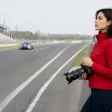

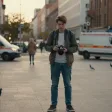

README
Vidu Q4 Image-to-Video
Vidu Q4 Image-to-Video animates a single image into a video of 3 to 16 seconds, up to 4K, with synchronized audio. Describe the motion you want, or leave the prompt out and let the model decide.
Why Choose This?
- Your image as the first frame — The subject, composition and style of the image carry through the clip.
- Sound included — Dialogue, effects and ambience are generated together with the picture, and can be switched off for a silent video.
- Natural camera work — The model can cut between camera positions inside one clip.
- Five resolutions — 540p, 720p, 1080p, 2K and 4K.
- Flexible length — Any whole number of seconds from 3 to 16.
Parameters
| Parameter | Required | Description |
|---|---|---|
| image | Yes | The image to animate: a public URL to a PNG, JPEG or WebP file. |
| prompt | No | What should happen: the action, camera movement and mood. |
| resolution | No | 540p, 720p, 1080p, 2k or 4k. Default: 720p. |
| duration | No | Length in whole seconds, from 3 to 16. Default: 5. |
| generate_audio | No | Generate sound with the video. Default: true. |
| enable_prompt_expansion | No | Let the model rewrite your prompt before generating. Default: false. |
| seed | No | Fix the seed to compare variations. Omit it, or use -1, for a random seed. |
The output keeps the framing of the input image; there is no separate aspect-ratio setting.
How to Use
- Choose an image — Use a sharp image with one clear subject.
- Write a prompt (optional) — Describe the movement and the camera, for example "the astronaut waves and the camera tilts up".
- Pick resolution and duration — Start at 540p or 720p while you explore, then render the final clip at a higher resolution.
- Run — Submit the request and download the video when it finishes.
Pricing
Pricing is based on the selected resolution and video duration.
| Resolution | Price per Second | 5-Second Video |
|---|---|---|
| 540p | $0.045 | $0.225 |
| 720p | $0.095 | $0.475 |
| 1080p | $0.12 | $0.60 |
| 2K | $0.19 | $0.95 |
| 4K | $0.39 | $1.95 |
The total is the per-second rate for the selected resolution multiplied by duration (whole seconds, 3 to 16). The default of 720p and 5 seconds costs $0.475. Audio generation and the other settings do not change the price.
Best Use Cases
- Product animation — Turn a product photo into a short promotional clip.
- Social content — Add motion to stills for posts, reels and campaigns.
- Character animation — Bring portraits, illustrations and character art to life.
- Campaign variations — Produce several video takes from the same key visual.
- Concept testing — Try out motion and camera ideas from a single frame.
Pro Tips
- Describe movement and camera direction; the image already shows what is in the frame.
- Keep the action small enough to finish within the chosen duration.
- Turn on
enable_prompt_expansionfor short prompts, and leave it off when you want the model to follow your wording closely. - Set
generate_audiotofalseif you plan to add your own soundtrack. - A fixed
seedmakes variations easier to compare, but identical output is not guaranteed.
Related Models
- Vidu Q4 Reference-to-Video - Keep characters, products and style consistent from up to 15 reference images, with optional voice references.
Q4 Image To Video API — Quick start
Grab a WaveSpeedAI API key, then call POST https://api.wavespeed.ai/api/v3/vidu/q4/image-to-video with your input as JSON. The endpoint returns a prediction id. Start polling the result endpoint around every 2 seconds, increase the interval for long-running tasks, and stop on any terminal status. On completed, read output values from data.outputs. Examples for Q4 Image To Video below.
HTTP example
set -euo pipefail

: "${WAVESPEED_API_KEY:?Set WAVESPEED_API_KEY}"

REQUEST_BODY=$(cat <<'JSON'
{
    "prompt": "A cinematic shot of a city at sunset, soft golden light",
    "image": "https://interactive-examples.mdn.mozilla.net/media/cc0-images/painted-hand-298-332.jpg",
    "resolution": "720p",
    "duration": 5,
    "enable_prompt_expansion": false,
    "generate_audio": true
}
JSON
)

# 1. Submit the prediction.
SUBMIT_RESPONSE=$(curl --silent --show-error --fail-with-body \
  -X POST "https://api.wavespeed.ai/api/v3/vidu/q4/image-to-video" \
  -H "Content-Type: application/json" \
  -H "Authorization: Bearer $WAVESPEED_API_KEY" \
  -d "$REQUEST_BODY")

TASK=$(printf '%s' "$SUBMIT_RESPONSE" | jq 'if has("data") then .data else . end')
PREDICTION_ID=$(printf '%s' "$TASK" | jq -r '.id')
if [ -z "$PREDICTION_ID" ] || [ "$PREDICTION_ID" = "null" ]; then
  printf 'Submission response did not contain a prediction id
' >&2
  exit 1
fi
RESULT_URL="https://api.wavespeed.ai/api/v3/predictions/$PREDICTION_ID/result"

# 2. Poll until the prediction finishes.
while true; do
  RESPONSE=$(curl --silent --show-error --fail-with-body "$RESULT_URL" \
    -H "Authorization: Bearer $WAVESPEED_API_KEY")
  RESULT=$(printf '%s' "$RESPONSE" | jq 'if has("data") then .data else . end')
  STATUS=$(printf '%s' "$RESULT" | jq -r '.status')
  case "$STATUS" in
    completed) printf '%s\n' "$RESULT" | jq '.outputs'; break ;;
    failed|cancelled|timeout|deleted) printf '%s\n' "$RESULT" | jq . >&2; exit 1 ;;
    *) sleep 2 ;;
  esac
done
Node.js example
const submitUrl = "https://api.wavespeed.ai/api/v3/vidu/q4/image-to-video";
const apiKey = process.env.WAVESPEED_API_KEY;
if (!apiKey) throw new Error('Set WAVESPEED_API_KEY');

async function requestJson(url, options = {}) {
  const response = await fetch(url, options);
  if (!response.ok) throw new Error(await response.text());
  return response.json();
}

// 1. Submit the prediction.
const body = await requestJson(submitUrl, {
  method: "POST",
  headers: {
    "Authorization": `Bearer ${apiKey}`,
    "Content-Type": "application/json",
  },
  body: JSON.stringify({
        "prompt": "A cinematic shot of a city at sunset, soft golden light",
        "image": "https://interactive-examples.mdn.mozilla.net/media/cc0-images/painted-hand-298-332.jpg",
        "resolution": "720p",
        "duration": 5,
        "enable_prompt_expansion": false,
        "generate_audio": true
}),
});
const task = body.data ?? body;
if (!task.id) throw new Error("Submission response did not contain a prediction id");
const resultUrl = `https://api.wavespeed.ai/api/v3/predictions/${task.id}/result`;

// 2. Poll until the prediction finishes.
while (true) {
  const resultBody = await requestJson(resultUrl, {
    headers: { "Authorization": `Bearer ${apiKey}` },
  });
  const result = resultBody.data ?? resultBody;
  if (result.status === "completed") {
    console.log(result.outputs);
    break;
  }
  if (["failed", "cancelled", "timeout", "deleted"].includes(result.status)) throw new Error(JSON.stringify(result));
  await new Promise(resolve => setTimeout(resolve, 2000));
}
Python example
import json
import os
import time
from urllib.request import Request, urlopen

api_key = os.environ["WAVESPEED_API_KEY"]
headers = {"Authorization": f"Bearer {api_key}", "Content-Type": "application/json"}
payload = {
    "prompt": "A cinematic shot of a city at sunset, soft golden light",
    "image": "https://interactive-examples.mdn.mozilla.net/media/cc0-images/painted-hand-298-332.jpg",
    "resolution": "720p",
    "duration": 5,
    "enable_prompt_expansion": False,
    "generate_audio": True
}

def request_json(url, data=None):
    request = Request(url, data=data, headers=headers, method="POST" if data else "GET")
    with urlopen(request) as response:
        return json.load(response)

# 1. Submit the prediction.
body = request_json("https://api.wavespeed.ai/api/v3/vidu/q4/image-to-video", json.dumps(payload).encode())
task = body.get("data", body)
if not task.get("id"):
    raise RuntimeError("Submission response did not contain a prediction id")
result_url = f"https://api.wavespeed.ai/api/v3/predictions/{task['id']}/result"

# 2. Poll until the prediction finishes.
while True:
    result_body = request_json(result_url)
    result = result_body.get("data", result_body)
    status = result.get("status")
    if status == "completed":
        print(result.get("outputs", []))
        break
    if status in {"failed", "cancelled", "timeout", "deleted"}:
        raise RuntimeError(result)
    time.sleep(2)
Q4 Image To Video API — Frequently asked questions
What is the Q4 Image To Video API?
Q4 Image To Video is a Vidu model for video generation from images, exposed as a REST API on WaveSpeedAI. Vidu Q4 Image-to-Video animates a single reference image into high-quality AI video with prompt-guided motion, optional audio, 3-16 second duration, and output resolutions from 540P to 4K for product animation, social content, marketing creatives, cinematic visuals, and production workflows. Ready-to-use REST inference API, best performance, no coldstarts, affordable pricing. You can call it programmatically or try it from the playground above.
How do I call the Q4 Image To Video API?
POST your input parameters to the model's REST endpoint (shown in the API tab of this playground) with your WaveSpeedAI API key in the Authorization header. Submission returns a prediction ID. Poll the result endpoint starting around every 2 seconds, increase the interval for long-running tasks, and stop on any terminal status. The playground generates Python, JavaScript, and cURL examples for submitting requests and polling results. Full request/response shape is documented at https://wavespeed.ai/docs/docs-api/vidu/vidu-q4-image-to-video.
How much does Q4 Image To Video cost per run or per second?
Q4 Image To Video starts at $0.095 per run or per second. That figure is the base price — the final charge scales with the parameters you set in the form (output size, length, count, references, or whatever knobs this model exposes), so a higher-quality or larger output costs more than a minimal one. The exact cost for your current input is shown live next to the Generate button before you submit, and the actual per-call charge is recorded on the prediction afterwards.
What inputs does Q4 Image To Video accept?
Key inputs: `prompt`, `image`, `resolution`, `duration`, `seed`, `enable_prompt_expansion`. The full JSON schema (types, defaults, allowed values) is rendered above the Generate button and mirrored in the API reference at https://wavespeed.ai/docs/docs-api/vidu/vidu-q4-image-to-video.
How do I get started with the Q4 Image To Video API?
Sign up for a free WaveSpeedAI account to claim starter credits, copy your API key from /accesskey, then call the endpoint shown in the API tab of the playground. The playground also auto-generates a code sample in Python, JavaScript, or cURL for the parameters you've set.
Can I use Q4 Image To Video outputs commercially?
Commercial usage rights depend on the model's license, set by its provider (Vidu). Check the provider's applicable terms and WaveSpeedAI's Terms of Service before commercial use.
Więcej od Vidu
Zobacz wszystkie- vidu/image-to-videoImage to Video
- vidu/image-to-video-2.0Image to Video
- vidu/image-to-video-q1Image to Video
- vidu/image-to-video-q2-proImage to Video
- vidu/image-to-video-q2-turboImage to Video
- vidu/q2-pro/image-to-video-fastImage to Video
- vidu/q2-pro/start-end-to-video-fastImage to Video
- vidu/q2-pro/video-extendVideo Extension
Więcej modeli Image to Video
Zobacz wszystkie- bytedance/seedance-2.5/image-to-videoImage to Video
- alibaba/wan-3.0/image-to-videoImage to Video
- bytedance/seedance-2.0/image-to-videoImage to Video
- wavespeed-ai/minimax-h3/image-to-videoImage to Video
- alibaba/wan-2.7/image-to-videoImage to Video
- wavespeed-ai/open-video/image-to-videoImage to Video
- bytedance/seedance-2.0-mini/image-to-videoImage to Video
- kwaivgi/kling-v3.0-std/image-to-videoImage to Video