MiniMax H3 Image, the open-weights release of MiniMax's image model, generates detailed, photorealistic images from text prompts, native output from 1K to 4K. Ready-to-use REST inference API, best performance, no coldstarts, affordable pricing.
Idle
$0.02per run·~50 / $1
ExamplesView all
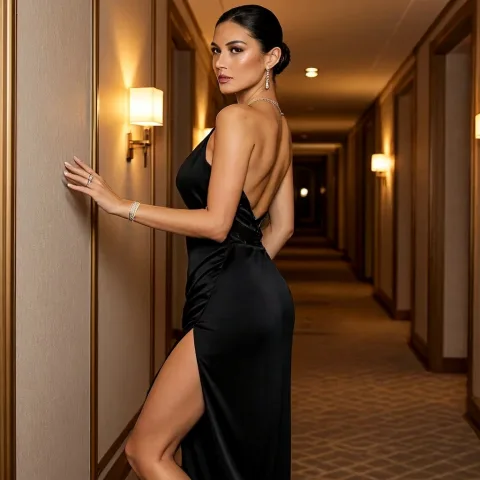
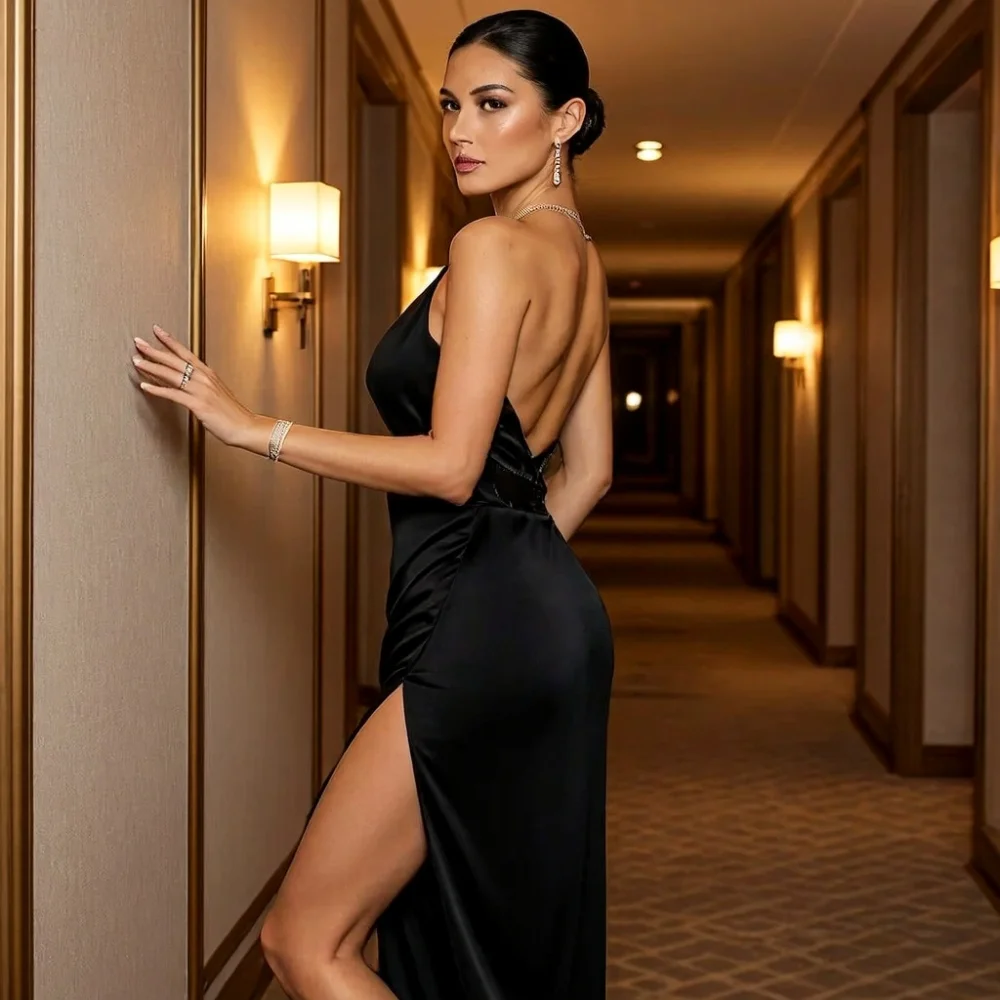
A glamorous adult woman walking through a luxury hotel corridor, wearing a sleek black evening dress with a high slit and delicate jewelry. She lightly trails one hand along the wall while turning back toward the camera. Warm golden lighting, elegant posture, realistic satin and skin detail, premium editorial photography, sophisticated evening fashion atmosphere.
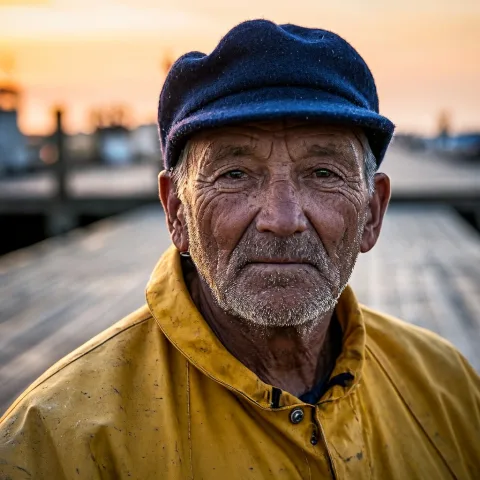
Close-up portrait of an elderly fisherman with a weathered face and grey stubble, wearing a navy wool cap and a worn yellow oilskin jacket, soft dawn light on a wooden dock, shallow depth of field.
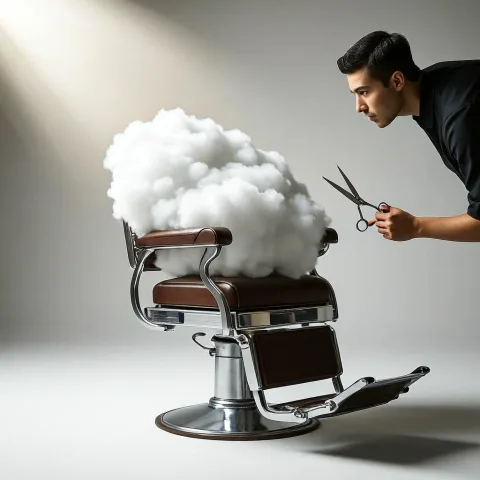
A barber carefully trimming a fluffy white cloud that sits in a vintage barber chair, surreal editorial photograph, soft studio light.

A vintage travel poster with the headline "VISIT KYOTO" at the top and the tagline "Where every season tells a story" at the bottom, a five-storey pagoda at sunset, flat screen-print colours.
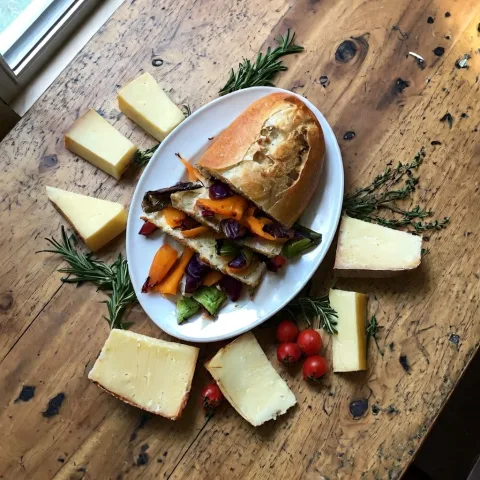
Top-down photograph of a rustic farm-to-table feast on a weathered wooden table: sourdough bread, roasted vegetables, cheeses and fresh herbs, natural window light.
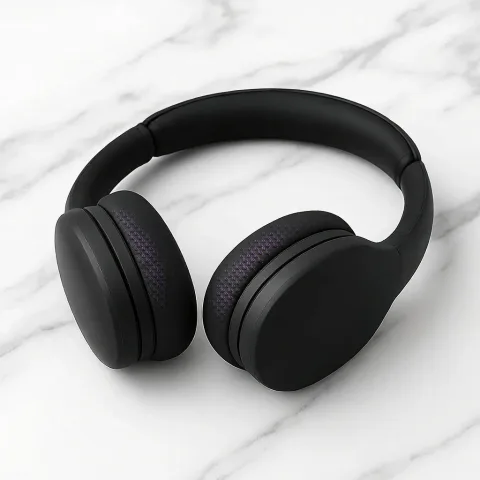
Product photo of matte black wireless over-ear headphones with no logo on a white marble table, soft studio lighting, clean background.
Related Models





README
MiniMax H3 Image Open-Weights Text-to-Image
MiniMax H3 Image Open-Weights Text-to-Image generates images from text prompts using the open-weights release of MiniMax H3 Image. It supports multiple aspect ratios, resolutions from 1k to 4k, and several output formats.
Why Choose This?
- Open-weights model — Run the open-weights release of MiniMax H3 Image.
- Up to 4K output — Choose
1k,1.5k,2k,3k, or4k. - Flexible framing — Generate square, portrait, landscape, tall, wide, and ultrawide compositions.
- Multiple output formats — Export generated images as JPEG, PNG, or WebP.
- Seed control — Use a fixed seed for more reproducible generation.
Parameters
| Parameter | Required | Description |
|---|---|---|
| prompt | Yes | Text description of the image to generate. |
| aspect_ratio | No | Output aspect ratio: 1:1, 1:2, 2:1, 1:3, 3:1, 2:3, 3:2, 3:4, 4:3, 4:5, 5:4, 9:16, 16:9, 9:21, or 21:9. Default: 1:1. |
| resolution | No | Output resolution: 1k, 1.5k, 2k, 3k, or 4k. Default: 1k. |
| output_format | No | Output format: jpeg, png, or webp. Default: jpeg. |
| seed | No | Random seed. Use -1 for random generation. |
How to Use
- Write a prompt — Describe the subject, setting, composition, lighting, and style.
- Choose an aspect ratio — Select the framing that fits the intended output.
- Choose a resolution — Select
1k,1.5k,2k,3k, or4k. - Choose an output format optional — Select JPEG, PNG, or WebP.
- Set a seed optional — Use a fixed seed when comparing prompt or parameter changes.
- Submit — Generate and retrieve the image.
Pricing
Pricing is based on the selected resolution.
| Resolution | Price per Image |
|---|---|
| 1K | $0.02 |
| 1.5K | $0.03 |
| 2K | $0.04 |
| 3K | $0.08 |
| 4K | $0.12 |
Aspect ratio, output format, and seed do not add separate charges.
Best Use Cases
- General image generation — Create images from text descriptions.
- Advertising concepts — Generate visuals for marketing and promotional workflows.
- Product concepts — Create product-focused images and presentation concepts.
- Editorial imagery — Generate visuals for publishing and content workflows.
- High-resolution output — Use higher resolution tiers when larger output sizes are required.
Pro Tips
- Describe the main subject and composition clearly.
- Include lighting, environment, materials, and style when they are important to the result.
- Use lower resolutions for iteration and higher resolutions when a larger output is required.
- Use a fixed
seedwhen comparing prompt changes. - Choose the aspect ratio based on the intended layout or publishing format.
Notes
promptis required.aspect_ratiodefaults to1:1.resolutiondefaults to1k.- Supported resolutions are
1k,1.5k,2k,3k, and4k. output_formatdefaults tojpeg.- Use
seed=-1for random seed selection. - Higher resolution tiers use higher pricing.
Related Models
- MiniMax H3 Image Open-Weights Edit — Edit existing images using MiniMax H3 Image open weights.
- MiniMax H3 Image Open-Weights Text-to-Image LoRA — Generate images with custom LoRA weights.
- MiniMax H3 Image Open-Weights Edit LoRA — Edit images with custom LoRA weights.
- MiniMax H3 Image — Generate images through the MiniMax H3 Image API.
- P-H3-Image — Generate images with the P-H3-Image implementation based on MiniMax H3 open weights.
Minimax H3 Image Text To Image API — Quick start
Grab a WaveSpeedAI API key, then call POST https://api.wavespeed.ai/api/v3/wavespeed-ai/minimax-h3-image/text-to-image with your input as JSON. The endpoint returns a prediction id. Start polling the result endpoint around every 2 seconds, increase the interval for long-running tasks, and stop on any terminal status. On completed, read output values from data.outputs. Examples for Minimax H3 Image Text To Image below.
HTTP example
set -euo pipefail

: "${WAVESPEED_API_KEY:?Set WAVESPEED_API_KEY}"

REQUEST_BODY=$(cat <<'JSON'
{
    "prompt": "A cinematic shot of a city at sunset, soft golden light",
    "aspect_ratio": "1:1",
    "resolution": "1k",
    "output_format": "jpeg"
}
JSON
)

# 1. Submit the prediction.
SUBMIT_RESPONSE=$(curl --silent --show-error --fail-with-body \
  -X POST "https://api.wavespeed.ai/api/v3/wavespeed-ai/minimax-h3-image/text-to-image" \
  -H "Content-Type: application/json" \
  -H "Authorization: Bearer $WAVESPEED_API_KEY" \
  -d "$REQUEST_BODY")

TASK=$(printf '%s' "$SUBMIT_RESPONSE" | jq 'if has("data") then .data else . end')
PREDICTION_ID=$(printf '%s' "$TASK" | jq -r '.id')
if [ -z "$PREDICTION_ID" ] || [ "$PREDICTION_ID" = "null" ]; then
  printf 'Submission response did not contain a prediction id
' >&2
  exit 1
fi
RESULT_URL="https://api.wavespeed.ai/api/v3/predictions/$PREDICTION_ID/result"

# 2. Poll until the prediction finishes.
while true; do
  RESPONSE=$(curl --silent --show-error --fail-with-body "$RESULT_URL" \
    -H "Authorization: Bearer $WAVESPEED_API_KEY")
  RESULT=$(printf '%s' "$RESPONSE" | jq 'if has("data") then .data else . end')
  STATUS=$(printf '%s' "$RESULT" | jq -r '.status')
  case "$STATUS" in
    completed) printf '%s\n' "$RESULT" | jq '.outputs'; break ;;
    failed|cancelled|timeout|deleted) printf '%s\n' "$RESULT" | jq . >&2; exit 1 ;;
    *) sleep 2 ;;
  esac
done
Node.js example
const submitUrl = "https://api.wavespeed.ai/api/v3/wavespeed-ai/minimax-h3-image/text-to-image";
const apiKey = process.env.WAVESPEED_API_KEY;
if (!apiKey) throw new Error('Set WAVESPEED_API_KEY');

async function requestJson(url, options = {}) {
  const response = await fetch(url, options);
  if (!response.ok) throw new Error(await response.text());
  return response.json();
}

// 1. Submit the prediction.
const body = await requestJson(submitUrl, {
  method: "POST",
  headers: {
    "Authorization": `Bearer ${apiKey}`,
    "Content-Type": "application/json",
  },
  body: JSON.stringify({
        "prompt": "A cinematic shot of a city at sunset, soft golden light",
        "aspect_ratio": "1:1",
        "resolution": "1k",
        "output_format": "jpeg"
}),
});
const task = body.data ?? body;
if (!task.id) throw new Error("Submission response did not contain a prediction id");
const resultUrl = `https://api.wavespeed.ai/api/v3/predictions/${task.id}/result`;

// 2. Poll until the prediction finishes.
while (true) {
  const resultBody = await requestJson(resultUrl, {
    headers: { "Authorization": `Bearer ${apiKey}` },
  });
  const result = resultBody.data ?? resultBody;
  if (result.status === "completed") {
    console.log(result.outputs);
    break;
  }
  if (["failed", "cancelled", "timeout", "deleted"].includes(result.status)) throw new Error(JSON.stringify(result));
  await new Promise(resolve => setTimeout(resolve, 2000));
}
Python example
import json
import os
import time
from urllib.request import Request, urlopen

api_key = os.environ["WAVESPEED_API_KEY"]
headers = {"Authorization": f"Bearer {api_key}", "Content-Type": "application/json"}
payload = {
    "prompt": "A cinematic shot of a city at sunset, soft golden light",
    "aspect_ratio": "1:1",
    "resolution": "1k",
    "output_format": "jpeg"
}

def request_json(url, data=None):
    request = Request(url, data=data, headers=headers, method="POST" if data else "GET")
    with urlopen(request) as response:
        return json.load(response)

# 1. Submit the prediction.
body = request_json("https://api.wavespeed.ai/api/v3/wavespeed-ai/minimax-h3-image/text-to-image", json.dumps(payload).encode())
task = body.get("data", body)
if not task.get("id"):
    raise RuntimeError("Submission response did not contain a prediction id")
result_url = f"https://api.wavespeed.ai/api/v3/predictions/{task['id']}/result"

# 2. Poll until the prediction finishes.
while True:
    result_body = request_json(result_url)
    result = result_body.get("data", result_body)
    status = result.get("status")
    if status == "completed":
        print(result.get("outputs", []))
        break
    if status in {"failed", "cancelled", "timeout", "deleted"}:
        raise RuntimeError(result)
    time.sleep(2)
Minimax H3 Image Text To Image API — Frequently asked questions
What is the Minimax H3 Image Text To Image API?
Minimax H3 Image Text To Image is a WaveSpeedAI model for image generation, exposed as a REST API on WaveSpeedAI. MiniMax H3 Image, the open-weights release of MiniMax's image model, generates detailed, photorealistic images from text prompts, native output from 1K to 4K. Ready-to-use REST inference API, best performance, no coldstarts, affordable pricing. You can call it programmatically or try it from the playground above.
How do I call the Minimax H3 Image Text To Image API?
POST your input parameters to the model's REST endpoint (shown in the API tab of this playground) with your WaveSpeedAI API key in the Authorization header. Submission returns a prediction ID. Poll the result endpoint starting around every 2 seconds, increase the interval for long-running tasks, and stop on any terminal status. The playground generates Python, JavaScript, and cURL examples for submitting requests and polling results. Full request/response shape is documented at https://wavespeed.ai/docs/docs-api/wavespeed-ai/minimax-h3-image-text-to-image.
How much does Minimax H3 Image Text To Image cost per run or per second?
Minimax H3 Image Text To Image starts at $0.02 per run or per second. That figure is the base price — the final charge scales with the parameters you set in the form (output size, length, count, references, or whatever knobs this model exposes), so a higher-quality or larger output costs more than a minimal one. The exact cost for your current input is shown live next to the Generate button before you submit, and the actual per-call charge is recorded on the prediction afterwards.
What inputs does Minimax H3 Image Text To Image accept?
Key inputs: `prompt`, `aspect_ratio`, `resolution`, `seed`, `output_format`. The full JSON schema (types, defaults, allowed values) is rendered above the Generate button and mirrored in the API reference at https://wavespeed.ai/docs/docs-api/wavespeed-ai/minimax-h3-image-text-to-image.
How long does Minimax H3 Image Text To Image take to generate?
Reported generation time on WaveSpeedAI is around 30 seconds per request. This is an estimate, not a latency guarantee; queue time and input settings can change the total wait. live status is visible in the prediction record.
Can I use Minimax H3 Image Text To Image outputs commercially?
Commercial usage rights depend on the model's license, set by its provider (WaveSpeedAI). Check the provider's applicable terms and WaveSpeedAI's Terms of Service before commercial use.
More from WaveSpeed
View all- wavespeed-ai/ace-stepAI Music Generation
- wavespeed-ai/ace-step-1.5AI Music Generation
- wavespeed-ai/ai-age-filterImage Effects
- wavespeed-ai/ai-breast-expansionImage Effects
- wavespeed-ai/ai-celebrity-look-alike-finderImage Effects
- wavespeed-ai/ai-clothes-changerImage Effects
- wavespeed-ai/ai-dog-selfieImage Effects
- wavespeed-ai/ai-dog-selfie-videoVideo Effects
More Text to Image models
View all- bytedance/seedream-v5.0-proText to Image
- bytedance/seedream-v5.5Text to Image
- openai/gpt-image-2.6-sunburst/text-to-imageText to Image
- google/nano-banana-pro/text-to-imageText to Image
- google/nano-banana-2.1/text-to-imageText to Image
- openai/gpt-image-2.5-sunburst/text-to-imageText to Image
- wavespeed-ai/z-image/turboText to Image
- openai/gpt-image-2/text-to-imageText to Image