FLUX.2 [flex] from Black Forest Labs delivers fast, flexible text-to-image generation with enhanced realism, sharper text rendering, and built-in editing for rapid iteration: a ready-to-use REST inference API, best performance, no cold starts, and affordable pricing.
Idle
$0.06per run·~16 / $1
ExamplesView all
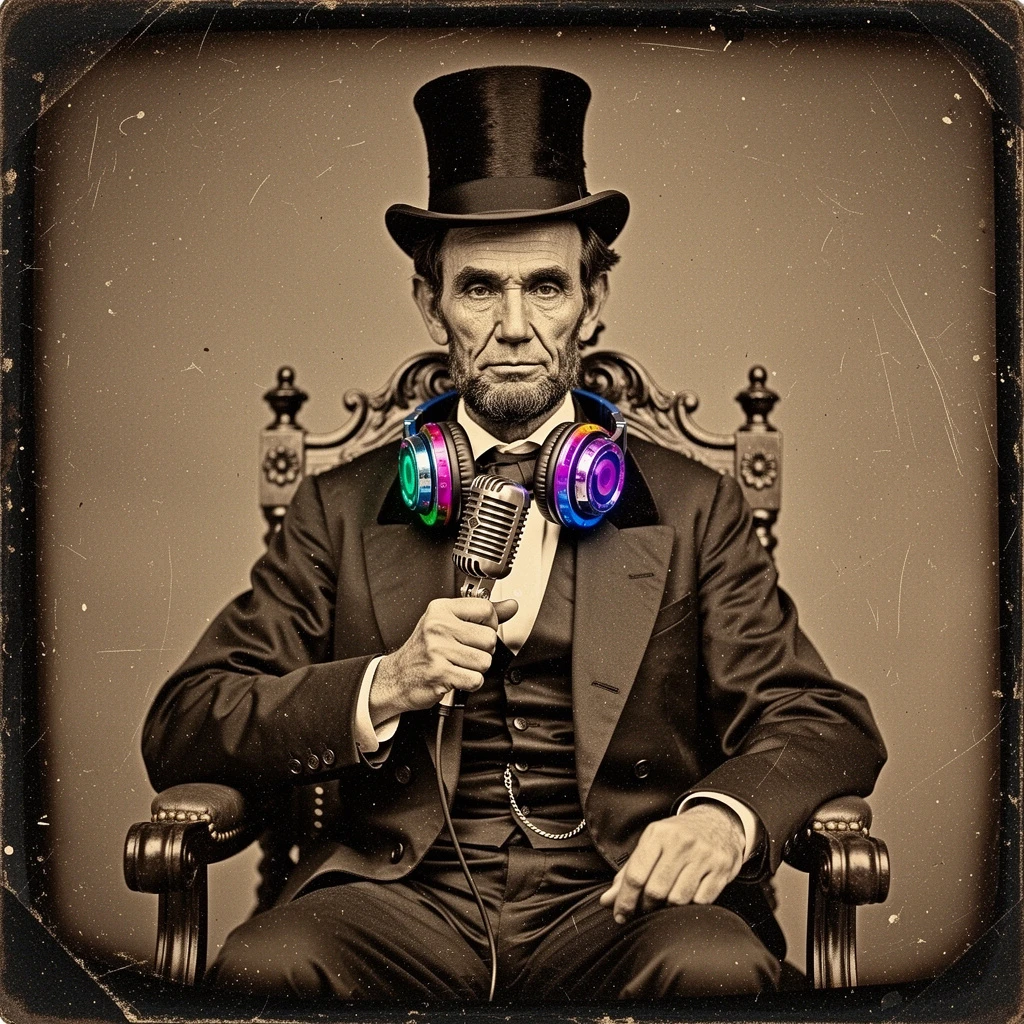
A vintage 1860s sepia-toned daguerreotype photograph. It depicts a serious Abraham Lincoln sitting in a formal chair, wearing his traditional suit and top hat, but he is wearing large, colorful, modern DJ headphones around his neck and holding a shiny silver microphone. The photo has scratches, dust particles, and heavy vignette typical of the 19th century, but the modern equipment looks physically present in the scene, not just pasted on.
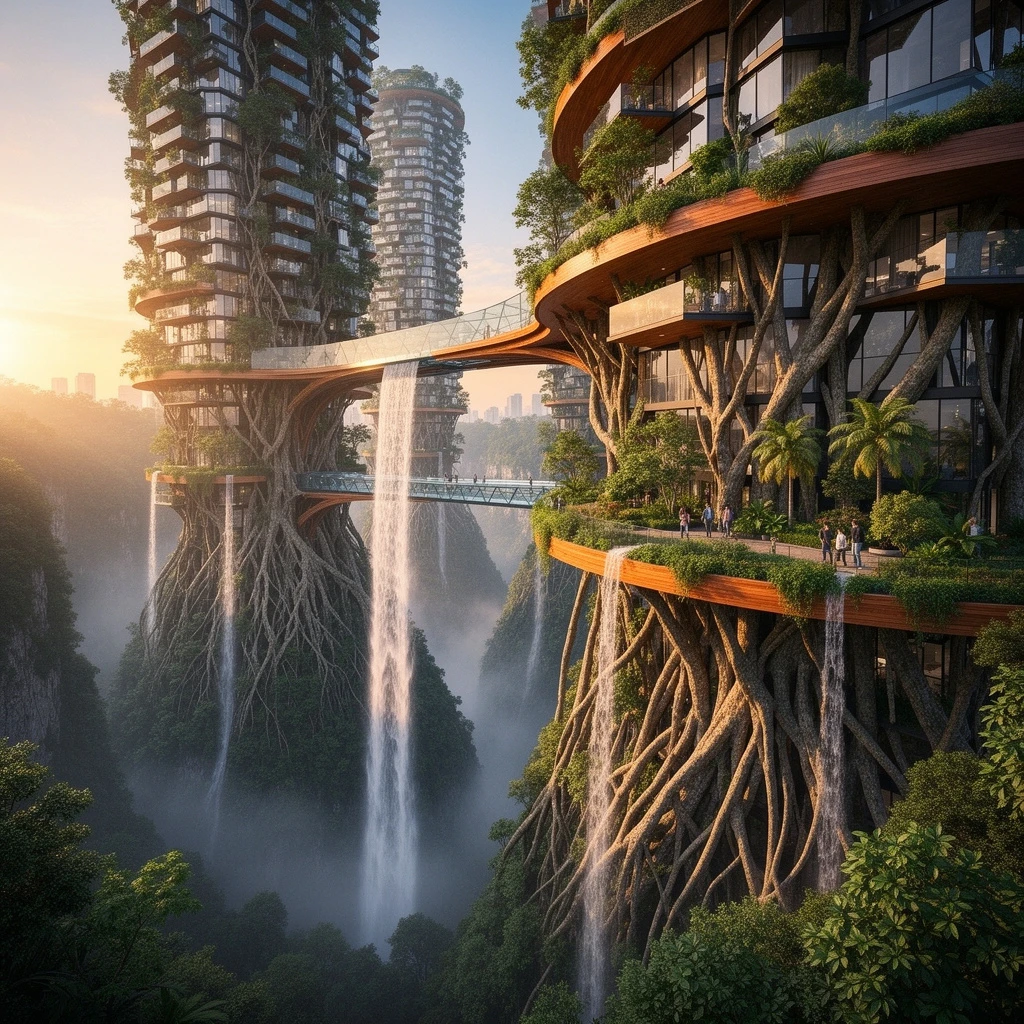
A breathtaking photograph of "The Vertical Forest City." Enormous, futuristic residential skyscrapers built completely out of intertwining massive tree roots, glass, and polished wood, rising from a misty jungle canyon. Waterfalls cascade from the upper balconies of the buildings. Suspended glass bridges connect the towers. People are visible gardening on their plant-covered terraces. The architecture looks organic yet structurally impossible, bathed in warm sunset light.

A hyper-realistic close-up photograph of a master watchmaker's hands working on a complex mechanical watch movement. The watchmaker is using fine tweezers to carefully place a tiny ruby jewel bearing into the gears. We can see every wrinkle on the fingers, the tension in the skin, fingerprint ridges, and oil stains. The watch gears, springs, and tiny screws are rendered with immense mechanical precision under a magnifying lamp. The focus must be absolutely critical on the point where the tweezers touch the ruby.

A hyper-realistic studio shot of a transparent glass skull filled with colorful jelly beans. The skull is placed inside a cube made of clear ice. We can see the distorted refraction of the jelly beans through both the ice and the glass skull. Lighting is coming from behind, creating a glowing effect through the sweets. Water droplets are melting off the ice cube onto a black reflective surface.
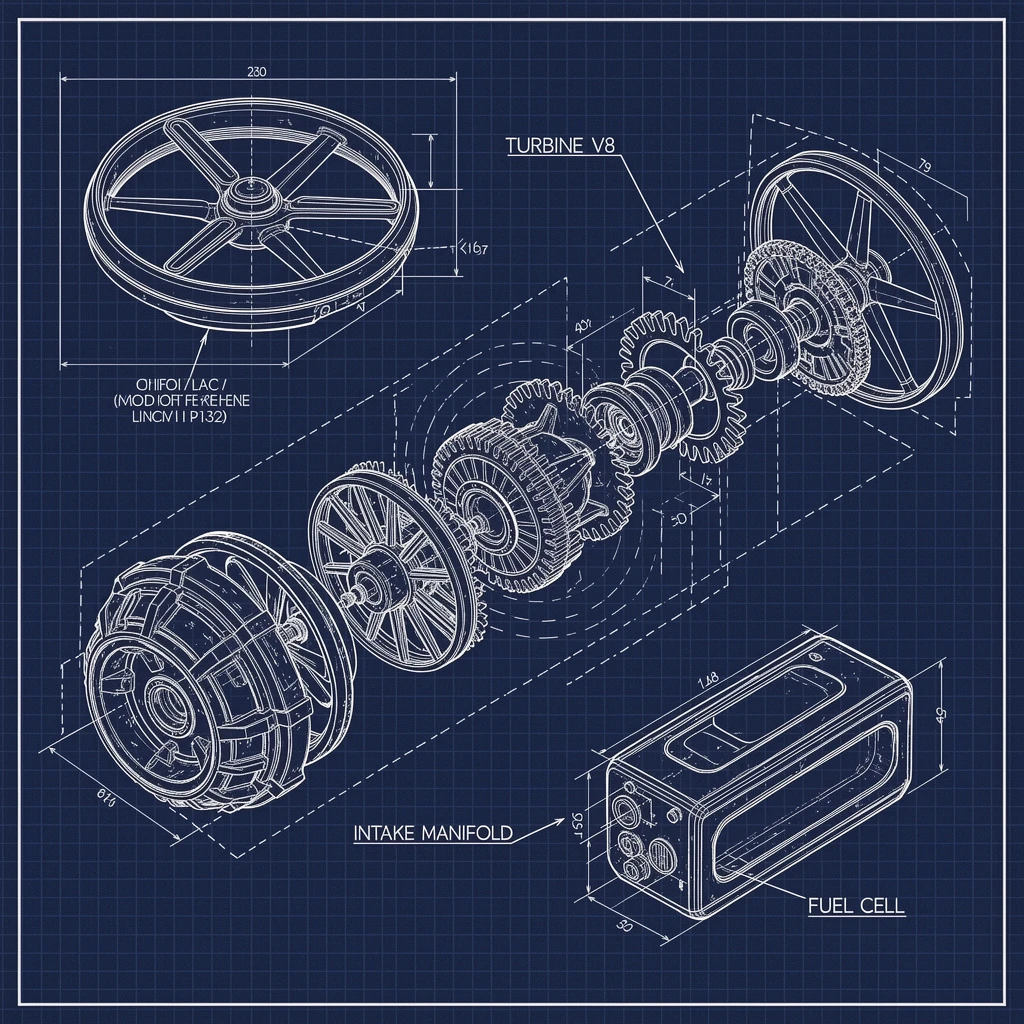
A detailed, deconstructed technical blueprint of a futuristic sci-fi drone engine, drawn in white lines on a dark blue grid background. The schematic includes exploded views of gears and rotors. Specific components are labeled with text: "TURBINE V8", "INTAKE MANIFOLD", and "FUEL CELL". The drawing style is precise, engineering CAD style, with measurements and dashed lines indicating assembly.
Related Models
/filters:quality(82)/media/images/1782717741548949246_B4wFOY8h.webp)
/filters:quality(82)/media/images/20260408105759_4m08lxjt.webp)
/filters:quality(82)/media/images/20260408112155_qghts93q.webp)
/filters:quality(82)/media/images/20260408110320_ziygpbqq.webp)
/filters:quality(82)/media/images/20260408110310_4g9lw8dd.webp)
/filters:quality(82)/media/images/20260408111344_2umhq0o5.webp)
README
FLUX.2 [flex] — Text-to-Image
FLUX.2 [flex] is the creative workhorse of the FLUX.2 family: a configurable, style-forward text-to-image model that delivers professional visuals while leaving plenty of room for experimentation. It is designed for teams who want more control over aesthetics and behaviour than a strictly “locked” production model.
Where FLUX.2 [flex] fits best
- Style-driven exploration and concept art
- High-volume generation where visual diversity is important
- Brand and product imagery that needs frequent refinements
- Fine-tuning experiments for domain- or brand-specific looks
Creative-first generation with control knobs
Rather than fixing all sampling behaviour, FLUX.2 [flex] keeps the lean FLUX.2 core but exposes more room to steer style, strength, and interpretation. You get production-usable images at good speed, while being able to push colour, mood, and composition further than with purely “set-and-forget” pipelines.
What you can get from this?
• Wide stylistic latitude
Produces a broad range of looks and moods—from clean product shots to heavily stylised illustration—so a single prompt can be explored in multiple creative directions.
• Tunable quality–speed trade-off
Supports configuration of inference settings, letting you run quick drafts cheaply and then dial up quality for shortlisted ideas or final renders.
• Open, extensible foundation
Built on open FLUX.2 tooling and community contributions, making it straightforward to inspect, adapt, and embed flex deeply into custom stacks.
• Friendly to LoRA and custom training
Works well as a base for LoRA adapters or other lightweight fine-tuning, so you can lock in house styles, specific subjects, or niche domains without retraining a heavyweight model.
• Resource-conscious for large runs
The streamlined architecture keeps GPU usage moderate, which is ideal for batch jobs, internal tools, and cost-sensitive creative pipelines.
• Consistent, repeatable results
Seed control and stable behaviour make it easy to recreate favourite generations or generate controlled variations for A/B tests and iterative design work.
Pricing
Simple per-image billing:
- $0.06 per generated image
FLUX.2 family on WaveSpeedAI
Combine FLUX.2 [flex] with the rest of the FLUX.2 lineup for a complete creation and editing workflow:
- FLUX.2 [dev] Text-to-Image – lightweight base model optimised for speed and LoRA training.
- FLUX.2 [dev] Edit – fast, style-consistent edits on existing images with the same lean architecture.
- FLUX.2 [flex] Edit – powerful image editing with a broader stylistic range and precise prompt control.
- FLUX.2 [pro] Text-to-Image – higher-capacity model for maximum-quality hero shots and demanding production use.
- FLUX.2 [pro] Edit – premium editing for detailed, high-fidelity transformations on critical assets.
More Image Tools on WaveSpeedAI
- Nano Banana Pro – Google’s Gemini-based text-to-image model for sharp, coherent, prompt-faithful visuals that work great for ads, keyframes, and product shots.
- Seedream V4 – ’s style-consistent, multi-image generator ideal for posters, campaigns, and large batches of on-brand illustrations.
- Qwen Edit Plus – an enhanced Qwen-based image editor for precise inpainting, cleanup, and local style changes while preserving overall composition.
Flux 2 Flex Text To Image API — Quick start
Grab a WaveSpeedAI API key, then call POST https://api.wavespeed.ai/api/v3/wavespeed-ai/flux-2-flex/text-to-image with your input as JSON. The endpoint returns a prediction id. Start polling the result endpoint around every 2 seconds, increase the interval for long-running tasks, and stop on any terminal status. On completed, read output values from data.outputs. Examples for Flux 2 Flex Text To Image below.
HTTP example
set -euo pipefail

: "${WAVESPEED_API_KEY:?Set WAVESPEED_API_KEY}"

REQUEST_BODY=$(cat <<'JSON'
{
    "prompt": "A cinematic shot of a city at sunset, soft golden light",
    "size": "1024*1024"
}
JSON
)

# 1. Submit the prediction.
SUBMIT_RESPONSE=$(curl --silent --show-error --fail-with-body \
  -X POST "https://api.wavespeed.ai/api/v3/wavespeed-ai/flux-2-flex/text-to-image" \
  -H "Content-Type: application/json" \
  -H "Authorization: Bearer $WAVESPEED_API_KEY" \
  -d "$REQUEST_BODY")

TASK=$(printf '%s' "$SUBMIT_RESPONSE" | jq 'if has("data") then .data else . end')
PREDICTION_ID=$(printf '%s' "$TASK" | jq -r '.id')
if [ -z "$PREDICTION_ID" ] || [ "$PREDICTION_ID" = "null" ]; then
  printf 'Submission response did not contain a prediction id
' >&2
  exit 1
fi
RESULT_URL="https://api.wavespeed.ai/api/v3/predictions/$PREDICTION_ID/result"

# 2. Poll until the prediction finishes.
while true; do
  RESPONSE=$(curl --silent --show-error --fail-with-body "$RESULT_URL" \
    -H "Authorization: Bearer $WAVESPEED_API_KEY")
  RESULT=$(printf '%s' "$RESPONSE" | jq 'if has("data") then .data else . end')
  STATUS=$(printf '%s' "$RESULT" | jq -r '.status')
  case "$STATUS" in
    completed) printf '%s\n' "$RESULT" | jq '.outputs'; break ;;
    failed|cancelled|timeout|deleted) printf '%s\n' "$RESULT" | jq . >&2; exit 1 ;;
    *) sleep 2 ;;
  esac
done
Node.js example
const submitUrl = "https://api.wavespeed.ai/api/v3/wavespeed-ai/flux-2-flex/text-to-image";
const apiKey = process.env.WAVESPEED_API_KEY;
if (!apiKey) throw new Error('Set WAVESPEED_API_KEY');

async function requestJson(url, options = {}) {
  const response = await fetch(url, options);
  if (!response.ok) throw new Error(await response.text());
  return response.json();
}

// 1. Submit the prediction.
const body = await requestJson(submitUrl, {
  method: "POST",
  headers: {
    "Authorization": `Bearer ${apiKey}`,
    "Content-Type": "application/json",
  },
  body: JSON.stringify({
        "prompt": "A cinematic shot of a city at sunset, soft golden light",
        "size": "1024*1024"
}),
});
const task = body.data ?? body;
if (!task.id) throw new Error("Submission response did not contain a prediction id");
const resultUrl = `https://api.wavespeed.ai/api/v3/predictions/${task.id}/result`;

// 2. Poll until the prediction finishes.
while (true) {
  const resultBody = await requestJson(resultUrl, {
    headers: { "Authorization": `Bearer ${apiKey}` },
  });
  const result = resultBody.data ?? resultBody;
  if (result.status === "completed") {
    console.log(result.outputs);
    break;
  }
  if (["failed", "cancelled", "timeout", "deleted"].includes(result.status)) throw new Error(JSON.stringify(result));
  await new Promise(resolve => setTimeout(resolve, 2000));
}
Python example
import json
import os
import time
from urllib.request import Request, urlopen

api_key = os.environ["WAVESPEED_API_KEY"]
headers = {"Authorization": f"Bearer {api_key}", "Content-Type": "application/json"}
payload = {
    "prompt": "A cinematic shot of a city at sunset, soft golden light",
    "size": "1024*1024"
}

def request_json(url, data=None):
    request = Request(url, data=data, headers=headers, method="POST" if data else "GET")
    with urlopen(request) as response:
        return json.load(response)

# 1. Submit the prediction.
body = request_json("https://api.wavespeed.ai/api/v3/wavespeed-ai/flux-2-flex/text-to-image", json.dumps(payload).encode())
task = body.get("data", body)
if not task.get("id"):
    raise RuntimeError("Submission response did not contain a prediction id")
result_url = f"https://api.wavespeed.ai/api/v3/predictions/{task['id']}/result"

# 2. Poll until the prediction finishes.
while True:
    result_body = request_json(result_url)
    result = result_body.get("data", result_body)
    status = result.get("status")
    if status == "completed":
        print(result.get("outputs", []))
        break
    if status in {"failed", "cancelled", "timeout", "deleted"}:
        raise RuntimeError(result)
    time.sleep(2)
Flux 2 Flex Text To Image API — Frequently asked questions
What is the Flux 2 Flex Text To Image API?
Flux 2 Flex Text To Image is a WaveSpeedAI model for image generation, exposed as a REST API on WaveSpeedAI. FLUX.2 [flex] from Black Forest Labs delivers fast, flexible text-to-image generation with enhanced realism, sharper text rendering, and built-in editing for rapid iteration: a ready-to-use REST inference API, best performance, no cold starts, and affordable pricing. You can call it programmatically or try it from the playground above.
How do I call the Flux 2 Flex Text To Image API?
POST your input parameters to the model's REST endpoint (shown in the API tab of this playground) with your WaveSpeedAI API key in the Authorization header. Submission returns a prediction ID. Poll the result endpoint starting around every 2 seconds, increase the interval for long-running tasks, and stop on any terminal status. The playground generates Python, JavaScript, and cURL examples for submitting requests and polling results. Full request/response shape is documented at https://wavespeed.ai/docs/docs-api/wavespeed-ai/flux-2-flex-text-to-image.
How much does Flux 2 Flex Text To Image cost per run?
Flux 2 Flex Text To Image starts at $0.06 per run. That figure is the base price — the final charge scales with the parameters you set in the form (output size, length, count, references, or whatever knobs this model exposes), so a higher-quality or larger output costs more than a minimal one. The exact cost for your current input is shown live next to the Generate button before you submit, and the actual per-call charge is recorded on the prediction afterwards.
What inputs does Flux 2 Flex Text To Image accept?
Key inputs: `prompt`, `size`, `seed`, `enable_base64_output`, `enable_sync_mode`. The full JSON schema (types, defaults, allowed values) is rendered above the Generate button and mirrored in the API reference at https://wavespeed.ai/docs/docs-api/wavespeed-ai/flux-2-flex-text-to-image.
How long does Flux 2 Flex Text To Image take to generate?
Reported generation time on WaveSpeedAI is around 15 seconds per request. This is an estimate, not a latency guarantee; queue time and input settings can change the total wait. live status is visible in the prediction record.
Can I use Flux 2 Flex Text To Image outputs commercially?
Commercial usage rights depend on the model's license, set by its provider (WaveSpeedAI). Check the provider's applicable terms and WaveSpeedAI's Terms of Service before commercial use.
More from WaveSpeed
View all- wavespeed-ai/ace-stepAI Music Generation
- wavespeed-ai/ace-step-1.5AI Music Generation
- wavespeed-ai/ace-step/audio-inpaintMusic Editing
- wavespeed-ai/ace-step/audio-outpaintMusic Editing
- wavespeed-ai/ace-step/audio-to-audioMusic Editing
- wavespeed-ai/ace-step/prompt-to-audioAI Music Generation
- wavespeed-ai/ai-age-filterImage Editing
- wavespeed-ai/ai-breast-expansionImage Editing
More Text to Image models
View all- bytedance/seedream-v5.0-proText to Image
- openai/gpt-image-2/text-to-imageText to Image
- google/nano-banana-pro/text-to-imageText to Image
- google/nano-banana-2/text-to-imageText to Image
- wavespeed-ai/z-image/turboText to Image
- bytedance/seedream-v4.5Text to Image
- alibaba/wan-2.7/text-to-imageText to Image
- alibaba/qwen-image-3.0/text-to-imageText to Image