Google Nano Banana 2.1 is the latest Nano Banana image generation model, with gains in visual design, subject consistency and prompt adherence, cleaner text rendering, 1K to 4K output and optional web search. Ready-to-use REST inference API, best performance, no coldstarts, affordable pricing.
Inattivo
$0.036per esecuzione·~27 / $1
EsempiVedi tutto
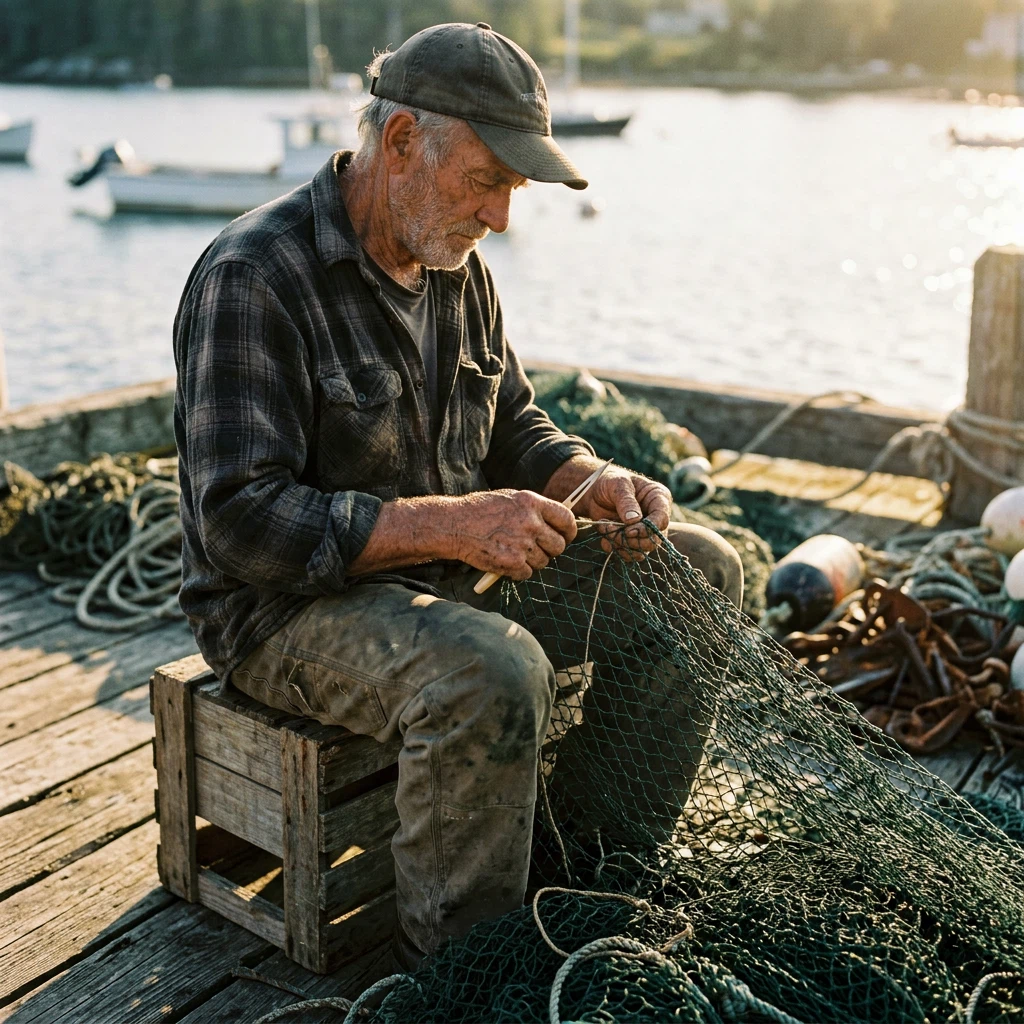
Candid portrait of an elderly fisherman mending a net on a wooden dock at golden hour, weathered hands and face, warm side light, shallow depth of field, 85mm photo, realistic skin texture
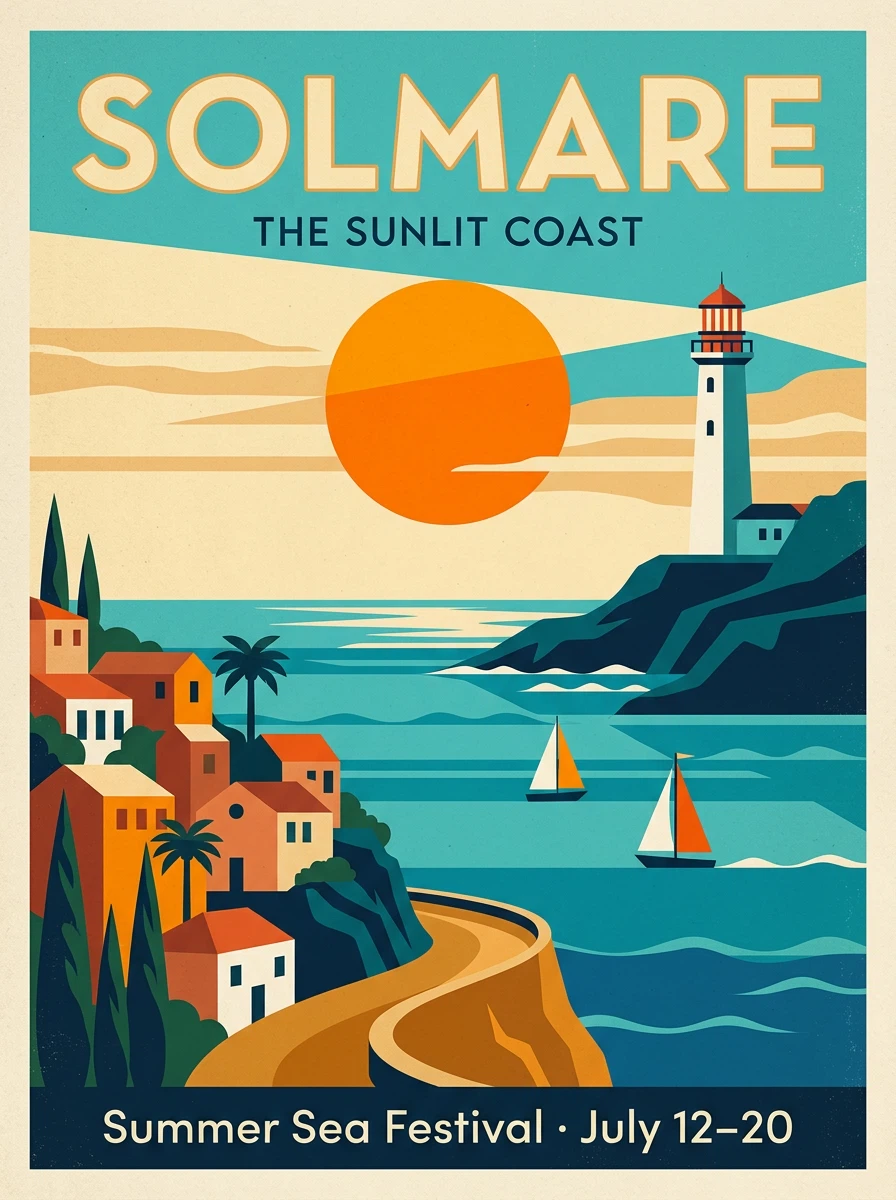
A mid-century modern travel poster for a fictional seaside town. Bold flat shapes: turquoise sea, a white lighthouse, orange sun, two sailboats. Large headline at the top reading "SOLMARE", smaller line at the bottom reading "Summer Sea Festival · July 12–20". Clean grid layout, subtle paper grain, limited warm palette.
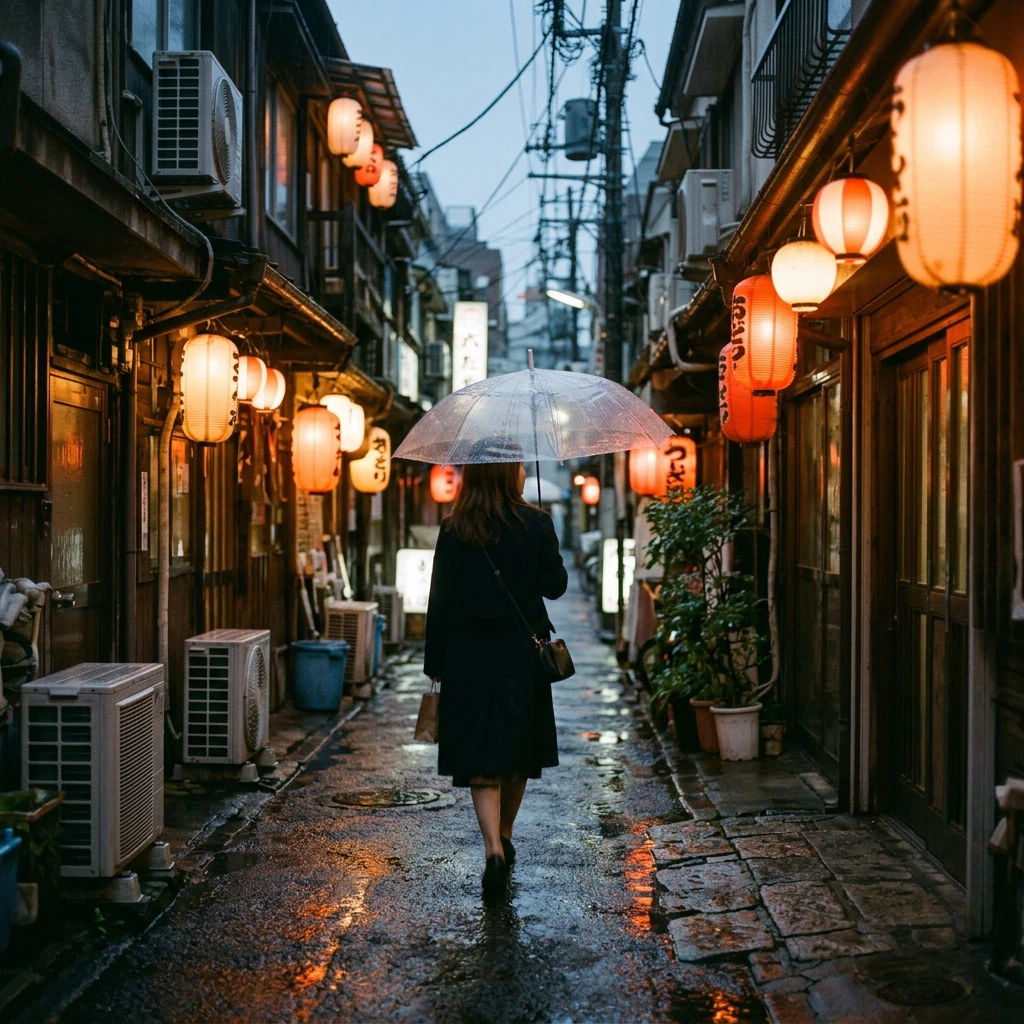
Street photo of a woman with a clear umbrella walking down a narrow alley at dusk in the rain, warm glowing paper lanterns, reflections on the wet pavement, 35mm film look, no readable signs
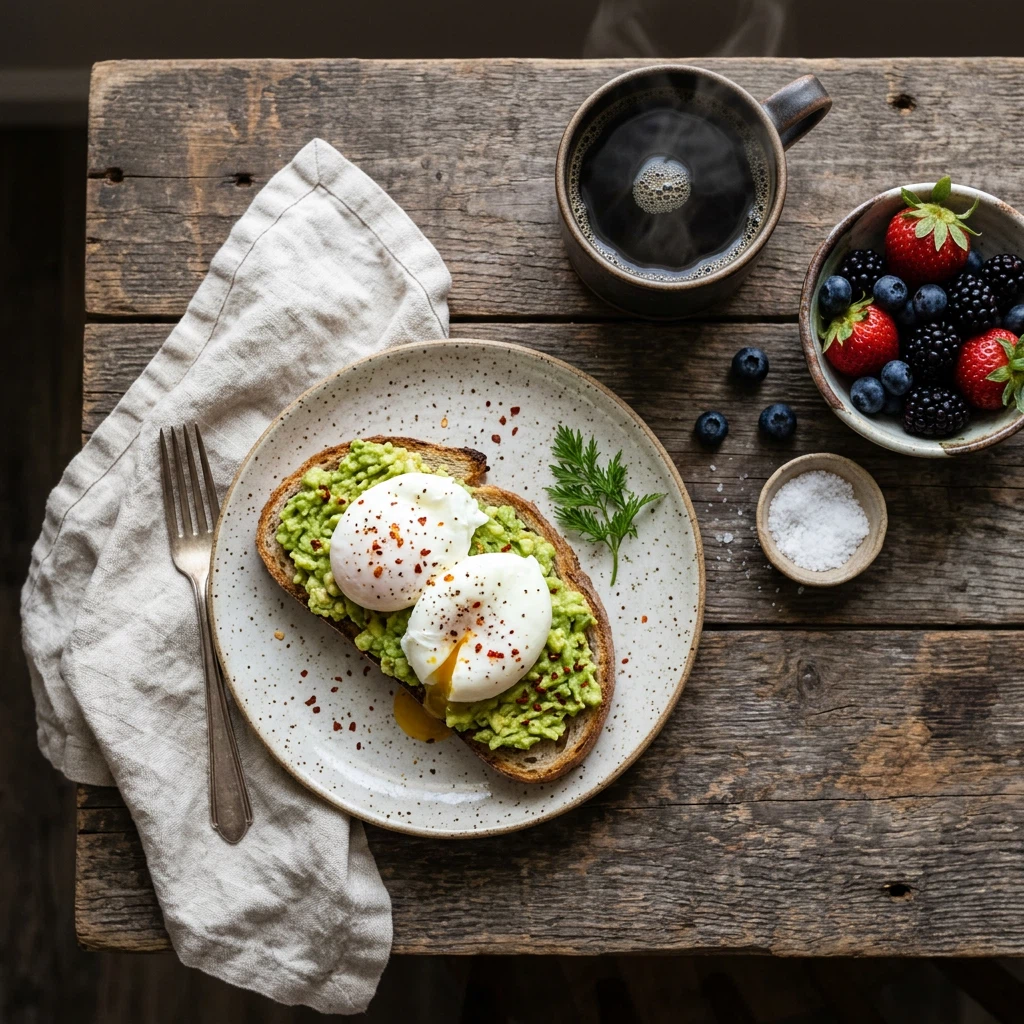
Overhead photo of a rustic breakfast table: sourdough toast with smashed avocado and poached eggs, a cup of black coffee, fresh berries, linen napkin, soft morning window light, food photography
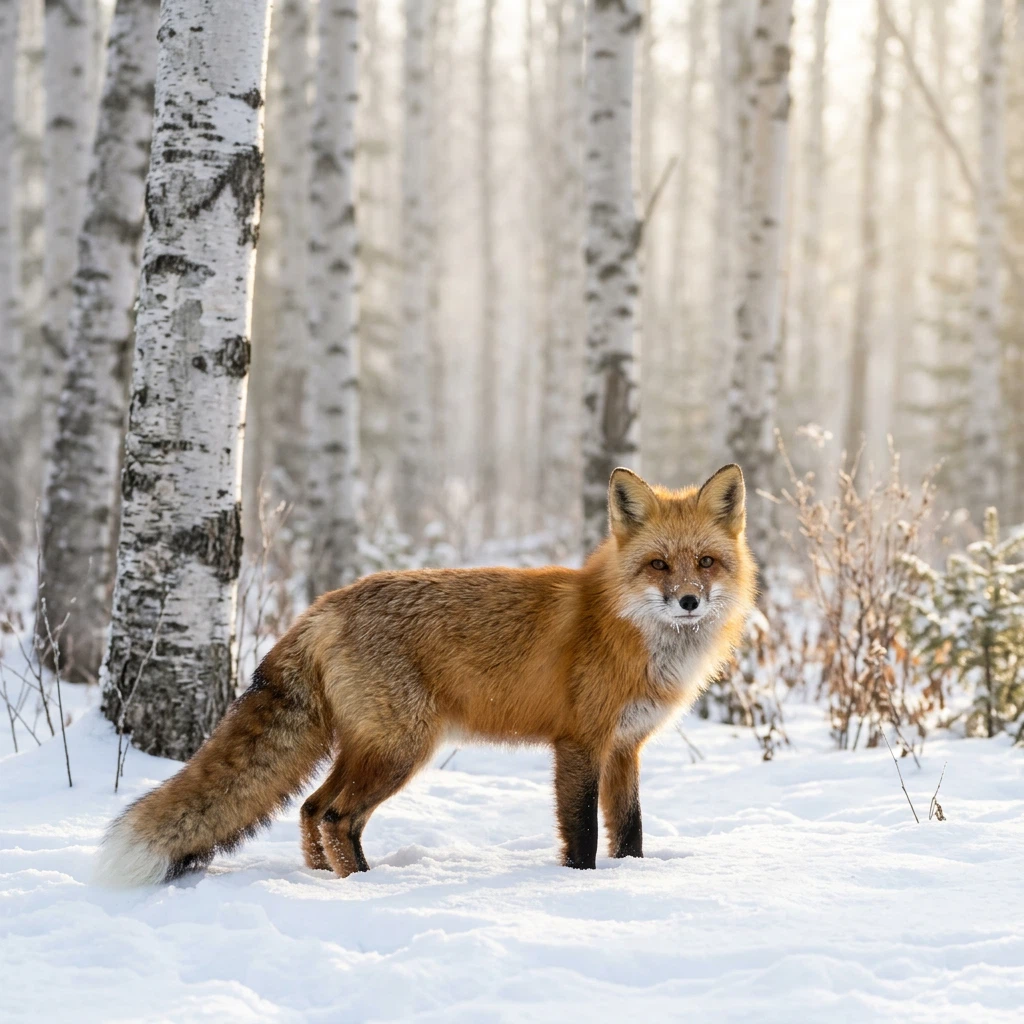
A red fox standing in fresh snow in a birch forest, morning mist and soft backlight, telephoto wildlife photograph, sharp fur detail

Interior photo of a minimalist Japanese-style living room with low wooden furniture, tatami floor, sliding paper screens and a bonsai, late afternoon sun casting soft shadows, architectural photography
Modelli correlati
/filters:quality(82)/media/images/1791312805430502065_dlG47iBV.webp)
/filters:quality(82)/media/images/1782846259821818886_jg1SZaB3.webp)
/filters:quality(82)/media/images/1782844482067816517_tMQErwk9.webp)
/filters:quality(82)/media/images/1782844415563670780_OtDNX6fc.webp)
/filters:quality(82)/media/images/1782844339498489332_IxVa0gtH.webp)
/filters:quality(82)/media/images/1782844270650853082_MTSGtith.webp)
README
Google Nano Banana 2.1 Text-to-Image
Nano Banana 2.1 Text-to-Image is Google's latest Nano Banana AI image generation model. Google reports that it outperforms its previous image models across the board, with notable leaps in visual design and subject consistency, tighter prompt adherence and cleaner text rendering.
Why Choose This?
-
Google's newest Nano Banana Upgraded over Nano Banana 2 in visual design, subject consistency and prompt adherence.
-
Cleaner text rendering Sharper labels, signs and typography inside the image.
-
Multi-resolution support Output in 1K, 2K, or 4K resolution based on your needs.
-
Flexible aspect ratios Fourteen options: 1:1, 3:2, 2:3, 3:4, 4:3, 4:5, 5:4, 9:16, 16:9, 21:9, 1:4, 4:1, 1:8, 8:1.
-
Web & image search grounding Optionally let the model use current information and real reference images from the web.
-
Format choice Export in PNG or JPEG format.
Parameters
| Parameter | Required | Description |
|---|---|---|
| prompt | Yes | Text description of the desired image |
| aspect_ratio | No | Aspect ratio: 1:1, 3:2, 2:3, 3:4, 4:3, 4:5, 5:4, 9:16, 16:9, 21:9, 1:4, 4:1, 1:8, 8:1 |
| resolution | No | Output resolution: 1k (default), 2k, 4k |
| enable_web_search | No | Enable web search to enhance generation with real-time info (default: false) |
| enable_image_search | No | Enable image search to ground the generation in real reference images (default: false) |
| output_format | No | Output format: png (default), jpeg |
How to Use
- Write your prompt — describe the image in detail, including subject, composition, lighting, style and any text in quotes.
- Choose aspect ratio (optional) — select a preset or leave empty for the default 1:1.
- Select resolution — choose 1K, 2K, or 4K based on your needs.
- Enable web or image search (optional) — for prompts that depend on current real-world information or how real things look.
- Choose output format — PNG or JPEG.
- Run — submit and download your generated image.
Pricing
| Resolution | Cost |
|---|---|
| 1k | $0.04 |
| 2k | $0.06 |
| 4k | $0.135 |
| Web search | +$0.014 |
| Image search | +$0.014 |
Best Use Cases
- Design-heavy visuals — Posters, social graphics and packaging mockups where layout and typography matter.
- Character & product consistency — Keep the same subject recognizable across a series.
- Marketing & Ads — Campaign images with clean in-image copy.
- Infographics & signage — Clear labels and text elements.
- Concept Art — Visualize complex, multi-part ideas faithfully.
Pro Tips
- Spell out the whole brief in one prompt — 2.1 follows long, multi-part instructions closely.
- Put exact on-image text in quotes and say where it goes.
- Match aspect ratio to your target platform: 9:16 for Stories/Reels, 16:9 for banners, 1:8 / 8:1 for skyscraper ads.
- Draft at 1K, then re-run the final prompt at 2K or 4K.
Notes
- Prompt is the only required field.
- If aspect_ratio is not selected, the output is 1:1.
- Ensure your prompts comply with Google's Safety Guidelines.
Related Models
- Nano Banana 2.1 Edit — Edit images with text instructions and up to 14 references.
- Nano Banana 2 Text-to-Image — Previous generation with a 0.5K option and Fast variants.
- Nano Banana Pro Text-to-Image — Pro tier image generation.
Nano Banana 2.1 Text To Image API — Quick start
Grab a WaveSpeedAI API key, then call POST https://api.wavespeed.ai/api/v3/google/nano-banana-2.1/text-to-image with your input as JSON. The endpoint returns a prediction id. Start polling the result endpoint around every 2 seconds, increase the interval for long-running tasks, and stop on any terminal status. On completed, read output values from data.outputs. Examples for Nano Banana 2.1 Text To Image below.
HTTP example
set -euo pipefail

: "${WAVESPEED_API_KEY:?Set WAVESPEED_API_KEY}"

REQUEST_BODY=$(cat <<'JSON'
{
    "prompt": "A cinematic shot of a city at sunset, soft golden light",
    "aspect_ratio": "1:1",
    "resolution": "1k",
    "enable_web_search": false,
    "enable_image_search": false,
    "output_format": "png"
}
JSON
)

# 1. Submit the prediction.
SUBMIT_RESPONSE=$(curl --silent --show-error --fail-with-body \
  -X POST "https://api.wavespeed.ai/api/v3/google/nano-banana-2.1/text-to-image" \
  -H "Content-Type: application/json" \
  -H "Authorization: Bearer $WAVESPEED_API_KEY" \
  -d "$REQUEST_BODY")

TASK=$(printf '%s' "$SUBMIT_RESPONSE" | jq 'if has("data") then .data else . end')
PREDICTION_ID=$(printf '%s' "$TASK" | jq -r '.id')
if [ -z "$PREDICTION_ID" ] || [ "$PREDICTION_ID" = "null" ]; then
  printf 'Submission response did not contain a prediction id
' >&2
  exit 1
fi
RESULT_URL="https://api.wavespeed.ai/api/v3/predictions/$PREDICTION_ID/result"

# 2. Poll until the prediction finishes.
while true; do
  RESPONSE=$(curl --silent --show-error --fail-with-body "$RESULT_URL" \
    -H "Authorization: Bearer $WAVESPEED_API_KEY")
  RESULT=$(printf '%s' "$RESPONSE" | jq 'if has("data") then .data else . end')
  STATUS=$(printf '%s' "$RESULT" | jq -r '.status')
  case "$STATUS" in
    completed) printf '%s\n' "$RESULT" | jq '.outputs'; break ;;
    failed|cancelled|timeout|deleted) printf '%s\n' "$RESULT" | jq . >&2; exit 1 ;;
    *) sleep 2 ;;
  esac
done
Node.js example
const submitUrl = "https://api.wavespeed.ai/api/v3/google/nano-banana-2.1/text-to-image";
const apiKey = process.env.WAVESPEED_API_KEY;
if (!apiKey) throw new Error('Set WAVESPEED_API_KEY');

async function requestJson(url, options = {}) {
  const response = await fetch(url, options);
  if (!response.ok) throw new Error(await response.text());
  return response.json();
}

// 1. Submit the prediction.
const body = await requestJson(submitUrl, {
  method: "POST",
  headers: {
    "Authorization": `Bearer ${apiKey}`,
    "Content-Type": "application/json",
  },
  body: JSON.stringify({
        "prompt": "A cinematic shot of a city at sunset, soft golden light",
        "aspect_ratio": "1:1",
        "resolution": "1k",
        "enable_web_search": false,
        "enable_image_search": false,
        "output_format": "png"
}),
});
const task = body.data ?? body;
if (!task.id) throw new Error("Submission response did not contain a prediction id");
const resultUrl = `https://api.wavespeed.ai/api/v3/predictions/${task.id}/result`;

// 2. Poll until the prediction finishes.
while (true) {
  const resultBody = await requestJson(resultUrl, {
    headers: { "Authorization": `Bearer ${apiKey}` },
  });
  const result = resultBody.data ?? resultBody;
  if (result.status === "completed") {
    console.log(result.outputs);
    break;
  }
  if (["failed", "cancelled", "timeout", "deleted"].includes(result.status)) throw new Error(JSON.stringify(result));
  await new Promise(resolve => setTimeout(resolve, 2000));
}
Python example
import json
import os
import time
from urllib.request import Request, urlopen

api_key = os.environ["WAVESPEED_API_KEY"]
headers = {"Authorization": f"Bearer {api_key}", "Content-Type": "application/json"}
payload = {
    "prompt": "A cinematic shot of a city at sunset, soft golden light",
    "aspect_ratio": "1:1",
    "resolution": "1k",
    "enable_web_search": False,
    "enable_image_search": False,
    "output_format": "png"
}

def request_json(url, data=None):
    request = Request(url, data=data, headers=headers, method="POST" if data else "GET")
    with urlopen(request) as response:
        return json.load(response)

# 1. Submit the prediction.
body = request_json("https://api.wavespeed.ai/api/v3/google/nano-banana-2.1/text-to-image", json.dumps(payload).encode())
task = body.get("data", body)
if not task.get("id"):
    raise RuntimeError("Submission response did not contain a prediction id")
result_url = f"https://api.wavespeed.ai/api/v3/predictions/{task['id']}/result"

# 2. Poll until the prediction finishes.
while True:
    result_body = request_json(result_url)
    result = result_body.get("data", result_body)
    status = result.get("status")
    if status == "completed":
        print(result.get("outputs", []))
        break
    if status in {"failed", "cancelled", "timeout", "deleted"}:
        raise RuntimeError(result)
    time.sleep(2)
Nano Banana 2.1 Text To Image API — Frequently asked questions
What is the Nano Banana 2.1 Text To Image API?
Nano Banana 2.1 Text To Image is a Google model for image generation, exposed as a REST API on WaveSpeedAI. Google Nano Banana 2.1 is the latest Nano Banana image generation model, with gains in visual design, subject consistency and prompt adherence, cleaner text rendering, 1K to 4K output and optional web search. Ready-to-use REST inference API, best performance, no coldstarts, affordable pricing. You can call it programmatically or try it from the playground above.
How do I call the Nano Banana 2.1 Text To Image API?
POST your input parameters to the model's REST endpoint (shown in the API tab of this playground) with your WaveSpeedAI API key in the Authorization header. Submission returns a prediction ID. Poll the result endpoint starting around every 2 seconds, increase the interval for long-running tasks, and stop on any terminal status. The playground generates Python, JavaScript, and cURL examples for submitting requests and polling results. Full request/response shape is documented at https://wavespeed.ai/docs/docs-api/google/google-nano-banana-2.1-text-to-image.
How much does Nano Banana 2.1 Text To Image cost per run?
Nano Banana 2.1 Text To Image starts at $0.036 per run. That figure is the base price — the final charge scales with the parameters you set in the form (output size, length, count, references, or whatever knobs this model exposes), so a higher-quality or larger output costs more than a minimal one. The exact cost for your current input is shown live next to the Generate button before you submit, and the actual per-call charge is recorded on the prediction afterwards.
What inputs does Nano Banana 2.1 Text To Image accept?
Key inputs: `prompt`, `aspect_ratio`, `resolution`, `enable_base64_output`, `enable_image_search`, `enable_sync_mode`. The full JSON schema (types, defaults, allowed values) is rendered above the Generate button and mirrored in the API reference at https://wavespeed.ai/docs/docs-api/google/google-nano-banana-2.1-text-to-image.
How do I get started with the Nano Banana 2.1 Text To Image API?
Sign up for a free WaveSpeedAI account to claim starter credits, copy your API key from /accesskey, then call the endpoint shown in the API tab of the playground. The playground also auto-generates a code sample in Python, JavaScript, or cURL for the parameters you've set.
Can I use Nano Banana 2.1 Text To Image outputs commercially?
Commercial usage rights depend on the model's license, set by its provider (Google). Check the provider's applicable terms and WaveSpeedAI's Terms of Service before commercial use.
Altro da Google
Vedi tutto- google/gemini-2.5-flash-image-preview/editImage Editing
- google/gemini-2.5-flash-image-preview/text-to-imageText to Image
- google/gemini-2.5-flash-image/editImage Editing
- google/gemini-2.5-flash-image/text-to-imageText to Image
- google/gemini-2.5-flash/text-to-speechText to Speech
- google/gemini-2.5-pro/text-to-speechText to Speech
- google/gemini-3-pro-image/editImage Editing
- google/gemini-3-pro-image/text-to-imageText to Image
Altri modelli Text to Image
Vedi tutto- bytedance/seedream-v5.0-proText to Image
- openai/gpt-image-2/text-to-imageText to Image
- google/nano-banana-pro/text-to-imageText to Image
- google/nano-banana-2/text-to-imageText to Image
- wavespeed-ai/z-image/turboText to Image
- bytedance/seedream-v4.5Text to Image
- alibaba/wan-2.7/text-to-imageText to Image
- alibaba/qwen-image-3.0/text-to-imageText to Image