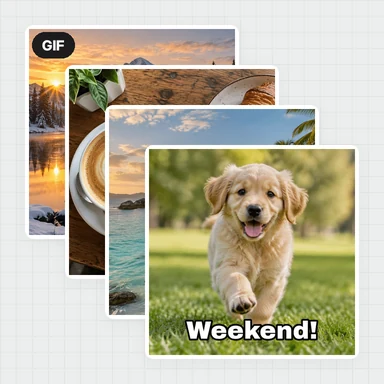
Add your photos
Drop, paste or choose up to 40 photos. They open right in the page.
Put your photos together in a grid, a mosaic, a heart or a freeform scatter.
Add text and a background, pick a size for social or print, and download it free.
Drop, paste or choose as many photos as you like. Pick a layout, then drag to arrange.
JPG, PNG, WebP or GIF · up to 40 photosCreate or edit images with AIMake a new picture from a prompt, or upload one and change it with words: swap the background, remove things, change the style.
Open AI Image GeneratorDrop, paste or choose up to 40 photos. They open right in the page.
Choose a grid, mosaic, freeform, heart or circle. Drag photos to swap them, move them inside their cells and zoom in.
Set the spacing, border, corners, background and text, pick a size, then save a full-size PNG or JPG.
Make the pictures your collage is missing with WaveSpeed AI, then arrange them here.
Create photos, scenes and backgrounds from a prompt, or change your own with words.
Create an imageBring your favourite photo to life as a short video.
Create a videoTurn a picture into a 3D model.
Create a 3D modelGenerators have separate account and credit requirements. The collage maker is free.
Yes. Make and download as many collages as you like, with no account, no subscription and no watermark.
No. Your photos are arranged and saved in your browser and never leave your device.
Up to 40 photos per collage. Grid layouts have 1 to 16 cells; mosaic, masonry, freeform, heart and circle layouts use all your photos.
Drag a photo inside its cell to choose which part shows, and use the zoom slider or your mouse wheel to zoom in. Drag it onto another cell to swap the two. In freeform, drag photos anywhere and use the round handle to resize and rotate them.
Instagram post, portrait and story, Facebook post and cover, Pinterest, YouTube thumbnail, 4 × 6, 5 × 7 and 8 × 10 in prints, A4, US Letter, or any custom size up to 8000 pixels. The download is the full size, not a preview.
Yes. Print sizes are made at 300 DPI and the PNG or JPG records that resolution, so it prints at the size you chose, for example exactly 4 × 6 inches.
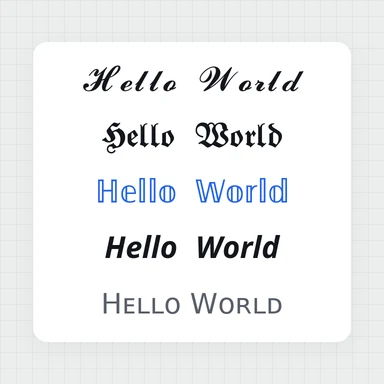
Yes. Add as many texts as you like, choose from five fonts, set the size and colour, add a box behind the text and drag it into place.
No. Your collage downloads exactly as you made it.
Free, private and no watermark.