Write Python
Type in the editor, open a .py file or start from an example.
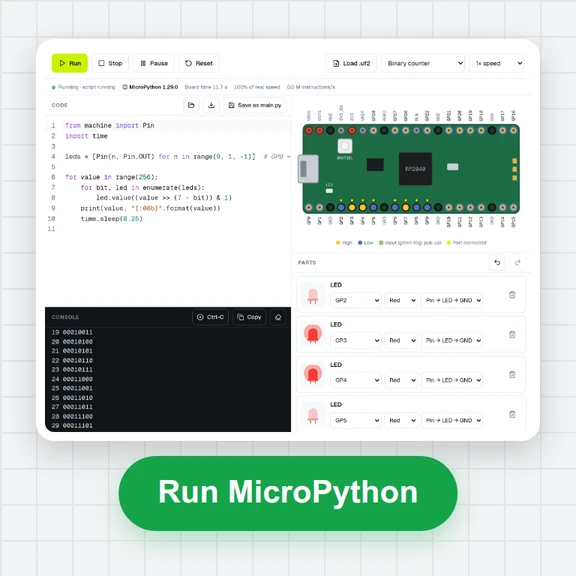
Type Python, press Run and see the output, with real input() prompts and clear error messages.
numpy, pandas and matplotlib charts work too, and nothing needs to be installed.
Type in the editor, open a .py file or start from an example.
Press Run or Ctrl+Enter. The first run downloads Python once; later runs start in a moment.
Read the output, answer input() prompts, view charts and download files. Share your code with a link.
Small habits that make running Python in the browser smoother.
Put answers for input() in the Input tab, one per line, to run the same program again without typing.
Call plt.show() to put a matplotlib chart in the output. Every chart can be saved as a PNG.
Add a CSV or text file in the Files tab and open it by name in your code. Files you write can be downloaded.
The first import of a large package such as pandas downloads it once; the next runs are quick.
Press Stop or Esc to end a long loop. Python starts again with a clean slate on the next run.
Variables don't carry over between runs, just like running a script from the command line.
Create images, short clips and 3D models for your projects and reports with WaveSpeed AI.
Make illustrations and cover images for your notebook or report.
Turn a chart or diagram into a short explainer clip.
Turn a picture into a 3D model.
$1 in free credits for eligible new accounts. No card needed. Generators have separate account and credit requirements. The Python compiler is free.
Yes. It's free, with no sign-up, no run limits and no watermark on anything you save.
Python 3.14 with the standard library, running right in your browser.
Yes. Put answers in the Input tab, one line for each input() call, or type them in the Output tab when the program asks.
Yes. Just import them: numpy, pandas, matplotlib, scipy, scikit-learn, sympy and many other packages load automatically. Charts appear in the output.
Pure-Python packages from PyPI can be installed in the Packages tab, then imported in your code.
In your browser, inside a sandbox with no access to this site's cookies or storage. Your code isn't sent to a server to run.
Yes. Add data files in the Files tab and open them by name. Files your program creates are listed there for download.
Press Share to copy a link. The code is stored in the link itself, so anyone who opens it sees the same program.
Write a few lines, press Run and see the result.
/filters:quality(82)/media/images/1791123751656780930_IfFPY7R0.webp)
/filters:quality(82)/media/images/1791123737177812425_RjKT3cku.webp)
/filters:quality(82)/media/images/1791123748309870128_xlkNgK8N.webp)
/filters:quality(82)/media/images/1791123738630744263_oR09R0aj.webp)
/filters:quality(82)/media/images/1791177033162457776_uQ09OY7g.webp)
/filters:quality(82)/media/images/1791123734319125607_JdnwGPY7.webp)
/filters:quality(82)/media/images/1791123746355630206_udnxGPY7.webp)
/filters:quality(82)/media/images/1791123744771362580_yC0sPezZ.webp)
/filters:quality(82)/media/images/1791123738606970169_5KIR1ais.webp)
/filters:quality(82)/media/images/1791123748197655725_EUmuFNW6.webp)