Add an old photo
Drop, choose or paste a scan or a phone photo of the print.
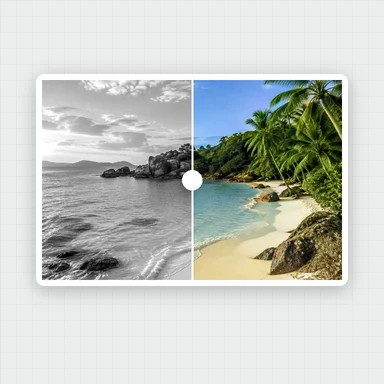
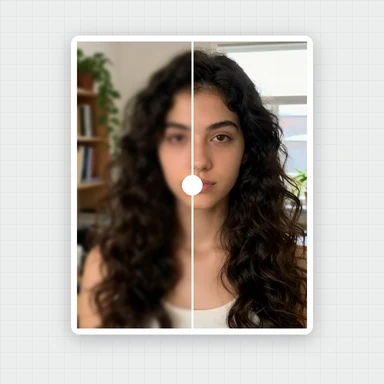
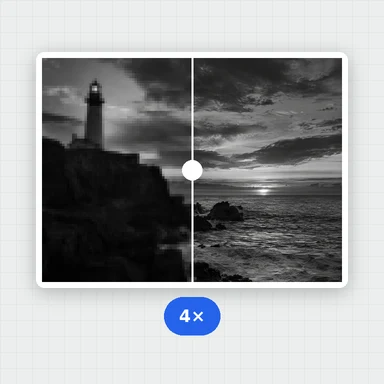
Bring old family photos back: AI adds natural color to black-and-white and sepia prints, restores soft, faded faces and enlarges the whole photo up to 4×.
Compare before and after, then download. Your photos never leave your device.
A scan or phone photo of a faded print, a black-and-white or sepia picture, or a family album page.
JPG, PNG, WebP, AVIF or HEIC up to 30 MB. You can also paste a photo.Want the whole photo sharper?This free tool restores the faces and enlarges the rest. The Image Upscaler on WaveSpeed AI adds AI detail to the whole photo, up to 8K, with an API for whole albums.
Open Image UpscalerAI-made portraits, aged in your browser to look like faded black-and-white and sepia prints. Choose one and restore it.
Drop, choose or paste a scan or a phone photo of the print.
Color is turned on for black-and-white and sepia photos. Pick a size and restore: AI adds color, restores every face and enlarges the photo.
Drag the slider to compare before and after, then download as JPG, PNG or WebP.
Scan the print flat, or photograph it straight on in soft daylight without glare. A sharper copy gives the AI more to work with.
Add color is for black-and-white and sepia photos. For an old color photo, leave it off so it keeps its own colors.
Use the slider to compare eyes, mouth and skin with the original. AI restoration can add detail that wasn’t there, so check that people still look like themselves.
Create photos, portraits and characters from a short prompt with WaveSpeed AI.
Make portraits, family scenes and vintage-style pictures from a description.
Bring a restored family photo to life as a short video clip.
Turn a picture into a 3D model.
$1 in free credits for eligible new accounts. No card needed. Generators have separate account and credit requirements. The old photo restoration tool is free.
Yes. Restore as many photos as you like with no account, no watermark and no daily limit.
No. The AI runs in your browser, and your photos never leave your device. The first time, your browser downloads the AI models once and keeps them for next time.
It adds natural color to black-and-white and sepia photos, restores faces that are soft from age, blur or low resolution, and enlarges the whole photo up to 4×. It does not remove scratches, tears, stains or folds.
When a photo looks black-and-white or sepia, Add color is turned on for you. A color photo keeps its own colors unless you turn it on. You can switch it either way before you restore.
Yes. Every face it finds is restored and blended back into the photo, and the result tells you how many faces were restored.
Only faces are restored by AI. A photo without faces, such as a landscape or a house, still gets color and a bigger size if you choose them, and the tool tells you no face was found.
The AI restores the faces that are already there rather than replacing them, but it can add detail that wasn’t in the original. Compare before and after with the slider before you download.
The first run downloads the AI models once, which takes a while. Faces are fastest when your browser can use the graphics card; without it, each face can take up to a minute.
Photos up to 30 MB. Results can be up to about 16 megapixels (4096 × 4096); very large photos are processed at a smaller size, and bigger sizes are turned off when they would go over it.
Free, private and in your browser: no upload, no sign-up, no watermark.
/filters:quality(82)/media/images/1791123751656780930_IfFPY7R0.webp)
/filters:quality(82)/media/images/1791123737177812425_RjKT3cku.webp)
/filters:quality(82)/media/images/1791123748309870128_xlkNgK8N.webp)
/filters:quality(82)/media/images/1791123738630744263_oR09R0aj.webp)
/filters:quality(82)/media/images/1791177033162457776_uQ09OY7g.webp)
/filters:quality(82)/media/images/1791123734319125607_JdnwGPY7.webp)
/filters:quality(82)/media/images/1791123746355630206_udnxGPY7.webp)
/filters:quality(82)/media/images/1791123744771362580_yC0sPezZ.webp)
/filters:quality(82)/media/images/1791123738606970169_5KIR1ais.webp)
/filters:quality(82)/media/images/1791123748197655725_EUmuFNW6.webp)