Open your PDF
Drop any PDF: slides, a report, a manual.
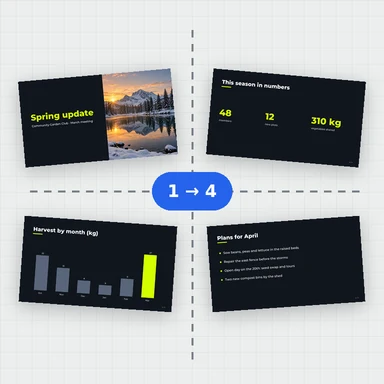
Print handouts, proofs and notes with 2, 4, 6, 8, 9 or 16 pages per sheet.
Choose the page order and the gaps, and download a PDF that stays sharp because the pages stay vector.
Drop a PDF here, or paste it. Booklets, signatures, n-up, step and repeat.
Any size · Nothing is uploadedDrop any PDF: slides, a report, a manual.
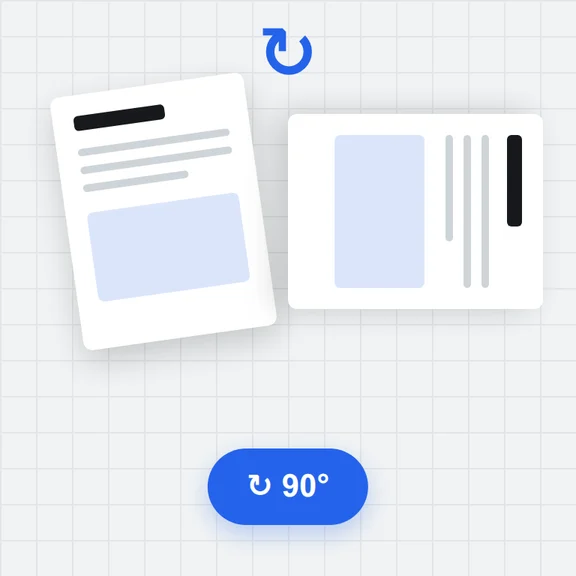
2, 4, 6, 8, 9 or 16, in reading order across or down. Pages turn automatically for the best fit.
Get one PDF with several pages on every sheet, ready to print.
Create covers, illustrations and photos from a short prompt with WaveSpeed AI.
Make book covers, flyer art and illustrations ready to place on the page.
Turn a cover or poster into a short promo clip.
Turn a product photo into a 3D model for packaging mockups.
$1 in free credits for eligible new accounts. No card needed. Generators have separate account and credit requirements. The PDF imposition tool is free.
Yes. No account, no limit and no watermark.
Yes. Pages are placed as vector content, not as pictures, so text stays crisp and selectable.
Yes: across then down, down then across, or right to left for either.
Yes. Set the gap across and down, and a margin around the sheet for your printer.
No. Everything happens in your browser.
2 to 16 pages per sheet · Across or down · No upload
/filters:quality(82)/media/images/1791123751656780930_IfFPY7R0.webp)
/filters:quality(82)/media/images/1791123737177812425_RjKT3cku.webp)
/filters:quality(82)/media/images/1791123748309870128_xlkNgK8N.webp)
/filters:quality(82)/media/images/1791123738630744263_oR09R0aj.webp)
/filters:quality(82)/media/images/1791177033162457776_uQ09OY7g.webp)
/filters:quality(82)/media/images/1791123734319125607_JdnwGPY7.webp)
/filters:quality(82)/media/images/1791123746355630206_udnxGPY7.webp)
/filters:quality(82)/media/images/1791123744771362580_yC0sPezZ.webp)
/filters:quality(82)/media/images/1791123738606970169_5KIR1ais.webp)
/filters:quality(82)/media/images/1791123748197655725_EUmuFNW6.webp)