Open your PDF
Drop a print-ready PDF. Trim and bleed are read from its page boxes, and a 300-page book opens in seconds.
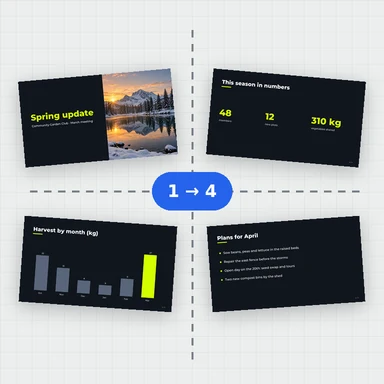
Turn a PDF into printer sheets: booklets, sewn signatures, n-up handouts, business cards in step and repeat, cut and stack, work and turn.
See every sheet front and back before you print, add crop, fold and registration marks, then download one vector PDF.
Drop a PDF here, or paste it. Booklets, signatures, n-up, step and repeat.
Any size · Nothing is uploadedDrop a print-ready PDF. Trim and bleed are read from its page boxes, and a 300-page book opens in seconds.
Booklet, signatures, n-up, step and repeat, cut and stack or work and turn, on A4, SRA3, 13 × 19 in or your own sheet. Add the marks you need.
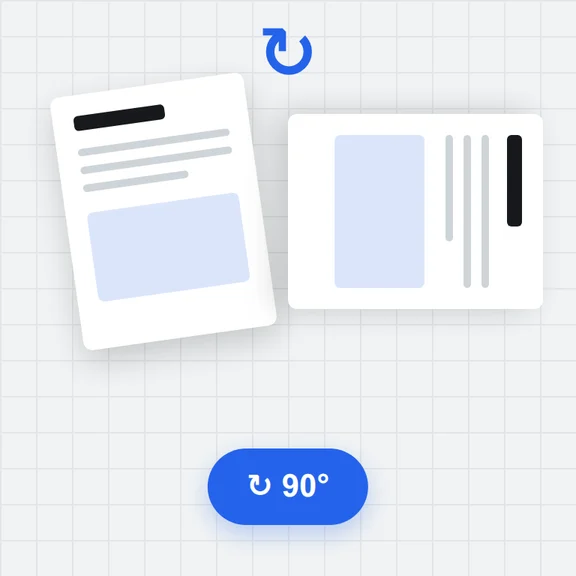
Every sheet is drawn front and back with page numbers. Download one PDF with the pages placed as vectors.
Pages padded to a multiple of 4, in the right order for folding and stapling, with creep so inner pages keep their margins. Left or right binding.
4, 8, 16 or 32 pages per signature, as nested folded sheets or as one press sheet folded at right angles, with collation marks on the spine.
2, 4, 6, 8, 9 or 16 pages per sheet, across or down, left to right or right to left, with gaps you set.
Fill the sheet with as many copies as fit: business cards, labels, tickets. Fronts and backs line up for double-sided jobs.
Number the stack so that one cut and a pile give pages in order: postcards, tickets, numbered forms.
Front and back on one plate, then the same plate on the other side; cut the sheet in half for two finished copies.
Create covers, illustrations and photos from a short prompt with WaveSpeed AI.
Make book covers, flyer art and illustrations ready to place on the page.
Turn a cover or poster into a short promo clip.
Turn a product photo into a 3D model for packaging mockups.
$1 in free credits for eligible new accounts. No card needed. Generators have separate account and credit requirements. The PDF imposition tool is free.
Yes. No account, no page limit and no watermark.
No. The PDF is read and imposed in your browser, and the result is saved straight to your device.
No. Each page is placed as vector content: text stays text, fonts and pictures are copied as they are and nothing is turned into an image.
The trim box and bleed box of each page are used when the PDF has them. If your PDF was exported with bleed but no trim box, tell the tool how much bleed each page has. Bleed shows on the outside edges and up to half the gap between pages; at a booklet spine it is cut at the trim.
When a thick booklet is folded, the inner sheets stick out further at the fore-edge and lose more of their margin when trimmed. Creep moves the pages of the inner sheets toward the spine, up to the amount you set for the innermost sheet. Paper thickness times the number of sheets is a good starting value.
Print the PDF double-sided at 100% (not fit to page), flipping on the edge the tool shows. Keep the sheets in order with sheet 1 outside, fold the stack in half and staple on the fold. The folding guide shows the order.
A5, A4, A3, SRA4, SRA3, B3, Letter, Legal, Tabloid, 12 × 18 in, 13 × 19 in, any custom size in mm, inches or points, or a sheet just big enough for the layout.
Yes. The work happens in the background, so a 300-page book is laid out in seconds without freezing the page.
It imposes one PDF at a time (no ganging of different jobs), does not create bleed that isn't in the file, does not convert colours or check preflight, and the slug line prints Latin characters only. Password-protected PDFs need to be unlocked first.
Free, private and without limits.
/filters:quality(82)/media/images/1791123751656780930_IfFPY7R0.webp)
/filters:quality(82)/media/images/1791123737177812425_RjKT3cku.webp)
/filters:quality(82)/media/images/1791123748309870128_xlkNgK8N.webp)
/filters:quality(82)/media/images/1791123738630744263_oR09R0aj.webp)
/filters:quality(82)/media/images/1791177033162457776_uQ09OY7g.webp)
/filters:quality(82)/media/images/1791123734319125607_JdnwGPY7.webp)
/filters:quality(82)/media/images/1791123746355630206_udnxGPY7.webp)
/filters:quality(82)/media/images/1791123744771362580_yC0sPezZ.webp)
/filters:quality(82)/media/images/1791123738606970169_5KIR1ais.webp)
/filters:quality(82)/media/images/1791123748197655725_EUmuFNW6.webp)