Open your card PDF
One page per side, with or without bleed. Trim and bleed come from the PDF's page boxes.
Open your card PDF (front and back) and get sheets with as many cards as fit, crop marks at every cut and the backs lined up with the fronts.
Works for labels, tickets and badges too.
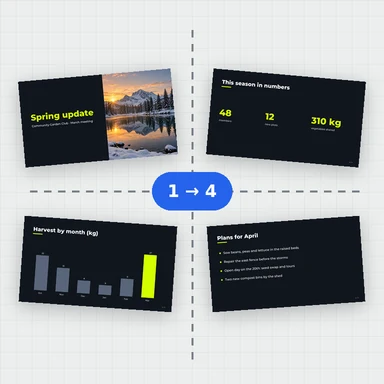
Drop a PDF here, or paste it. Booklets, signatures, n-up, step and repeat.
Any size · Nothing is uploadedOne page per side, with or without bleed. Trim and bleed come from the PDF's page boxes.
A4, Letter, SRA3, 12 × 18 or 13 × 19 in. Turn on Double-sided for a front and back.
Download, print and cut along the crop marks.
Create covers, illustrations and photos from a short prompt with WaveSpeed AI.
Make book covers, flyer art and illustrations ready to place on the page.
Turn a cover or poster into a short promo clip.
Turn a product photo into a 3D model for packaging mockups.
$1 in free credits for eligible new accounts. No card needed. Generators have separate account and credit requirements. The PDF imposition tool is free.
As many as fit at 100% inside the margins and marks, trying both orientations; the count is shown above the sheets. You can also set columns and rows yourself.
Yes. The back of each card is placed exactly behind its front. If your printer turns the sheet head to foot, choose that option and the backs follow.
Set a gap between cards of at least twice the bleed; with no gap, cards share their cut lines and the bleed between them is trimmed away.
Yes. No account, no limit and no watermark.
No. Everything happens in your browser.
As many as fit · Fronts and backs aligned · No upload
/filters:quality(82)/media/images/1791123751656780930_IfFPY7R0.webp)
/filters:quality(82)/media/images/1791123737177812425_RjKT3cku.webp)
/filters:quality(82)/media/images/1791123748309870128_xlkNgK8N.webp)
/filters:quality(82)/media/images/1791123738630744263_oR09R0aj.webp)
/filters:quality(82)/media/images/1791177033162457776_uQ09OY7g.webp)
/filters:quality(82)/media/images/1791123734319125607_JdnwGPY7.webp)
/filters:quality(82)/media/images/1791123746355630206_udnxGPY7.webp)
/filters:quality(82)/media/images/1791123744771362580_yC0sPezZ.webp)
/filters:quality(82)/media/images/1791123738606970169_5KIR1ais.webp)
/filters:quality(82)/media/images/1791123748197655725_EUmuFNW6.webp)