Start KolibriOS
Press Start KolibriOS. It downloads about 3 MB once, then boots to the desktop.
KolibriOS is a tiny operating system written in assembly language: a desktop, file manager, text editor, image viewer, games and demos in 1.44 MB.
Try it here on an emulated PC — no download to burn, nothing to install.
Press Start KolibriOS. It downloads about 3 MB once, then boots to the desktop.
Click to use the mouse and keyboard inside KolibriOS; press Esc to get your mouse back.
Open the menu at the bottom left for every program, or double-click the desktop icons. Save the state to continue later.
Create images, videos and 3D models from a short prompt with WaveSpeed AI.
Design a retro-style cover, icon or pixel-art scene for your project.
Turn a screenshot or an idea into a short animated clip.
Make a 3D model of a vintage computer or a game character.
$1 in free credits for eligible new accounts. No card needed. Generators have separate account and credit requirements. The PC emulator is free.
A free, open-source operating system for x86 PCs written mostly in assembly language. Its whole system, with dozens of programs, fits on one floppy disk.
Yes. KolibriOS 0.7.7.0, the project's own floppy image, boots to the desktop right in your browser in seconds — no disk to burn and no virtual machine to set up.
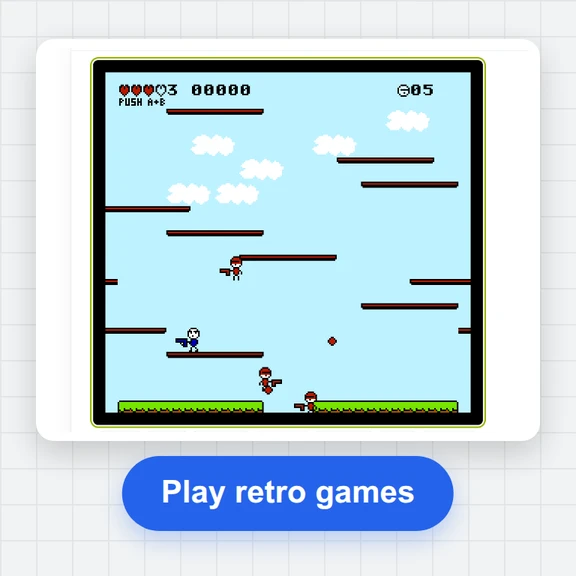
Browse files, write in the text editor, view images, play the built-in games and run the demos. Open the menu at the bottom left to see every program.
Yes. It is free with no sign-up, and the emulated PC runs entirely in your browser tab.
Boots in seconds · Mouse and keyboard · Save and resume
/filters:quality(82)/media/images/1791123751656780930_IfFPY7R0.webp)
/filters:quality(82)/media/images/1791123737177812425_RjKT3cku.webp)
/filters:quality(82)/media/images/1791123748309870128_xlkNgK8N.webp)
/filters:quality(82)/media/images/1791123738630744263_oR09R0aj.webp)
/filters:quality(82)/media/images/1791177033162457776_uQ09OY7g.webp)
/filters:quality(82)/media/images/1791123734319125607_JdnwGPY7.webp)
/filters:quality(82)/media/images/1791123746355630206_udnxGPY7.webp)
/filters:quality(82)/media/images/1791123744771362580_yC0sPezZ.webp)
/filters:quality(82)/media/images/1791123738606970169_5KIR1ais.webp)
/filters:quality(82)/media/images/1791123748197655725_EUmuFNW6.webp)