Pick a game
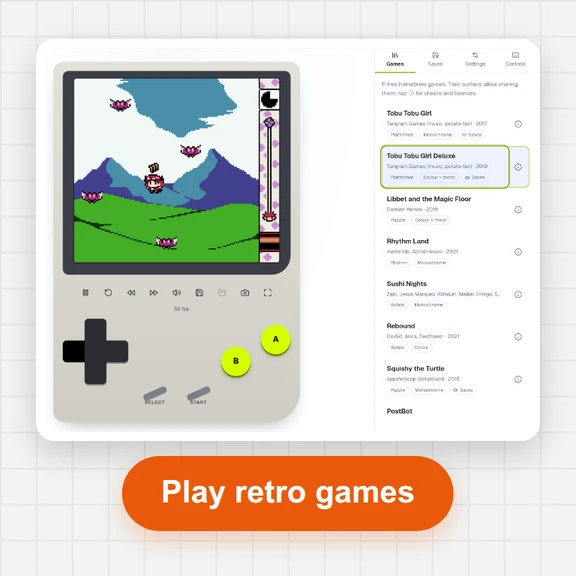
Choose a title from the library. It downloads once (a few dozen kilobytes) and starts right away.
Pick a game from the library and play it right here with your keyboard, a gamepad or the touch buttons.
Every game is free to share: its author and licence are shown with it.
Choose a title from the library. It downloads once (a few dozen kilobytes) and starts right away.
Use the arrow keys with X and Z, plug in a gamepad, or use the on-screen buttons on a phone. A second player can join on the keyboard or a second gamepad.
Save to one of three slots at any moment. When you leave, the player remembers where you were so you can continue next time.
A few things that make playing smoother.
Keys go to the game while it is running. If arrows scroll the page, click the game screen once.
F2 saves to slot 1 and F4 loads it again. Use it before a hard part.
Most USB and Bluetooth controllers work. Press any button on it once so the browser makes it available.
Turn the phone and tap Fullscreen: the picture gets bigger and the touch buttons stay under it.
Open the Controls tab and click a key to change it. Keys you already use are swapped, never lost.
Open About this game to see who made it, how to play and its full licence.
Create sprites, title screens and short clips for your projects from a prompt with WaveSpeed AI.
Make pixel-art sprites, backgrounds and covers.
Turn a still picture into a short animated clip.
Turn a picture into a 3D model for a game.
$1 in free credits for eligible new accounts. No card needed. Generators have separate account and credit requirements. The 8-bit console player is free.
Yes. Play every game online for free, with no sign-up and no ads. Every game is homebrew whose author allows anyone to share it (MIT, zlib, BSD and similar licences, or the author's written permission), and each one shows its author, licence and source.
Yes. Pick a game from the library and it starts in seconds right in your browser, on a computer, tablet or phone, with nothing to install and no plug-ins.
A hand-picked library of 11 free, openly licensed homebrew games: arcade platformers, a falling-block puzzle, real-time strategy, an endless runner, Pong, a card-matching game and more. Each game comes with its own how-to-play notes.
Connect the controller and press any of its buttons. The first gamepad is player 1 and the second is player 2. The D-pad or left stick moves, the right and top face buttons are A, the bottom and left ones are B.
Yes. Six games in the library support two players, including Pong, Squirrel Domino and RHDE: Furniture Fight. Player 2 uses W A S D with G and F on the same keyboard, or a second gamepad.
Save the whole game at any moment to one of three slots (F2 saves to slot 1, F4 loads it), and the player also saves automatically so you can continue where you left off. Saves stay in this browser on your device.
Yes. Each game's music and sound effects play in your browser as soon as you click or press a key. Use the volume slider or press M to mute.
Yes. On touch screens a D-pad and A, B, Select and Start buttons appear under the picture; turn on Fullscreen for a bigger screen.
No. The game files download to your browser and run there. Your saves, settings and key bindings stay on your device.
Pick a free game from the library and start playing in seconds.
/filters:quality(82)/media/images/1791123751656780930_IfFPY7R0.webp)
/filters:quality(82)/media/images/1791123737177812425_RjKT3cku.webp)
/filters:quality(82)/media/images/1791123748309870128_xlkNgK8N.webp)
/filters:quality(82)/media/images/1791123738630744263_oR09R0aj.webp)
/filters:quality(82)/media/images/1791177033162457776_uQ09OY7g.webp)
/filters:quality(82)/media/images/1791123734319125607_JdnwGPY7.webp)
/filters:quality(82)/media/images/1791123746355630206_udnxGPY7.webp)
/filters:quality(82)/media/images/1791123744771362580_yC0sPezZ.webp)
/filters:quality(82)/media/images/1791123738606970169_5KIR1ais.webp)
/filters:quality(82)/media/images/1791123748197655725_EUmuFNW6.webp)