Pick a game
Choose a title from the library. It downloads once (32–256 kB) and starts right away, with sound.
Play a library of free, openly licensed games made by indie developers for the classic 8-bit handheld.
Use the keyboard, a gamepad or the on-screen buttons, save anywhere and rewind your mistakes.
Choose a title from the library. It downloads once (32–256 kB) and starts right away, with sound.
Use the arrow keys with X and Z, a gamepad, or the on-screen D-pad and buttons on a phone or tablet.
Save to one of three slots, hold R to rewind a mistake, and pick up where you left off next time.
Every game here is homebrew whose authors released the code, art and music under an open licence. Credits, licences and source code are under the info button of each game.
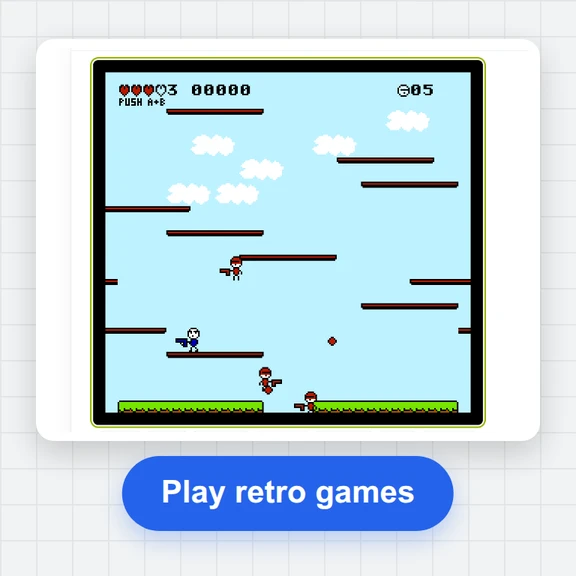
Your cat is floating up into the sky. Bounce off enemies, dash and flap your arms to climb after it before time runs out.
The full-colour remaster of Tobu Tobu Girl, with improved graphics and the same race up to rescue your cat.
Roll Libbet the boulder girl across a magic floor of four shades and leave tracks on most of the tiles before heading for the exit.
Hit the buttons to the beat in a set of short rhythm games: skateboard, sing, cook, battle and more.
Swing through a neon city on a grappling hook as a sheep courier and get the sushi to hungry customers in time.
A wizard’s spell has left Boink bouncing non-stop. Steer him through an ancient temple to rescue his girlfriend. Colour hardware only.
Squishy is lost and her eggs are gone. Guide her through eight stages, growing big to cross piranha rivers and shrinking to fit through tiny gaps.
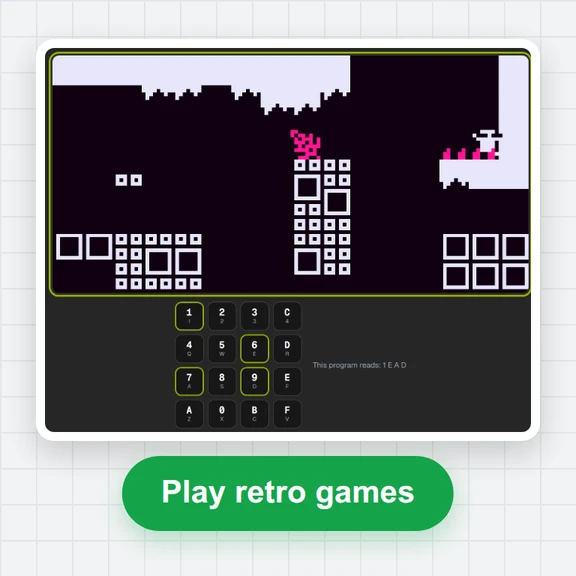
Program a little robot with a list of moves so it delivers every transmission on the level.
Flood the whole board with a single colour in as few moves as you can.
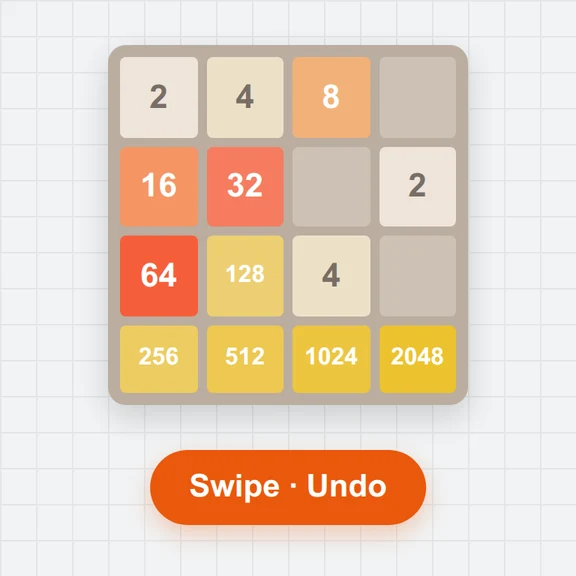
The sliding-number puzzle: merge equal tiles and keep going until you reach 2048.
The opening of a colour role-playing game written in pure assembly: explore, talk to the locals and follow the story’s start. The project was left unfinished.
The open-source emulation core passes standard CPU, timing and picture tests for this hardware, so games run as they would on the real thing.
Freeze the game in one of three slots, load it back any time, or hold rewind to step back a few seconds after a mistake.
Games that save their own progress keep it in this browser, and the player offers to continue where you stopped.
Large on-screen buttons with diagonal D-pad, full keyboard control and standard gamepads, including shoulder buttons for rewind and fast-forward.
Give monochrome games a classic green, pocket grey, amber and more, play at half or double speed, or fast-forward through slow parts.
Save a sharp 640 × 576 PNG of the screen, or go full screen with the controls laid out for your phone.
Create sprites, backgrounds and short clips for your game projects from a prompt with WaveSpeed AI.
Make pixel-art characters, tiles and title screens.
Turn a still picture into a short animated trailer.
Turn a sketch into a 3D model for your next game.
$1 in free credits for eligible new accounts. No card needed. Generators have separate account and credit requirements. The handheld console player is free.
Yes. Play every game online for free, as long as you like, with no sign-up, no ads and nothing to install. The games themselves are free, openly licensed homebrew.
Yes. Pick a game from the library and it starts in seconds right in your browser, with sound, on a computer, tablet or phone. No downloads, plug-ins or emulator setup needed.
A hand-picked library of 11 free, openly licensed homebrew games by indie developers: puzzles, platformers, a rhythm collection, action games and a role-playing adventure, in monochrome and full colour. Each game shows its authors and licence, so it is free to play and share.
Yes. The on-screen D-pad and buttons are sized for thumbs and support diagonals and two buttons at once. Turn your phone sideways and go full screen for a bigger picture with the controls on both sides.
Arrow keys or WASD for the D-pad, X or K for A, Z or J for B, Enter for Start and Shift or Backspace for Select. P pauses, hold Space to fast-forward, hold R to rewind, F6 and F9 save and load, F goes full screen and M mutes. Gamepads work too: the right face button is A, the bottom one B, and the shoulder buttons rewind and fast-forward.
Save anywhere to one of three save-state slots per game (F6 saves, F9 loads), and games with built-in saves keep their progress automatically. Your saves stay in this browser, and next time the player offers to continue right where you stopped.
Yes. Hold R or a shoulder button to rewind a few seconds after a mistake, and hold Space to fast-forward through slow parts. You can also play at half or double speed and give monochrome games one of eight classic screen palettes.
Yes. Each game's chiptune music and sound effects play in your browser, starting with your first click or key press. Set the volume in Settings or press M to mute.
Independent developers from the homebrew community. Open a game's info button to see the authors, the licence and links to the source code and the authors' pages.
Pick a title from the library and play in seconds.
/filters:quality(82)/media/images/1791123751656780930_IfFPY7R0.webp)
/filters:quality(82)/media/images/1791123737177812425_RjKT3cku.webp)
/filters:quality(82)/media/images/1791123748309870128_xlkNgK8N.webp)
/filters:quality(82)/media/images/1791123738630744263_oR09R0aj.webp)
/filters:quality(82)/media/images/1791177033162457776_uQ09OY7g.webp)
/filters:quality(82)/media/images/1791123734319125607_JdnwGPY7.webp)
/filters:quality(82)/media/images/1791123746355630206_udnxGPY7.webp)
/filters:quality(82)/media/images/1791123744771362580_yC0sPezZ.webp)
/filters:quality(82)/media/images/1791123738606970169_5KIR1ais.webp)
/filters:quality(82)/media/images/1791123748197655725_EUmuFNW6.webp)