Open the study
Drop .dcm files, a folder from a CD or USB export, or a ZIP. Check the images in the viewer.
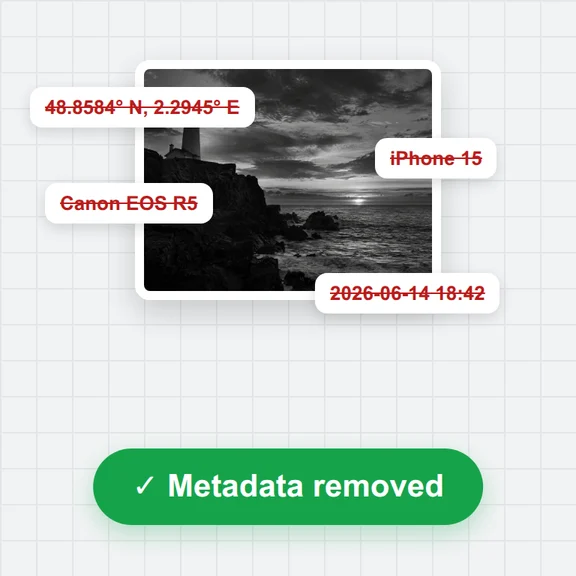
Remove names, IDs, dates and private tags from DICOM files before you share them for teaching, research or a second look.
Everything happens in your browser: the files never leave your device.
Not for diagnostic use
Single .dcm files, a whole study folder from a CD or USB export, or a ZIP archive. Everything is read in your browser.
Files without the .dcm extension work too. Other files in the folder are skipped.Drop .dcm files, a folder from a CD or USB export, or a ZIP. Check the images in the viewer.
Remove dates or shift them by a fixed number of days, set a new name or ID, and choose whether to keep age and sex or series descriptions.
Get a de-identified copy with new UIDs and no private tags. Series that may have text burned into the pixels are flagged.
Turn findings into simple illustrations for patients, students or presentations with WaveSpeed AI.
Create clear anatomy-style illustrations and diagrams for slides and handouts.
Turn an illustration into a short explainer clip.
Make a 3D model to show shape and position.
$1 in free credits for eligible new accounts. No card needed. Generators have separate account and credit requirements. The DICOM viewer is free.
Yes. Anonymize as many files as you like, with no account and no limits beyond your device's memory.
No. The files are read and rewritten in your browser and never leave your device.
Attributes listed in the DICOM PS3.15 Basic Application Level Confidentiality Profile: patient name, ID and birth date, other IDs, accession number, physicians, operators, institution and device details, descriptions, comments, dates and times, and all private tags. UIDs are replaced with new ones, the same way in every file, so studies and series stay linked.
Yes. You can shift dates by a number of days instead of removing them, keep age, sex, size and weight, keep study and series descriptions, device or institution details, or the original UIDs. The output records which options were used.
No. Pixel data is copied unchanged and the files keep their compression. Text burned into the pixels is not removed, so check ultrasound and screen captures before sharing.
Basic Profile rules · UIDs replaced consistently · Pixels unchanged
/filters:quality(82)/media/images/1791123751656780930_IfFPY7R0.webp)
/filters:quality(82)/media/images/1791123737177812425_RjKT3cku.webp)
/filters:quality(82)/media/images/1791123748309870128_xlkNgK8N.webp)
/filters:quality(82)/media/images/1791123738630744263_oR09R0aj.webp)
/filters:quality(82)/media/images/1791177033162457776_uQ09OY7g.webp)
/filters:quality(82)/media/images/1791123734319125607_JdnwGPY7.webp)
/filters:quality(82)/media/images/1791123746355630206_udnxGPY7.webp)
/filters:quality(82)/media/images/1791123744771362580_yC0sPezZ.webp)
/filters:quality(82)/media/images/1791123738606970169_5KIR1ais.webp)
/filters:quality(82)/media/images/1791123748197655725_EUmuFNW6.webp)