OpenAI's GPT Image 2 Text-to-Image generates high-quality images from natural-language prompts. Ready-to-use REST inference API, best performance, no coldstarts, affordable pricing.
Bereit
$0.057pro Durchlauf·~17 / $1
BeispieleAlle anzeigen
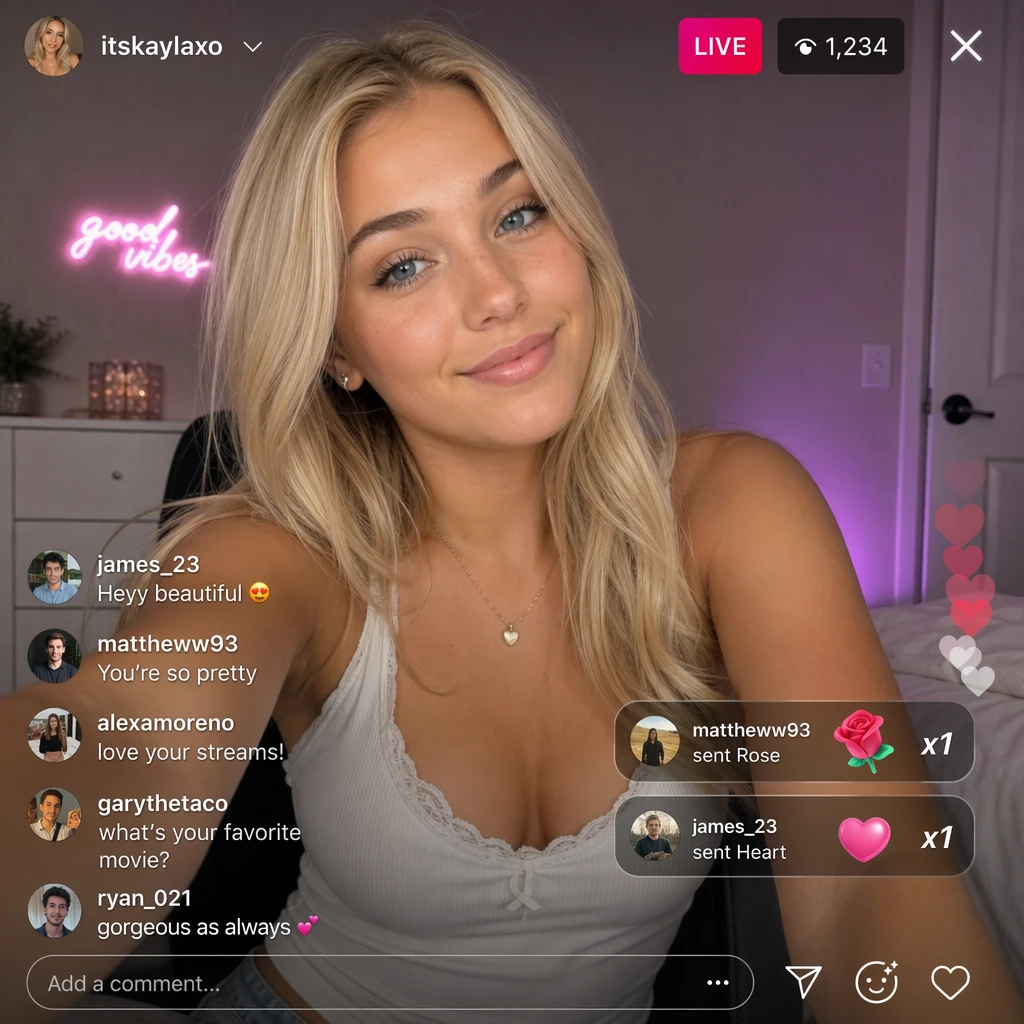
Generate a screenshot of a live stream where a blonde European-American beauty is live streaming.
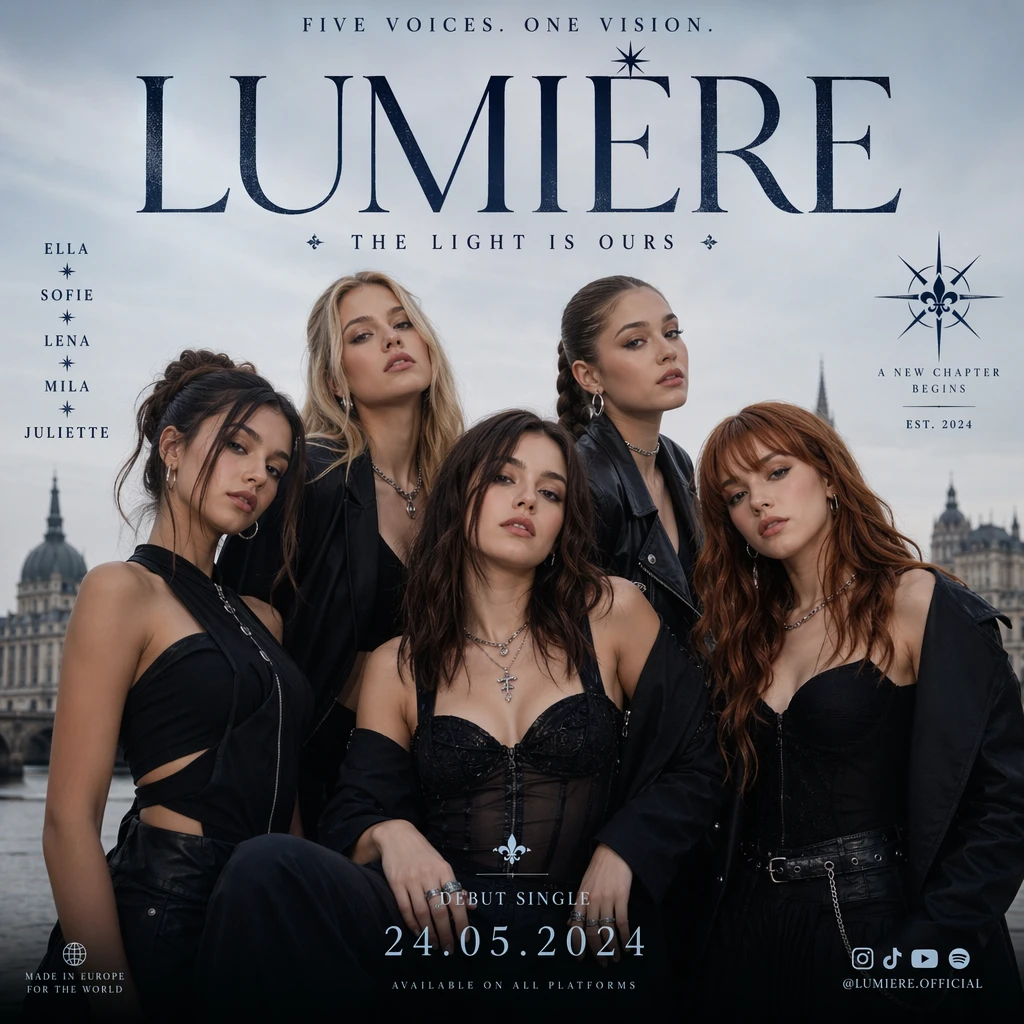
Generate a poster image of a European girl group.

Generate a map of recommended tourist attractions around the world
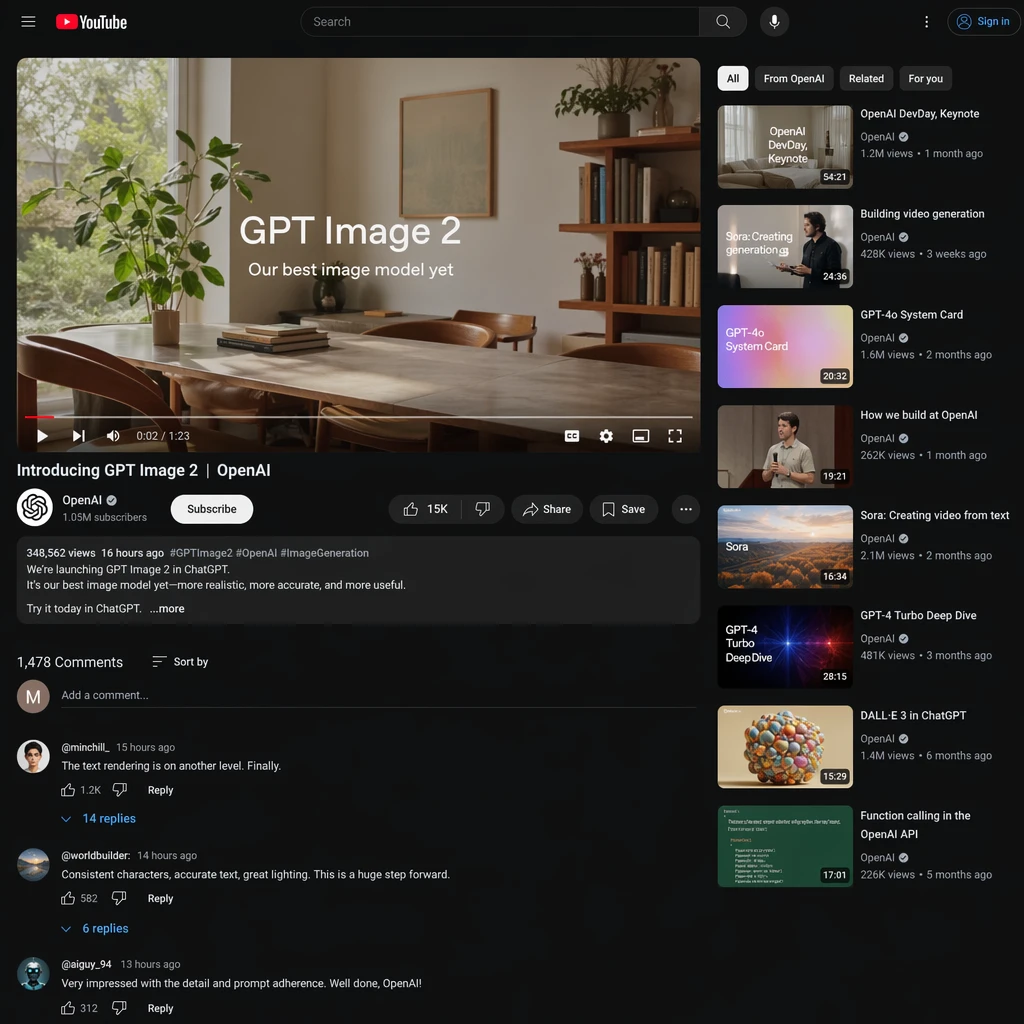
Generate an image: A realistic YouTube screenshot showing the official launchpromotional videofor GPT Image 2 from OpenAl's official account,with comments
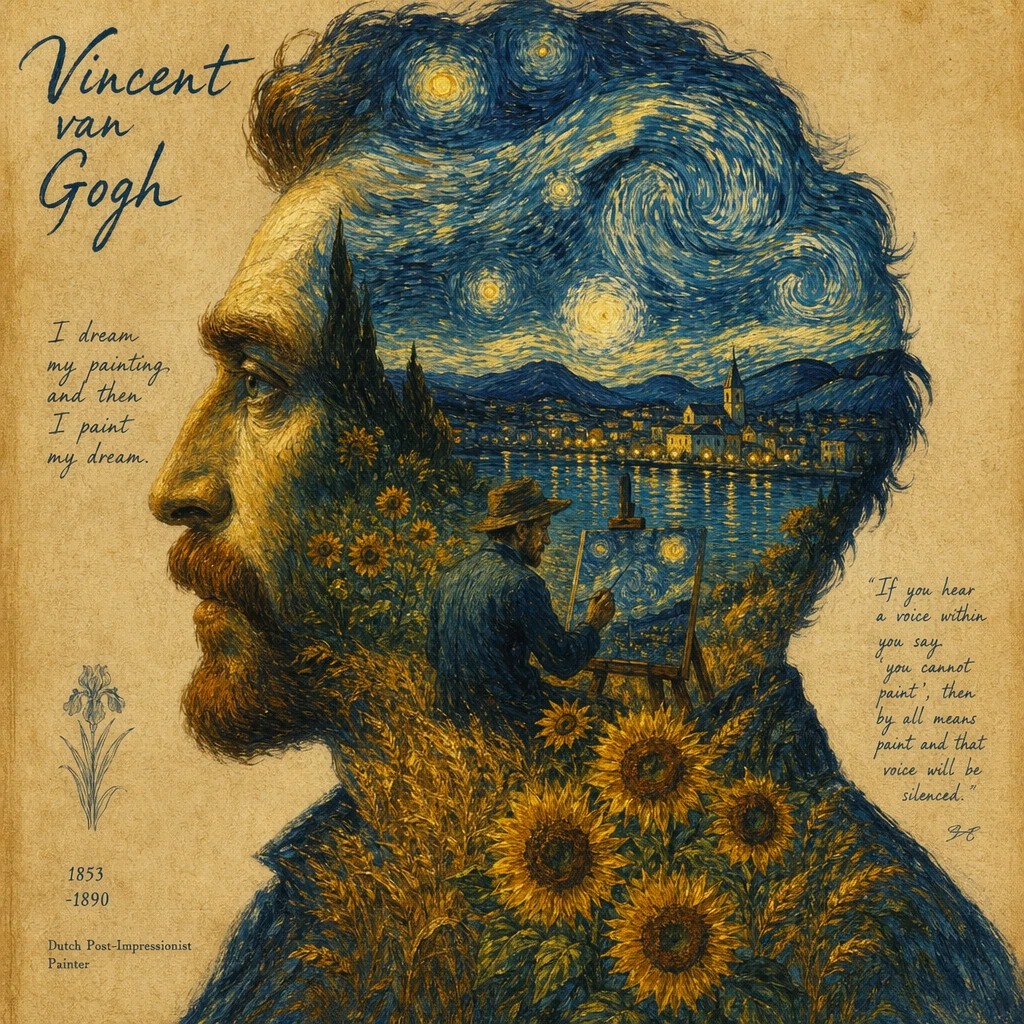
Vincent van Gogh style oil painting, side profile portrait of a man, double exposure composition, inside the silhouette a surreal landscape with swirling starry night sky, glowing stars, sunflowers and wheat field, a painter painting on canvas, small town by the lake with reflections, thick expressive brush strokes, post-impressionism style, vintage art poster design, textured paper background, warm yellow and deep blue contrast, highly detailed, artistic and emotional, high resolution
Ähnliche Modelle
/filters:quality(82)/media/images/1788941905586203566_DzViKczP.webp)
/filters:quality(82)/media/images/1788932339711919494_vrbhE9lL.webp)
/filters:quality(82)/media/images/1788941885532951956_ciRgxR5Q.webp)
/filters:quality(82)/media/images/1788932462559654416_SrQZ8hrB.webp)
/filters:quality(82)/media/images/1782721434327650196_n8i8hqAK.webp)
/filters:quality(82)/media/images/1788959825046368453_DvENW6gp.webp)
README
OpenAI GPT Image 2 Text-to-Image
OpenAI GPT Image 2 Text-to-Image transforms natural-language prompts into high-quality images. Describe the scene, style, lighting, composition, or typography you want, and the model generates polished visuals with strong prompt fidelity, detailed rendering, and flexible creative control.
- Need to edit an existing image instead? Try OpenAI GPT Image 2 Edit.
New: GPT Image 2.5 is available. The next generation adds two tiers, Flare (fast, balanced) and Sunburst (extra fidelity on intricate detail), five quality levels, and a lower default price of $0.024 per 1k image. Same request format, so switching is a model-ID change: GPT Image 2.5 Flare Text-to-Image · GPT Image 2.5 Sunburst Text-to-Image.
Why Choose This?
-
Strong prompt fidelity Generate images that closely follow detailed natural-language instructions, including scene layout, visual style, and composition.
-
High-quality image generation Produce polished visuals suitable for marketing creatives, concept design, product mockups, and branded content.
-
Accurate text rendering Create images that include clearer, more usable in-image text for posters, ads, packaging, and interface mockups.
-
Flexible aspect ratios Support square, portrait, and landscape outputs for common social, editorial, and product use cases.
-
Production-ready API Access the model through a ready-to-use REST inference API for fast integration into applications and workflows.
Parameters
| Parameter | Required | Description |
|---|---|---|
| prompt | Yes | Text description of the desired image. |
| aspect_ratio | No | Aspect ratio: 1:1, 3:2, 2:3, 3:4, 4:3, 4:5, 5:4, 9:16, 16:9, 21:9. |
| resolution | No | Output resolution: 1k (default), 2k, or 4k. |
| quality | No | Image quality: low, medium (default), or high. |
How to Use
- Write your prompt — describe the image in detail, including subject, style, lighting, composition, and any text you want to appear.
- Choose aspect ratio (optional) — use
1:1for square,2:3or9:16for portrait,3:2or16:9for landscape, etc. - Submit — run the model and download your generated image.
Example Prompt
A cinematic product photo of a luxury perfume bottle on a marble surface, soft golden-hour lighting, shallow depth of field, elegant reflections, premium editorial photography style
Pricing
Pricing varies by quality and resolution.
| Quality | 1k | 2k | 4k |
|---|---|---|---|
| low | $0.01 | $0.02 | $0.03 |
| medium | $0.06 | $0.10 | $0.18 |
| high | $0.22 | $0.40 | $0.72 |
Best Use Cases
- Marketing creatives — Generate hero images, ad visuals, banners, and campaign assets from text prompts.
- E-commerce content — Create product shots, lifestyle scenes, and promotional visuals without a full studio workflow.
- Landing pages & web design — Produce branded illustrations, hero sections, and visual mockups for websites.
- Social media content — Quickly generate eye-catching visuals tailored to different content formats.
- Concept art & ideation — Explore visual directions for products, scenes, characters, and campaigns.
- Typography-driven visuals — Create posters, ads, and packaging concepts that require readable in-image text.
Pro Tips
- Be specific in your prompt — include subject, environment, camera angle, lighting, mood, and style.
- Use natural sentence structure rather than keyword stuffing for better prompt understanding.
- For text inside the image, put the exact wording in quotes.
- Mention visual style clearly, such as photorealistic, cinematic, vector illustration, oil painting, or isometric 3D.
- Test multiple aspect ratios when creating assets for different placements like social posts, banners, or landing pages.
- Iterate on prompt details like composition and lighting to get more consistent results.
Notes
promptis the only required field.- Supported aspect ratios are
1:1,3:2,2:3,3:4,4:3,4:5,5:4,9:16,16:9, and21:9. - This model is intended for text-to-image generation from natural-language instructions.
Related Models
-
OpenAI GPT Image 2 Edit — Edit one or more reference images using natural-language instructions.
-
OpenAI GPT Image 2.5 Flare Text-to-Image — Next generation, fast and balanced tier with five quality levels.
-
OpenAI GPT Image 2.5 Sunburst Text-to-Image — Next generation, precision-focused tier for intricate detail.
Gpt Image 2 Text To Image API — Quick start
Grab a WaveSpeedAI API key, then call POST https://api.wavespeed.ai/api/v3/openai/gpt-image-2/text-to-image with your input as JSON. The endpoint returns a prediction id. Start polling the result endpoint around every 2 seconds, increase the interval for long-running tasks, and stop on any terminal status. On completed, read output values from data.outputs. Examples for Gpt Image 2 Text To Image below.
HTTP example
set -euo pipefail

: "${WAVESPEED_API_KEY:?Set WAVESPEED_API_KEY}"

REQUEST_BODY=$(cat <<'JSON'
{
    "prompt": "A cinematic shot of a city at sunset, soft golden light",
    "aspect_ratio": "1:1",
    "resolution": "1k",
    "quality": "medium",
    "output_format": "png"
}
JSON
)

# 1. Submit the prediction.
SUBMIT_RESPONSE=$(curl --silent --show-error --fail-with-body \
  -X POST "https://api.wavespeed.ai/api/v3/openai/gpt-image-2/text-to-image" \
  -H "Content-Type: application/json" \
  -H "Authorization: Bearer $WAVESPEED_API_KEY" \
  -d "$REQUEST_BODY")

TASK=$(printf '%s' "$SUBMIT_RESPONSE" | jq 'if has("data") then .data else . end')
PREDICTION_ID=$(printf '%s' "$TASK" | jq -r '.id')
if [ -z "$PREDICTION_ID" ] || [ "$PREDICTION_ID" = "null" ]; then
  printf 'Submission response did not contain a prediction id
' >&2
  exit 1
fi
RESULT_URL="https://api.wavespeed.ai/api/v3/predictions/$PREDICTION_ID/result"

# 2. Poll until the prediction finishes.
while true; do
  RESPONSE=$(curl --silent --show-error --fail-with-body "$RESULT_URL" \
    -H "Authorization: Bearer $WAVESPEED_API_KEY")
  RESULT=$(printf '%s' "$RESPONSE" | jq 'if has("data") then .data else . end')
  STATUS=$(printf '%s' "$RESULT" | jq -r '.status')
  case "$STATUS" in
    completed) printf '%s\n' "$RESULT" | jq '.outputs'; break ;;
    failed|cancelled|timeout|deleted) printf '%s\n' "$RESULT" | jq . >&2; exit 1 ;;
    *) sleep 2 ;;
  esac
done
Node.js example
const submitUrl = "https://api.wavespeed.ai/api/v3/openai/gpt-image-2/text-to-image";
const apiKey = process.env.WAVESPEED_API_KEY;
if (!apiKey) throw new Error('Set WAVESPEED_API_KEY');

async function requestJson(url, options = {}) {
  const response = await fetch(url, options);
  if (!response.ok) throw new Error(await response.text());
  return response.json();
}

// 1. Submit the prediction.
const body = await requestJson(submitUrl, {
  method: "POST",
  headers: {
    "Authorization": `Bearer ${apiKey}`,
    "Content-Type": "application/json",
  },
  body: JSON.stringify({
        "prompt": "A cinematic shot of a city at sunset, soft golden light",
        "aspect_ratio": "1:1",
        "resolution": "1k",
        "quality": "medium",
        "output_format": "png"
}),
});
const task = body.data ?? body;
if (!task.id) throw new Error("Submission response did not contain a prediction id");
const resultUrl = `https://api.wavespeed.ai/api/v3/predictions/${task.id}/result`;

// 2. Poll until the prediction finishes.
while (true) {
  const resultBody = await requestJson(resultUrl, {
    headers: { "Authorization": `Bearer ${apiKey}` },
  });
  const result = resultBody.data ?? resultBody;
  if (result.status === "completed") {
    console.log(result.outputs);
    break;
  }
  if (["failed", "cancelled", "timeout", "deleted"].includes(result.status)) throw new Error(JSON.stringify(result));
  await new Promise(resolve => setTimeout(resolve, 2000));
}
Python example
import json
import os
import time
from urllib.request import Request, urlopen

api_key = os.environ["WAVESPEED_API_KEY"]
headers = {"Authorization": f"Bearer {api_key}", "Content-Type": "application/json"}
payload = {
    "prompt": "A cinematic shot of a city at sunset, soft golden light",
    "aspect_ratio": "1:1",
    "resolution": "1k",
    "quality": "medium",
    "output_format": "png"
}

def request_json(url, data=None):
    request = Request(url, data=data, headers=headers, method="POST" if data else "GET")
    with urlopen(request) as response:
        return json.load(response)

# 1. Submit the prediction.
body = request_json("https://api.wavespeed.ai/api/v3/openai/gpt-image-2/text-to-image", json.dumps(payload).encode())
task = body.get("data", body)
if not task.get("id"):
    raise RuntimeError("Submission response did not contain a prediction id")
result_url = f"https://api.wavespeed.ai/api/v3/predictions/{task['id']}/result"

# 2. Poll until the prediction finishes.
while True:
    result_body = request_json(result_url)
    result = result_body.get("data", result_body)
    status = result.get("status")
    if status == "completed":
        print(result.get("outputs", []))
        break
    if status in {"failed", "cancelled", "timeout", "deleted"}:
        raise RuntimeError(result)
    time.sleep(2)
Gpt Image 2 Text To Image API — Frequently asked questions
What is the Gpt Image 2 Text To Image API?
Gpt Image 2 Text To Image is a OpenAI model for image generation, exposed as a REST API on WaveSpeedAI. OpenAI's GPT Image 2 Text-to-Image generates high-quality images from natural-language prompts. Ready-to-use REST inference API, best performance, no coldstarts, affordable pricing. You can call it programmatically or try it from the playground above.
How do I call the Gpt Image 2 Text To Image API?
POST your input parameters to the model's REST endpoint (shown in the API tab of this playground) with your WaveSpeedAI API key in the Authorization header. Submission returns a prediction ID. Poll the result endpoint starting around every 2 seconds, increase the interval for long-running tasks, and stop on any terminal status. The playground generates Python, JavaScript, and cURL examples for submitting requests and polling results. Full request/response shape is documented at https://wavespeed.ai/docs/docs-api/openai/openai-gpt-image-2-text-to-image.
How much does Gpt Image 2 Text To Image cost per run?
Gpt Image 2 Text To Image starts at $0.057 per run. That figure is the base price — the final charge scales with the parameters you set in the form (output size, length, count, references, or whatever knobs this model exposes), so a higher-quality or larger output costs more than a minimal one. The exact cost for your current input is shown live next to the Generate button before you submit, and the actual per-call charge is recorded on the prediction afterwards.
What inputs does Gpt Image 2 Text To Image accept?
Key inputs: `prompt`, `aspect_ratio`, `resolution`, `enable_base64_output`, `enable_sync_mode`, `output_format`. The full JSON schema (types, defaults, allowed values) is rendered above the Generate button and mirrored in the API reference at https://wavespeed.ai/docs/docs-api/openai/openai-gpt-image-2-text-to-image.
How long does Gpt Image 2 Text To Image take to generate?
Reported generation time on WaveSpeedAI is around 32 seconds per request. This is an estimate, not a latency guarantee; queue time and input settings can change the total wait. live status is visible in the prediction record.
Can I use Gpt Image 2 Text To Image outputs commercially?
Commercial usage rights depend on the model's license, set by its provider (OpenAI). Check the provider's applicable terms and WaveSpeedAI's Terms of Service before commercial use.
Mehr von OpenAI
Alle anzeigen- openai/gpt-6-astra/image-to-3dImage to 3D
- openai/gpt-6-astra/text-to-3dText to 3D
- openai/gpt-image-1.5/editImage Editing
- openai/gpt-image-1.5/text-to-imageText to Image
- openai/gpt-image-2.5-flare/editImage Editing
- openai/gpt-image-2.5-flare/text-to-imageText to Image
- openai/gpt-image-2.5-sunburst/editImage Editing
- openai/gpt-image-2.5-sunburst/text-to-imageText to Image
Weitere Text to Image-Modelle
Alle anzeigen- bytedance/seedream-v5.0-proText to Image
- google/nano-banana-pro/text-to-imageText to Image
- google/nano-banana-2/text-to-imageText to Image
- wavespeed-ai/z-image/turboText to Image
- bytedance/seedream-v4.5Text to Image
- alibaba/wan-2.7/text-to-imageText to Image
- alibaba/qwen-image-3.0/text-to-imageText to Image
- wavespeed-ai/flux-2-klein-9b/text-to-imageText to Image