Stop Manually Masking Images: Create Clean RGBA Layers with Qwen-Image Layered
Qwen-Image Layered is a prompt-guided image decomposition model that splits a single image into multiple clean RGBA layers, each with proper transparency, soft edges, and correct occlusion order—ready for immediate use in real production workflows.
Preparing images for design, marketing, or compositing often means hours of manual work—carefully masking subjects, fixing edge artifacts, separating multiple objects, and repeating the same steps every time a layout changes. Flat images slow workflows down, especially when flexibility and iteration matter.
Qwen-Image Layered is designed to solve this problem directly. It is a prompt-guided image decomposition model that splits a single image into multiple clean RGBA layers, each with proper transparency, soft edges, and correct occlusion order—ready for immediate use in real production workflows.
What Qwen-Image Layered Actually Solves
Qwen-Image Layered is not just another background remover.
It is a prompt-guided image decomposition model that splits a single image into multiple clean RGBA layers, each with proper transparency, soft edges, and correct occlusion order.
Instead of asking “Can I remove the background?”, this model answers a more powerful question: “How should this image be broken into usable layers?”
Why Layer-Based Outputs Matter
Layer-based outputs unlock workflows that flat images can’t support:
- Fast layout iteration
- Flexible compositing
- Clean asset reuse
- Non-destructive editing
With Qwen-Image Layered, each output layer is:
- A real RGBA asset
- Immediately editable
- Ready for design tools or pipelines
No manual cleanup is required.
What Makes Qwen-Image Layered Different
🎯 You Control the Number of Layers
Most tools give you one cutout.
Qwen-Image Layered lets you specify num_layers:
- 2 layers → subject + background
- 4 layers → foreground, subject, midground, background
- 8 layers → fine-grained scene breakdown
You decide how much control you need.
🧠 Prompt-Guided Semantic Separation
Complex images often fail with simple masking.
By adding a short prompt like:
“a person standing in front of a building”
The model understands how elements relate to each other, resulting in cleaner and more meaningful layers.
🎨 Clean RGBA with Soft, Natural Edges
Each layer includes:
- Proper alpha transparency
- Soft transitions
- No harsh cut lines
- Correct stacking order
These are production-ready assets, not demo outputs.
How to Use Qwen-Image Layered (Simple Workflow)
Step 1 — Upload an Image
Provide a local image or a URL.

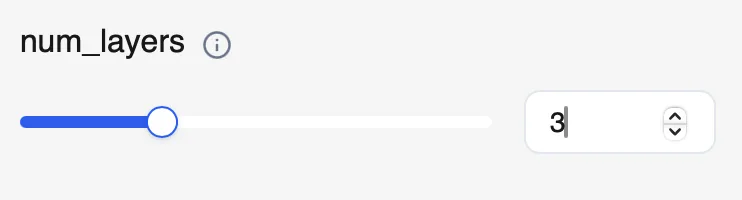
Step 2 — Set the Number of Layers
Choose num_layers based on your use case.
Example:
num_layers = 3for posters or banners
Step 3 — (Optional) Add a Prompt
Use a short description to guide separation:
A dog wearing a Christmas hat is standing in the snow.
Run the model and download each RGBA layer.
That’s it.


Who This Is Built For
Qwen-Image Layered is ideal for:
- Designers working on posters, banners, layouts
- Marketers preparing reusable assets
- Creators building layered visuals
- Developers automating image pipelines
Anywhere clean layers matter, this model fits naturally.
Why Use It on WaveSpeedAI
On WaveSpeedAI, Qwen-Image Layered is:
- Ready-to-use via API
- Fast, with no cold starts
- Affordable for production workflows
- Easy to integrate into existing pipelines
You can go from a single image to a fully layered composition in minutes, not hours.
Final Thoughts
Manual masking doesn’t scale.
With Qwen-Image Layered, you can decompose images into clean, controllable RGBA layers using simple parameters and optional prompts—unlocking faster iteration, better compositing, and cleaner assets.
👉 Try Qwen-Image Layered on WaveSpeedAI and turn flat images into flexible layers.