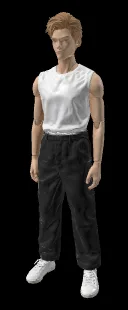
Introducing Tripo3D H3.1 Image-to-3D on WaveSpeedAI
Tripo3D H3.1 Image-to-3D — convert a single image into a high-quality 3D model with textures and PBR materials. HD textures, detailed geometry, quad topology. Now live on WaveSpeedAI.
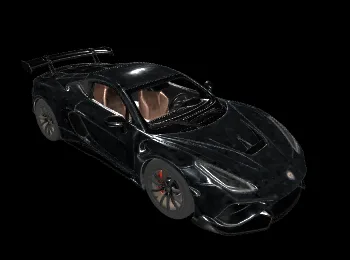
Single-Image to Production 3D — With Textures, PBR, and Quad Topology
For a long time, “AI 3D” meant blobby meshes with smeared textures — great for concepting, nowhere near production. Tripo3D’s H-series changed the bar, and H3.1 pushes it further: clean geometry, HD textures, PBR materials, and even quad-mesh topology — all from a single image. We’re excited to announce that Tripo3D H3.1 Image-to-3D is now live on WaveSpeedAI.
What Is Tripo3D H3.1 Image-to-3D?
Tripo3D H3.1 Image-to-3D is a single-image-to-3D model. You upload one image; it outputs a textured 3D mesh with PBR materials, with configuration for:
- Texture on/off — geometry-only or textured.
- Texture quality — standard or HD (detailed).
- Geometry quality — standard or detailed.
- Quad mesh topology — retopologized for animation-ready use.
- Texture alignment and orientation — for consistent import into DCC tools.
The result: a model you can actually drop into Blender, Maya, Unreal, Unity, or your engine of choice without re-topology, re-texturing, or cleanup.
Key Features
HD Texture Quality
texture_quality = "detailed" delivers high-resolution textures suitable for hero assets and close-ups, not just background props.
Detailed Geometry Mode
geometry_quality = "detailed" produces meshes with meaningfully higher vertex density — sharper silhouettes, finer surface detail.
Quad Mesh Topology
Enable quad for retopologized quad output — usable directly in animation pipelines that depend on clean edge flow.
PBR Material Support Textures come with full PBR channels — basecolor, normal, roughness, metalness — compatible with any PBR-ready renderer.
Texture Alignment and Orientation Control Import into Unreal, Unity, or Blender without orientation chaos. Get consistent axis conventions.
Real-World Use Cases
Game Asset Pipelines
Convert concept art or reference photos into game-ready props, characters, and environment pieces.
Indie 3D Modeling
Solo creators can build up asset libraries without needing to master Blender modeling. One image per asset, minutes per asset.
Product Visualization and AR
Turn product photos into 3D models for AR try-on, interactive product pages, or 360 viewers.
Concept-to-Production Handoff
Concept artists deliver a key image; the 3D team gets a usable base model out the other side. Iterate faster, spend manual time where it matters.
3D Printing Prototypes
Generate printable 3D models from reference photos — figurines, replica props, architectural elements.
Educational and Archival 3D Capture
Convert museum photos, historical imagery, or educational references into interactive 3D without a scan rig.
Getting Started on WaveSpeedAI
- Upload a source image — ideally clean, centered, with the subject clearly visible.
- Configure output — texture yes/no, texture quality, geometry quality, quad topology.
- Submit — production REST API, no cold starts.
- Download the mesh + textures — import directly into your DCC tool or engine.
Full schema on the model page.
Pricing
Pricing is modular — you pay for the features you use:
- Base (geometry only, no texture): $0.20
- Texture enabled: 1.5× base ($0.30)
- Texture HD (detailed): 2× base ($0.40)
- Detailed geometry: +1× base ($0.20)
- Quad topology: +0.25× base ($0.05)
A fully-loaded asset (HD texture + detailed geometry + quad) runs $0.65 — far below the cost of manual modeling, and even of most scan services.
Why Run Tripo3D H3.1 Image-to-3D on WaveSpeedAI
- One API, full 3D stack. Pair with Tripo3D H3.1 Text-to-3D, Multiview-to-3D, and PATINA Material for a complete asset-creation pipeline.
- No cold starts. Consistent throughput for studios and pipelines.
- Feature-modular pricing. Pay for what you need, not a flat rate.
- Production-grade uptime. Fit for batch jobs and consumer tools alike.
Pro Tips
- Use clean source images. Centered subject, neutral background, even lighting — all translate directly into cleaner output meshes.
- Start with texture off for geometry iteration. Confirm the shape is right, then rerun with textures for final.
- Enable quad for animation. Tri-mesh is fine for static props; quad is required for anything that rigs and deforms.
- Detailed geometry matters on hero assets. Standard geometry is plenty for props and background fill.
- Re-crop if needed. If the subject is small in the frame, crop closer before running — occupy more of the image for sharper output.
Start Creating Today
Tripo3D H3.1 Image-to-3D is one of the cleanest image-to-3D pipelines on the market — textured, PBR-ready, with quad topology when you need it.
Try Tripo3D H3.1 Image-to-3D now on WaveSpeedAI and turn any image into a production-ready 3D asset.
Related Articles
Claude Fable 5 Just Shipped: 80.3% on SWE-Bench Pro, 2× Opus 4.8 Pricing, Free Through June 22
Claude Sonnet 4.8: What the Leak Actually Says, and Why the Pattern Doesn't Fit
Seedance 2.1 and Seedance 2.0 Mini Are Coming: Quality Bump, Lower Price Tier
GPT-5.6 Just Showed Up in OpenAI's Codex Logs — Here's What That Actually Means
HiDream-O1-Image-Dev: The 8B Pixel-Native Model That Beat 56B FLUX.2